
If you’ve just noticed the low tire pressure warning light on your Honda CR-V, you’re probably wondering how to reset it quickly and safely. Keeping your tires properly inflated is key to your vehicle’s performance and your safety on the road.
But once you’ve checked and adjusted the tire pressure, you need to reset the system to turn off that persistent warning light. Whether your CR-V has the classic reset button or a modern touchscreen interface, this guide walks you through the exact steps to get your tire pressure system back on track.
Stay with us, and you’ll be back on the road with confidence in no time.

Check Tire Pressure
Checking tire pressure is essential for your Honda CR-V’s safety and performance. Tires with low pressure can cause poor fuel economy and uneven wear. Regular checks keep your tires in good shape and help avoid the low tire pressure warning light.
Use a simple process to check and adjust your tire pressure. Start by finding the right pressure for your vehicle. Then, measure the current tire pressure using a gauge. Finally, inflate the tires to the correct level. This helps maintain a smooth and safe ride.
Locate Recommended Psi
Find the recommended tire pressure (PSI) for your Honda CR-V. Look inside the driver’s side door frame for a sticker. This sticker shows the proper PSI for front and rear tires. Use these numbers as your target when adjusting tire pressure.
Use A Tire Pressure Gauge
Remove the valve cap from the tire. Press a tire pressure gauge firmly onto the valve stem. Read the pressure value on the gauge. Compare it with the recommended PSI. Check all four tires to spot any low pressure.
Inflate Tires Correctly
Use an air compressor or visit a gas station with air pumps. Add air slowly and check the pressure often. Stop adding air once you reach the recommended PSI. Replace the valve cap tightly to prevent leaks. Repeat for each tire to ensure even pressure.
Reset With Tpms Button
Resetting the low tire pressure light on your Honda CR-V is simple using the TPMS button. This button helps the system recognize correct tire pressure after you inflate the tires. Using the TPMS reset button is common in older Honda CR-V models. Follow these steps carefully to reset the warning light quickly.
Park And Turn Ignition On
First, park your Honda CR-V on a flat surface. Make sure the engine is off but turn the ignition to the ON position. This action powers the vehicle’s electronics without starting the engine. It allows the TPMS system to prepare for the reset process.
Find The Reset Button
Locate the TPMS reset button inside your vehicle. It is usually under the dashboard, near the steering wheel. Look for a button marked with a tire and an exclamation mark icon. This button is the key to resetting the tire pressure monitoring system.
Hold Button Until Light Blinks
Press and hold the TPMS reset button. Keep it pressed until the low tire pressure light on the dashboard blinks twice or three times. Once the blinking stops, release the button. This action tells the car to erase old tire pressure data and learn the new correct pressure.
Drive To Calibrate System
After resetting, drive your Honda CR-V for about 10 to 15 minutes. Driving allows the TPMS to fully calibrate and check the tire pressures. The low tire pressure light should turn off if all tires have the right pressure. This step completes the reset process and ensures safe driving.
Reset Via Touchscreen
Resetting the low tire pressure warning on your Honda CR-V through the touchscreen is simple. This method applies to newer models equipped with an advanced infotainment system. It helps recalibrate the Tire Pressure Monitoring System (TPMS) after adjusting your tire pressures.
Follow the steps below carefully to complete the reset process using the touchscreen interface. Each step ensures your vehicle recognizes the correct tire pressure levels and turns off the warning light.
Start Vehicle In Park
First, start your Honda CR-V and make sure it is in the Park position. The engine should be running or in the “on” mode to access the vehicle settings. This prevents any interruptions during the reset.
Access Settings Menu
On the touchscreen display, locate and tap the “Settings” icon. This opens the main menu where you can adjust various vehicle options. Look for the “Vehicle” or “Vehicle Settings” section to continue.
Navigate To Tpms Calibration
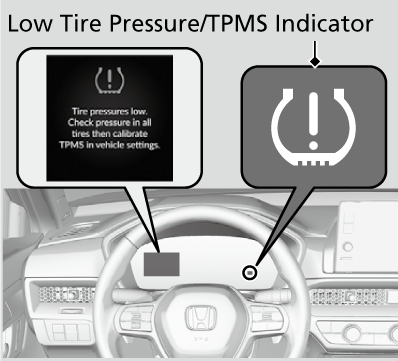
Within the Vehicle Settings, find the option labeled “TPMS Calibration” or “Tire Pressure Monitor.” Select this to enter the calibration screen. This menu allows you to reset the system after confirming tire pressures.
Confirm Calibration
Follow the prompts on the screen to confirm the TPMS calibration. The system will start recalibrating to the current tire pressures. Wait a moment until the process completes and the warning light turns off.
Troubleshooting Tips
Troubleshooting low tire pressure on your Honda CR-V can save time and prevent further issues. Knowing what to check helps fix problems quickly. This section covers common troubles and how to handle them.
Light Remains On
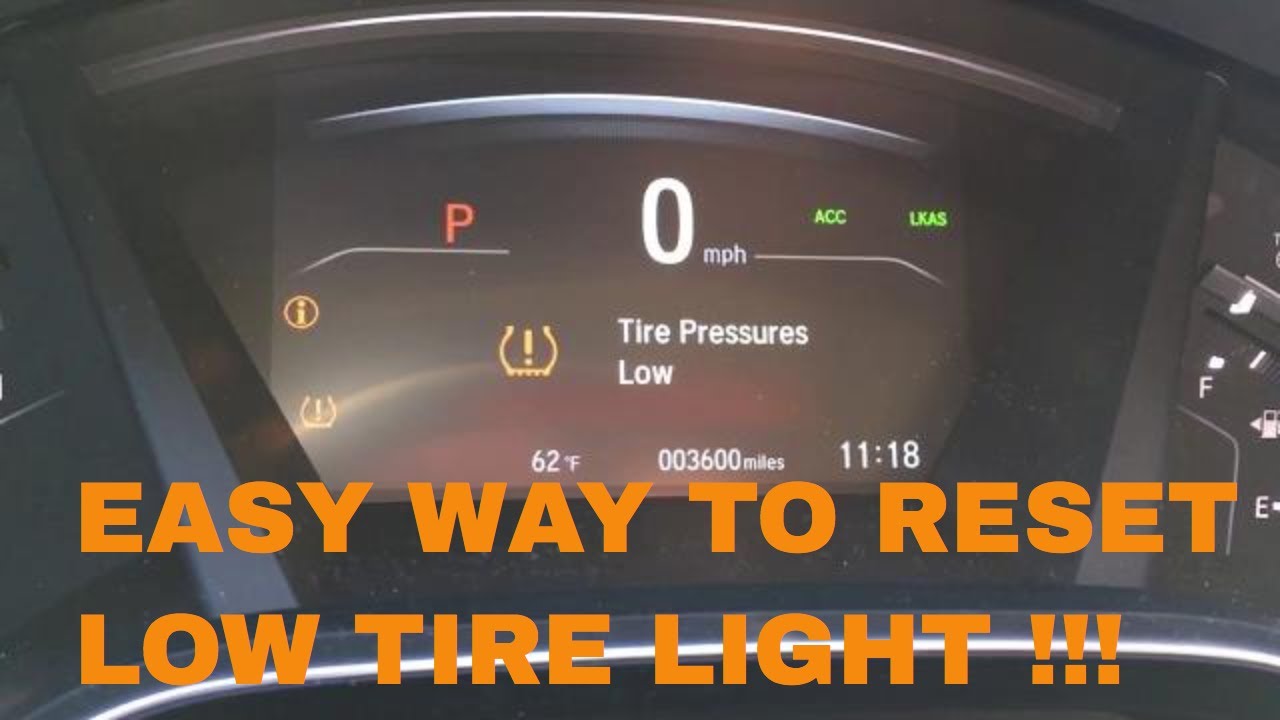
After resetting, the tire pressure light may stay on. Check all tires carefully for correct pressure. Sometimes, the sensor needs time to update. Drive your car for a few minutes to let the system recalibrate. If the light still stays on, the sensor might be faulty.
Check For Slow Leaks
Slow leaks cause tires to lose air gradually. Inspect tires for nails, screws, or cracks. Use soapy water on the tire surface to find bubbles, which show leaks. Replace or repair damaged tires quickly to avoid unsafe driving conditions. Keep a tire pressure gauge handy for regular checks.
When To See A Mechanic
If the tire pressure light stays on after multiple resets, see a mechanic. Persistent warnings may mean sensor or valve problems. A professional can diagnose and fix issues safely. Also, visit a mechanic if tires wear unevenly or the car handles oddly. Early help avoids costly repairs and keeps you safe.
Maintenance Advice
Maintaining proper tire pressure on your Honda CR-V is vital for safety and performance. Low tire pressure affects fuel efficiency, tire wear, and vehicle handling. Taking simple maintenance steps helps avoid frequent TPMS alerts and keeps your ride smooth.
Regular tire care extends tire life and improves driving comfort. These tips guide you on easy habits to keep your tires in top shape.
Regularly Check Tire Pressure
Check your tire pressure at least once a month. Use a reliable tire pressure gauge for accurate readings. Make sure tires are cold before measuring. Inflate tires to the manufacturer’s recommended PSI, found on the driver’s door jamb. Proper pressure prevents uneven tire wear and boosts fuel economy.
Seasonal Tire Pressure Changes
Temperature changes affect tire pressure. Cold weather lowers pressure, while heat increases it. Check tire pressure more often during seasonal transitions. Adjust pressure to match the recommended levels for your Honda CR-V. This keeps the tires balanced and safe all year round.
Use Quality Air Compressor
Use a good-quality air compressor for inflating tires. Avoid gas station compressors that may be inaccurate. A portable digital compressor offers precise control. It helps avoid overinflation or underinflation. Proper inflation keeps your Honda CR-V’s tires healthy and extends their lifespan.
Frequently Asked Questions
How Do You Reset The Tire Pressure Light On A Honda Cr-v?
Ensure all tires match the recommended PSI. For older Honda CR-V models, hold the TPMS reset button under the dash until the light blinks. For newer models, use the touchscreen: go to Settings > Vehicle > TPMS Calibration > Calibrate and confirm.
Drive briefly to complete reset.
Why Is My Tire Pressure Light Still On After Filling Tires On My Honda Cr-v?
Your Honda CR-V’s tire pressure light stays on if you haven’t reset the TPMS after filling tires. Use the reset button or touchscreen menu to recalibrate. Ensure all tires match the recommended PSI. Persistent light may indicate a slow leak or sensor issue needing mechanic attention.
How Do I Get Rid Of Low Tire Pressure Warning On My Honda?
Inflate all tires to the recommended PSI. Press and hold the TPMS reset button until the light blinks, or use the touchscreen menu to calibrate. Drive briefly to complete reset. If the warning returns, inspect tires for leaks or seek mechanic help.
How To Clear Low Tire Pressure Honda Hrv?
Park the Honda HRV and turn on the ignition. Inflate all tires to the correct PSI. Press and hold the TPMS reset button until the light blinks. For newer models, use the touchscreen: go to Settings > Vehicle > TPMS Calibration > Calibrate.
Drive briefly to complete reset.
How Do I Reset The Tire Pressure Light On A Honda Cr-v?
Inflate tires to the right PSI, then press the TPMS reset button or use the touchscreen menu to recalibrate.
Conclusion
Resetting low tire pressure on your Honda CR-V is simple and quick. Always check your tire pressure before resetting the system. Use the reset button for older models or the touchscreen menu for newer ones. After resetting, drive briefly to let the system recalibrate.
Keeping tire pressure correct helps your car run safely and smoothly. Follow these steps to keep your Honda CR-V in top shape.