
Is your Honda Accord’s tire pressure light stubbornly staying on even after you’ve checked and inflated your tires? That warning light can be annoying and confusing, but you don’t have to stress over it.
Knowing how to reset the tire pressure light on your Honda Accord is easier than you think—and it can save you time, money, and trips to the mechanic. In this guide, you’ll find simple, step-by-step instructions tailored to your model, whether you have a touchscreen display or classic steering wheel controls.
Keep reading to get your tire pressure light back to normal and drive with confidence again.
Check Tire Pressure
Checking tire pressure is the first step to reset the tire pressure light on your Honda Accord. Proper tire pressure ensures safety and smooth driving. Low or high pressure can trigger the warning light. Use simple tools and follow easy steps to check each tire carefully.
Doing this regularly helps keep your tires in good shape. It also improves fuel efficiency and tire life. Let’s see how to check the tire pressure properly.
Locate Pressure Specifications
Find the correct tire pressure for your Honda Accord. Look inside the driver’s side door jamb. A sticker shows the recommended pressure in PSI (pounds per square inch). Use these numbers as your target. Different tires or loads may need adjustments.
Use A Reliable Gauge
Get a good quality tire pressure gauge. Digital or analog types work well. Remove the valve cap from each tire and press the gauge firmly. Read the pressure on the gauge display. Compare it to the recommended PSI. Add air if pressure is low or release air if it is too high.
Include Spare Tire
Don’t forget to check the spare tire’s pressure. Many drivers overlook this step. The spare tire may also have a different pressure requirement. Use the same pressure specifications sticker for reference. Proper pressure in the spare tire is important for emergencies.
Reset Via Touchscreen
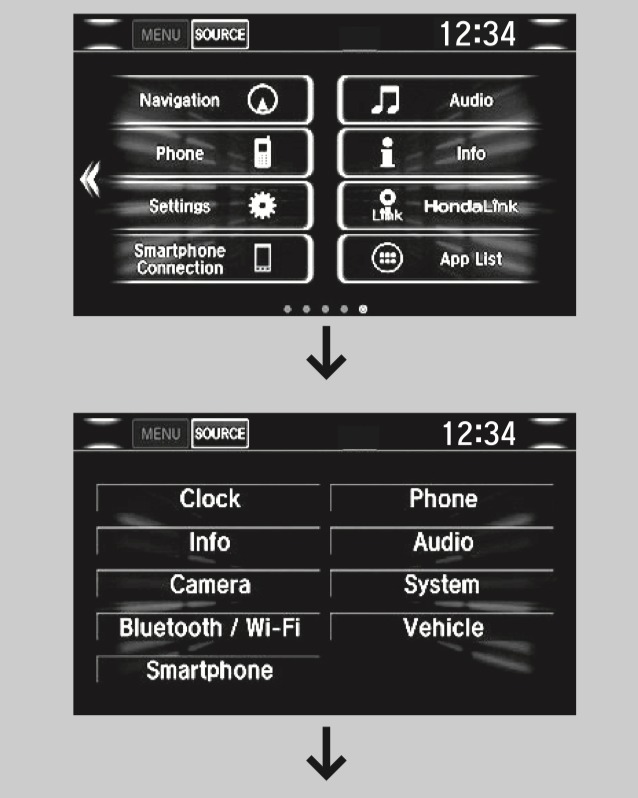
Resetting the tire pressure light on a Honda Accord is simple with the touchscreen method. This approach uses your vehicle’s infotainment system to access the necessary settings. It guides you through the calibration process step-by-step. The touchscreen reset is quick and clear for most drivers.
Start Vehicle And Access Settings
Turn on your Honda Accord without starting the engine fully. Press the power button or insert the key to the accessory mode. Locate and tap the Home button on the touchscreen display. Open the Settings menu to begin the reset process.
Navigate To Vehicle Menu
Within Settings, look for the Vehicle option and select it. This section controls various car functions, including tire pressure monitoring. Use the touchscreen to scroll through and find the Vehicle submenu easily.
Select Tpms Calibration
Find the TPMS Calibration option inside the Vehicle menu. This controls the tire pressure monitoring system. Tap on TPMS Calibration to open the calibration controls needed to reset the light.
Confirm And Calibrate
Once you select TPMS Calibration, the system will ask for confirmation. Press the Calibrate button to start resetting the tire pressure light. Wait for the system to register the new calibration settings.
Drive To Complete Reset
After calibration, drive your Honda Accord for several minutes. This allows the system to check the tire pressures and update the light status. The tire pressure light should turn off after the drive if pressures are correct.
Reset Using Steering Controls
Resetting the tire pressure light on a Honda Accord using the steering controls is a simple task. It requires navigating the vehicle’s menu system with buttons on the steering wheel. This method suits models without a touchscreen or those who prefer using physical controls. Follow these steps carefully to reset your Tire Pressure Monitoring System (TPMS) light effectively.
Access Menu With Steering Buttons
Turn the ignition to the ON position without starting the engine. Use the left or right arrow buttons on your steering wheel to scroll through the dashboard menu. Look for the “Settings” or “Vehicle” option. Press the “Enter” or “OK” button to open the menu.
Find Tpms Calibration Option
Within the Settings menu, navigate to the “TPMS Calibration” or “Tire Pressure” option. This setting allows you to reset the tire pressure sensors. Highlight the option using the arrow buttons and press “Enter” or “OK” to select it.
Initialize Reset Process
Select the “Calibrate” or “Reset” option to begin the tire pressure light reset. Confirm your choice if prompted by pressing “Enter” or “OK.” The system will start the reset process, which recalibrates the sensors based on current tire pressures.
Drive To Finalize Reset
Start driving your Honda Accord at speeds above 25 mph. Maintain this speed for about 10 to 15 minutes. This allows the TPMS to complete the reset and update the tire pressure status. The warning light should turn off after successful calibration.
Reset Without Buttons Or Screen
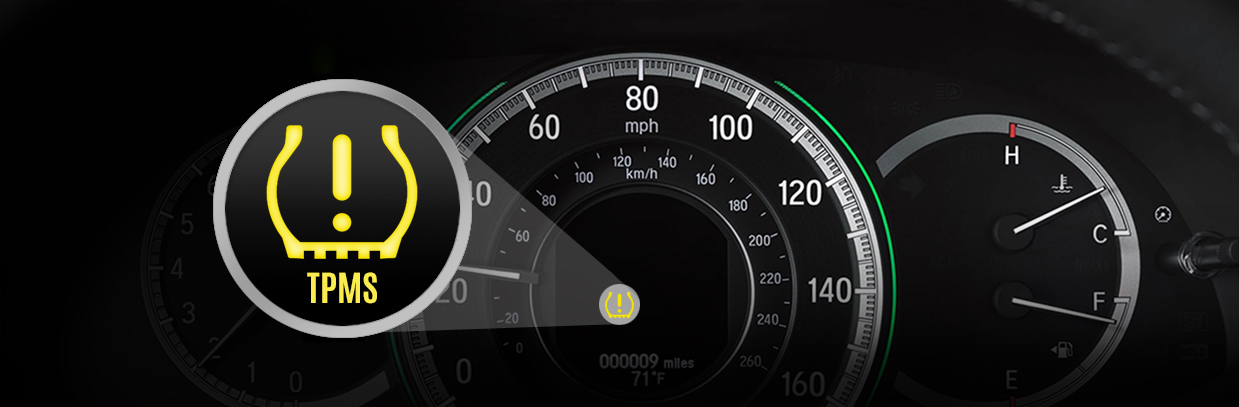
Resetting the tire pressure light on a Honda Accord without using buttons or the screen is possible. This method relies on the car’s built-in sensor system to recalibrate itself. It requires no special tools or complicated steps. You just need to follow a few simple actions to help the system recognize the correct tire pressure again.
Ensure Proper Tire Inflation
Check each tire’s pressure with a gauge. Inflate all tires to the recommended levels found on the driver’s door jamb. Include the spare tire if your model has a sensor for it. Proper inflation is key for the system to reset itself correctly.
Drive At Steady Speed
Start driving your Honda Accord at a steady speed, around 50 mph or 80 km/h. Avoid sudden stops or fast turns. Maintain this speed for about 10 to 15 minutes to help the sensors detect the correct tire pressure.
Allow System To Recalibrate
The tire pressure monitoring system (TPMS) needs time to adjust. After driving steadily, the light should turn off automatically. If it stays on, stop and check the tire pressures again. Repeat the drive if needed to complete the recalibration process.
Common Issues After Reset
Resetting the tire pressure light on a Honda Accord often solves the warning issue temporarily. Some common problems may appear after the reset process. These issues can stop the light from turning off or cause it to come back quickly. Understanding these problems helps in fixing them correctly and safely.
Light Remains On
The tire pressure light might stay on after a reset. This happens if tire pressures are uneven or too low. Sometimes, the system needs time to recheck all tires. Driving the car for a few miles usually helps the sensor update. If the light still stays on, check the tire pressures again carefully.
Sensor Battery Problems
The sensors in the tires have small batteries. These batteries can die over time. When the battery is low or dead, the sensor cannot send signals. The tire pressure light may blink or stay on. Replacing the sensor battery or the whole sensor may be necessary. This fixes communication problems with the car’s system.
Damaged Or Faulty Sensors
Sensors can get damaged from road debris or rough tire changes. A broken sensor does not work well and gives wrong readings. Faulty sensors cause the tire pressure light to flash or remain lit. A mechanic can test the sensors to find the faulty one. Replacing damaged sensors restores the system’s accuracy and safety.
Tips To Prevent Future Alerts
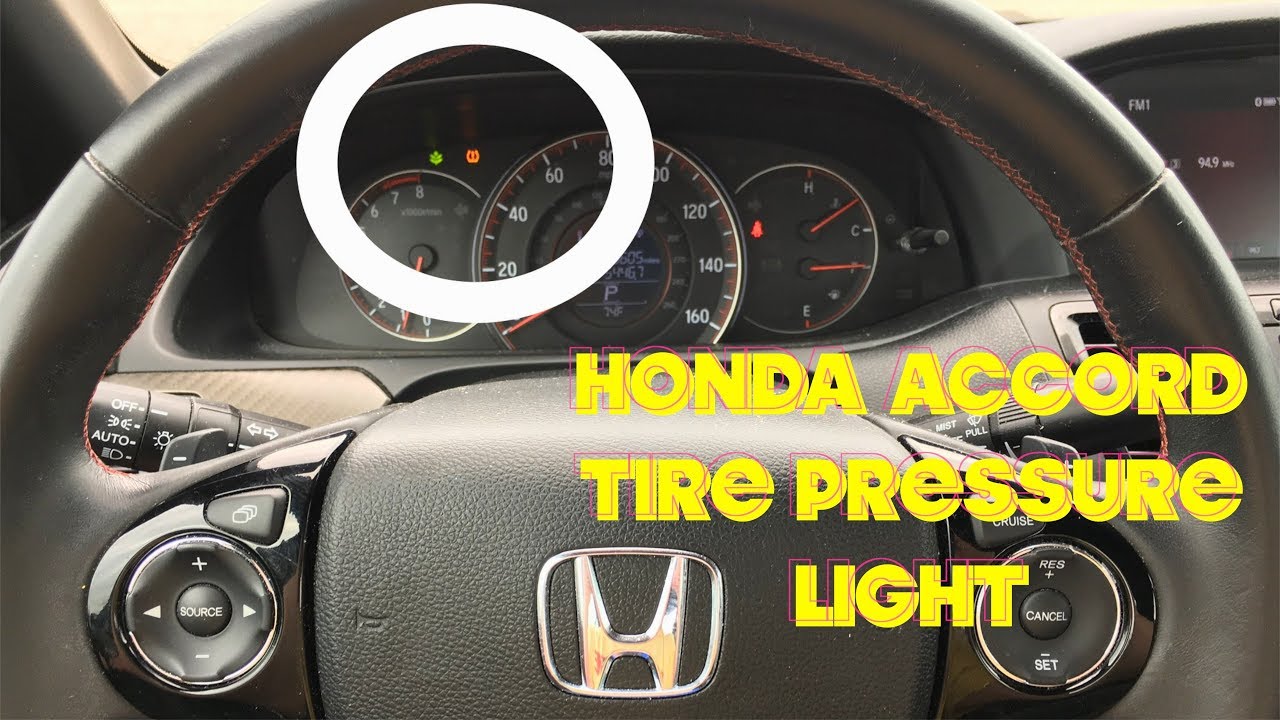
Preventing future tire pressure light alerts on your Honda Accord keeps driving safe and smooth. Regular care and attention to your tires help avoid unexpected warnings. Follow these simple tips to maintain proper tire pressure and reduce alerts.
Regular Tire Pressure Checks
Check tire pressure at least once a month. Use a reliable tire pressure gauge for accuracy. Always measure when tires are cold for the best reading. Keep pressure at levels shown on the driver’s door jamb. Proper inflation improves fuel efficiency and tire life.
Seasonal Pressure Adjustments
Temperature changes affect tire pressure significantly. Air contracts in cold weather, lowering pressure. Add air during colder months to maintain proper levels. In hot weather, pressure can rise, so check and adjust accordingly. Seasonal tuning prevents false warnings and uneven tire wear.
Professional Sensor Inspections
Have your tire pressure sensors checked yearly by a professional. Sensors can wear out or get damaged over time. Faulty sensors may cause repeated alerts even when pressure is correct. Regular inspections ensure your TPMS works well and alerts only when needed.
Frequently Asked Questions
Where Is The Tpms Reset Button Located On A Honda?
The TPMS reset button on a Honda is usually under the steering wheel or near the fuse box. Some models reset via the infotainment screen or steering wheel controls. Check your owner’s manual for exact location and reset instructions.
Why Is My Tire Pressure Light Still On After Filling Tires On My Honda Accord?
Your Honda Accord’s tire pressure light stays on after filling tires because the TPMS needs resetting. Use the infotainment screen or steering wheel controls to calibrate it. Drive the car afterward to complete the reset and turn off the light.
How Do I Turn Off The Tire Pressure Light On My Honda Accord 2015?
Inflate all tires to the correct pressure. On the touchscreen, go to Settings > Vehicle > TPMS Calibration, then select Calibrate. Confirm and drive to reset the tire pressure light on your 2015 Honda Accord.
How Do You Reset Tpms Without Reset Button Honda?
To reset TPMS without a reset button on a Honda, inflate all tires to correct pressure first. Then, use the infotainment screen or steering wheel controls to access Vehicle Settings. Select TPMS Calibration, choose Calibrate or Initialize, confirm, and drive the vehicle to complete the reset.
How Do I Reset The Tire Pressure Light On A Honda Accord?
Start the car, inflate tires to correct pressure, then use the touchscreen or steering controls to reset TPMS.
Conclusion
Resetting the tire pressure light on your Honda Accord is simple. First, check and inflate all tires to the correct pressure. Then, use your car’s menu or reset button to calibrate the system. After resetting, drive a short distance to complete the process.
This routine helps keep your tires safe and your warning light off. Regular tire checks improve driving safety and fuel efficiency. Keep these steps in mind to maintain your Honda Accord easily and confidently.