
Is your AC thermostat acting up, showing the wrong temperature, or just not responding like it used to? You’re not alone—and the good news is, you don’t always need an expert to fix it.
Sometimes, all it takes is a simple reset to get your thermostat—and your air conditioning—back on track. In this guide, you’ll discover easy steps to reset your AC thermostat, whether it has a reset button or not. By following these clear instructions, you can quickly solve common issues like inconsistent temperatures, unresponsive controls, or a frozen display.
Keep reading, and you’ll learn how to bring comfort back to your home without waiting for a costly service call. Your cool, refreshing air is just a reset away!

Signs Your Thermostat Needs Resetting
Knowing when to reset your AC thermostat helps keep your home comfortable. A thermostat that acts strangely can make your air conditioning less effective. Watch for signs showing the thermostat may need a reset. Acting early can avoid bigger problems with your cooling system.
Temperature Inconsistencies
Your thermostat controls your home’s temperature. If the room feels hotter or colder than the thermostat shows, it could be wrong. The AC may run too long or not enough. These inconsistencies often mean the thermostat needs a reset to fix its sensor.
Unresponsive Controls
Try changing the temperature setting on your thermostat. If nothing happens, the controls might be frozen. Sometimes buttons or touch screens stop working. A reset can refresh the system and make your controls responsive again.
Frequent Cycling
Your AC should run smoothly without stopping too much. If it turns on and off quickly and often, that is called short cycling. This wastes energy and strains your system. Resetting the thermostat can help it run in a normal cycle.
Issues After Power Outages
Power outages can disrupt your thermostat’s programming. After electricity returns, your thermostat might not work right. Settings can be lost or frozen. Resetting the thermostat restores normal operation and correct settings.
Basic Reset Methods
Resetting your AC thermostat can solve many common issues like unresponsive controls or wrong temperature readings. Basic reset methods are simple steps you can try before calling a technician. These methods help reboot the system and clear minor glitches. Below are some easy ways to reset your thermostat effectively.
Turning Thermostat Off And On
Start by switching your thermostat to the “Off” position. Wait for about 30 seconds to 1 minute. Then, turn it back on to the desired setting. This quick action often fixes small software glitches. It refreshes the system and helps the thermostat read temperatures correctly again.
Power Cycling At The Breaker
Locate your home’s electrical panel and find the breaker that controls your HVAC system. Flip the breaker switch off to cut power to the thermostat and AC unit. Leave it off for 1 to 2 minutes. Flip the breaker back on to restore power. This method resets the thermostat and the AC’s internal controls. Power cycling can fix deeper issues than just turning the thermostat off.
Battery Removal And Reinstallation
Some thermostats run on batteries. Remove the thermostat’s faceplate gently to access the battery compartment. Take out the batteries carefully and wait for 1 minute. Reinsert the batteries in the correct direction. Snap the faceplate back on the wall mount. This resets the thermostat’s internal memory. It often clears frozen screens or unresponsive buttons.
Resetting Thermostats Without A Reset Button
Resetting thermostats without a reset button is common. Many models lack a dedicated reset switch. You can still reboot the system using simple steps. These methods help fix errors and improve performance. Follow easy techniques to refresh your thermostat quickly.
Manual Power Cycle
Start by switching your thermostat to the “Off” position. Next, find your HVAC system’s power source. This could be a wall switch or the breaker box. Turn off the power to the air conditioner or furnace. Wait for about 30 seconds to one minute. Then, turn the power back on. This action forces the thermostat to restart. It clears minor bugs and refreshes settings.
Removing And Replacing Batteries
Many thermostats run on batteries. Locate the battery compartment on your device. Gently remove the thermostat faceplate if needed. Take out the batteries carefully. Wait 30 seconds to let the device fully power down. Insert fresh batteries or put the old ones back. Reattach the faceplate firmly. The thermostat should power up and reset itself. This method resets internal memory and fixes display issues.
Using Circuit Breaker For Reset
Locate the circuit breaker panel in your home. Find the breaker labeled for your HVAC system. Switch the breaker to the “Off” position. Wait around 60 seconds for a full reset. Flip the breaker back to “On.” This cuts power completely and restarts the thermostat. It clears faults caused by electrical surges or glitches. Your system should reboot and work normally again.

Reset Procedures For Popular Thermostat Brands
Resetting your AC thermostat can solve many common issues. Different thermostat brands require unique reset steps. Knowing the correct reset procedure helps restore normal function fast.
This section covers reset procedures for popular thermostat brands. Follow these simple steps to reset your thermostat and improve performance.
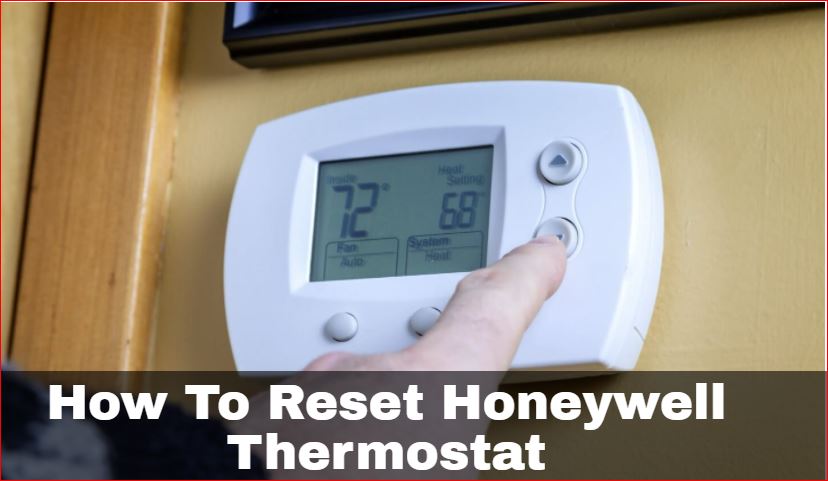
Honeywell Thermostat Reset Steps
Start by switching your Honeywell thermostat to the “Off” position. Locate the reset button on the device, usually found under the thermostat cover or on the back.
Press and hold the reset button for about 5 seconds. Release the button and wait for the thermostat to reboot. After reboot, the display should return to normal.
If no reset button exists, turn off power at the breaker. Wait 30 seconds, then turn power back on. This power cycle resets the thermostat.
Nest Thermostat Battery Reset
Remove the Nest thermostat from the wall base carefully. Open the battery compartment on the back of the thermostat.
Take out the batteries and wait for 1 minute. Reinsert the batteries, making sure they fit properly. Snap the thermostat back onto the wall base.
The Nest will restart and reset settings to default. You may need to reconnect to Wi-Fi and reprogram preferences.
Programmable Thermostat Resets
Look for a reset button or pinhole on the programmable thermostat. Use a paperclip or small tool to press and hold the reset button for 3-5 seconds.
The screen will go blank or flash, indicating the reset is working. Release the button and wait for the thermostat to restart.
If no reset button is available, switch off the thermostat and cut power at the circuit breaker. Wait 30 seconds, then restore power.
After reset, check the time and settings. Reprogram your schedule to match your preferences.
Post-reset Actions
After resetting your AC thermostat, certain steps ensure it works properly. These post-reset actions help restore comfort and system efficiency. Follow them carefully to avoid common problems and enjoy a smooth experience.
Reprogramming Settings
Resetting clears your previous settings. You need to set the temperature schedule again. Choose your preferred cooling and heating times. Adjust fan settings to match your comfort. Save changes to keep the thermostat running on your terms.
Checking System Functionality
Once reprogrammed, test the system. Set the temperature lower than room temperature to turn on cooling. Listen for the air conditioner to start. Check if airflow feels normal. Confirm the thermostat display shows correct temperature and settings.
Troubleshooting Persistent Issues
If problems continue, try basic fixes. Ensure batteries are fresh and properly installed. Verify the thermostat is mounted correctly on the wall. Check your circuit breaker for power supply issues. Consult the user manual for error codes or reset tips.
Tips To Avoid Frequent Resets
Frequent resets of your AC thermostat can be frustrating and may indicate underlying issues. Preventing these resets helps keep your system stable and efficient. Simple habits can extend your thermostat’s lifespan and reduce the need for constant resets.
Regular Maintenance
Clean your thermostat and AC unit regularly. Dust and dirt can cause sensor errors. Check for loose wires or connections. Keep vents clear to ensure good airflow. Schedule professional inspections yearly to catch problems early.
Proper Battery Replacement
Replace batteries before they run out. Weak batteries can cause the thermostat to reset often. Use high-quality batteries suitable for your model. Remove old batteries carefully to avoid damage. Check battery contacts for corrosion and clean if needed.
Keeping Firmware Updated
Update your thermostat firmware when updates are available. Manufacturers release updates to fix bugs and improve performance. Connect your thermostat to Wi-Fi for easy updates. Follow the instructions in your user manual or app. Updated firmware reduces glitches and resets.
Frequently Asked Questions
Will Resetting My Thermostat Fix My Ac?
Resetting your thermostat can fix minor AC issues by recalibrating sensors and rebooting the system. It often resolves startup or temperature problems.
How Do You Know If You Need To Reset Your Thermostat?
You need to reset your thermostat if temperatures are inconsistent, adjustments have no effect, it short cycles, or malfunctions after power outages. Resetting can fix sensor errors and restart your HVAC system for normal operation.
How Long Should I Leave My Ac Off To Reset It?
Turn off your AC and leave it off for at least 5 minutes to reset. This allows the system to reboot fully.
How Do You Reset A Thermostat Without A Reset Button?
Turn off the thermostat and HVAC system breaker. Remove batteries if accessible. Wait 1-2 minutes, then restore power and reinsert batteries. Reprogram settings after the reset.
How Do I Reset My Ac Thermostat Quickly?
Turn off the thermostat and HVAC breaker, wait 60 seconds, then turn them back on to reset.
Conclusion
Resetting your AC thermostat can solve many common issues fast. It helps fix wrong temperatures and system glitches. Always turn off power before starting the reset. After resetting, check and set your preferred settings again. Regular resets keep your AC running smoothly and save energy.
Try these easy steps to improve your home comfort today.