
If your Fi Collar isn’t working the way it should, a reset might be just what you need to get it back on track. Whether it’s blinking green, not syncing properly, or showing as offline, knowing how to reset your Fi Collar can save you time and frustration.
In this guide, you’ll find simple, step-by-step instructions to reset your collar quickly and easily. Plus, we’ll share troubleshooting tips to help you handle common issues and ensure your smart dog collar stays connected and reliable. Ready to fix your Fi Collar and keep your furry friend safe?
Let’s dive in!
Fi Collar Reset Basics
Resetting your Fi Collar can solve many common issues. Understanding the basics helps keep your device working well. This guide explains why and how to reset your Fi Collar effectively.
Why Reset Your Fi Collar
Resetting fixes problems like freezing or connectivity errors. It refreshes the collar’s software and settings. This step often restores proper tracking and syncing. Resetting also helps after firmware updates or battery replacements. It ensures your collar connects smoothly with the app.
Types Of Resets
Fi Collar offers two main reset types: soft reset and factory reset. A soft reset restarts the device without erasing data. It clears minor glitches and keeps your settings intact. A factory reset erases all data and restores original settings. Use factory reset only if soft reset does not fix issues. Each reset type has specific steps to follow for best results.

Preparing To Reset
Before resetting your Fi collar, it is important to prepare properly. Proper preparation ensures a smooth reset process. It also helps avoid common issues after resetting.
Take a few moments to check the charging base and collar placement. These simple steps can save time and prevent errors. Follow the instructions carefully to get the best result.
Check Charging Base Connection
Start by checking the charging base connection. Make sure the base is plugged into a working power outlet. A loose or unplugged base will stop the reset process.
Look for a steady blue light on the charging base. This light means the base has power and is ready. If the light is off or flashing oddly, try reconnecting the power cable.
Clean the charging contacts on both the collar and base. Dirt or dust can block charging and cause reset failures. Use a soft cloth to gently wipe the contacts.
Place Collar Correctly
Next, place the collar properly on the charging base. Align the collar’s charging contacts with the base’s metal pads. A wrong position may stop the collar from charging.
The collar should sit flat and stable on the base. Avoid any movement during the reset process. A loose collar can interrupt the reset and cause errors.
Check for a blue light on the collar. This light shows the collar is charging. If no light appears, adjust the collar and check contacts again.
Resetting The Fi Collar
Resetting the Fi Collar can solve many common issues. It refreshes the device and restores normal function. You can reset the collar safely with simple steps. This guide shows you how to do it right.
Follow these steps carefully to avoid any problems. Resetting helps if the collar does not connect or shows incorrect lights. Keep your collar charged and ready before starting the reset process.
Locate The Reset Button
First, find the reset button on your Fi Collar. It is a small, circular button. Usually, it sits on the bottom of the charging base. Look near the USB port for this button. Use a small tool like a paperclip to press it.
Performing The Reset
Place the Fi Collar on its charging base. Make sure the base is plugged into power. Press and hold the reset button for about 10 seconds. Release the button when the collar light changes color. This action restarts the device and clears minor errors.
Recognizing Light Indicators
The collar uses light signals to show its status. A steady blue light means the collar is charging and ready. A blinking green light shows the collar is syncing or resetting. Red lights can indicate errors or low battery. Watch the lights closely during reset to understand the collar’s state.
Troubleshooting Common Issues
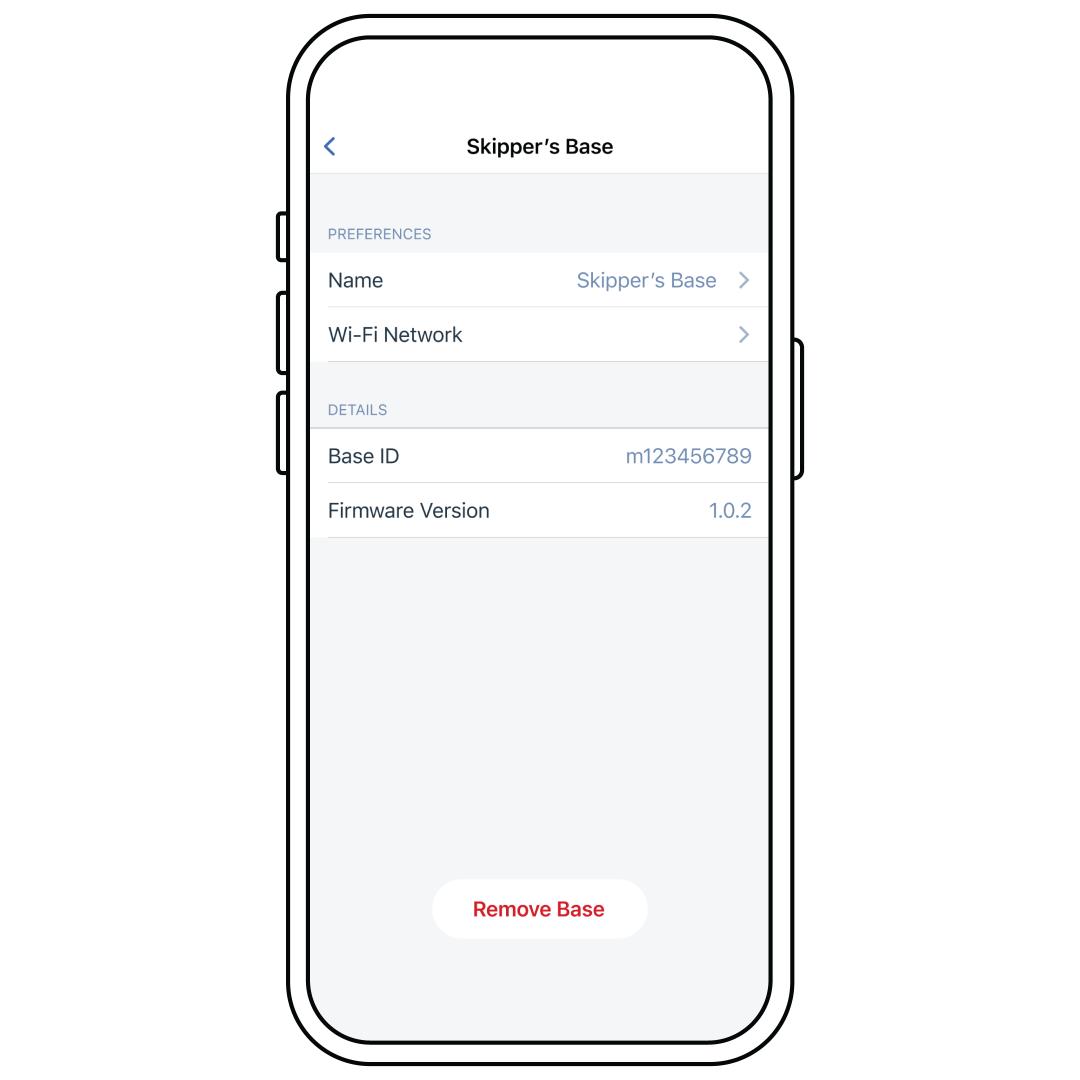
Updating network settings on your Fi Collar is important to keep the device connected and working properly. This step helps the collar communicate with the Fi Base and your app. Changing Wi-Fi or syncing the collar ensures smooth tracking and alerts. Follow simple steps to update your network settings quickly.
Changing Wi-fi On Fi Base
First, plug in your Fi Charging Base and make sure it shows a blue light. Open the Fi app on your phone. Go to the settings menu and select the option for Wi-Fi. Choose the new Wi-Fi network you want to connect to. Enter the password carefully to avoid errors. Wait a few moments while the base connects to the new network. A successful connection will help keep your collar online and accurate.
Syncing Collar With Updated Network
Place the collar on the charging base after updating the Wi-Fi. Watch for the collar’s light to change, indicating it is syncing. The collar will connect to the updated network through the base. Keep the collar on the base until the sync finishes. This process may take a few minutes. Once synced, the collar should work well with the new network settings. Regular syncing keeps your device responsive and reliable.
Resetting The Fi Base Station
Resetting your Fi Collar usually fixes most problems quickly. Sometimes, issues last even after a reset. Knowing when to contact support saves time. Support can guide you through fixes or replacements. Here is when and how to get help.
Persistent Issues After Reset
Some problems do not go away after resetting the collar. The collar might still fail to connect or update. The battery may drain unusually fast. You might notice strange lights or no response from the device. These signs show a deeper issue. Continuing to use a faulty collar can cause more problems. Contact support if issues persist after a proper reset. They can help diagnose and fix the problem.
Getting Help From Fi Customer Service
Fi Customer Service is ready to assist you. You can reach them through the Fi app or their website. Provide details about your collar and the problem. Mention the steps you have already tried. This helps them understand your issue faster. Support may guide you through advanced troubleshooting. They can arrange repairs or replacements if needed. Keep your collar’s serial number handy for faster service. Don’t hesitate to ask questions or request advice.
Frequently Asked Questions
How Do You Reset Your Fi Collar?
To reset your Fi collar, place it on the charging base. Press and hold the reset button on the base until the light blinks red. Release the button, and the collar will restart. Ensure the base is plugged in and showing a blue light before resetting.
How To Factory Reset Fi?
To factory reset your Fi collar, place it on the charging base with power connected. Press and hold the reset button near the USB port until the light blinks red. Release the button, and the collar will reset. Reconnect the collar via the Fi app to complete setup.
How To Master Reset Garmin Dog Collar?
To master reset a Garmin dog collar, place it on the charging base with power connected. Press and hold the reset button near the USB port until the collar blinks red. Release the button, and wait for the collar to restart and show a blue light.
How To Transfer A Fi Collar To A New Owner?
Log in at nano. tryfi. com. Select the chip to transfer. Update the contact info with the new owner’s details. Click SAVE to register the chip to the new owner.
How Do I Reset My Fi Collar Quickly?
Place the collar on its charging base, then press the reset button near the USB port.
Conclusion
Resetting your Fi Collar is simple and helps solve many issues. Always place the collar on its charging base before starting. Press the reset button carefully and watch the light signals. A red blink means the reset is working. If the collar still shows problems, check your Wi-Fi settings in the Fi app.
Persistent issues? Reach out to Fi Customer Support for help. Keeping your collar updated ensures your pet stays safe and connected. Try these steps whenever your collar acts up for quick fixes.