
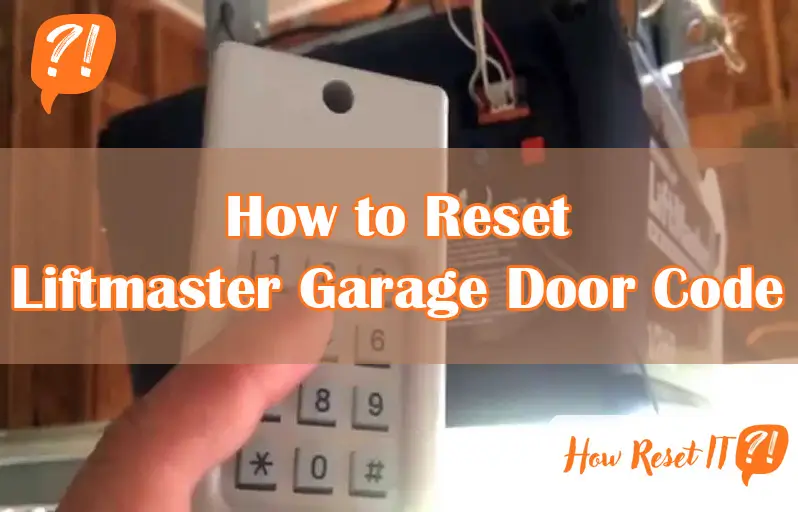
If you’re looking to reset your LiftMaster garage door code, you’ve come to the right place. Whether you want to change your code for security reasons or because you forgot the old one, resetting it is simpler than you might think.
In this guide, you’ll learn easy, step-by-step instructions that anyone can follow—even if you’re not tech-savvy. By the end, you’ll have full control over your garage door access, making your home safer and giving you peace of mind. Ready to get started?
Let’s dive in and make sure your LiftMaster is secure and working just the way you want.
Locate The Learn Button
Locating the Learn Button is the first step to resetting your LiftMaster garage door code. This button allows you to program new codes or remotes. Knowing its exact location helps you reset the system quickly and easily.
Find Button On Motor Unit
Open your garage and look for the motor unit mounted on the ceiling. The Learn Button is usually on the back or side of this unit. It often sits near the antenna wire hanging from the motor. Check carefully around the unit’s edges and near the light cover.
Identify Button Color And Position
The Learn Button comes in different colors like yellow, green, orange, red, or purple. It may be a small square or round button. Sometimes, it hides under a light cover or plastic panel. Knowing the button’s color and position helps you find it faster on your motor unit.

Enter Programming Mode
Entering programming mode is the first step to reset your LiftMaster garage door code. This mode allows you to change or clear existing codes safely. Follow simple actions to activate it on your garage door opener. Understanding this process helps in managing your garage door’s security easily.
Press And Release Learn Button
Locate the Learn button on your garage door opener. It is usually on the back or side of the motor unit. The button may be yellow, green, orange, red, or purple. Press the Learn button once and then release it quickly. Do not hold the button down. This action puts the opener into programming mode.
Watch For Indicator Light
After pressing the Learn button, look at the indicator light near it. The light will start blinking or stay on steady. This signals the opener is in programming mode. The light usually stays on for about 30 seconds. Use this time to enter your new code or remote signal.
Reset The Garage Door Code
Resetting the LiftMaster garage door code is essential for security and convenience. Changing the code protects your garage from unauthorized access. It only takes a few simple steps to set a new PIN code on your keypad. Follow this guide to reset your garage door code quickly and easily.
Access The Keypad
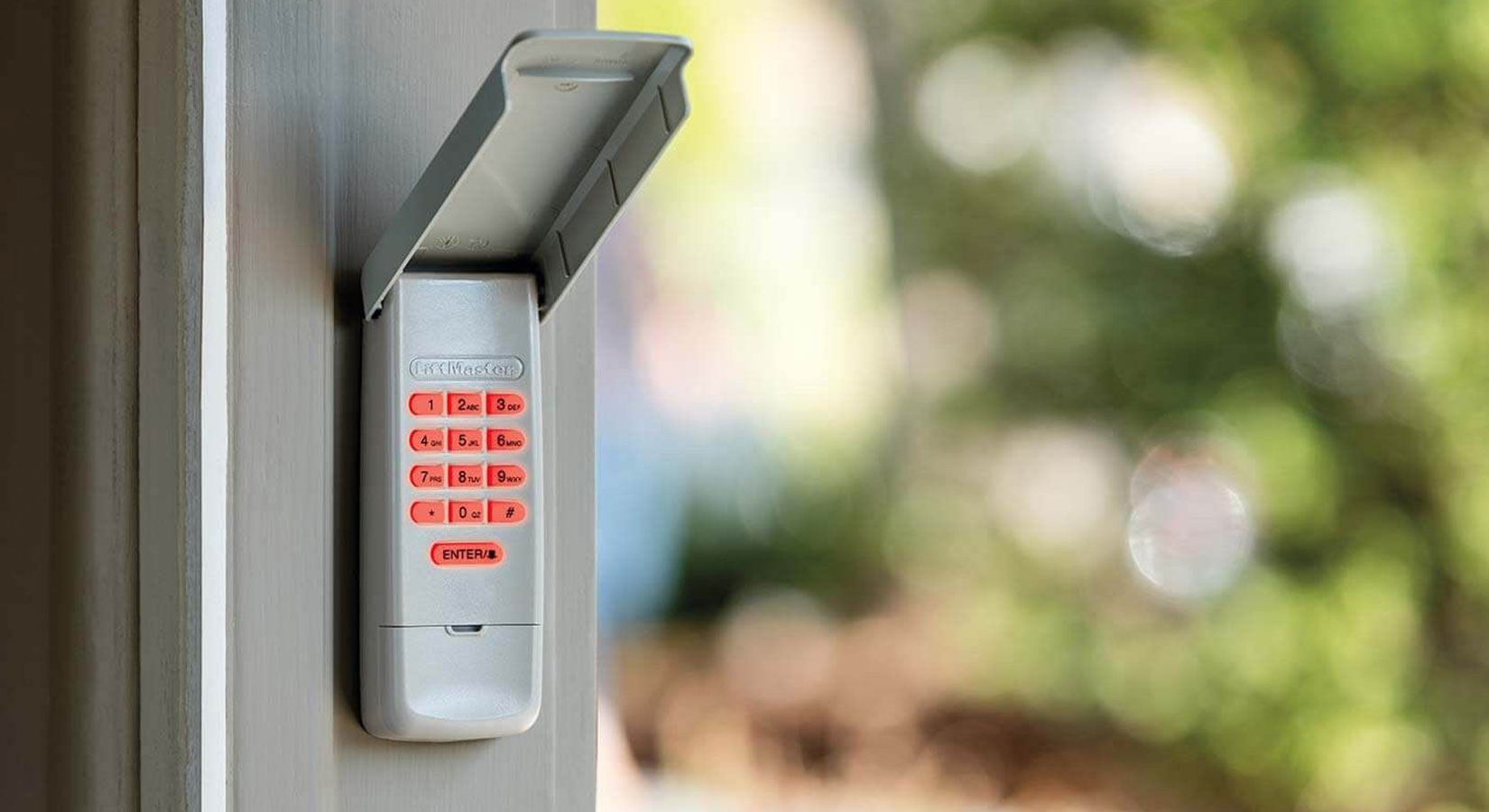
Locate the keypad outside your garage door. It is usually mounted near the door frame. Press the “Enter” or “Code” button to activate the keypad. The keypad lights will turn on, indicating it is ready for input.
Enter New Pin Code
Choose a new 4 to 8-digit code that you can remember easily. Use the keypad buttons to enter this new PIN. Avoid simple codes like “1234” or “0000” for better security. Make sure to enter the full code without errors.
Confirm With Enter Or Key
After entering your new PIN, press the “Enter” button or the key marked with a checkmark. The garage door opener will signal acceptance, often by flashing a light or making a beep. Your new code is now set and ready for use.
Test The New Code
After you reset your LiftMaster garage door code, testing the new code is essential. This step ensures the new code works properly. It also confirms the door responds as expected. Follow simple steps to verify your new settings.
Use Keypad To Open Door
Go to your garage door keypad. Enter the new code you just set. Press the enter or unlock button. The garage door should begin to open smoothly. If the door does not open, try entering the code again. Make sure the battery in the keypad is working. Repeat the process until the door opens reliably with the new code.
Verify Door Closes Correctly
Once the door is open, use the keypad to close it. Enter the new code again and press the button to close. Watch the door carefully as it moves down. It should close all the way without stopping or reversing. If the door stops or reverses, check for obstacles or sensor issues. Ensure the sensors are aligned and clean. Test the closing function a few times to confirm smooth operation.
Clear Previous Codes
Clearing previous codes is a crucial step before resetting your LiftMaster garage door code. It ensures old codes or remotes no longer control your door. This step enhances security and avoids accidental openings. Follow simple methods to erase stored codes effectively.
Erase Memory On Motor Unit
Locate the motor unit of your LiftMaster garage door opener. The unit is usually mounted on the ceiling of your garage. Find the “Learn” button on the motor unit. It is often a small, colored button near the antenna wire.
Press and hold the “Learn” button for about 6 seconds. The indicator light will turn off or blink, signaling all stored codes are erased. Release the button. Your motor unit memory is now clear, and previous codes cannot operate the door.
Remove Old Remote Controls
After clearing the motor unit memory, remove old remote controls from the system. Press the “Learn” button briefly on the motor unit. Within 30 seconds, press and hold the button on the old remote control you want to remove.
Release the remote button when the motor unit light blinks or clicks. This action deletes the old remote’s code from the opener’s memory. Repeat for each remote you want to remove. This keeps your garage door secure from unauthorized remotes.
Troubleshooting Tips
Troubleshooting your LiftMaster garage door code reset can save time and effort. Simple fixes often solve common problems. Follow these tips to get your system working smoothly again.
Check Battery Levels
Low battery power can cause the keypad to stop working. Replace batteries with fresh ones to ensure proper function. Use high-quality batteries for longer life. Always test the keypad after changing batteries.
Inspect Safety Sensors
Safety sensors prevent the door from closing on objects. Dirt or misalignment can block the sensors. Clean the sensor lenses gently with a soft cloth. Make sure the sensors face each other directly without obstruction.
Reset Keypad If Unresponsive
An unresponsive keypad may need a reset. Locate the reset button or remove the keypad from power. Wait 30 seconds, then power it back on. Reprogram the code following the manual’s instructions. This often restores keypad function quickly.
Use Myq Smart Panel
The MyQ Smart Panel offers an easy way to reset your LiftMaster garage door code. It connects your garage door opener to your smartphone and allows code changes directly from the panel. This method is simple and quick, ideal for users who want secure access without complicated steps.
Using the MyQ Smart Panel keeps your garage secure and lets you control access easily. Follow the steps below to reset your garage door code through the panel itself.
Access Programming Menu
Start by waking up the MyQ Smart Panel. Tap the screen to activate it. Next, enter the master code or use the default code to unlock settings. Find the “Settings” option on the main menu. Tap it to enter the programming menu. This area controls all the security and access features of your garage door.
Look for the “Access Control” or “Security” section inside the programming menu. This section allows you to manage codes and user permissions. You need to be careful here to avoid accidental changes.
Select Remote And Program Options
Within the programming menu, choose “Remote and Program Options.” This setting lets you add, remove, or reset access codes. Select “Reset Code” or “Change Code” to begin.
Follow the prompts on the screen to enter a new code. Make sure it is easy for you to remember but hard for others to guess. Confirm the new code by entering it again. The panel will save your changes and update the system immediately.
Test the new code by locking and unlocking the garage door. If the door responds correctly, your reset was successful. This process ensures your garage remains safe and only authorized people can open it.

Additional Safety Precautions
Resetting your LiftMaster garage door code is essential for security. Taking extra safety steps protects your home and belongings. These additional precautions reduce risks and keep your system secure. Follow these simple tips to enhance your garage door’s safety.
Avoid Pin Code Sharing
Never share your garage door code with strangers. Limit access only to trusted family members or friends. Sharing increases the chance of unauthorized entry. Keep your code confidential and change it if you suspect it has been shared. This simple step helps prevent unwanted access and keeps your garage safe.
Regularly Update Codes
Change your garage door code regularly to improve security. Updating codes every few months reduces risks from old or leaked codes. Use a new, unique code each time for better protection. Regular updates make it harder for intruders to guess or use an old code. This practice keeps your garage door security strong over time.
Frequently Asked Questions
How Do I Reset My Liftmaster Keypad Code?
Press and release the “Learn” button on your LiftMaster motor. Enter a new code on the keypad within 30 seconds. Press “Enter” to save the new code. Test the keypad to confirm the reset works.
How Do I Reprogram My Liftmaster Garage Door?
Press the Learn button on your LiftMaster motor unit. Within 30 seconds, press and hold your remote’s button. The opener’s light will blink to confirm programming. Test the remote to ensure it operates the door correctly. Replace batteries if the remote fails.
How Do You Reset Your Garage Door Code?
Press the “Learn” button on the garage door opener motor. Enter a new code on the keypad. Press “Enter” to save. Test the new code to ensure it works.
How Do I Reprogram My Keypad For My Garage Door Opener?
Press the Learn button on the garage door motor. Enter a new code on the keypad. Press Enter to save. Test the new code to confirm programming.
How Do I Reset My Liftmaster Garage Door Code?
Press and hold the “Learn” button on the motor until the indicator light turns off. This clears old codes.
Conclusion
Resetting your LiftMaster garage door code is simple with the right steps. Always locate the learn button on your motor unit first. Follow the programming instructions carefully to ensure success. Test the new code to confirm it works correctly. Keep batteries fresh and sensors clear for smooth operation.
Regularly updating your code helps maintain security. With practice, this process becomes quick and easy. Stay safe and enjoy hassle-free garage access every day.