
If you’ve just inflated your Honda CR-V’s tires but that stubborn tire pressure warning light won’t turn off, you’re not alone. Knowing exactly how to reset the tire pressure monitoring system (TPMS) can save you time, frustration, and keep your vehicle running safely.
In this guide, you’ll discover simple, step-by-step instructions tailored for both newer and older Honda CR-V models. By the end, you’ll have the confidence to reset your tire pressure warning light quickly and get back on the road with peace of mind.
Ready to take control of your CR-V’s tire pressure alert? Let’s dive in.
Tire Pressure Basics
Tire pressure is the amount of air inside your tires. It affects how your Honda CR-V drives and handles. Proper tire pressure keeps your car safe and saves fuel.
Checking tire pressure regularly can prevent problems. Low pressure can cause tires to wear out faster. It also lowers fuel efficiency and makes driving unsafe.
Why Tire Pressure Matters
Proper tire pressure improves your vehicle’s performance. It helps the tires grip the road better. This improves braking and steering control.
Correct pressure also extends tire life. Overinflated or underinflated tires wear unevenly. This can lead to costly repairs or replacements.
Maintaining the right pressure saves fuel. Low tire pressure increases rolling resistance. Your engine works harder, using more gas.
Tpms Warning Light Meaning
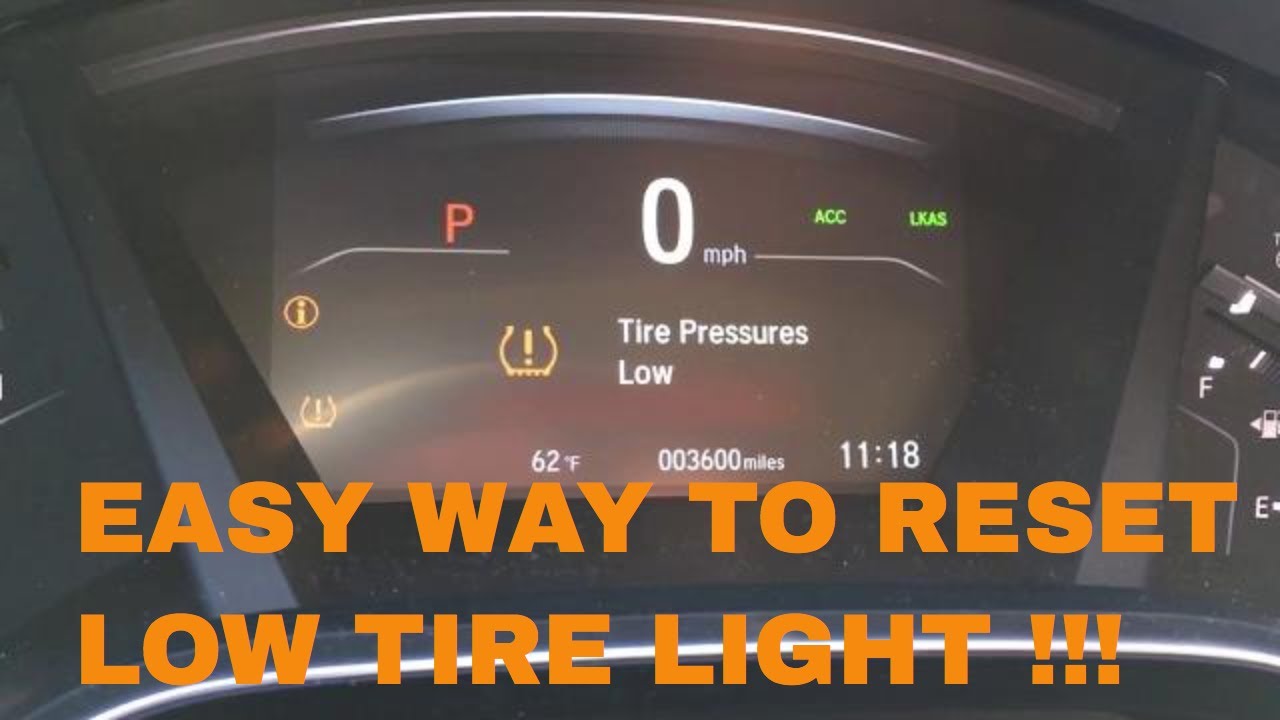
The TPMS warning light signals tire pressure issues. TPMS stands for Tire Pressure Monitoring System. It alerts you if any tire is too low.
The light may turn on if pressure drops suddenly. This can happen due to a puncture or temperature change. A steady light means you need to check tires soon.
Flashing TPMS light means a system problem. It could be a sensor fault or battery issue. Have your vehicle checked if the light keeps flashing.
Check Tire Pressure
Checking the tire pressure is an important step before resetting the tire pressure system on your Honda CR-V. Proper tire pressure ensures safety, better fuel efficiency, and longer tire life. It takes just a few minutes to check all tires, including the spare. Use a reliable method to get accurate pressure readings.
Use A Tire Pressure Gauge
Start by using a tire pressure gauge to measure the air pressure in each tire. Remove the valve cap from the tire and press the gauge firmly onto the valve stem. Read the number on the gauge. Repeat this for all tires. Digital or manual gauges both work well. Make sure to check tires when they are cold for best results.
Recommended Pressure Levels
Find the recommended tire pressure for your Honda CR-V on the sticker inside the driver’s door or in the owner’s manual. The pressure is usually listed in PSI (pounds per square inch). Inflate or deflate tires to match this number. Proper pressure improves handling and prevents uneven tire wear.
Include Spare Tire
Do not forget to check the spare tire’s pressure as well. A flat spare tire can leave you stranded during emergencies. Use the tire pressure gauge to check and inflate the spare to the recommended pressure. Keeping all tires properly inflated is key to a safe drive.
Resetting On Newer Models
Resetting the tire pressure on newer Honda CR-V models is simple. These models use the infotainment system for easy calibration. The process takes just a few steps and does not require extra tools. Follow the steps below to reset your tire pressure quickly and safely.
Access Infotainment Settings
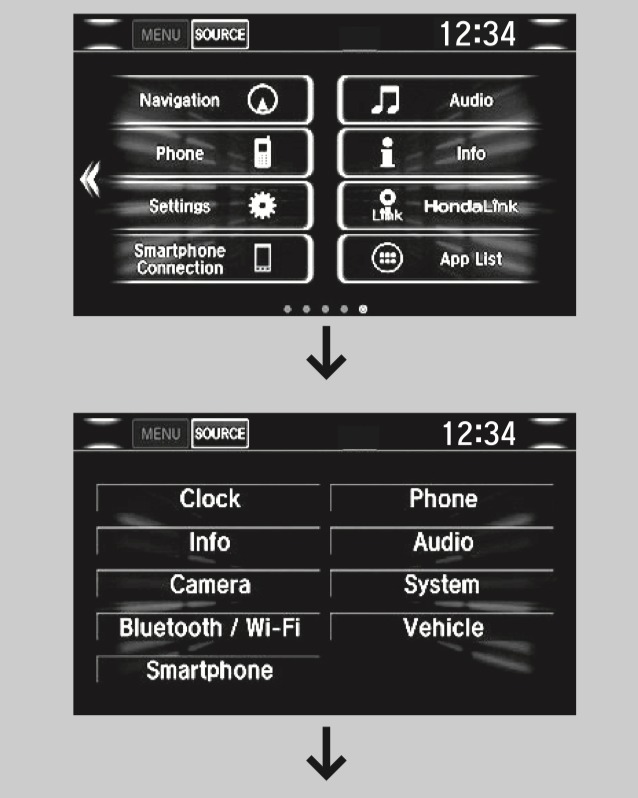
Start your Honda CR-V and keep it in Park. On the touchscreen, tap the Home button. Find and select the “Settings” icon. This brings you to the main menu where vehicle settings are located.
Navigate To Tpms Calibration
In the Settings menu, look for “Vehicle” or “Vehicle Settings.” Tap this option to open more choices. Scroll down and find “TPMS Calibration.” This stands for Tire Pressure Monitoring System calibration.
Start Calibration Process
Select “TPMS Calibration” and then tap on “Calibrate.” The system will prompt you to confirm. Press “OK” or “Start” to begin calibration. Drive the car for a few minutes to complete the reset. The light will turn off when the process finishes.
Resetting On Older Models
Resetting the tire pressure monitoring system (TPMS) on older Honda CR-V models is simple. These models do not have touchscreen menus. Instead, they use a physical button to reset the system. This method works for CR-Vs made before 2017. The process ensures the TPMS light turns off after fixing tire pressure.
Follow these easy steps to reset the tire pressure on older Honda CR-V models. Each step helps clear the warning light and updates the system to recognize the correct pressure.
Locate Tpms Button
Find the TPMS button inside your Honda CR-V. It is usually under the dashboard, near the steering wheel. Sometimes, it is on the lower left side of the dash. The button might say “TPMS” or have a tire icon. Check the owner’s manual if you cannot find it.
Press And Hold Button
Turn the ignition to the ON position, but do not start the engine. Press and hold the TPMS button for about 3 seconds. Release the button when the TPMS light blinks twice. This signals the system is resetting. If the light does not blink, try holding the button longer.
Complete Reset By Driving
Start driving your Honda CR-V at speeds above 30 mph. Keep driving for about 10 minutes. This allows the system to calibrate the tire pressure sensors. The TPMS light should turn off after the drive. If it stays on, check tire pressure and repeat the reset process.
Tips For Successful Reset
Resetting the tire pressure on your Honda CR-V requires care and attention. Following key tips helps ensure the reset works correctly. These simple steps save time and avoid repeated warnings. Learn how to reset the tire pressure system the right way.
Park Vehicle Safely
Always park your Honda CR-V on a flat surface. Put the gear in Park and start the engine. This step activates the vehicle systems needed for reset. Avoid parking on a slope or uneven ground to prevent errors.
Drive To Confirm Reset
After initiating the reset, drive the vehicle for a few minutes. The tire pressure monitoring system needs motion to recalibrate. Keep your speed steady and avoid sudden stops. This confirms that the reset process is complete and accurate.
Avoid Resetting Without Fixing Pressure
Do not reset the system before fixing tire pressure issues. Check all tires and inflate them to the recommended levels. Resetting without proper pressure can cause the warning light to return. Always repair leaks or damage before the reset.
Common Issues And Solutions
Common issues can cause the tire pressure monitoring system (TPMS) on your Honda CR-V to act up. Understanding these problems helps fix the tire pressure light quickly. This section covers frequent problems and easy solutions to keep your tires safe and your driving smooth.
Persistent Tpms Light
The TPMS light may stay on even after resetting. This often means one or more tires are still underinflated. Check all tires with a pressure gauge. Inflate tires to the recommended level shown in the owner’s manual or door sticker.
Sometimes, the system needs a longer drive to reset. Drive your CR-V at speeds above 30 mph for about 10 minutes. This helps the sensors recalibrate and turn off the warning light.
Slow Tire Leaks
A slow leak can cause the tire pressure to drop over time. Inspect tires for nails, screws, or other sharp objects. Look for cracks or damage on the sidewalls and tread.
Use soapy water to find leaks. Bubbles form where air escapes. Fix small leaks with a tire repair kit or visit a mechanic for major damage.
Sensor Malfunctions
TPMS sensors can fail or lose battery power. This leads to false alerts or no alerts at all. Sensor issues need professional diagnosis and repair.
If a sensor is faulty, replace it with a compatible one. Make sure the new sensor is programmed to your CR-V’s system. This keeps your TPMS accurate and reliable.
Seasonal Tire Pressure Care
Seasonal changes affect your Honda CR-V’s tire pressure significantly. Temperature shifts cause air inside tires to expand or contract. This impacts driving safety and tire performance. Maintaining correct tire pressure throughout the year is crucial. Understanding seasonal tire pressure care helps you avoid common problems. Follow simple steps to keep your tires in top shape all year.
Cold Weather Effects
Cold air makes tire pressure drop quickly. For every 10°F drop, pressure falls about 1 psi. Low tire pressure reduces fuel efficiency and tire grip. It can also cause uneven tire wear. Check your tires more often in winter months. Add air to maintain the recommended pressure. Use a reliable tire gauge for accuracy. Never rely on visual checks alone.
Regular Pressure Checks
Check tire pressure at least once a month. Do this when tires are cold for best results. Use the pressure numbers in your Honda CR-V’s door jamb. Inspect all four tires plus the spare. Adjust pressure as needed to match the recommended level. Regular checks prevent sudden tire damage and improve safety. Set reminders to keep this routine consistent. Proper tire care extends tire life and boosts performance.
Frequently Asked Questions
How To Reset Low Tire Pressure On A Honda Crv?
Park the vehicle and start the engine. Inflate all tires to recommended pressure. For newer models, use touchscreen: Settings > Vehicle > TPMS Calibration > Calibrate. For older models, press and hold the TPMS button below the dash until the light flashes.
Drive to complete reset.
Why Is My Tire Pressure Light Still On After Filling Tires On My Honda Cr-v?
Your tire pressure light may stay on if the TPMS hasn’t been reset. Use the infotainment screen or TPMS button to calibrate. Drive a few minutes after resetting. Check for slow leaks or faulty sensors if the light persists.
Where Is My Tpms Reset Button?
The TPMS reset button is usually below the steering wheel on older Honda CR-V models. Press and hold it until the dashboard light flashes. For newer models, reset TPMS through the infotainment system under Settings > Vehicle > TPMS Calibration > Calibrate.
How To Reset Tire Pressure On A Honda Crv 2016?
Park the CR-V and start the engine. Inflate all tires to recommended pressure. On touchscreen models, go to Settings > Vehicle > TPMS Calibration > Calibrate. For older models, press and hold the TPMS button below the steering wheel until the light flashes.
Then drive to complete reset.
How Do I Reset Tire Pressure On A Honda Cr-v?
Inflate all tires to correct pressure, then use the infotainment or TPMS button to recalibrate.
Conclusion
Resetting tire pressure on your Honda CR-V keeps you safe on the road. Always check tire pressure before resetting the TPMS light. Use the infotainment system or physical button depending on your model. Remember to park and start the engine first.
Hold the reset button or follow screen prompts carefully. Drive for a short distance to complete the process. Regular tire checks improve fuel efficiency and tire life. Stay alert to warning lights and act promptly. Simple steps ensure your Honda CR-V runs smoothly and safely.