
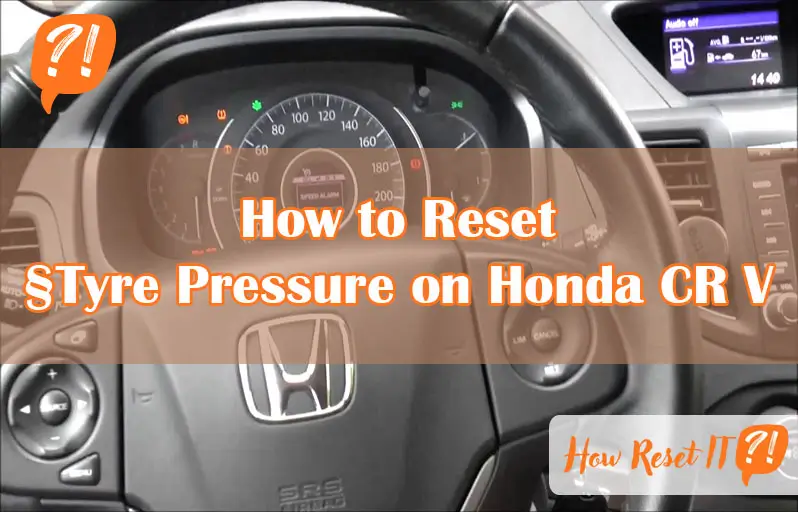
Have you ever noticed that stubborn tire pressure warning light on your Honda CR-V staying on even after you’ve inflated your tires? It can be frustrating, especially when you’re sure your tires are properly filled.
But don’t worry—resetting the tire pressure system is simpler than you think. In this guide, you’ll learn exactly how to reset the tyre pressure on your Honda CR-V quickly and safely. Whether you prefer using the infotainment system or a physical button, we’ll walk you through each step so you can get back on the road with confidence.
Keep reading to discover the easy way to turn that warning light off for good!
Check Tire Pressure
Checking tire pressure is a key step in maintaining your Honda CR-V’s safety and performance. Proper tire pressure improves fuel efficiency and tire life. It also ensures better handling and braking. Regular checks help spot leaks or damage early. Follow these simple steps to check and adjust your tire pressure correctly.
Find Recommended Pressure
Look for the recommended tire pressure label on the driver’s side door frame. This label shows the exact PSI (pounds per square inch) for your tires. Use this number as your target pressure. Different tires or loads may need different pressures. Stick to the manufacturer’s recommendation for the best results.
Use A Tire Gauge
Use a reliable tire pressure gauge to measure your tire pressure. Remove the valve cap from the tire. Press the gauge firmly onto the valve stem. The gauge will show the current pressure. Check all four tires for accuracy. Measure pressure when tires are cold for the best reading.
Inflate Tires Properly
Add air if the pressure is below the recommended level. Use an air compressor at a gas station or a home pump. Add air in short bursts and check pressure frequently. Avoid overinflating, which can reduce tire grip. Adjust each tire to match the recommended PSI exactly.
Reset Via Infotainment
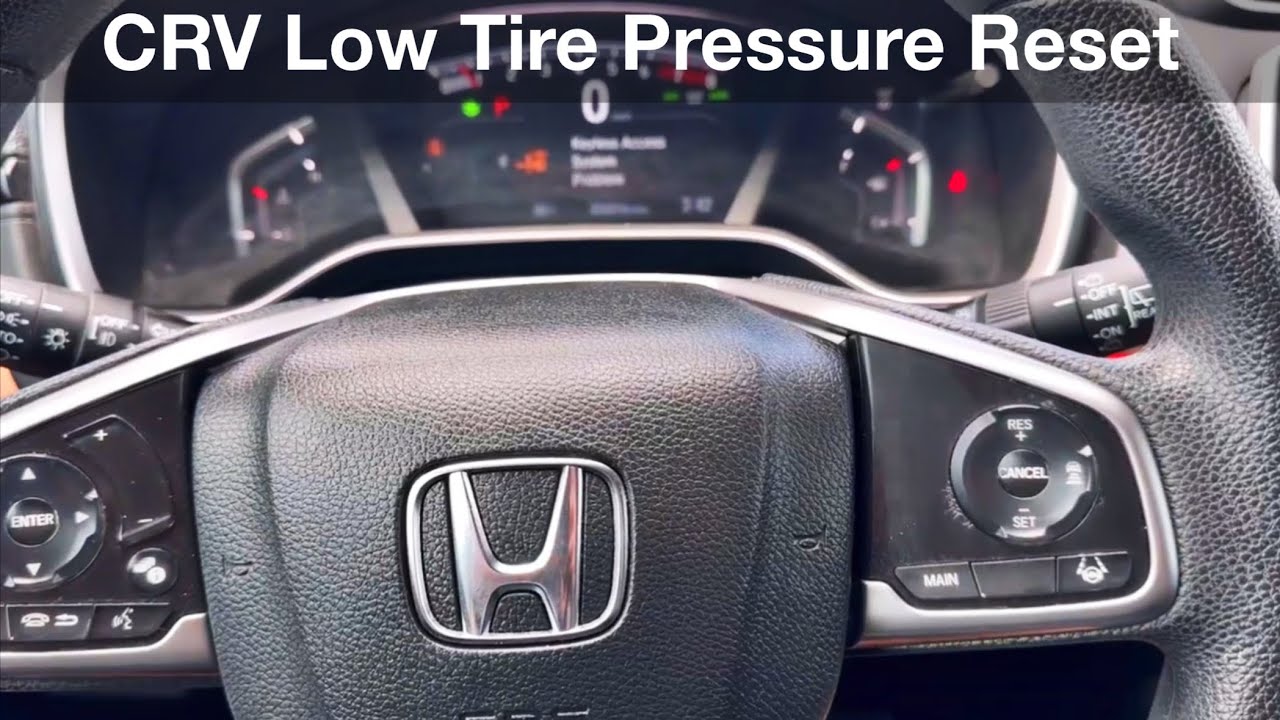
Resetting the tyre pressure on your Honda CR-V is easy using the infotainment system. This method lets you recalibrate the TPMS (Tire Pressure Monitoring System) quickly. The screen guides you through simple steps to reset the tyre pressure warning light. Follow the instructions below to reset via infotainment and ensure your tyres stay safe and efficient.
Access Vehicle Settings
Start by turning on the ignition without starting the engine. On the infotainment display, tap the Home button. Navigate to the Settings menu. Inside Settings, find and select the Vehicle option. This section controls all vehicle-related features.
Select Tpms Calibration
Within Vehicle settings, look for the TPMS Calibration option. This controls the tyre pressure system reset. Tap on TPMS Calibration to begin the reset process. The system will prepare to register new tyre pressure readings.
Confirm Reset Procedure
The screen will ask you to confirm the reset. Select Confirm to start recalibration. Make sure all tyres are inflated to the correct pressure before confirming. The system will update and clear any previous tyre pressure warnings.
Reset Using Tpms Button
Resetting the tyre pressure on your Honda CR-V using the TPMS button is a simple way to clear the warning light after adjusting your tyres. This method helps the system recognize the correct tyre pressures without needing extra tools. Follow these steps carefully to ensure your TPMS resets properly and your drive stays safe.
Locate Tpms Button
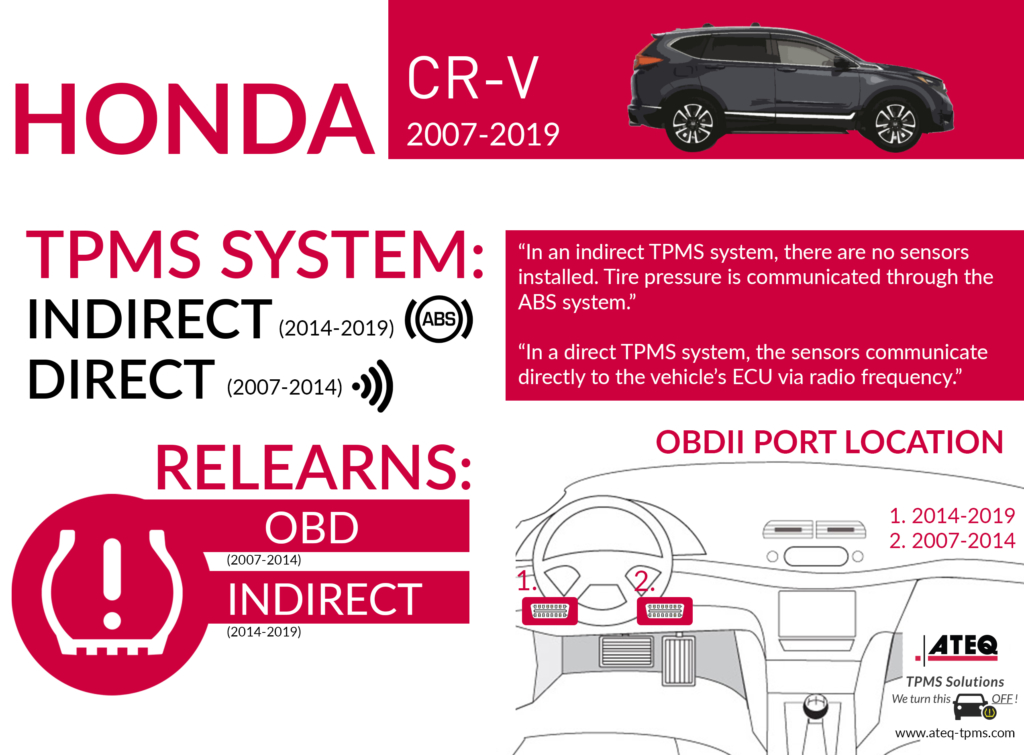
The TPMS button is usually found below the steering wheel or near the driver’s knee. It has a tyre icon with an exclamation mark inside. Check around the dashboard or lower panel to spot this button. Knowing its location is key before you start the reset process.
Ignition On And Car In Park
Turn the ignition on, but do not start the engine. Make sure your Honda CR-V is in the Park position. This setting allows the system to enter the reset mode safely. Keep the car stationary during the reset to avoid errors.
Press And Hold Button
Press and hold the TPMS button for about three seconds. Watch for the TPMS light on the dashboard to blink three times. This blinking confirms the reset is in progress. Release the button after the light blinks and wait for the system to update.
Drive To Complete Reset
After adjusting your tire pressures to the recommended levels, the final step is to drive your Honda CR-V. Driving helps the Tire Pressure Monitoring System (TPMS) to reset fully. This process allows the system to relearn the correct tire pressures and turn off the warning light.
Keep your drive steady and avoid sharp turns or sudden stops. The TPMS needs time to recalibrate while the vehicle is in motion.
Start Driving
Turn on your Honda CR-V and start driving at a speed above 20 mph. Maintain this speed for about 10 to 15 minutes. Smooth and consistent driving helps the sensors reset accurately.
Avoid quick acceleration or braking during this period. Your goal is to let the system detect the new tire pressures naturally.
Monitor Tpms Light
Watch the TPMS warning light on your dashboard closely. The light should blink a few times and then turn off. If it stays on, the system has not reset yet.
Sometimes the light goes off after a few minutes of driving. If it remains on, stop and check your tire pressures again.
Confirm Reset Success
After driving, park your CR-V and turn off the engine. Restart the vehicle and check the TPMS light. If the light stays off, the reset was successful.
If the light returns, inspect your tires for leaks or damage. Persistent warnings may need professional attention or sensor replacement.
Troubleshoot Persistent Lights
Sometimes, the tire pressure light on your Honda CR-V stays on despite resetting it. Persistent warning lights can signal deeper problems. Troubleshoot these issues to keep your vehicle safe and running well. Follow simple checks and actions to identify the cause.
Check For Tire Damage
Look closely at each tire for cuts, nails, or punctures. Even small damage can cause slow leaks. Check the tire sidewalls and tread carefully. Replace or repair damaged tires immediately. Proper tire condition helps maintain correct pressure and stops warning lights.
Inspect Tpms Sensors
The Tire Pressure Monitoring System (TPMS) sensors can fail or get dirty. Dirt or corrosion on sensors affects readings. Use a tire pressure gauge to compare actual pressure with the sensor data. Replace faulty sensors to fix persistent alerts. Sensor health is vital for accurate pressure monitoring.
Consult A Professional
If the light remains on after checks, visit a mechanic. Professionals have tools to scan and diagnose TPMS issues. They can detect leaks that are hard to see. Timely professional help avoids larger problems and costly repairs. Trust experts to keep your Honda CR-V safe.
Tips For Tire Maintenance
Proper tire maintenance keeps your Honda CR-V safe and efficient. Maintaining the right tire pressure improves fuel economy and extends tire life. Small efforts protect your vehicle and your passengers.
Regular Pressure Checks
Check your tire pressure at least once a month. Use a reliable tire pressure gauge for accuracy. Always measure when tires are cold. Follow the recommended pressure listed on the driver’s doorjamb. Proper pressure prevents uneven wear and improves handling.
Seasonal Tire Care
Change tire care routines with the seasons. Cold weather lowers tire pressure, so check more often in winter. Inspect tires for cracks, cuts, or uneven wear. Rotate tires every 5,000 to 7,000 miles to balance wear. Seasonal care keeps tires performing well year-round.
Use Quality Air Pumps
Use good quality air pumps to avoid over or under-inflation. Avoid gas station pumps with damaged or dirty nozzles. A handheld electric pump offers better control and precision. Proper inflation from quality pumps helps maintain tire shape and safety.

Frequently Asked Questions
How To Reset Tire Pressure Warning On Honda Crv?
Inflate all tires to the recommended pressure. On the infotainment screen, select Settings > Vehicle > TPMS Calibration. Press Calibrate and confirm. Drive the car to complete the reset. Alternatively, press and hold the TPMS button until the light blinks three times.
Why Is My Tire Pressure Light Still On After Filling Tires On My Honda Cr-v?
The tire pressure light stays on after filling tires because the TPMS needs resetting. Use your Honda CR-V’s settings or TPMS button to calibrate. Persistent light may indicate sensor issues or a slow leak needing professional inspection.
How To Reset Honda Tyre Pressure Warning?
Check and inflate all tires to the recommended pressure. On the infotainment screen, go to Settings > Vehicle > TPMS Calibration. Select Calibrate and confirm. Alternatively, press and hold the TPMS button near the steering wheel until the light blinks three times.
Drive to complete reset.
How To Reset Tyre Pressure Warning Light On Honda Crv 2011?
Check and adjust all tires to the recommended pressure. Turn ignition ON, press and hold the TPMS reset button until the light blinks three times. Drive the vehicle for a few minutes to complete the reset.
How Do I Reset Tire Pressure On A Honda Cr-v?
Inflate all tires to the recommended pressure. Then, use the infotainment system or TPMS button to reset.
Conclusion
Resetting the tyre pressure on your Honda CR-V keeps your drive safe and smooth. Follow the simple steps carefully to adjust and calibrate the TPMS. Regular checks help avoid warning lights and possible tyre damage. If the light stays on, inspect tyres or seek professional help.
Staying on top of tyre pressure ensures better fuel economy and tyre life. Take a few minutes after inflating tyres to reset the system properly. A well-maintained CR-V delivers a comfortable and worry-free ride every time.