
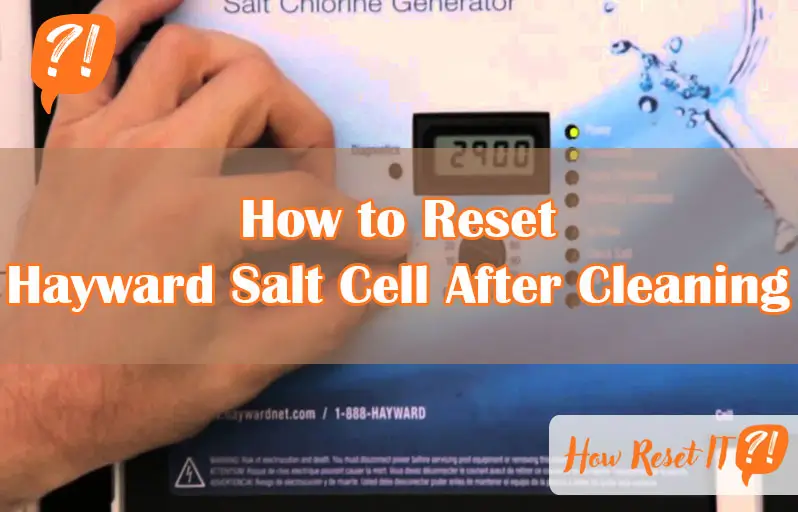
If you’ve just cleaned your Hayward salt cell, you might be wondering what to do next to get your pool’s salt system back on track. Resetting the salt cell after cleaning is a simple but crucial step to ensure accurate salt readings and smooth operation.
Without a proper reset, your system might show errors or incorrect salt levels, leaving you frustrated and unsure if your pool water is balanced. In this guide, you’ll discover easy, step-by-step instructions to reset your Hayward salt cell quickly and confidently.
By following these tips, you’ll avoid common pitfalls and keep your pool sparkling clean and safe. Ready to get your salt system running perfectly again? Let’s dive in!

Preparing For Reset
Preparing your Hayward salt cell for reset after cleaning is important. This step ensures the system works properly. Follow simple safety and maintenance steps first. Proper preparation helps avoid damage and resets the cell correctly.
Turn Off The Pump
Start by turning off the pool pump. This stops water flow and power to the salt cell. It protects you and the equipment during cleaning and reset. Never remove or handle the salt cell while the pump runs. Wait a few minutes after switching off to ensure the system is fully off.
Remove The Salt Cell
Locate the salt cell in your pool’s filtration system. Carefully disconnect the cell from the plumbing. Use a wrench if needed, but avoid forcing parts. Gently pull the cell out for inspection and cleaning. Handle the cell with care to prevent cracking or damage.
Inspect For Damage
Check the salt cell for any cracks, corrosion, or buildup. Look inside the cell plates for calcium or mineral deposits. Ensure all connections and wires are intact and clean. Damage or heavy buildup can affect performance. Replace the cell if you find serious damage before resetting.
Cleaning The Salt Cell
Cleaning the salt cell is a vital step in maintaining your Hayward salt chlorinator. Dirt, scale, and debris can build up and reduce its efficiency. Proper cleaning helps your salt cell work longer and produce chlorine effectively. Follow these simple steps to clean your salt cell carefully and safely.
Rinse With Water
Start by turning off the pool pump and removing the salt cell from the system. Use a garden hose or bucket of water to rinse the cell. Wash away loose debris and dirt from the plates inside the cell. Avoid using high-pressure water as it can damage the delicate parts. This step removes surface grime and prepares the cell for deeper cleaning.
Use Acid Wash For Scale
Scale buildup on the plates can block salt flow and reduce chlorine output. Prepare a solution of one part muriatic acid to four parts water in a plastic container. Submerge the salt cell plates in the solution for about 5 to 10 minutes. Watch carefully to avoid overexposure, which can damage the cell. After soaking, rinse the cell thoroughly with water to remove all acid residues.
Dry And Inspect Again
Allow the salt cell to dry completely before reinstalling it. Check the plates for any remaining scale or damage. Look for cracks or corrosion that may need professional attention. Cleaning the cell regularly keeps it in good condition and helps maintain accurate salt readings. Proper inspection ensures you catch problems early and avoid costly repairs.
Reinstalling The Salt Cell
After cleaning your Hayward salt cell, reinstalling it correctly is crucial for optimal performance. Proper reinstallation ensures the salt cell functions smoothly and extends its life. Follow these steps to secure and connect the cell properly.
Attach Cell Securely
Place the salt cell back into its housing carefully. Align it with the connectors and mounting clips. Push the cell firmly until you hear a click or feel it lock into place. A loose cell may cause leaks or poor electrical contact.
Check Cable Connections
Inspect the cable leading from the salt cell to the control unit. Ensure the connector is free of dirt and corrosion. Push the cable firmly into the socket until it fits snugly. Loose or dirty cables can disrupt power and data signals.
Ensure Proper Flow
Turn on the pool pump and check the water flow through the salt cell. Proper flow prevents overheating and helps the cell produce chlorine efficiently. Clear any blockages or debris that might reduce water flow. A flow sensor may stop the system if flow is too low.
Resetting The Salt Cell
Resetting the salt cell after cleaning is a key step to keep your Hayward system working well. This process helps the system recognize the clean cell and maintain proper salt levels. Follow these simple steps to reset the salt cell correctly and ensure your pool stays balanced.
Turn Pump On
Start by turning on the pool pump. The salt cell needs water flow to reset properly. Make sure the pump runs steadily before moving to the next step.
Toggle Main Dial Settings
Next, locate the main dial on your Hayward control panel. Turn the dial from “Auto” to “Off.” Wait a few seconds, then switch it back to “Auto.” This action helps the system detect the cleaned salt cell.
Use Super Chlorinate Mode
After toggling the dial, turn it to “Super Chlorinate.” This mode forces the system to produce more chlorine briefly. Hold this setting for a few seconds to reset the salt cell’s reading.
Return To Auto Mode
Finally, switch the dial back to “Auto.” The system now runs normally with the reset salt cell. Check the salt level display to confirm it matches your pool’s actual salt concentration.
Verifying Salt Level
Verifying the salt level is crucial after cleaning your Hayward salt cell. It ensures the chlorinator works efficiently and keeps your pool water balanced. Incorrect salt levels can cause poor chlorine production and damage the salt cell. Follow simple steps to check and adjust your salt level accurately.
Use A Reliable Test Kit
Start by testing your pool water with a trusted salt test kit. These kits provide a quick and accurate salt concentration reading. Avoid guessing the salt level based on appearance or panel alone. Dip the test strip or use a digital meter following the instructions carefully. Record the salt level reading for comparison.
Compare With Panel Reading
Next, look at the salt level displayed on the Hayward control panel. This reading shows the sensor’s current measurement. Compare it with the test kit result. If both numbers closely match, your salt cell sensor is calibrated correctly. Large differences indicate a need for adjustment to avoid false readings.
Adjust If Necessary
If the salt level on the panel differs significantly from the test kit, reset the salt cell. Use the control dial to switch to “Super Chlorinate” and then back to “Auto.” This action recalibrates the sensor to match the actual salt concentration. Retest the salt level to confirm the reset was successful. Repeat if needed until readings align.
Troubleshooting Common Issues
Troubleshooting common issues after cleaning your Hayward salt cell helps keep the system working well. Problems like error lights or poor salt readings can appear. These issues often come from simple causes. Checking a few parts can solve most problems. Follow these steps to find and fix common errors quickly.
Inspect Wiring And Connections
Start by examining all wiring and connectors. Look for loose or corroded wires around the salt cell and control board. Damaged cables can cause errors or stop the cell from working. Make sure all plugs fit tightly and wires are clean. Replace any worn or broken wires to restore proper function.
Check Flow Switch Function
The flow switch tells the system when water moves through the cell. If it fails, the salt cell may stop running. Test the flow switch by turning on the pump and listening for a click. Check if the switch is clean and free from debris. Replace the switch if it does not activate properly.
Power Cycle The System
Turning the system off and on resets its settings. Switch off the pump and control box. Wait for about 30 seconds, then turn everything back on. This simple power cycle can clear errors and reset the salt cell. It often fixes issues without needing more work.
Consider Salt Cell Replacement
If problems continue after cleaning and checks, the salt cell may be worn out. Salt cells have a limited life span and lose efficiency over time. Test the salt level with a kit to confirm. Replace the salt cell if it no longer produces chlorine correctly. Using a new cell ensures better pool water quality.
Maintaining Salt Cell Performance
Maintaining your Hayward salt cell ensures consistent pool water quality. Proper care extends the life of the cell and improves performance. Regular attention prevents common issues like scale buildup and corrosion. Follow simple steps to keep your salt cell working efficiently.
Regular Cleaning Schedule
Clean the salt cell every 3 to 6 months to remove calcium buildup. Scale can block the cell plates, reducing chlorine production. Use a mild acid solution to soak the cell safely. Rinse thoroughly before reinstalling the cell to avoid damage.
Monitor Salt Levels
Check pool salt levels weekly for accuracy. Salt concentration affects the cell’s ability to generate chlorine. Use a reliable salt test kit to verify readings. Adjust salt levels as needed to maintain proper balance and avoid damage.
Avoid Corrosion
Inspect wiring and connections regularly for signs of corrosion. Corroded parts can cause malfunctions or inaccurate readings. Keep the area around the cell dry and clean. Replace any damaged cables or connectors promptly to ensure safety and performance.

Frequently Asked Questions
What To Do After Cleaning A Salt Cell?
After cleaning, rinse the salt cell thoroughly. Reinstall it securely, turn on the pump, and recalibrate the salt level. Check readings with a test kit to ensure accuracy.
How To Reset Hayward Salt Cell Inspect Cell Light?
Turn off the pump and rinse the salt cell thoroughly. Reinstall the cell and turn the pump on. Switch the control dial from “Auto” to “Off,” then back to “Auto. ” Set the salt level by toggling to “Super Chlorinate” and immediately back to “Auto”.
Why Is My Hayward Salt Cell Not Reading Salt Level Correctly?
Your Hayward salt cell may misread salt levels due to scale buildup, dirty sensors, or low water flow. Clean the cell thoroughly, recalibrate using the control dial, inspect wiring and flow switch, and verify with a reliable salt test kit.
Replace the cell if issues persist.
How To Recalibrate Hayward Omnilogic Salt Cell?
Turn off the pump and rinse the Hayward Omnilogic salt cell thoroughly. Reinstall and turn the pump on. Switch the control from “Auto” to “Off,” then back to “Auto. ” Use a test kit to match salt levels. Toggle to “Super Chlorinate” and back to “Auto” to finalize recalibration.
How Do I Reset My Hayward Salt Cell After Cleaning?
Turn off the pump, reinstall the cell, then switch the control from “Auto” to “Off” and back to “Auto. “
Conclusion
Resetting your Hayward salt cell after cleaning keeps your pool water balanced. Always clean the cell carefully to remove buildup. After cleaning, recalibrate the salt level using the control dial. Check wiring and flow to ensure proper operation. Use a salt test kit to verify accuracy.
Regular maintenance helps avoid errors and extends cell life. Follow these simple steps to enjoy clear, clean pool water all season.