
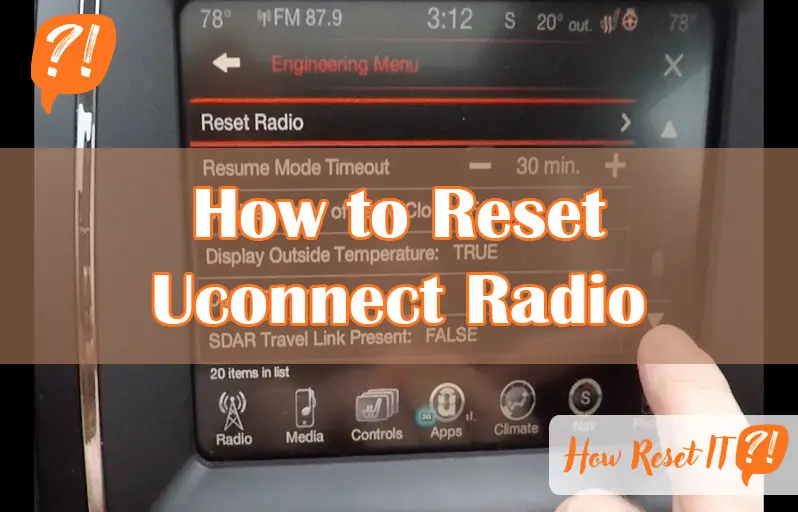
Is your Uconnect radio acting up, freezing, or refusing to connect? You’re not alone—and the good news is, you don’t have to be a tech expert to fix it.
Resetting your Uconnect system can quickly solve many common glitches and get your radio and infotainment system back to running smoothly. In this guide, you’ll learn simple, step-by-step ways to reset your Uconnect radio, whether you need a quick soft reset or a full factory reset.
Stick with me, and by the end, you’ll know exactly how to troubleshoot and refresh your system so you can enjoy your drives without interruptions. Let’s dive in and get your Uconnect back on track!
Soft Reset Steps
Soft resetting your Uconnect radio is a simple way to fix minor glitches. This process restarts the system without deleting your saved data. Follow the steps below to perform a soft reset easily and safely.
When To Use Soft Reset
Use a soft reset if your Uconnect screen freezes or does not respond. It also helps when audio or Bluetooth stops working correctly. Try this step before attempting more complex fixes.
Performing Soft Reset
- Park your vehicle and turn it to “Run” mode without starting the engine.
- Press and hold both the volume and tuner knobs at the same time.
- Keep holding the knobs until the Uconnect screen goes black and then restarts.
- Release the knobs when you see the Chrysler, Dodge, or Jeep logo appear.
Expected Results
The screen will reboot and load the main menu. Your saved settings and paired devices stay intact. The radio should respond normally after the reset. If problems continue, consider a factory reset or visit a dealer.
Factory Reset Process
The factory reset process restores your Uconnect radio to its original settings. This action removes all custom settings and data. It is useful when the system has persistent issues or glitches. Resetting can improve performance and fix bugs that a soft reset cannot solve.
Performing a factory reset will erase saved preferences, paired devices, and other data. Prepare for this step carefully to avoid losing important information. Follow the instructions below to reset your Uconnect radio safely and effectively.
When Factory Reset Is Needed
A factory reset is necessary when your Uconnect system shows constant errors. Problems like freezing, unresponsiveness, or failed updates may require this reset. If soft resets or updates do not fix the issues, a factory reset helps. It clears corrupted data and restores default settings.
Backing Up Data
Backing up important data before the reset is essential. Save contacts, paired phone information, and radio presets if possible. Note that Uconnect does not provide a direct backup option, so record critical details manually. This step prevents losing valuable information during the reset process.
Step-by-step Factory Reset
- Turn your vehicle on and put it in “Run” mode without starting the engine.
- Access the Uconnect home screen and tap the “Settings” icon.
- Scroll to and select “System Settings” from the options.
- Find and tap “Restore Factory Settings” or “Factory Reset.”
- Confirm the reset by selecting “Yes” or “OK” when prompted.
- Wait for the system to erase data and restart automatically.
- After reboot, set up your Uconnect system as if it is new.
Hard Reset Instructions
Performing a hard reset on your Uconnect radio can solve many stubborn issues. This process clears system glitches by restoring factory settings. Follow the steps carefully to avoid losing important data. A hard reset is different from a soft reset and should be done when problems persist.
Entering Service Mode
Start by turning your vehicle to the “Run” position without starting the engine. Press and hold the “Radio” and “Media” buttons at the same time. Keep holding until the screen changes to the service menu. This mode allows you to access advanced system settings.
Navigating Reset Options
Use the touchscreen to scroll through the service menu pages. Find the page labeled with reset or factory options. Look for the option named “Factory Reset” or “Hard Reset.” Select it carefully to avoid unwanted changes to other settings.
Completing Hard Reset
Confirm your choice to start the reset process. The system will begin erasing all saved data and settings. Wait for the screen to reboot fully, which may take a few minutes. After reboot, your Uconnect radio will be restored to default factory settings.
Troubleshooting Tips
Troubleshooting your Uconnect radio can solve many common issues. Simple steps often restore normal function. These tips help you check hardware, update software, and manage connections. Follow each carefully for the best results.
Checking Fuses
Start by inspecting the fuse related to your Uconnect system. A blown fuse can cause the radio to stop working. Locate the fuse box in your vehicle, usually under the dashboard or hood. Use the owner’s manual to find the exact fuse for the radio. Check if the fuse is damaged or broken. Replace it with a fuse of the same rating if needed. This simple check can restore power to your Uconnect radio.
Updating Uconnect Software
Outdated software can cause glitches and poor performance. Check for the latest Uconnect updates. Visit the official Uconnect website or use the mobile app for update instructions. Download updates to a USB drive if required. Insert the USB into the vehicle’s port and follow on-screen prompts. Keep your system updated to improve stability and add new features. Regular updates prevent many common radio problems.
Managing Bluetooth Pairings
Bluetooth issues often cause connection failures. Clearing old or unused pairings can help. Access the Bluetooth settings on your Uconnect screen. Remove all paired devices to start fresh. Restart your Uconnect radio by performing a soft reset. Re-pair your phone and other devices carefully. This process often fixes connection problems and improves audio quality. Keep your Bluetooth list clean for smooth operation.
Preventive Maintenance
Preventive maintenance helps keep your Uconnect radio working well. It reduces the chance of problems and extends the system’s life. Simple care steps keep the radio responsive and avoid frequent resets. Follow easy tips to protect your radio and enjoy smooth operation.
Regular Software Updates
Update your Uconnect software often. Updates fix bugs and improve performance. Check for updates in the settings menu or use the Uconnect app. Keeping software current prevents glitches that need resets. Regular updates keep your system running fresh and fast.
Safe Usage Practices
Avoid sudden power-offs while using the radio. Turn off the vehicle fully before unplugging devices. Use compatible USB cables and avoid overloading the system. Keep the screen clean and avoid pressing buttons too hard. Safe use lowers wear and prevents system errors.
When To Consult Dealership
Visit the dealership if problems persist after resets. They can run diagnostics and fix deeper issues. Professional help is best for hardware faults or software failures. Don’t ignore repeated problems; early service saves time and cost. Dealership experts keep your Uconnect system healthy.

Frequently Asked Questions
What Does A Uconnect Soft Reset Do?
A Uconnect soft reset reboots the system to fix minor bugs and glitches without deleting any data. It restores normal function quickly.
How To Fix Uconnect Not Connecting?
Delete all paired devices in Uconnect settings. Hold volume and tuner knobs together until the screen restarts. Check for software updates via the app or dealership. This soft reset often resolves connection issues quickly.
How To Hard Reset A Jeep Radio?
To hard reset a Jeep radio, turn the vehicle on in Run mode. Press and hold Menu, Radio, and Media buttons simultaneously until the service mode appears. Navigate to page two, select option eight (PND), and confirm the reset to restore factory settings.
How To Do A Hard Reset On A Radio?
To hard reset a radio, access the Settings menu, select “System” or “Factory Reset,” then confirm. Alternatively, press and hold Menu, Radio, and Media buttons together to enter service mode and reset. Ensure the vehicle is in Run or Accessory mode before starting.
What Is The Easiest Way To Reset Uconnect Radio?
Perform a soft reset by holding both volume and tuner knobs until the screen restarts.
Conclusion
Resetting your Uconnect radio can solve many common issues quickly. Start with a soft reset to avoid losing saved data. If problems continue, a factory reset restores original settings but erases personal data. Always follow safety steps before resetting your system.
Regular updates help keep Uconnect running smoothly. Taking these simple actions ensures your radio works well and stays reliable.