
You’ve just finished your car’s oil change or routine service, and now that persistent “Maintenance Required” light is still staring at you. It’s annoying, distracting, and can make you wonder if something’s really wrong.
The good news? Resetting that light is easier than you think, and you don’t need to visit a mechanic or spend a dime. By following a few simple steps, you can turn off that light yourself and get back to driving with confidence.
Keep reading to discover the quick and easy ways to reset the maintenance required light on your vehicle—whether you’re driving a Toyota, Lexus, or another model. You’ll be surprised how fast you can do it!
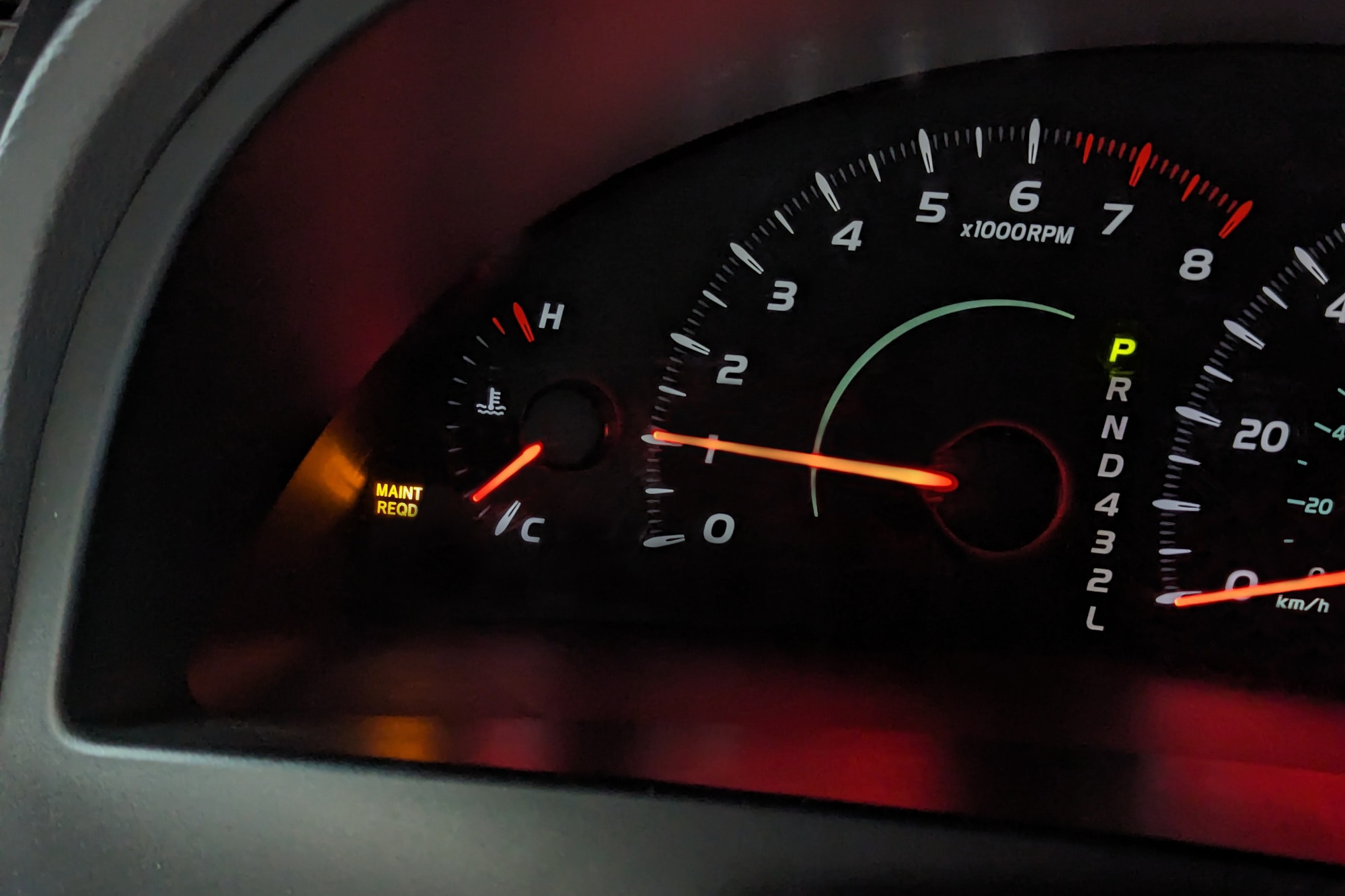
Maintenance Required Light Basics
The Trip Odometer Button Method is a common way to reset the Maintenance Required light. This method uses the trip meter button on your dashboard. It is easy and does not need any tools. Following this method can save time and avoid unnecessary visits to the mechanic.
Resetting the light helps keep track of your vehicle’s maintenance schedule. It ensures the warning does not distract while driving. This method works for many car models, especially Toyotas.
Prepare The Ignition And Display
Insert the key into the ignition. Turn the key to the “On” or “ACC” position without starting the engine. Look at the dashboard display. Press the trip odometer button until “Trip A” appears. This step readies the system for the reset process.
Cycle The Ignition
Turn the ignition key back to the “Off” position. Wait for a few seconds. This action resets the car’s computer system. It prepares the vehicle for the next step of holding the trip button.
Hold And Release The Trip Button
Press and hold the trip odometer button firmly. While holding it, turn the ignition key back to the “On” position. Keep the engine off. Watch the display carefully. The numbers will start to blink or change. Wait until the display shows zeros or the Maintenance Required light turns off. Then release the trip button.
Verify Light Reset
Start the engine and check the dashboard. The Maintenance Required light should be off. If the light remains, repeat the steps carefully. Make sure “Trip A” is selected before starting the process. Successful reset means your vehicle is ready for its next maintenance cycle.
Trip Odometer Button Method
The Multi-Information Display Method offers a simple way to reset the maintenance required light. This method uses the vehicle’s built-in screen to manage settings. It requires no special tools or equipment.
Follow these clear steps to access the menu and reset the light. The process helps keep your dashboard tidy and your car’s maintenance on track.
Access The Settings Menu
Turn on your car without starting the engine. Use the buttons on the steering wheel or dashboard to find the settings menu. This menu controls many vehicle functions, including maintenance reminders.
Navigate To Vehicle Settings
Scroll through the settings menu until you see “Vehicle Settings.” Select this option to enter the submenu. This area includes options related to your car’s operation and alerts.
Select Scheduled Maintenance
Inside vehicle settings, find “Scheduled Maintenance.” Click on it to see maintenance reminders. Here, you can choose to reset the maintenance required light after service.
Confirm Reset
Once you select the reset option, the display will ask for confirmation. Confirm to clear the maintenance required light. The display may show a message confirming the reset.
Multi-information Display Method
Resetting the maintenance required light can sometimes be tricky. The light might not turn off even after following the reset steps. Troubleshooting these reset issues helps you find what went wrong. It saves time and avoids extra costs at the mechanic.
Below are key checks to fix common problems. These simple tips ensure the reset process works correctly.
Ensure Trip A Is Displayed
Most vehicles require the trip meter to show “Trip A” before resetting. Check your dashboard screen carefully. Press the trip button until “Trip A” appears. If another display shows, the reset will not activate. This step is crucial for the reset to work.
Repeat Steps Carefully
Follow the reset steps slowly and in order. Turn the ignition to ON without starting the engine. Hold the trip button while turning the key off and on again. Release the button only after zeros appear. Missing or rushing any step can cause the reset to fail. Try repeating the process if the light stays on.
Consult Vehicle Manual
Every car model may have a different reset method. The owner’s manual provides exact instructions for your vehicle. Find the maintenance section and follow the guide. Some cars need additional steps or a special tool. The manual helps avoid mistakes and saves time.

Troubleshooting Reset Issues
The maintenance required light on your vehicle is a helpful reminder. It signals when routine service or inspections need to be done. Resetting this light at the right time ensures you keep track of your car’s health. Resetting too early or too late can cause confusion or missed maintenance. Knowing exactly when to reset the light keeps your vehicle running smoothly and safely.
After Oil Changes
Reset the maintenance required light right after changing the oil. This light often comes on as a reminder for oil changes. Once the new oil is in, the light no longer applies. Resetting stops the light from showing unnecessarily. It also resets the system’s timer for the next oil change. This helps you stay on schedule with oil maintenance.
Post Maintenance Checks
Reset the light after completing all scheduled maintenance. This includes checking brakes, tires, fluids, and filters. The light signals that maintenance is due, so it must be cleared after work. Resetting confirms that your vehicle is ready and safe to drive. It also prevents false alerts and keeps your dashboard clear. Always reset after any maintenance to avoid confusion later.
When To Reset The Light
Resetting the maintenance required light is important for your vehicle’s health. Besides the reset process, some tips and precautions help keep your car running smoothly. These practices also ensure the light stays accurate and useful.
Avoid Ignoring The Light
The maintenance required light signals needed care. Ignoring it can cause bigger problems. Small issues may turn into costly repairs. Always respond to the light promptly. It protects your engine and parts. Don’t reset the light without fixing the issue. This can hide real problems and risk safety.
Regular Vehicle Maintenance Schedule
Follow your car’s maintenance schedule closely. Regular oil changes, filter replacements, and inspections keep the vehicle in good shape. Check the owner’s manual for the right timing. Sticking to the schedule prevents the light from coming on too often. It also extends the life of your car. A well-maintained vehicle saves money and avoids breakdowns.

Frequently Asked Questions
How To Reset Maintenance On 2015 Tacoma?
Turn the ignition to ON without starting. Press the trip meter button until “Trip A” shows. Turn ignition OFF. Hold the trip button and turn ignition ON again. Release the button when zeros appear. Start the truck to confirm the maintenance light resets.
How To Reset Maintenance Required Light On Toyota Rav4?
To reset the maintenance required light on a Toyota RAV4, turn the ignition to ON without starting. Press the trip button until “Trip A” appears. Turn ignition OFF. Hold the trip button and turn ignition ON again. Release the button when zeros appear.
Confirm the light is off.
How Do I Turn Off The Maintenance Required On My Toyota Corolla?
Turn the ignition to ON without starting. Press the trip button until “Trip A” shows. Turn ignition OFF. Hold the trip button, then turn ignition ON again. Release the button when zeros appear. The maintenance light is now reset.
Can I Reset The Maintenance Light Without An Oil Change?
Yes, you can reset the maintenance light without an oil change. Use the trip meter reset method or the vehicle’s settings menu to clear the light. This action only resets the indicator and does not replace necessary maintenance.
How Do I Reset The Maintenance Required Light On My Car?
Turn the ignition to ON without starting. Press and hold the trip button while switching ignition off and then ON again until zeros appear.
Conclusion
Resetting the maintenance required light helps keep your vehicle on track. Follow the steps carefully for best results. Doing this saves you time and avoids confusion. Remember to check your vehicle’s manual if needed. Regular maintenance keeps your car running smoothly.
Stay safe and enjoy your drive with peace of mind.