
Is your LiftMaster garage door opener remote acting up or not working like it used to? Resetting it might be the quick fix you need to get back on track.
Whether you’ve lost your remote’s connection or want to clear out old codes for security, knowing how to reset your LiftMaster remote is essential. In this guide, you’ll discover simple, step-by-step instructions that anyone can follow—no technical skills required. Stick with me, and you’ll have your garage door remote working smoothly again in no time.
Let’s get started!
Locate Learn Button
Locating the Learn button is the first step in resetting your LiftMaster garage door opener remote. This button helps you clear old codes and program new ones. It is usually found on the motor unit of the garage door opener. Knowing its exact location makes the reset process fast and easy.
Find Motor Unit
Look up at the garage ceiling. The motor unit is a box attached to the ceiling near the garage door. It powers and controls the door opener. The Learn button is on this motor unit. Check the sides or back of the unit carefully.
Identify Button Color
The Learn button color varies by model. It can be yellow, red, orange, or purple. This color helps you spot the button quickly. Look for a small square or circular button. The button usually has the word “Learn” near it.
Access Hidden Buttons
Some models hide the Learn button under a light cover or panel. Gently remove or slide off this cover. Look inside for the button if you don’t see it at first. Use a flashlight if the area is dark. Be careful not to damage the cover.
Clear Remote Memory
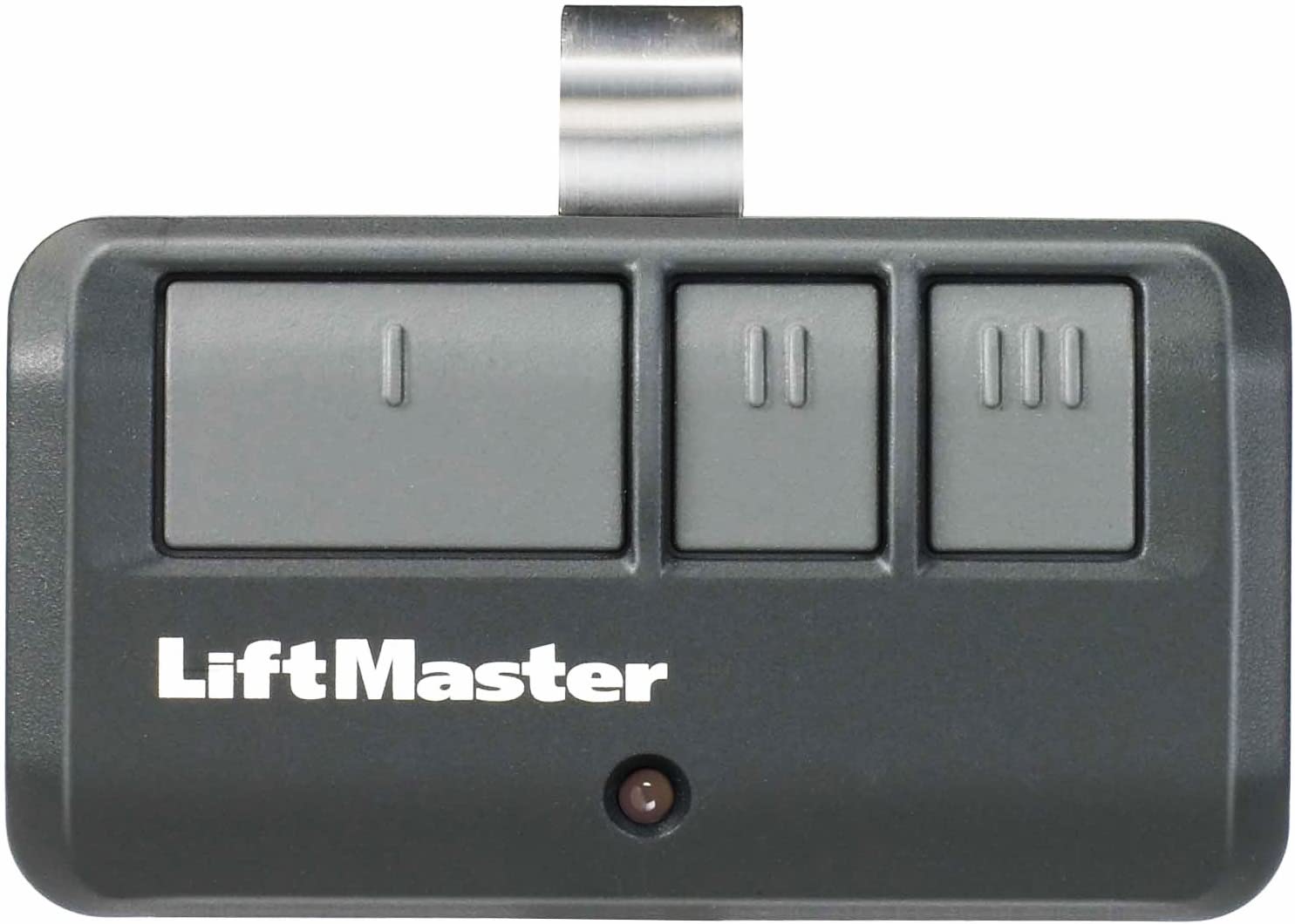
Clearing the remote memory on your LiftMaster garage door opener is a vital step when troubleshooting or reprogramming your device. This process erases all previously programmed remotes and keypads. It ensures that only the remotes you want will operate your garage door. Follow the clear steps below to reset your remote memory safely and effectively.
Press And Hold Learn Button
Locate the “Learn” button on the garage door opener motor unit. Press and hold this button firmly. Keep it pressed to start the clearing process. This step begins erasing all stored remote codes.
Watch Indicator Light
Observe the indicator light next to the “Learn” button. It will turn on and stay lit during the process. Keep watching until the light turns off. The light turning off signals the memory has been cleared.
Release After Reset
Once the indicator light goes off, release the “Learn” button. This confirms that the remote memory reset is complete. Test your remotes to ensure they no longer work. Now you can safely reprogram your remotes as needed.
Program New Remote
Programming a new remote for your LiftMaster garage door opener is simple and quick. This process connects your new remote to the garage door system. Follow the steps carefully to ensure a smooth setup.
Press Learn Button Once
Locate the Learn button on the garage door opener motor. It is usually near the antenna wire or under the light cover. Press the Learn button one time. The indicator light will turn on, showing the system is ready to program.
Select Remote Button
Within 30 seconds of pressing the Learn button, press and hold the button on your new remote. Hold it until the garage door opener light blinks or you hear a click. This signals that the remote button is linked to the opener.
Wait For Confirmation
Release the remote button and wait for the confirmation light to stop blinking. This means the remote is programmed successfully. Test the remote by pressing the programmed button to open or close the garage door.
Match Dip Switches
Matching DIP switches is a key step to reset your LiftMaster garage door opener remote. These small switches control the communication between your remote and the motor unit. Both devices must have the exact same DIP switch settings for the remote to work properly. This section explains how to find and set these switches correctly.
Locate Switches On Remote
Start by opening your garage door remote case. Look inside for tiny switches arranged in a row. These are the DIP switches. They look like small sliding levers or tiny toggle switches. Count the switches and note their current positions. This helps to keep track before making changes.
Locate Switches On Motor Unit
Next, go to your garage door motor unit. Find the panel that covers the DIP switches. This panel is usually near the antenna wire or the learn button. Open the cover carefully to see the switches. The motor unit’s switches control all remotes paired with it.
Set Identical Patterns
Compare the DIP switch positions on the remote and motor unit. Use a small tool to slide each switch to match exactly. Switches can be up or down, on or off. Make sure every switch position is the same on both devices. This match ensures the remote sends the right signal to the opener.
Test Remote Function
Testing the remote function is an important step after resetting your LiftMaster garage door opener remote. This step confirms if the remote communicates correctly with the garage door opener. It ensures the reset process was successful and the remote is ready for use.
Follow the simple steps below to test the remote function and check its performance. These steps help identify any issues that may require further troubleshooting.
Press Remote Button
Hold the remote within range of the garage door opener. Press the button you programmed during the reset. Press it firmly but do not hold it for too long. The remote sends a signal to the garage door opener.
Observe Door Response
Watch the garage door closely after pressing the remote button. The door should move up or down depending on its current position. Listen for any sounds from the opener motor. A smooth and quick response means the remote works well.
Troubleshoot Issues
If the door does not respond, try pressing the button again. Check the remote’s battery and replace it if needed. Make sure the remote is programmed correctly to the opener. Look for any obstacles blocking the signal path. Repeat the reset steps if the problem continues.

Reset Tips And Tricks
Resetting your LiftMaster garage door opener remote can solve many common issues. Sometimes the remote stops working due to simple problems. Following some easy tips helps fix these problems quickly. These reset tips and tricks improve your remote’s performance without hassle.
Battery Check
Start by checking the remote’s battery. A weak or dead battery often causes signal loss. Open the remote case carefully. Replace the old battery with a new one. Use the battery type recommended by LiftMaster. After replacing, test the remote to see if it works.
Signal Interference
Signal interference can block the remote’s signal. Nearby electronics or metal objects may cause this. Move away from possible interference sources. Try operating the remote closer to the garage door opener. Ensure no large metal objects block the signal path. This step often restores remote function.
Consult User Manual
The user manual has specific reset instructions. Check the manual for your LiftMaster model. It guides you through the reset process step-by-step. Follow the exact button presses and timing. The manual also explains error lights and codes. Keep the manual handy for future reference.

Frequently Asked Questions
How Do You Reset The Remote On A Liftmaster Garage Door Opener?
Press and hold the “Learn” button on the LiftMaster motor until the light turns off. Release to reset. Test the remote.
How Do I Relink My Liftmaster Remote?
Press and release the “Learn” button on the LiftMaster motor unit. The LED will turn on. Press and hold your remote button until the LED blinks. Release and test the remote to confirm it’s relinked.
How To Reset Garage Door Opener Remote?
Press and hold the “Learn” button on the opener motor until the light turns off. Release it to reset. Reprogram the remote by pressing a button until the opener responds. Test the remote to ensure it works correctly.
How To Program A Liftmaster Remote Garage Door Opener?
Press the “Learn” button on your LiftMaster opener until the LED lights up. Press your remote button to program. Test the remote to confirm it works.
How Do I Reset My Liftmaster Garage Door Remote?
Press and hold the Learn button until the LED light turns off, then release to reset.
Conclusion
Resetting your LiftMaster garage door remote is simple with the right steps. Start by locating the learn button on the opener. Clear old codes by holding the button until the light turns off. Then, program your remote by pressing a button until the opener acknowledges it.
Test your remote to ensure it works correctly. Following these easy steps keeps your garage secure and remote responsive. Now, you can manage your garage door with ease and confidence.