
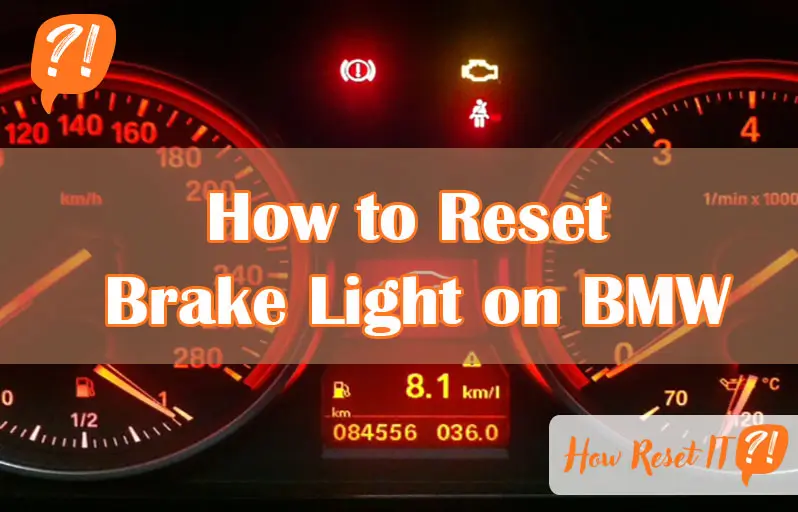
Is your BMW’s brake light staying on even after you’ve taken care of the brakes? That little warning can be frustrating and confusing.
But don’t worry—you can reset the brake light yourself quickly and easily. Whether you’ve changed the brake pads or just want to clear the warning, knowing how to reset the brake light saves you time and a trip to the mechanic.
In this guide, you’ll learn simple, step-by-step instructions to reset your BMW’s brake light using just the instrument cluster buttons. Keep reading, and by the end, you’ll have full control over your brake light warnings.
Ignition Mode Setup
Setting the ignition mode correctly is the first step to reset the brake light on your BMW. This step ensures the car’s system is ready to accept reset commands. It helps avoid errors during the process. Proper ignition setup is simple but important for a smooth reset.
The ignition mode activates the car’s electronics without starting the engine. It allows access to the service menu on the instrument cluster. You must follow the correct sequence to enter this mode. Avoid pressing pedals that might interfere with the reset.
Entering Ignition Only State
Start by sitting in the driver’s seat. Do not press the brake or clutch pedals. Press the Start/Stop button once to turn on the ignition. The engine will remain off, but the dashboard lights up. This state is called ignition only or accessory mode.
Watch the instrument cluster display carefully. It should show all electronic systems active, but the engine is not running. This mode allows you to use the BC button to access service menus. Do not open doors or remove the key during this step.
Avoiding Brake And Clutch Engagement
Keep your foot off the brake and clutch pedals during ignition setup. Pressing these pedals may start the engine or block access to the reset menu. Make sure the pedals are fully released. This step is crucial for the reset command to work.
Check the brake and clutch pedals before pressing the Start/Stop button. If the car senses a pedal press, it will not enter ignition only mode. Wait a few seconds if needed to ensure pedals are free. This simple caution prevents reset failures.

Accessing Service Menu
Accessing the service menu is the first step to reset the brake light on your BMW. This menu lets you navigate through various system settings and perform resets. You can do this without special tools, using just the car’s controls. Understanding how to enter this menu saves time and avoids unnecessary visits to the mechanic.
Locating The Bc/odometer Button
The BC button is usually found on the instrument cluster or near the speedometer. It may be labeled as BC or show a small odometer icon. This button controls the display options on your dashboard. You will use it to enter the service menu and scroll through options. Make sure you can easily reach and identify this button before starting.
Entering The Service Menu
First, turn the ignition to the on position without starting the engine. Do not press the brake or clutch pedal. Press and hold the BC button for about 10 seconds. The display will change to show the service menu options. Use short presses of the BC button to scroll through the list. Look for the brake service option to reset the brake light.
Navigating To Brake Reset
Navigating to the brake reset option in a BMW is straightforward. Start by accessing the instrument cluster menu using the BC or odometer button. This step prepares the system for the brake light reset process. Understanding how to find the right menu item is crucial for a successful reset.
The process involves scrolling through various service items until the brake service option appears. Once located, selecting this option allows you to reset the brake warning light. This guide explains the two main steps in detail.
Scrolling Through Service Items
First, put the ignition in accessory mode without pressing the brake or clutch. Press and hold the BC button on the instrument cluster to enter the service menu. Use short presses of the BC button to scroll through the service items. Look for options related to brake service or brake pads. Scrolling carefully ensures you select the correct menu item for reset.
Selecting Brake Pad Or Brake Service Option
Once the brake-related service item appears, press and hold the BC button to select it. The display will show a reset prompt. Confirm the reset by holding the button again until the screen shows “Reset successful.” This step clears the brake light warning from the dashboard. Remember, resetting only works after replacing brake pads or sensors if needed.

Confirming Brake Light Reset
Confirming the brake light reset on your BMW is crucial after performing the reset process. This step ensures the warning light has been successfully cleared. Without confirmation, the brake light might stay on, causing confusion or concern. Follow simple steps to verify the reset and avoid unnecessary trips to the mechanic.
Holding The Reset Button
Start by turning the ignition to the “on” position without starting the engine. Locate the reset button on the instrument cluster. Press and hold this button firmly. Keep holding the button for several seconds. This action triggers the system to enter the reset mode. You may see the menu change or the brake light blink. Do not release the button too soon.
Waiting For Reset Confirmation
After holding the button, watch the display carefully. The instrument panel will show a confirmation message. Common messages include “Reset?” or “Reset successful.” Wait patiently for this message to appear. Once confirmed, release the reset button. Check the brake light on the dashboard. It should turn off, indicating a successful reset. If it stays on, repeat the steps or check for other issues.
Replacing Brake Wear Sensors
Replacing brake wear sensors is a key part of maintaining BMW brake systems. These sensors monitor brake pad thickness. When pads wear down, sensors trigger the brake light on your dashboard. Changing the sensors keeps the warning system accurate.
Brake wear sensors are small but essential components. They connect to the brake pads and send signals to your car’s computer. Faulty or worn sensors can cause false brake warnings. Timely replacement ensures your BMW’s brake light functions properly.
When Sensor Replacement Is Required
Brake wear sensors need replacement when the brake light stays on after changing pads. They also fail after long use or damage. Some BMW models alert you specifically about sensor issues. Checking sensors during brake service prevents future warnings.
Impact On Reset Procedure
Replacing brake wear sensors affects the brake light reset process. The car’s system must detect new sensors to clear warnings. Without new sensors, the brake light may not reset. Always replace sensors before starting the brake light reset steps.
Troubleshooting Common Issues
Troubleshooting common issues during a brake light reset on your BMW can save time and frustration. Some warning lights may not turn off as expected. The reset process might seem simple but can face obstacles. Knowing how to identify and fix these problems helps keep your BMW running smoothly. This section covers typical issues and practical tips to overcome them.
Parking Brake Warning Lights
The parking brake light often causes confusion. It may stay on even after releasing the brake. This can happen if the brake is not fully disengaged. Check the parking brake lever or pedal carefully. Sometimes, dirt or debris blocks full release. Also, the sensor that detects parking brake status might fail. Inspect the sensor connection for damage or corrosion. Resetting the brake light alone does not fix this. Fix the parking brake issue first, then try resetting again.
Unsuccessful Reset Attempts
Repeated failed attempts to reset the brake light often point to deeper issues. The brake wear sensors might still be faulty or not replaced. These sensors send signals to trigger the warning light. If sensors are damaged or missing, the light won’t turn off. Another cause is incorrect reset steps. Follow the exact procedure for your BMW model. Ignition mode, button presses, and timing matter a lot. Battery voltage can also affect the reset. Make sure the battery is fully charged. Lastly, software glitches in the car’s system may require professional diagnostics.
Model Variations
The process to reset the brake light on a BMW varies depending on the model. Different BMW models have unique systems and steps to follow. Knowing these differences helps avoid confusion and saves time. Some models use a button on the instrument cluster, while others need a diagnostic tool. Understanding your specific BMW model is key to a smooth brake light reset.
Differences By Bmw Model
Older BMW models often use the BC button on the instrument cluster to reset brake lights. Newer models may require access through the iDrive system or a special scan tool. Some models have brake pad wear sensors that must be replaced before resetting the light. Diesel and petrol engines might also have slight variations in their reset processes. Always check your owner’s manual for model-specific instructions.
Adjusting Steps For Specific Vehicles
For BMW 3 Series models, press and hold the BC button with the ignition on but engine off. Scroll to the brake menu and confirm reset. In the BMW X5, the process may involve navigating through the iDrive menu to find the brake service option. The BMW 5 Series sometimes needs the brake fluid level checked before the reset. For each vehicle, ensure the brake pads or sensors are replaced if the warning is for wear, not just fluid level.
Preventive Maintenance Tips
Preventive maintenance plays a key role in keeping your BMW’s brake system in top shape. It helps avoid sudden brake light warnings and costly repairs. Regular care ensures safety and smooth driving. Paying attention to small details can extend the life of brake components and keep warning lights off.
Regular Brake Pad Checks
Check your brake pads every 10,000 miles or sooner if you hear squeaking. Worn pads reduce braking power and trigger brake light warnings. Look for thin or uneven pads and replace them promptly. Clean dust and debris from the brake area to prevent sensor errors. Proper pad thickness keeps the brake system working well.
Sensor Care And Replacement Timing
Brake pad sensors signal when pads are worn. Keep sensors clean and free from dirt. Replace sensors along with brake pads to avoid false warnings. Sensors usually last as long as pads but can fail early if damaged. Regular inspection of sensors prevents unexpected brake light alerts.

Frequently Asked Questions
How Do You Reset The Service Brake On A Bmw?
Put ignition in accessory mode without pressing brake/clutch. Hold BC button until service menu appears. Scroll to brake option. Hold BC to select “Reset? ” Confirm until “Reset successful” shows. Replace brake wear sensors if brake pad warning was on.
How To Get Rid Of Brake Light On Dash Bmw?
To clear the BMW brake light, turn ignition on without starting. Hold the BC button until the service menu appears. Select brake item, press and hold the reset option until confirmation shows. Ensure brake pads and sensors are replaced if related to wear.
How To Clear Brake Light On Dashboard?
To clear the brake light on the dashboard, ensure the parking brake is fully released. Then, turn the ignition on without starting the engine. Press and hold the BC or odometer button until the service menu appears. Select the brake item and hold the button to reset the warning.
How To Reset Brake Light On Bmw X3?
Turn ignition to ON without starting. Hold BC button until service menu appears. Scroll to brake item. Hold BC to select “Reset? ” Confirm until “Reset successful” shows. Replace brake wear sensors if brake pad light triggered.
How Do You Reset The Brake Light On A Bmw?
Turn the ignition on without starting the engine. Hold the BC button until the service menu appears. Select the brake option and confirm reset.
Conclusion
Resetting the brake light on your BMW keeps your car safe and running well. Follow the simple steps carefully to avoid errors. Always replace brake sensors when needed before resetting the light. Regular checks help you catch problems early and save money.
This easy process saves trips to the mechanic. Keep your BMW’s brake system in top shape for smooth driving. Taking control of small fixes boosts your confidence and car care skills.