
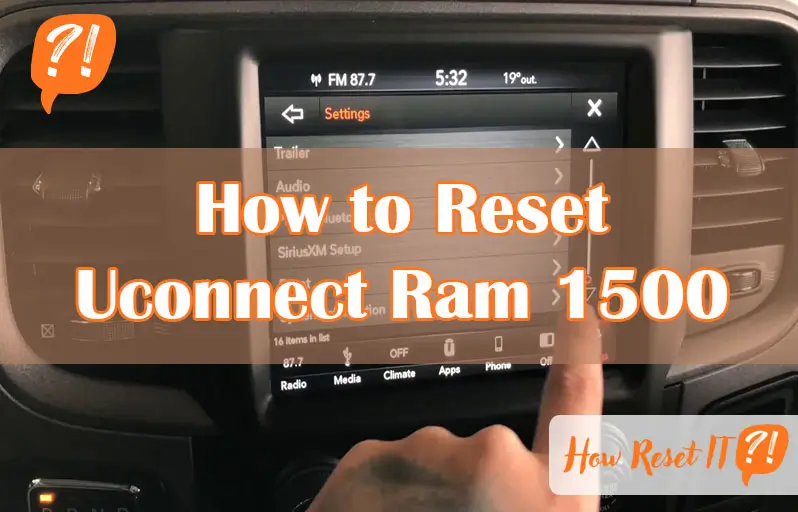
If your Ram 1500’s Uconnect system is acting up—freezing, lagging, or just not responding like it should—you’re probably wondering how to fix it quickly and get back on the road without hassle. The good news?
Resetting your Uconnect isn’t as complicated as it sounds. Whether you need a simple soft reset to clear minor glitches, a full system reboot for deeper issues, or a factory reset to start fresh, this guide walks you through every step.
Keep reading, and you’ll have your Uconnect running smoothly again in no time.

Soft Reset Steps
Performing a soft reset on your Uconnect Ram 1500 helps fix minor glitches. It refreshes the system without erasing your settings. Follow the simple steps below to reset your Uconnect quickly and safely.
Prepare Your Vehicle
Start by turning the ignition key to the “RUN” position. Do not start the engine. Ensure your vehicle is parked and the parking brake is engaged for safety.
Use Volume And Tuner Knobs
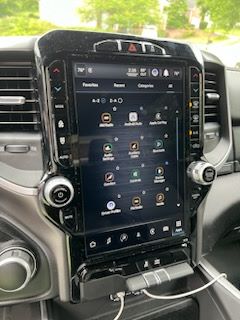
Locate the volume and tuner knobs on your Uconnect system. Press and hold both knobs simultaneously. Keep holding them for about 10 seconds until the screen goes black or resets.
System Reboot Process
After the screen turns off, release the knobs. The system will reboot automatically. Wait a moment for the Uconnect screen to come back on. Your system is now refreshed and ready to use.

When To Perform Soft Reset
Knowing when to perform a soft reset on your Uconnect system in the Ram 1500 can save time and frustration. This reset helps clear minor bugs without affecting your saved settings. It is the first step to fix common issues quickly and safely.
Use a soft reset when the system does not respond or acts strangely. It refreshes the system and often restores normal function. Here are key signs that a soft reset is needed.
Screen Freezes And Glitches
The touchscreen may freeze or stop responding. Buttons might not work as expected. Images could flicker or disappear. These problems block normal use and make driving distracting. A soft reset usually clears these screen issues fast.
Bluetooth Connection Issues
Bluetooth may fail to connect to your phone. Calls or music might cut out randomly. Devices may drop the connection often. These troubles affect hands-free calls and entertainment. A soft reset resets the Bluetooth module without deleting devices.
App And Navigation Freezes
Apps like navigation or music may freeze on loading. Directions might not update or respond to touch. Maps could lag or show errors. These interruptions make driving harder and unsafe. A soft reset refreshes the apps and restores smooth operation.
Hard Reset Procedure
The hard reset procedure for the Uconnect system in your Ram 1500 is a deeper fix. It clears the vehicle’s computer and can solve more serious issues. This process requires disconnecting and reconnecting the battery to reset the system completely.
Follow these steps carefully to ensure the reset is done safely and correctly. Taking precautions before handling the battery will protect you and your vehicle.
Safety Precautions
Park your Ram 1500 on a flat surface and engage the parking brake. Turn off the engine and remove the key from the ignition. Wear safety gloves and glasses to protect yourself. Avoid touching metal parts to prevent shocks. Keep tools and metal objects away from the battery terminals.
Disconnect Battery Terminal
Open the hood and locate the vehicle’s battery. Find the negative terminal, usually marked with a minus (-) sign. Use a wrench to loosen the bolt on the negative terminal. Carefully remove the negative cable and place it away from the battery. Do not let the cable touch the battery or any metal parts.
Reconnect Battery Terminal
Wait for about 10 to 15 minutes before reconnecting the battery. Place the negative cable back on the terminal. Tighten the bolt securely with a wrench to ensure a good connection. Close the hood and start the vehicle. The Uconnect system will reset and reboot after the battery reconnect.
Factory Reset Guide
The Factory Reset Guide helps you clear all personal data and restore your Uconnect system to its original state. This process removes saved settings, Bluetooth connections, and preferences. It is useful if you want to start fresh or fix persistent issues.
Follow these simple steps to perform a factory reset on your Ram 1500 Uconnect system quickly and safely. The reset takes only a few minutes and requires no special tools.
Access Vehicle Settings
Turn the ignition to the “Run” position without starting the engine. On the Uconnect touchscreen, tap the “Settings” icon to open the menu. This section controls all vehicle and system options.
Select Reset Option
Scroll through the settings menu until you find the “Reset” option. Tap it to see different reset types. Choose the option related to system or factory reset for your Uconnect system.
Restore Factory Settings
Confirm your choice to restore factory settings. The system will erase personal data and restore defaults. Wait for the process to finish before using the system again.
Tips For Successful Reset
Resetting the Uconnect system in your Ram 1500 can fix many common issues. Simple steps can make the reset process smooth and effective. Follow these tips for a successful reset without frustration.
Ensure Vehicle Is Parked
Always park your Ram 1500 before starting the reset. Keep the vehicle in park mode to avoid safety risks. Turn the ignition to the “Run” position without starting the engine. This setting powers the system but keeps the vehicle stationary.
Follow Button Press Timing
Press the reset buttons carefully and hold them as instructed. Usually, hold the volume and tuner knobs simultaneously for about 10 seconds. Releasing too soon may stop the reset from starting. Timing is key to trigger the system reboot correctly.
Verify System Restart
After the reset, watch the Uconnect screen closely. The display should turn off and then power back on. This restart confirms the reset was successful. If the screen stays frozen, repeat the reset steps or try a full system reboot.
Troubleshooting After Reset
Resetting your Uconnect system on the Ram 1500 often resolves many issues. After a reset, some features may require additional steps to work properly again. Troubleshooting after reset ensures your system functions smoothly and meets your preferences. This section guides you through key post-reset tasks.
Re-pairing Bluetooth Devices
Resetting Uconnect erases all paired Bluetooth devices. You must reconnect your phone or other devices to restore hands-free calling and audio streaming. Open your phone’s Bluetooth settings and search for the Uconnect system. Select it to pair and follow on-screen prompts. Confirm the connection on both your phone and Uconnect screen. Repeat for other devices you use regularly.
Reconfiguring Personal Settings
The reset removes custom settings like radio presets, climate controls, and display preferences. Take time to adjust these settings again. Navigate through the Uconnect menu to set your favorite radio stations. Adjust climate control to your comfort level. Customize screen brightness and sound settings to suit your needs. Saving these preferences improves your driving experience.
When To Seek Professional Help
Some problems might persist after resetting Uconnect. If the system won’t pair devices or settings won’t save, professional help is necessary. Visit your Ram dealer or a trusted auto technician. They can diagnose software or hardware issues. Avoid trying complex repairs yourself to prevent further damage. Professional support ensures your Uconnect runs correctly and safely.
Frequently Asked Questions
How To Reset Uconnect Dodge Ram 1500?
Turn the key to “RUN” without starting the engine. Press and hold the volume and tuner knobs simultaneously until the screen resets.
How To Do A Hard Reset On A Ram 1500?
To hard reset a Ram 1500, park safely and turn off the engine. Disconnect the negative battery terminal for about 10 minutes. Reconnect it securely, then start the truck. This resets the vehicle’s computer and clears deeper issues.
How To Do A Soft Reset On Uconnect?
To do a soft reset on Uconnect, turn the key to “RUN” without starting the engine. Press and hold both the Volume and Tuner knobs simultaneously until the screen resets. This fixes screen freezes or glitches quickly and safely.
How To Fix Uconnect Not Connecting?
Turn the ignition to “Run” without starting the engine. Press and hold the volume and tuner knobs together until the screen resets. If issues persist, try a factory reset via Settings > Reset, or disconnect the battery for a hard reset.
How Do I Perform A Soft Reset On Uconnect Ram 1500?
Turn the key to “RUN” (engine off). Hold the volume and tuner knobs together until reboot.
Conclusion
Resetting your Uconnect Ram 1500 system can solve many common issues fast. Choose a soft reset for simple glitches or a hard reset for deeper problems. A factory reset clears all personal settings, so use it carefully. Following these clear steps helps keep your system running smoothly.
Regular resets improve your driving experience and prevent frustration. Keep this guide handy for quick troubleshooting anytime.