
Is your Daikin air conditioner acting up or showing blinking lights? You’re not alone, and the good news is that many common issues can be fixed with a simple reset.
Whether your unit isn’t cooling properly, the remote isn’t responding, or you see error codes flashing, knowing how to reset your Daikin AC can save you time, money, and frustration. In this guide, you’ll discover easy, step-by-step methods to reset your Daikin air conditioner quickly and safely—no technical skills required.
Keep reading, and you’ll get your AC running smoothly again in no time!
Resetting Daikin Ac Without Remote
Resetting a Daikin air conditioner without the remote is possible and often necessary. The remote control can be misplaced or malfunction, but you can still reset the unit. This guide shows simple and safe ways to reset your Daikin AC without the remote.
These methods help clear minor errors or glitches in your AC. They restore normal operation without complicated steps. Use these techniques to keep your AC running smoothly.
Power Cycle Method
Start by turning off the air conditioner unit manually. Locate the power button on the indoor unit and switch it off.
Next, unplug the AC from the power source. Wait for at least one minute to let the system reset fully.
Plug the AC back into the power outlet. Press the power button again to turn on the unit.
This simple power cycle resets the internal system. It helps fix common errors and refreshes the AC’s settings.
Using Circuit Breaker
Locate your home’s electrical panel and find the breaker for the Daikin AC. It is often labeled for easy identification.
Switch off the circuit breaker that controls the air conditioner. Leave it off for about one minute.
Turn the breaker back on to restore power to the AC unit. The system will reboot automatically.
This method acts like a hard reset. It clears memory faults and resets the control board.

Resetting Daikin Ac With Remote
Resetting a Daikin air conditioner using the remote is a simple process. It helps fix minor issues fast. This method saves time and avoids calling a technician. The remote controls many functions, including reset options. Follow clear steps to reset your unit correctly.
Locating Reset Buttons
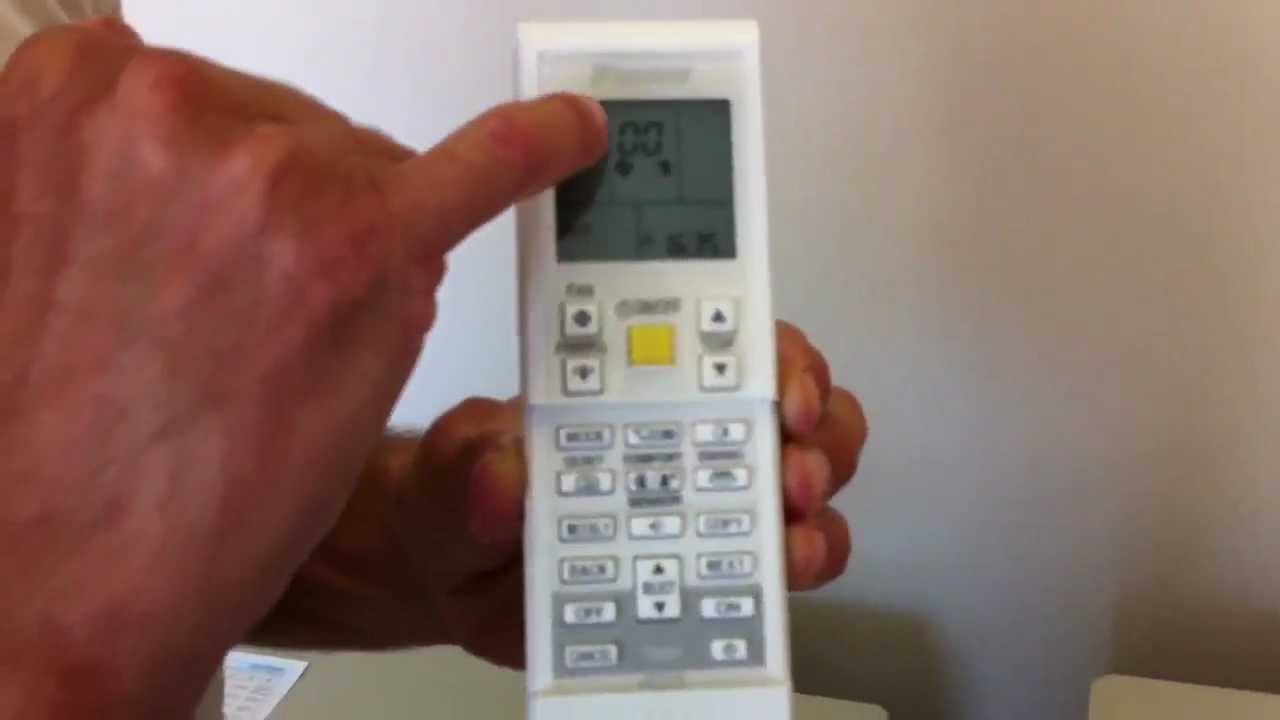
First, check your Daikin remote for reset buttons. Some models have a small reset button under the battery cover. Others use a combination of buttons for reset. Look for buttons labeled “Reset,” “Cancel,” or “Check.”
If you do not see a dedicated reset button, try pressing the “Mode” and “Off” buttons together. Hold for a few seconds to trigger a reset. Always refer to your remote’s manual for exact button locations.
Performing Factory Reset
To perform a factory reset, turn on the AC using the remote. Press and hold the reset button or the specified button combo. Hold until the display flashes or the unit turns off and on. This step restores default settings and clears custom configurations.
After the reset, check if the AC works normally. Adjust settings like temperature and mode again. Factory reset solves many control and sensor issues.
Clearing Error Codes
Daikin remotes can show error codes for faults. To clear these codes, locate the “Cancel” or “Check” button on the remote. Press it once to display the error code. Press and hold it for a few seconds to clear the code.
If the error remains, turn off the AC and unplug it for one minute. Plug it back in and turn it on with the remote. This power cycle often clears persistent error codes. Regularly clearing error codes helps keep your AC running well.
Dealing With Blinking Lights
Blinking lights on your Daikin air conditioner often signal an issue. These lights help you understand what is wrong. Knowing how to read and react to them saves time and effort. This section guides you through identifying error codes and fixing common faults. Learn when to call for professional help.
Identifying Error Codes
Daikin units show error codes by blinking lights. The number and pattern of blinks mean different problems. Check your remote control for a ‘Cancel’ or ‘Check’ button. Press it repeatedly to cycle through error codes. Each code matches a specific fault listed in your manual. This step helps pinpoint the exact issue fast.
Common Faults And Fixes
Many blinking light errors come from simple problems. Dirty filters often cause sensor errors. Clean or replace filters regularly to avoid this. Blocked air inlets or outlets also trigger warnings. Remove any obstacles near your indoor and outdoor units. Power cycling the AC by turning off the breaker can reset minor faults.
When To Contact A Technician
Some blinking errors mean serious internal faults. Persistent blinking may indicate sensor or communication problems. If cleaning filters and power cycling do not help, stop troubleshooting. Contact a certified Daikin technician. They have tools and knowledge to fix complex issues safely. Avoid risking damage by trying advanced repairs yourself.

Maintaining Your Daikin Ac
Maintaining your Daikin air conditioner is key to keeping it running smoothly. Regular care helps prevent common issues and extends the unit’s life. Simple tasks can improve air quality and cooling efficiency. Focus on cleaning, clearing, and checking your system often.
Cleaning Air Filters
Dirty air filters reduce airflow and strain the system. Remove filters from the indoor unit carefully. Use a vacuum or wash them with mild soap and water. Let filters dry fully before placing them back. Clean filters every one to two months for best performance.
Removing Obstructions
Check that nothing blocks the air vents or outdoor unit. Leaves, dust, and debris can limit air movement. Clear any obstacles near the unit to ensure proper airflow. Keep plants and furniture at least two feet away from the indoor unit. This helps the AC cool your space efficiently.
Regular System Checks
Inspect your Daikin AC for any unusual noises or leaks. Listen for sounds that differ from normal operation. Look for water pooling around the indoor unit. Schedule professional maintenance once a year to check refrigerant levels and electrical components. Early detection keeps your AC working well longer.
Troubleshooting Cooling Issues
Troubleshooting cooling issues in your Daikin air conditioner can quickly restore comfort. Identifying the root cause saves time and avoids costly repairs. Follow simple checks to find common problems and solutions.
Checking Refrigerant Levels
Refrigerant is crucial for cooling. Low refrigerant causes weak or no cooling. Signs include warm air and longer cooling cycles. A certified technician should check and refill refrigerant. Avoid trying to add refrigerant yourself to prevent damage.
Inspecting Outdoor Unit
The outdoor unit moves heat out of your home. Dirt, debris, or obstructions block airflow. Clear leaves, grass, and dust around the unit. Check for bent or damaged fins on the condenser coil. Clean fins gently with a soft brush or fin comb. Ensure the unit has enough clearance for proper ventilation.
Addressing Sensor Problems
Temperature sensors help the AC adjust cooling. Faulty sensors cause inconsistent or no cooling. Check if the sensor is properly placed near the evaporator coil. Gently reposition it if needed. If problems continue, contact a technician to test and replace the sensor. Faulty sensors affect the system’s ability to maintain temperature.
Frequently Asked Questions
How To Factory Reset An Air Conditioner?
To factory reset an air conditioner, turn off its power at the circuit breaker. Wait one to two minutes, then restore power. Use the remote to restart the unit. This process clears settings and resolves minor issues, restoring the AC to default factory settings.
How Do I Reset My Daikin Air Conditioner Without The Remote?
Unplug the Daikin air conditioner from the power source. Wait 1-2 minutes, then plug it back in. This resets the unit without a remote.
How Do I Reset My Blinking Light On Daikin?
To reset a blinking light on Daikin, turn off the AC and switch off its circuit breaker. Wait one minute, restore power, then restart the unit using the remote. Clean filters and remove any obstructions before testing. Persistent blinking may indicate a serious internal fault needing professional service.
What To Do If Daikin Ac Is Not Cooling?
Check and clean the air filters to ensure proper airflow. Verify the thermostat settings and lower the temperature. Inspect outdoor unit for obstructions or dirt. Reset the system by turning off power for a minute. Contact a professional technician if the problem persists.
How Do I Reset My Daikin Air Conditioner Without A Remote?
Unplug the unit from power. Wait 1-2 minutes, then plug it back in. This resets the system.
Conclusion
Resetting your Daikin air conditioner helps fix many common issues. Always turn off power before starting the reset. Wait a moment before restoring power to ensure a proper reset. Clean filters and clear any blockages to avoid repeated errors. If the problem continues, check the error codes on the remote.
This simple process can save time and money on repairs. Keep your AC running smoothly with regular care and timely resets. Easy steps, better comfort.