
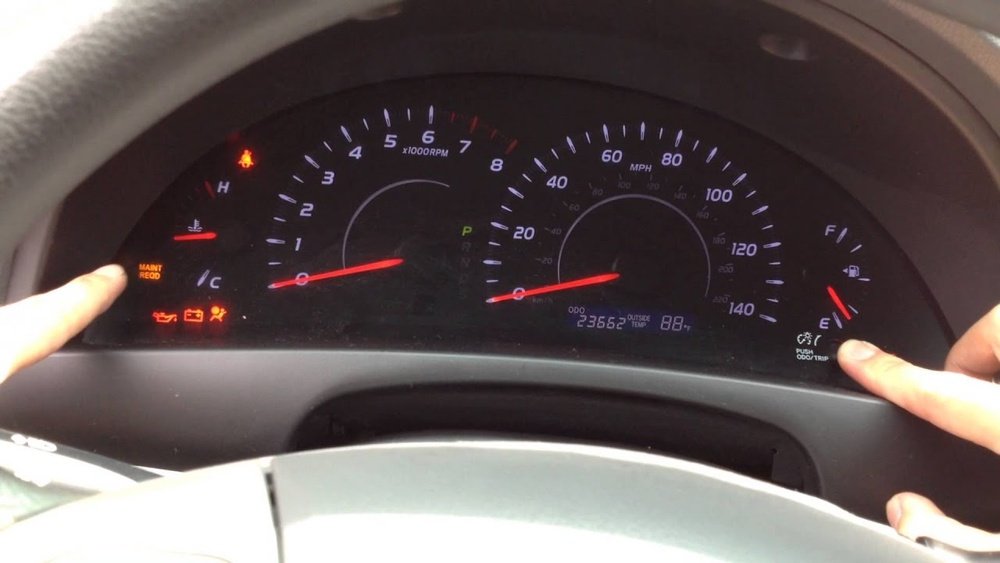
If you drive a 2010 Toyota Camry, you’ve probably seen that “Maintenance Required” light pop up on your dashboard. It’s a helpful reminder that your car needs an oil change or routine service.
But once the job is done, how do you turn that light off? You don’t want it lingering and causing unnecessary worry every time you start your car. Luckily, resetting the maintenance light is a simple process you can do yourself—in just a few easy steps.
Keep reading, and you’ll learn exactly how to reset your 2010 Toyota Camry’s maintenance light quickly, so you can get back on the road with confidence.
Maintenance Light Basics
The maintenance light in your 2010 Toyota Camry is a helpful reminder for vehicle care. It signals when routine services like oil changes are due. Understanding this light helps keep your Camry running smoothly and avoids costly repairs.
This section explains the basics of the maintenance light. Learn its purpose and the right time to reset it after service.
Purpose Of The Maintenance Light
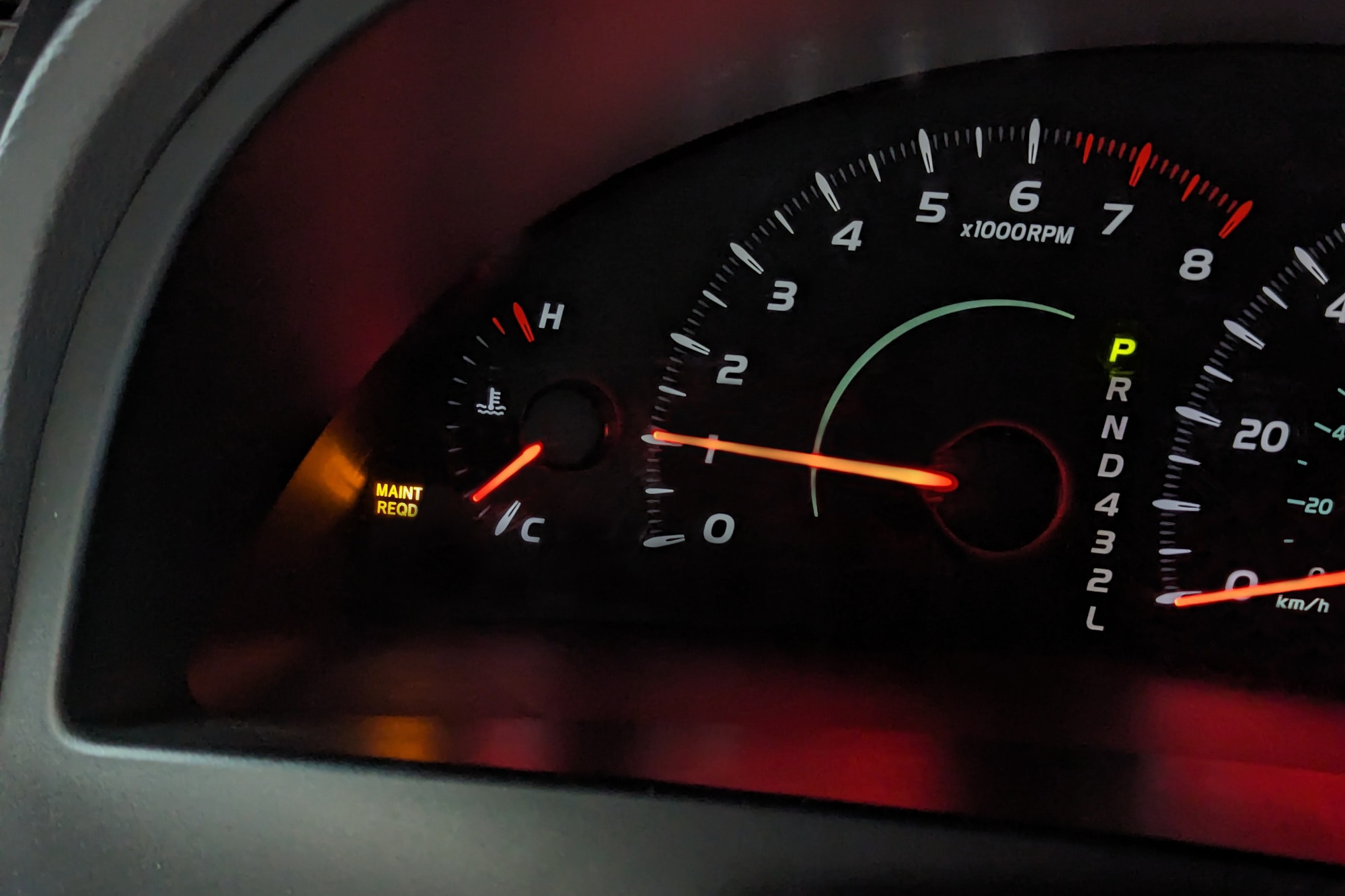
The maintenance light warns you about upcoming service needs. It turns on after a set number of miles or time. This alert helps you remember to change oil, check fluids, or inspect brakes. The light does not mean a problem but a scheduled upkeep.
Ignoring the light may cause engine wear or reduce fuel efficiency. Resetting the light after service keeps the reminder accurate. It helps maintain the car’s performance and safety.
When To Reset The Light
Reset the light only after completing the required maintenance. This includes oil changes, filter replacements, or other checks. Resetting too soon can cause missed services and damage.
The light usually comes on every 5,000 miles or 6 months. Check your owner’s manual for exact intervals. After service, resetting clears the reminder until the next due date.
Proper reset ensures you follow Toyota’s maintenance schedule. It also keeps the dashboard clear of unnecessary alerts.
Credit: www.serratoyota.com
Reset Method For Older Models
The reset method for older 2010 Toyota Camry models uses a simple key and button sequence. This process clears the maintenance required light without special tools. Follow each step carefully to ensure the light resets properly.
Older models do not have touchscreen menus, so the reset relies on the odometer and ignition switch. The light will turn off after completing the sequence. This method works well for most 2010 Camrys with the traditional dashboard layout.
Turn Key To On Position
Insert the key into the ignition. Turn the key to the “On” position without starting the engine. The dashboard lights will come on.
Select Trip A Display
Press the odometer button until the Trip A display appears on the screen. This step ensures you reset the correct mileage counter.
Turn Key Off
Turn the ignition key back to the “Off” position. Keep the odometer button pressed during this step to prepare for the reset.
Hold Odometer Button
Press and hold the odometer button firmly. Keep it held down as you move to the next step.
Cycle Ignition To On
While holding the odometer button, turn the key back to the “On” position. Hold the button until the maintenance light blinks and turns off.
Reset Method For Newer Models
Resetting the maintenance light on newer 2010 Toyota Camry models involves using the vehicle’s built-in settings menu. This method is straightforward and does not require any tools. It uses the steering wheel controls and multi-information display (MID) to access and reset maintenance notifications quickly. Follow these simple steps to complete the reset.
Access Vehicle Settings
Turn the ignition to the “On” position without starting the engine. Use the arrow buttons on the steering wheel to open the main menu on the MID. Scroll through the options until you find “Vehicle Settings” or a similar entry. Press the enter button to select it.
Navigate To Scheduled Maintenance
Within the Vehicle Settings menu, look for “Maintenance” or “Scheduled Maintenance.” Use the arrow keys to highlight this option. Press enter to open the maintenance submenu, where you can view the status of oil changes and other service alerts.
Confirm Reset
Highlight the option to reset the maintenance light. Press the enter button to confirm your choice. A confirmation message will appear, showing the reset is complete. Turn off the ignition and then start the engine to ensure the maintenance light is off.

Credit: www.youtube.com
Tips For Successful Reset
Resetting the maintenance light on your 2010 Toyota Camry requires care and attention. Follow these tips to ensure a smooth and successful reset. Proper steps help avoid frustration and keep your vehicle’s system accurate.
Each step matters. From performing maintenance to using the right buttons, small details make a big difference.
Perform Maintenance First
Complete the required maintenance before resetting the light. Changing oil or filters is essential. Resetting without service will give false alerts later. Your car’s system depends on accurate maintenance records to work well.
Use Correct Button Combinations
Use the exact button presses for your model. Usually, turn the ignition to “On” without starting the engine. Press and hold the odometer or trip button. Turn the ignition off and back on while holding the button. Release when the light blinks or resets. Follow these steps exactly to avoid errors.
Check For Model-specific Variations
Some 2010 Camry models may differ slightly. Hybrid or special editions might use steering wheel controls. Consult your owner’s manual for exact instructions. Knowing your model’s specifics saves time and effort. This prevents confusion and ensures the reset works properly.
Troubleshooting Reset Issues
Resetting the maintenance light on your 2010 Toyota Camry can sometimes be tricky. Problems may arise during the reset process. Knowing how to troubleshoot these issues saves time and frustration. Below are common problems and easy fixes to help you complete the reset successfully.
Light Won’t Reset
The maintenance light may stay on after attempting a reset. This often happens if the ignition is not turned to the correct position. Make sure the key is in the “On” position without starting the engine. Hold the odometer button firmly while cycling the key off and back on. If the light still does not reset, check the battery voltage. Low battery power can cause the system to fail the reset.
Another reason could be a faulty maintenance light sensor. If you suspect this, a visit to a mechanic may be needed. Using a scan tool to clear the code can also help if the manual reset fails.
Display Not Showing Trip A
The reset procedure requires the display to show “Trip A.” Sometimes the display might be stuck on the odometer or another reading. Press the trip button repeatedly until “Trip A” appears. If the display does not change, the button may be dirty or damaged. Clean the button gently or try pressing it several times quickly.
In rare cases, the instrument cluster might have a glitch. Turning the ignition off and on again can refresh the display. If the problem persists, professional diagnosis is recommended.
Using Steering Wheel Controls
Newer 2010 Camry models may allow resetting the maintenance light using steering wheel controls. This method uses the multi-information display (MID) menu. Use the arrow buttons on the steering wheel to navigate to “Settings” or “Vehicle Settings.”
Select “Maintenance” or “Scheduled Maintenance.” Then choose the option to reset. Confirm the reset by pressing the “OK” or “Enter” button. This method is simple and avoids the ignition cycling process.
Ensure your vehicle’s battery is fully charged for smooth menu navigation. If the reset option does not appear, check the owner’s manual for your exact model’s instructions.
Credit: www.capitalone.com
Frequently Asked Questions
How To Reset The Maintenance Required Light On A 2010 Toyota?
Turn the key to “On” without starting. Select “Trip A” on the display. Turn the key off. Hold the odometer button, turn the key back to “On” until the light blinks and resets. Newer models use steering wheel controls to access Vehicle Settings and reset maintenance.
How To Clear The Maintenance Required Light On A Toyota Camry?
Turn the key to “On” without starting. Select “Trip A” on the display. Hold the odometer button. Turn the key off, then back to “On” until the light resets. Newer models use steering wheel controls: go to Settings > Vehicle Settings > Maintenance Reset, then confirm reset.
How To Turn Off Maintenance Required Light On Toyota Camry 2011?
Turn the key to “On” without starting. Set the display to “Trip A. ” Hold the odometer button, turn the key off, then back to “On” until it resets. Newer models reset through the steering wheel menu under Vehicle Settings > Maintenance Reset.
Confirm to clear the light.
What Does “maintenance Required” Mean On A 2010 Toyota Camry?
The “maintenance required” light on a 2010 Toyota Camry signals it’s time for scheduled service. It usually indicates an oil change or routine check is due. Reset the light after servicing by holding the odometer button while turning the ignition on.
How Do I Reset The Maintenance Light On A 2010 Toyota Camry?
Turn the key to “On” without starting. Set the display to “Trip A. ” Hold the odometer button, turn the key off, then back to “On” until the light resets.
Conclusion
Resetting the maintenance light on your 2010 Toyota Camry is simple. Follow the steps carefully to avoid mistakes. This process helps keep track of oil changes and other services. Regular resets ensure your car’s maintenance stays updated. Remember to check your owner’s manual for any model-specific tips.
A properly reset light means a well-maintained vehicle. Keep your Camry running smoothly with timely care. Now, you can confidently reset the maintenance light yourself.