
If you own a 2012 Toyota Camry, you’ve probably seen that “Maintenance Required” light pop up on your dashboard. It can be distracting and even a little worrying, but resetting it is easier than you might think.
Knowing how to reset this light yourself saves you time and money, and gives you peace of mind that your car’s maintenance schedule is back on track. In this guide, you’ll get clear, simple steps to turn off that maintenance light quickly—so you can get back on the road with confidence.
Keep reading to find out exactly what to do!
Maintenance Light Basics
The maintenance light on your 2012 Toyota Camry helps you keep track of regular car care. It reminds you to perform routine services like oil changes. Understanding this light helps you maintain your car’s health. This section explains what the maintenance light means and when to reset it.
What The Light Means
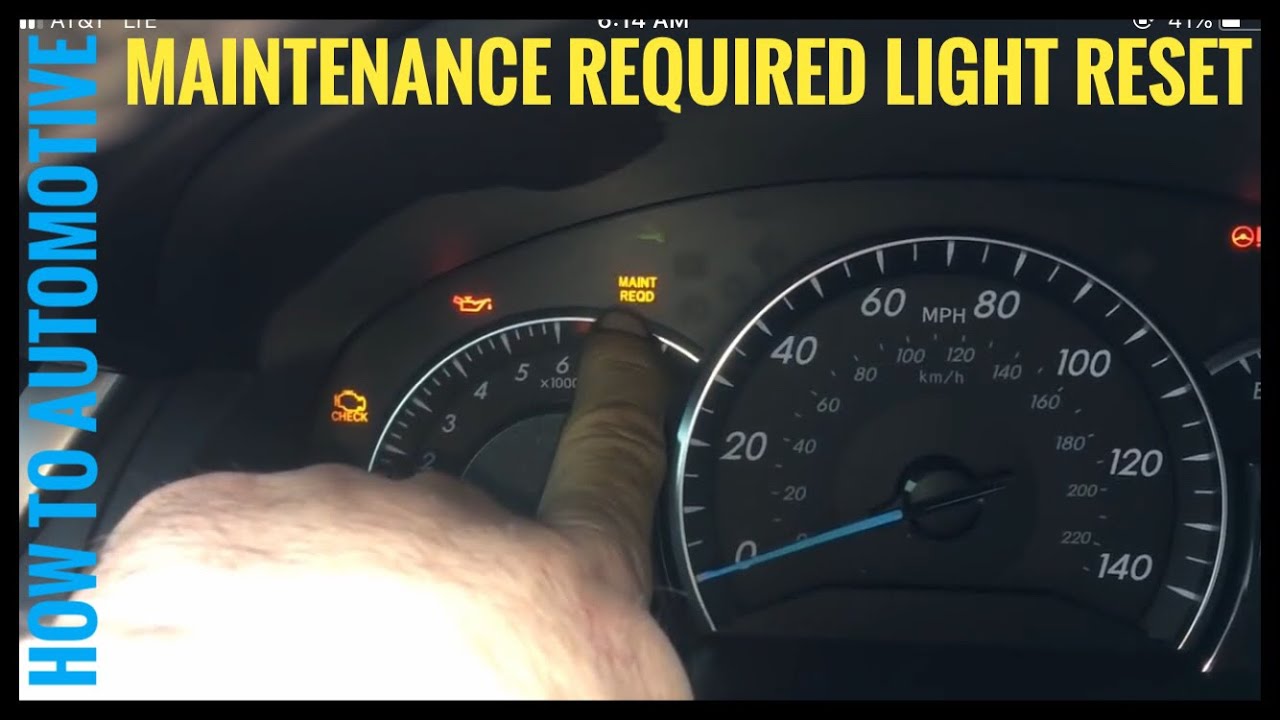
The maintenance light signals that scheduled service is due soon. It turns on after a set number of miles or months. This warning helps prevent engine problems and keeps your car running smoothly. It does not mean there is an immediate problem. Instead, it is a helpful reminder to check your vehicle.
When To Reset
Reset the maintenance light after completing the required service. For example, after an oil change or tire rotation. Resetting clears the reminder until the next service is due. Do not reset the light before service. Ignoring this can cause damage and costly repairs. Proper resets keep your car’s maintenance schedule accurate.
Preparation Steps
Before resetting the maintenance light on your 2012 Toyota Camry, proper preparation is crucial. These initial steps ensure the process works smoothly and avoids any errors. Taking a few moments to prepare will save time and prevent frustration.
Preparation involves setting up the ignition and the display correctly. This allows the reset sequence to start without issues. Follow each step carefully for best results.
Turn Ignition On Without Starting
Insert the key into the ignition and turn it to the “On” position. Do not start the engine. If your Camry has a push-button start, press the start button twice without pressing the brake pedal. This action powers the dashboard and the electronic systems without starting the car. This step activates the display needed for the reset.
Set Display To Trip A
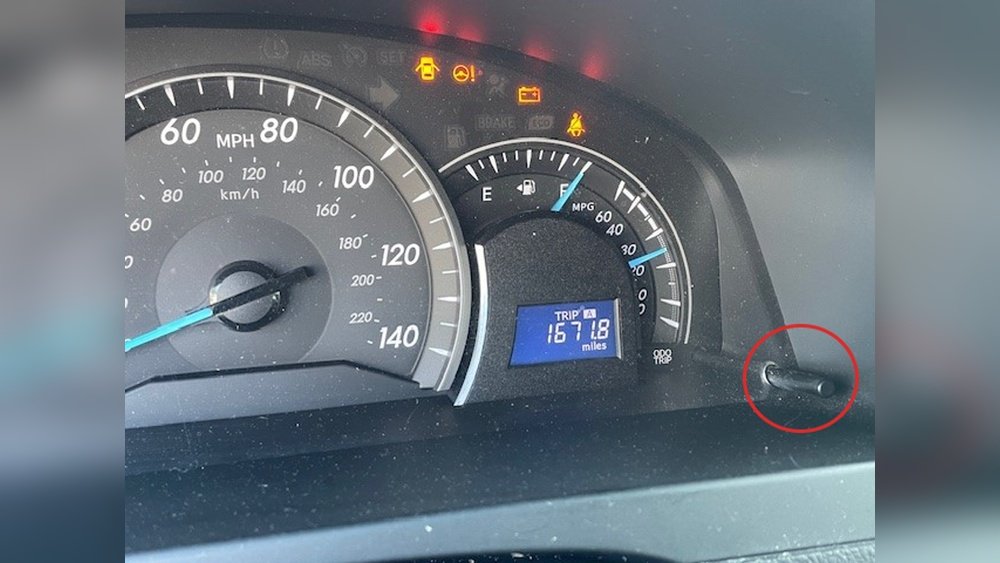
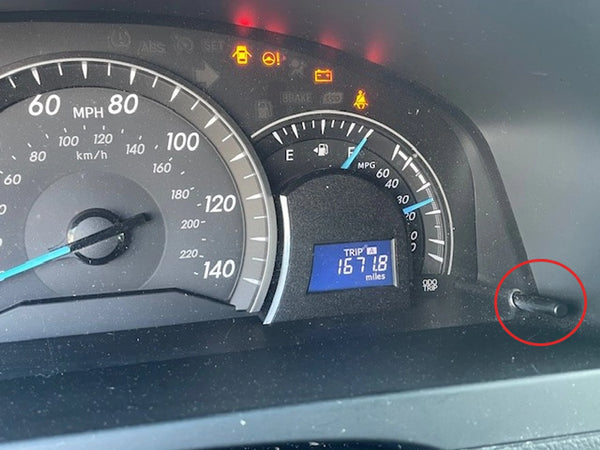
Locate the ODO/TRIP button on the dashboard or near the speedometer. Press this button repeatedly until the display shows “Trip A.” This mode shows the trip meter, which is essential for the maintenance reset procedure. Ensuring the display is on Trip A is a key step before you begin the reset process.
Resetting With Key Ignition
Resetting the maintenance light on your 2012 Toyota Camry using the key ignition is a simple process. This method does not require any special tools or equipment. It involves using the odometer button and the ignition key to clear the maintenance required light. Follow these clear steps carefully to reset the light and keep your dashboard clean.
Hold Odometer Button
Insert the key and turn the ignition to the “On” position without starting the engine. Press the odometer button until the display shows “Trip A.” Next, turn the ignition off. Press and hold the odometer button firmly. Keep holding the button as you move to the next step.
Cycle Ignition Position
While holding the odometer button, turn the key back to the “On” position. For push-button starts, press the start button twice without pressing the brake pedal. Keep holding the button during this process. The display will begin to change as the system prepares to reset.
Wait For Blink And Reset
Continue holding the odometer button as the display blinks or flashes dashes. After a few seconds, the numbers will reset to zero. Once the zeros appear, release the odometer button. The maintenance required light will turn off, confirming the reset is complete.
Resetting With Push-button Start
Resetting the maintenance light on a 2012 Toyota Camry with a push-button start is simple. This method does not need a key turn. It uses the car’s push-button system and odometer button. Follow these easy steps to clear the maintenance required light quickly.
Press Start Twice Without Brake
First, press the start button twice without pressing the brake pedal. This action turns the car’s ignition to the “On” position. The engine will not start. The dashboard lights will come on, showing the car’s status.
Hold Odometer Button
Next, find the odometer button on the dashboard. Press and hold this button firmly. Keep it pressed while the display begins to blink. The blinking shows the system is ready to reset. Do not release the button yet.
Complete Reset Process
Continue holding the odometer button until the numbers on the screen change to all zeros. The maintenance light will turn off. Release the button after this happens. Your Toyota Camry’s maintenance light is now reset and ready for the next service interval.
Using Multi-information Display
The 2012 Toyota Camry features a Multi-Information Display (MID) that helps monitor vehicle status. Resetting the maintenance light using the MID is simple and does not require tools. This method saves time and ensures the maintenance reminder reflects the latest service.
Follow these steps carefully to reset the maintenance light using the Multi-Information Display.
Access Vehicle Settings
Turn the ignition to the “On” position without starting the engine. Use the buttons on the steering wheel or dashboard to access the vehicle settings menu. Navigate through the options until you find the “Settings” or “Vehicle Settings” section.
Navigate To Maintenance Reset
Within the vehicle settings, look for the “Maintenance” or “Maintenance Reset” option. Use the directional buttons to highlight this choice. Press the enter or select button to open the maintenance reset menu.
Confirm Reset
Once inside the maintenance reset menu, confirm the reset by selecting “Yes” or “OK.” The display will show a message indicating the reset is in progress. After a few seconds, the maintenance light will turn off, confirming the reset is complete.
Troubleshooting Tips
Resetting the maintenance light on your 2012 Toyota Camry usually works smoothly. Sometimes, problems may arise during or after the reset process. Knowing how to handle these issues can save time and avoid frustration. Here are some helpful troubleshooting tips to guide you.
Reset Fails To Work
Sometimes the maintenance light does not turn off after the reset steps. Check that you followed each step exactly. The ignition must be in the correct position without starting the engine. Holding the odometer button too briefly can cause failure.
Try repeating the process slowly and carefully. Make sure the display shows “Trip A” before starting the reset. If the light remains on, the system may need a deeper scan or repair.
Light Comes Back Soon
The maintenance light returning shortly after reset indicates an unresolved issue. It may mean the vehicle still needs service or there is a sensor problem. Oil leaks, low fluid levels, or worn parts often trigger the light.
Check your oil level and other fluids. Inspect for leaks or damaged components. Resetting the light without fixing the root cause will only delay proper maintenance.
When To Visit A Mechanic
If the maintenance light stays on despite multiple resets, professional help is necessary. Mechanics can read diagnostic codes to identify hidden problems. They can also perform repairs or replace faulty sensors.
Visit a mechanic if the reset fails repeatedly or the light returns quickly. Ignoring these warnings may cause engine damage or costly repairs. Early diagnosis keeps your Camry running smoothly and safely.
Preventive Maintenance Advice
Keeping your 2012 Toyota Camry running smoothly takes more than just resetting the maintenance light. Preventive maintenance helps avoid major repairs and extends your car’s life. Regular care keeps your engine healthy and your drives safe. Follow simple steps to maintain your vehicle effectively.
Regular Oil Changes
Changing oil regularly protects your engine from wear and tear. Old oil loses its ability to lubricate and cool engine parts. Toyota recommends oil changes every 5,000 miles or six months. Use the right oil type for your Camry model to ensure best performance. Clean oil helps your engine run smoothly and saves fuel. Check oil levels often and top up if needed.
Scheduled Service Checks
Following Toyota’s service schedule prevents unexpected problems. These checks include inspecting brakes, tires, and fluids. Mechanics also examine belts, filters, and spark plugs. Timely service keeps all parts working well together. It also helps catch small issues before they grow costly. Stick to the service intervals listed in your owner’s manual for best results.

Frequently Asked Questions
How Do I Reset The Maintenance Light On A 2012 Camry?
Turn the ignition on without starting. Select “Trip A” on the display. Turn off ignition. Hold the odometer button, turn ignition on again. Keep holding until zeros appear and the light resets. Release the button. The maintenance light is now reset.
How To Clear The Maintenance Required Light On A Toyota Camry?
Turn the key to “On” without starting. Select “Trip A” on the display. Hold the odometer button, turn the key off, then back to “On” until the light resets. Newer models reset via steering wheel controls under Vehicle Settings.
How Do You Reset The Maintenance Required Light On A 2012 Toyota Corolla?
Turn the ignition to “On” without starting. Select “Trip A” on the display. Turn ignition off. Hold the ODO/TRIP button and turn ignition back “On. ” Keep holding until zeros appear and light resets. Release the button; the maintenance light is now off.
How Do You Reset The Check Engine Light On A 2012 Toyota Camry?
Turn the ignition on without starting the engine. Select “Trip A” on the display. Turn off ignition. Hold the ODO button and turn ignition on again. Release the button when zeros appear and the check engine light resets.
How Do I Reset The Maintenance Light On A 2012 Toyota Camry?
Turn the ignition on without starting, select “Trip A,” turn off ignition, hold ODO button, then turn ignition on again until zeros appear.
Conclusion
Resetting the 2012 Toyota Camry maintenance light is simple and quick. Just follow the steps carefully to clear the warning. This helps keep track of your car’s service schedule. Regular resets ensure your Camry runs smoothly and safely. Now, you can confidently reset the light yourself anytime it appears.
Keep your Camry in good shape without extra visits to the mechanic. A little care goes a long way in maintaining your vehicle’s health.