
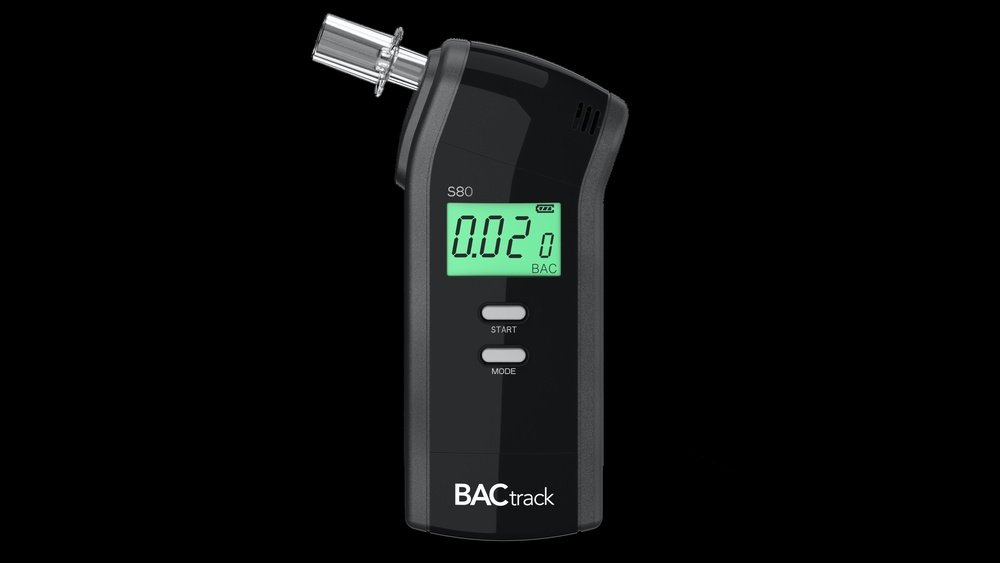
If you rely on your BACtrack breathalyzer to keep track of your blood alcohol content, you know how important it is to have accurate readings. But what happens when your device starts acting up or shows inconsistent results?
You might think it’s time for a reset. Knowing how to reset your BACtrack breathalyzer can save you time, avoid frustration, and help you get back to accurate testing quickly. You’ll learn the simple steps to reset your device properly and what to do if calibration is needed.
Keep reading to ensure your breathalyzer works exactly when you need it most.
Resetting Bactrack Modes
Resetting BACtrack modes helps you switch between different ways to use your breathalyzer. This process lets you choose the best mode for your needs. You can either use the device by itself or connect it with the app for extra features.
This section explains how to reset your BACtrack device modes easily. Follow the steps to switch between Standalone Mode and App Mode. Doing this correctly ensures accurate readings and smooth device operation.
Switching To Standalone Mode
First, turn off your BACtrack device completely. Press and hold the power button until the screen changes from off to showing “Standalone Mode”. This means your device is now ready to use without the app. Release the button and start testing your blood alcohol level directly on the device.
Exiting App Mode
To exit App Mode, ensure your device is powered off. Hold the power button firmly until the display switches to “Standalone Mode”. This step disconnects the device from the app, letting you use it independently. Standalone Mode is useful if you want quick, simple breath tests without syncing data.

Credit: www.youtube.com
Calibration Basics
Calibration is key to keeping your BACtrack breathalyzer accurate. It adjusts the device to measure alcohol levels correctly. Without calibration, readings may be wrong. This can cause serious problems, especially in legal or safety situations.
Understanding calibration helps you know why and how to reset your device properly. It ensures your breathalyzer gives you trusted results every time.
Why Calibration Matters
Calibration keeps your breathalyzer accurate and reliable. Sensors inside the device can drift over time. This drift causes false high or low readings. Calibration corrects this drift by comparing results to a known standard.
Accurate readings are important for your safety and legal reasons. Law enforcement uses calibrated devices to ensure fairness in DUI cases. For personal use, calibration keeps your results trustworthy.
Regular calibration also protects your device. It prevents sensor damage and extends its life. Skipping calibration can lead to costly repairs or replacement.
How Calibration Works
Calibration uses a certified alcohol gas mixture to test your breathalyzer. The device measures this known concentration. If the reading differs, the sensor is adjusted to correct the error.
The process repeats until the breathalyzer shows the correct value. This ensures the device reads alcohol levels accurately.
Only trained technicians or special calibration kits can perform this properly. BACtrack breathalyzers require professional calibration for best results. Resetting your device without calibration won’t fix accuracy issues.
Calibration Frequency
Calibration frequency plays a key role in keeping your BACtrack breathalyzer accurate. Over time, sensors can drift and give false readings. Regular calibration fixes this issue. It ensures that each breath test reflects the true blood alcohol content (BAC). Different users must follow different calibration schedules based on how they use the device. Below are common calibration timelines for personal users and law enforcement professionals.
Personal Device Schedule
For personal use, BACtrack recommends calibration once every 12 months. This yearly check helps maintain device accuracy. If you use the breathalyzer less often, the sensor still ages and needs adjustment. Delaying calibration can lead to incorrect BAC results. You cannot recalibrate the device yourself. A trained technician must perform this service with special tools. Keeping to the yearly schedule protects you from false readings and unsafe decisions.
Law Enforcement Schedule
Law enforcement agencies follow a stricter calibration schedule. Most departments calibrate their breathalyzers every 30 days. Frequent calibration ensures the devices hold up in court. Officers rely on precise readings for DUI cases and arrests. The calibration process uses certified gas mixtures and professional equipment. This routine prevents sensor drift and maintains legal validity. Breathalyzers used in law enforcement never skip or delay calibration to avoid legal risks.

Credit: www.bactrack.com
Calibration Process
Calibration is a key step in maintaining your BACtrack breathalyzer. It makes sure the readings stay correct and trustworthy. Over time, sensors may drift and give false results. Calibration corrects this by comparing the device to a known alcohol standard.
This process involves measuring a certified gas mixture and adjusting the sensor. Proper calibration helps avoid legal problems and keeps you safe. There are two main ways to calibrate your BACtrack: using professional services or at-home kits.
Professional Calibration Services
Professional calibration uses advanced tools and trained technicians. These experts use breath alcohol simulators to test your device. They adjust the sensor to match exact alcohol levels. This service guarantees high accuracy and reliability.
Most BACtrack breathalyzers recommend professional calibration every 6 to 12 months. This is important for devices used in legal or work settings. Sending your breathalyzer to a certified center ensures precise results.
At-home Calibration Kits
At-home kits offer a convenient option for personal breathalyzers. These kits include a reference gas and instructions. You can test your device yourself and check if calibration is needed.
At-home calibration is less precise than professional service. It helps maintain accuracy between professional calibrations. Always follow the kit’s instructions carefully for best results. This option saves time and shipping costs.
Signs Calibration Is Needed
Calibration keeps your BACtrack breathalyzer accurate and reliable. Over time, the device’s sensor may drift. This causes errors in breath alcohol readings. You need to reset or recalibrate the breathalyzer to fix this. Watch for clear signs that calibration is needed. These signs help you know when to act.
Inconsistent Readings
Your breathalyzer gives different results for the same test. One time it shows a high number, the next a low one. This inconsistency means the sensor may be off. Accurate readings are crucial for safety and legal reasons. If results vary without reason, calibration is necessary.
Device Alerts
Many BACtrack models have built-in alerts. These alerts warn when calibration is required. You might see a message on the screen or hear a beep. Ignoring these warnings risks false readings. Always respond to device alerts quickly to maintain accuracy.
Environmental Impact
Extreme temperatures or humidity can affect your breathalyzer. Exposure to dust, moisture, or smoke also harms sensor accuracy. If you use the device in harsh conditions often, it needs more frequent calibration. Keep the breathalyzer clean and store it properly to avoid damage.
Troubleshooting Reset Issues
Resetting your BACtrack breathalyzer can sometimes bring up unexpected issues. Troubleshooting these problems helps get your device working properly again. Clear steps can fix common reset problems quickly. This section covers useful tips to solve reset troubles effectively.
Power Cycle Tips
Power cycling means turning your breathalyzer off and on again. First, switch the device off completely. Wait for about 10 seconds. Then, turn it back on to refresh the system.
This simple step often clears minor software glitches. If the device does not respond, remove batteries if possible. Wait a few seconds before reinserting them and powering on.
Repeat power cycling two or three times if the device still acts up. This method resets internal circuits and can fix frozen screens or unresponsive buttons.
Firmware Updates
Firmware is the software inside your breathalyzer that controls functions. Outdated firmware can cause reset issues or inaccurate readings. Check the BACtrack app or website for the latest updates.
Connect your breathalyzer to the app via Bluetooth. Follow instructions to download and install firmware updates. Updating firmware improves device stability and adds new features.
Never turn off the breathalyzer or close the app during an update. Interruptions might cause more problems. Regular updates keep your device running smoothly.

Credit: www.bactrack.com
Frequently Asked Questions
How Do I Calibrate My Bactrack At Home?
You cannot calibrate your BACtrack at home. Calibration requires specialized equipment and trained technicians. Send your device to BACtrack for professional calibration to ensure accurate readings.
How To Get Bactrack Out Of App Mode?
To exit BACtrack app mode, power off the device. Hold the power button until “Standalone Mode” appears. Release the button to use without the app.
How To Calibrate A Breathalyser?
Calibrate a breathalyser by using a certified alcohol gas standard to test accuracy. Adjust the sensor if readings differ. Repeat until results match the known concentration. Calibration requires professional equipment or manufacturer kits. Perform regularly to ensure reliable and legal Blood Alcohol Content (BAC) measurements.
Is The Bactrack Breathalyzer Accurate?
BACtrack breathalyzers provide reliable BAC readings when properly calibrated by professionals. Regular calibration ensures consistent accuracy and trustworthy results.
How Do I Reset My Bactrack Breathalyzer Device?
To reset, power off the device, then hold the power button until the screen shows “Standalone Mode. “
Conclusion
Resetting your BACtrack breathalyzer is simple with the right steps. Follow the instructions carefully to switch modes or clear errors. Regular maintenance keeps your device working correctly. Remember, professional calibration ensures the most accurate results. Use your breathalyzer responsibly to monitor your blood alcohol content.
Staying informed helps you make safer choices every time. Keep your device ready and trust the readings it provides.