
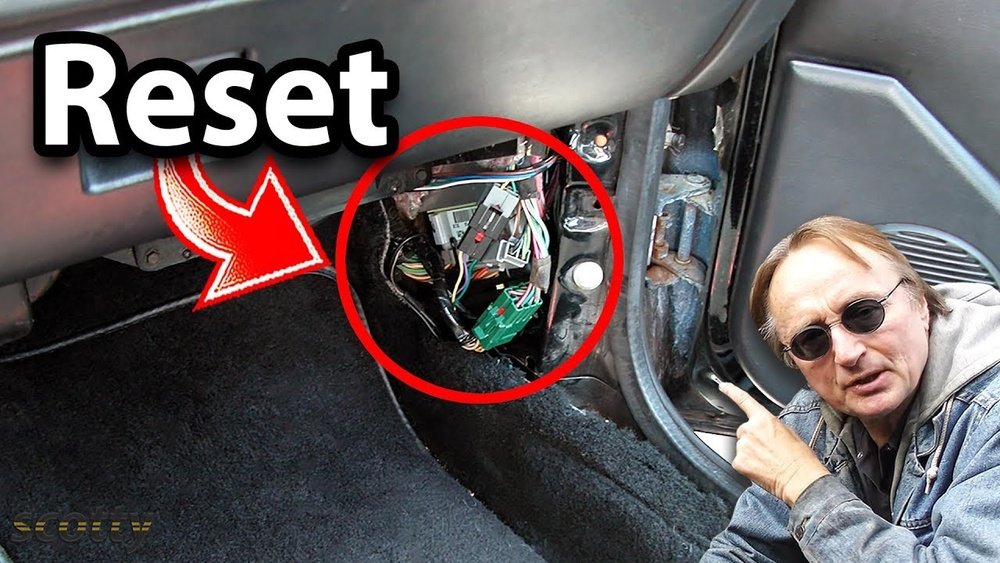
You just changed your car’s battery—great job! But have you noticed your radio presets vanished, the clock reset, or the engine feels a bit off?
That’s because your car’s computer, also known as the ECU, lost its memory when the battery was disconnected. If you want to avoid annoying glitches, restore smooth engine performance, and protect your new battery’s life, you need to reset your car computer properly.
You’ll learn simple, step-by-step ways to reset your car’s computer after changing the battery. Keep reading to get your vehicle running perfectly again—without spending a dime on costly repairs!

Credit: www.youtube.com
Systems Affected By Battery Change
Changing your car battery affects several vehicle systems. These systems rely on stored settings or data that the battery supports. Disconnecting or replacing the battery cuts power, causing these systems to lose memory. Understanding which systems reset helps you know what to check and fix after battery change. This knowledge ensures your car works smoothly without surprises.
Radio And Clock Presets
The radio and clock lose their saved settings after battery removal. Stations, volume levels, and time settings reset to default. You must manually re-enter your favorite stations. Setting the correct time prevents confusion while driving. It’s a simple but important step to restore comfort and convenience.
Power Window Functions
Power windows may stop working normally after a battery change. The auto-up and auto-down features often need recalibration. To reset, hold the window button up or down until it fully opens or closes. This action helps the system relearn its limits and restores smooth operation.
Engine Control Unit Adjustments
The Engine Control Unit (ECU) loses learned data on fuel and idle settings. This data helps the engine run efficiently based on your driving habits. After battery replacement, the ECU must relearn these patterns. Driving the car normally for some time allows the ECU to adjust and optimize performance again.
Battery Management System Role
Modern cars use a Battery Management System (BMS) to monitor battery health. The BMS tracks charge levels and controls charging rates. When you install a new battery, the BMS must recognize it. Some cars require a reset or scan tool to inform the BMS about the new battery. Proper BMS function extends battery life and prevents charging problems.

Credit: jerrylambertautomotive.com
Methods To Reset Car Computer
Resetting your car computer after changing the battery is important. The computer loses its memory during the battery swap. This can affect engine performance, idle speed, and electrical functions. There are several ways to reset or relearn the system. Some methods require driving the car, while others need manual steps or special tools.
Driving For Automatic Relearning
After installing a new battery, start the car and drive it normally. The engine control unit (ECU) gradually relearns fuel trims and idle settings. It adapts to your driving style and road conditions. This process may take 10 to 30 minutes of varied driving. Avoid heavy acceleration or high speeds during this time. Letting the car adjust naturally helps smooth engine performance.
Manual Ecu Reset Procedures
Some vehicles allow a manual reset of the ECU. This often involves disconnecting the battery again and pressing the brake or gas pedal. Another way is to turn the ignition to the “on” position without starting the engine for several seconds. Follow the specific steps in your car’s manual. This method clears stored error codes and resets idle settings quickly.
Using A Professional Scan Tool
A professional scan tool can reset the car computer accurately. Mechanics use these tools to clear fault codes and reset battery management systems. This method is ideal for modern cars with AGM batteries. The tool communicates with the ECU and tells it a new battery is installed. This helps avoid charging problems and check engine lights. Scan tools speed up the reset process and ensure proper system function.
Importance Of Resetting
Resetting the car computer after changing the battery is crucial for smooth vehicle operation. The car’s system relies on stored data to manage functions like engine performance, electrical components, and battery charging. Without a reset, the system may act unpredictably or work inefficiently. Resetting helps the computer relearn and adjust to the new battery, ensuring proper function and safety.
Avoiding Electrical Glitches
Electrical glitches often occur after battery replacement. These glitches can cause flickering lights or malfunctioning electronics. Resetting the computer clears old data that may conflict with new settings. This simple step helps the car’s systems communicate correctly and reduces errors. It stabilizes the electrical system for consistent performance.
Extending Battery Life
The car computer controls how the battery charges and discharges. Without resetting, the system may overcharge or undercharge the new battery. This misuse shortens battery life and can cause premature failure. A reset informs the car about the new battery type and condition. This adjustment allows the computer to optimize charging, helping the battery last longer.
Preventing Check Engine Lights
After a battery change, the check engine light may turn on unexpectedly. This warning happens when the car’s computer detects unusual data or errors. Resetting the computer removes false error codes and resets system monitoring. It prevents unnecessary trips to the mechanic and keeps the dashboard clear. Timely resetting helps the car run smoothly without false alerts.

Credit: www.reddit.com
Special Considerations For Agm Batteries
AGM batteries require special care when replacing and resetting your car computer. These batteries store energy differently than standard lead-acid types. The car’s computer must recognize the new AGM battery to manage charging properly. Failing to do this can cause charging problems and reduce battery life. Follow the right steps to ensure your vehicle’s systems work smoothly after the change.
Battery Registration Needs
Modern cars with AGM batteries need battery registration after replacement. This tells the vehicle’s computer about the new battery type and capacity. Without registration, the charging system may not adjust correctly. This can lead to undercharging or overcharging the battery. Battery registration is often done with a scan tool at a service center. Some vehicles allow DIY registration using specific procedures. Always check your car’s manual for exact steps. Proper registration helps maintain battery health and vehicle performance.
Proper Charging Management
AGM batteries require precise charging control to avoid damage. The car computer must adjust charging voltage and current. Without proper management, the battery can overheat or degrade quickly. After battery replacement, the system must relearn the battery’s condition. This process ensures the alternator charges the battery efficiently. Driving the car normally helps the computer adjust to the new battery. Using a professional scan tool can speed up this process. Proper charging management extends the life of your AGM battery and keeps your car running well.
Diy Reset Techniques
Resetting your car’s computer after a battery change helps restore normal function. Many systems lose memory and need basic resets. These DIY techniques work for most vehicles without special tools. Follow simple steps to clear errors and let the computer relearn.
Battery Disconnect Method
Start by turning off your car and removing the key. Disconnect the negative battery terminal first. Wait about 15 minutes to let all residual power drain. Reconnect the negative terminal securely. This cuts power to the car computer, clearing temporary memory. After reconnecting, start the car and let it idle. This method resets many systems and clears minor errors.
Idle Relearn Steps
After battery reset, the engine control unit needs to relearn idle settings. Start the car and keep it in park or neutral. Let the engine run without pressing pedals for 10 to 15 minutes. Avoid turning on accessories like AC or radio during this time. The car computer adjusts fuel and air mixture for smooth idle. Drive gently afterward to help the system adapt fully.
When To Seek Professional Help
Resetting a car computer after changing the battery can be straightforward. Yet, some situations require expert attention. Professional help ensures your vehicle runs smoothly without risk. Knowing when to seek this help saves time and prevents costly mistakes.
Complex Reset Requirements
Some cars have complex systems that need special care. Modern vehicles often use advanced batteries like AGM. These require specific reset procedures. If the car’s computer has multiple control units, resetting can be tricky. Incorrect resets might cause warning lights or poor performance. Professionals understand these systems and know the correct steps. They avoid errors that may affect the car’s safety and function.
Using Advanced Diagnostic Tools
Simple resets can be done with basic methods. But advanced diagnostic tools are needed for full resets. These tools communicate with the car’s computer directly. They read error codes and clear them safely. Professionals use scanners to update battery settings and software. This process ensures the battery management system works correctly. It helps protect the battery and improves vehicle reliability. Without these tools, some issues may remain hidden or unresolved.
Frequently Asked Questions
Do You Have To Reset A Car Computer After Replacing The Battery?
Yes, reset or let the car’s computer relearn after battery replacement. Drive the car or use a scan tool for a proper reset. This restores settings like radio, clock, and engine performance, especially for AGM batteries.
How Do I Manually Reset My Car Computer?
To manually reset your car computer, disconnect the battery for 15 minutes. Reconnect and start the engine. Drive for 20 minutes to let the ECU relearn. This clears memory and resets systems like idle, radio, and power windows for proper function.
How To Reprogram A Car After Replacing The Battery?
After replacing the battery, start the car and drive for 15-30 minutes to let the ECU relearn. Reset radio, clock, and power windows manually. Use a scan tool for AGM batteries to reset the Battery Management System for proper charging and performance.
What To Reset After Changing Car Battery?
After changing the car battery, reset the clock and radio presets. Relearn power windows by holding buttons. Drive to recalibrate the engine control unit (ECU). For AGM batteries, use a scan tool to reset the battery management system (BMS) for proper charging and performance.
Do I Need To Reset My Car Computer After Battery Replacement?
Yes, resetting helps restore lost settings and allows the engine to relearn.
Conclusion
Resetting your car’s computer after a battery change keeps everything running smooth. Simple steps like driving or using a scan tool help the system relearn quickly. This prevents warning lights and electrical glitches. Proper resetting also protects your new battery’s life, especially with modern types like AGM.
Taking a few minutes now saves time and costly repairs later. Stay patient; your car adjusts as you drive. A well-reset computer means better performance and fewer surprises on the road.