
Is your Carrier air conditioner not working as it should? Before calling a technician, there’s a simple step you can try yourself: resetting your unit.
Resetting your Carrier air conditioner often clears minor glitches and gets your system cooling smoothly again. In this guide, you’ll learn exactly where to find the reset button and how to safely perform a reset on different Carrier models. By following these easy steps, you could save time, avoid costly repairs, and enjoy cool comfort again fast.
Keep reading to discover the quick reset tricks every Carrier AC owner should know!
Locate The Reset Button
Locating the reset button on your Carrier air conditioner is the first step to restoring its function. This button helps restart the system safely after a power surge or error. Knowing where to find it saves time and avoids unnecessary service calls.
Reset buttons vary by model and unit type. They are often small and color-coded for easy spotting. Let’s explore common places to check for this button on Carrier AC units.
Outdoor Unit Placement
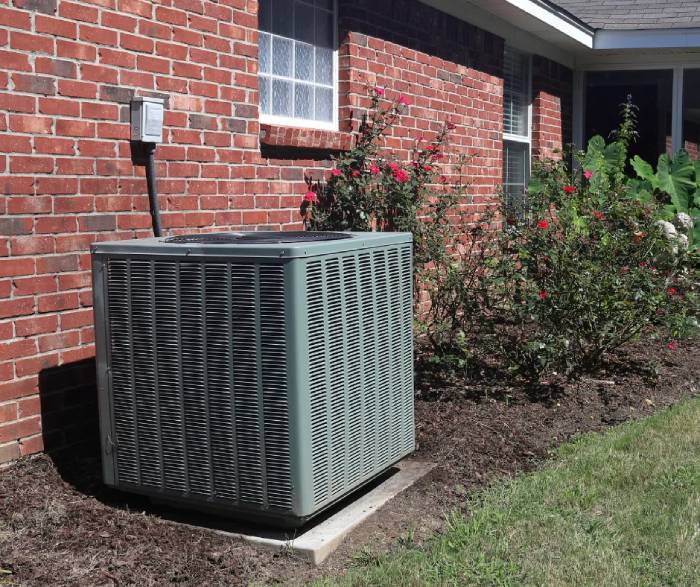
The outdoor unit, also called the condenser, usually has the reset button. Look near the base of the unit or close to the wiring area. It often appears as a small red or yellow button.
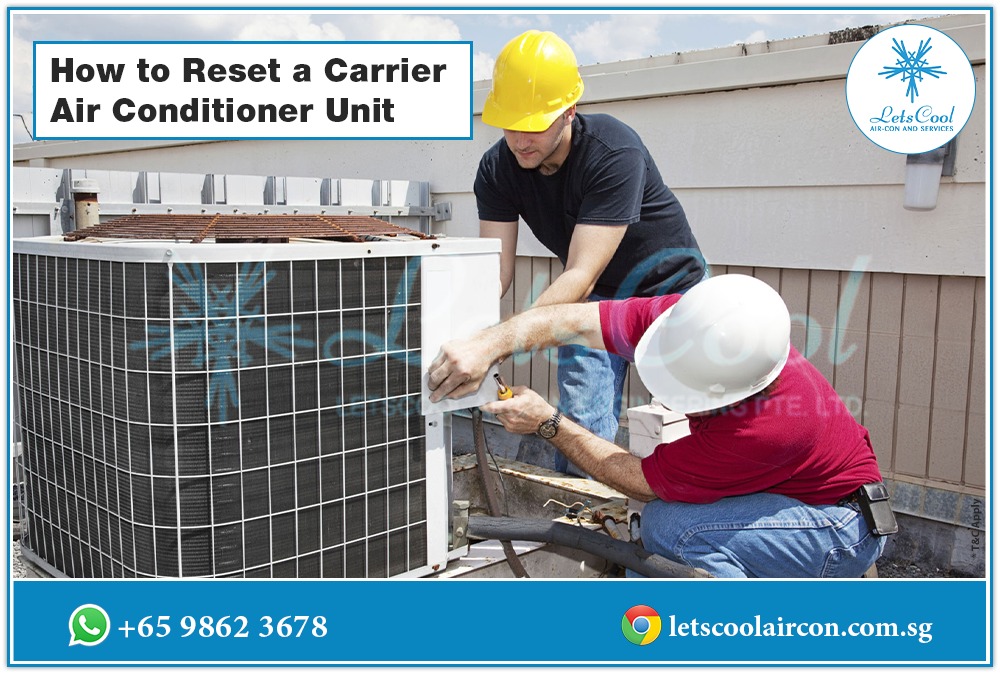
If you do not see it, check behind the front panel. You may need to remove a service panel to access the button. Always turn off the power before opening the unit for safety.
Indoor Unit And Window Models
Indoor Carrier ACs and window models have the reset button on the control panel. It may be near the power cord or buttons used to set the temperature. Look carefully around the base or sides of the unit.
Some models hide the button behind a small flap or cover. Pressing this button resets the internal controls and can clear minor faults.
Identifying Button Colors
Reset buttons on Carrier air conditioners usually stand out by color. Red and yellow are the most common colors used. These bright colors help users find the button quickly.
Labels like “Reset” or “Test” are often printed near the button. This labeling makes it easier to identify the correct button among other controls or wiring.
Using The Reset Button
Using the reset button on your Carrier air conditioner is a simple way to fix common issues. This button helps restart the system safely and quickly. It is usually found on the outdoor unit or control panel. Resetting can clear minor errors and restore normal function.
Pressing The Button Correctly
Locate the reset button on the outdoor condenser unit or indoor panel. It is often red or yellow and labeled “Reset” or “Test.” Press the button firmly once. Hold it for about 5 seconds, then release. Avoid pressing it multiple times or holding it too long.
Waiting For System Restart
After pressing the reset button, wait for the system to restart. This may take a few minutes. The air conditioner should begin running normally. Do not turn off the power or try to restart the unit during this time. Patience helps the system reset fully.
When To Repeat The Process
If the air conditioner does not start or problems continue, try pressing the reset button again. Wait at least 5 minutes between attempts. Frequent resets may signal a bigger problem. Contact a professional if the issue persists after multiple resets.
Manual Reset Steps
Resetting your Carrier air conditioner manually can solve many common issues quickly. This process involves turning off power, then restoring it carefully. Follow these simple steps to reset your unit without hassle.
Turning Off The Thermostat
Start by locating your thermostat inside the house. Switch the thermostat to the “Off” position. This stops the AC from running during the reset. It also protects the system from damage.
Switching Off The Circuit Breaker
Next, find your home’s electrical panel. Look for the circuit breaker labeled for your air conditioner. Flip the breaker switch to the “Off” position. This cuts power to the AC unit completely. Wait for about 5 minutes to let the system reset.
Restoring Power And Restarting
After waiting, turn the circuit breaker back to the “On” position. Go back to your thermostat and switch it to “Cool.” Set your desired temperature. Your Carrier air conditioner should start running normally again.
Credit: www.totalair.com
Resetting The Thermostat
Resetting the thermostat is a key step to fix many Carrier air conditioner problems. It can clear errors and restore normal function. The thermostat controls how your AC cools the air. Resetting it can solve issues like unresponsive controls or wrong temperature readings.
Several methods exist for resetting the thermostat. Some are simple and quick, while others involve navigating the thermostat menu. Choose the method that fits your situation best.
Soft Reset Via Thermostat Controls
Start with a soft reset for minor issues. Press and hold the off button on your thermostat for about 10 seconds. This action powers down the thermostat without cutting power to the entire system. After releasing, wait a few seconds, then turn it back on. This simple reset can clear small glitches and refresh the device.
Power Cycle Method
Power cycling the thermostat is another effective reset option. Turn off your Carrier air conditioner at the thermostat. Then, switch off the circuit breaker that supplies power to the AC unit. Wait for 30 seconds to 1 minute. Turn the breaker back on, and power on the thermostat. This method fully resets the thermostat and the air conditioner system.
Thermostat Menu Reset For Settings
For deeper resets, use the thermostat’s menu to restore factory settings. Access the menu by pressing the menu or settings button. Navigate to the reset option using arrow keys. Select “Reset” or “Factory Reset” and confirm your choice. This removes customized settings and returns the thermostat to default. Use this method if other resets do not fix the issue.
Troubleshooting Reset Issues
Resetting your Carrier air conditioner can solve many common problems. Sometimes, resetting runs into issues that need troubleshooting. Understanding these problems helps you fix your AC quickly and safely.
This section covers common reset issues and guides you on what to do next.
When Reset Button Is Missing
Some Carrier AC models do not have a visible reset button. It may be hidden behind a panel or not included at all. Check the user manual to confirm your model’s features.
If no reset button exists, try resetting the unit by turning off the thermostat. Then, switch off the circuit breaker for the AC. Wait a few minutes before turning everything back on.
Common Reset Failures
Reset may fail due to electrical issues or internal faults. A tripped breaker can prevent the unit from restarting. Make sure the breaker is fully reset.
Dirty filters or blocked vents can also stop the AC from working after a reset. Clean or replace filters before trying again. Check for ice buildup on coils as well.
When To Call A Professional
Call a technician if your AC still does not reset. Persistent issues may indicate wiring problems or a faulty control board. Avoid trying complex repairs yourself to prevent damage.
Professional help ensures safe and correct repair. They have tools and knowledge to diagnose deeper problems effectively.

Credit: www.youtube.com
Safety Tips During Reset
Resetting a Carrier air conditioner requires care to ensure safety. Ignoring safety tips can cause injury or damage. Follow these guidelines for a secure reset process.
Always prioritize safety before handling electrical parts or turning off power. These steps help protect you and your AC unit.
Power Off Precautions
Turn off the air conditioner using the thermostat first. Then switch off the main power at the circuit breaker. This prevents electrical shocks and damage. Never reset the unit while power is on. Wait a few minutes to let the system fully shut down.
Handling Electrical Panels Safely
Only open electrical panels if you feel confident and have proper tools. Use insulated gloves to avoid shocks. Keep the area dry and well-lit. Do not touch any wires or components inside the panel unless necessary. If unsure, call a professional technician for help.
Avoiding Damage To Unit
Do not force any buttons or parts during reset. Use the correct reset button, usually red or yellow, on the outdoor or indoor unit. Avoid removing panels roughly to prevent damage. Keep the unit clean and free from debris before resetting. Handle the unit gently to maintain its longevity.
Credit: letscoolaircon.com.sg
Frequently Asked Questions
How To Do A Carrier Reset?
To reset a Carrier unit, turn off the thermostat and power at the breaker. Locate and press the red or yellow reset button on the outdoor unit or blower housing. Wait a few minutes for the system to restart. Turn the power and thermostat back on to resume operation.
Where Is The Reset Button On My Ac?
The reset button on your AC is usually a red or yellow button on the outdoor condenser unit near the base. For window units, check the control panel or near the power cord. Press it once after turning off the thermostat and power for a proper reset.
How To Reset Carrier Control Board?
Locate the red or yellow reset button near the blower motor or burner compartment. Press it once, then wait a few minutes for the system to restart.
How To Reset Air Conditioner Thermostat Carrier?
Turn off the Carrier thermostat. Locate the reset button on the outdoor unit or control panel. Press and hold it for 5 seconds. Release and wait for the system to restart. Turn the thermostat back on and set the desired temperature.
Where Is The Reset Button On A Carrier Ac Unit?
The reset button is usually red or yellow, near the outdoor unit’s base or behind a panel.
Conclusion
Resetting your Carrier air conditioner can solve many common issues quickly. Start by locating the reset button on the unit or using the circuit breaker if needed. Always turn off power before attempting a reset for safety. If the problem continues, consider contacting a professional technician.
Regular maintenance helps keep your AC running smoothly. These simple steps save time and avoid costly repairs. Keep your home cool and comfortable with a properly reset Carrier air conditioner.