
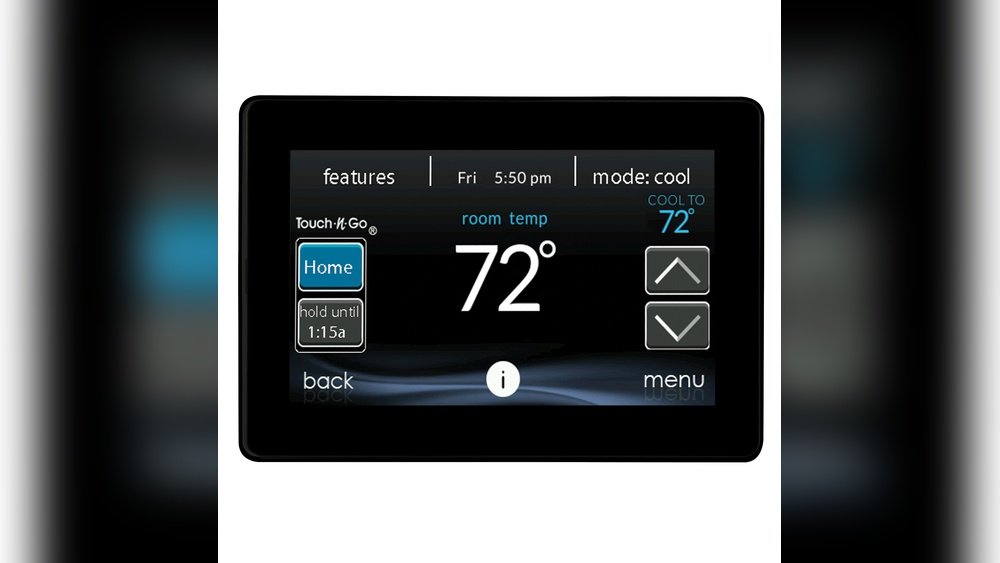
Is your Carrier Infinity Thermostat acting up or showing error codes? Before calling for expensive repairs, you might be able to fix it yourself with a simple reset.
Resetting your Carrier Infinity Thermostat can clear glitches, restore settings, and get your system running smoothly again. In this guide, you’ll learn easy, step-by-step methods to reset your thermostat—whether you need a soft restart or a full factory reset. Keep reading to take control of your comfort and avoid unnecessary hassle.
Your perfect home temperature is just a few resets away!
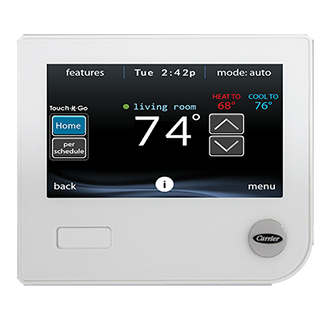
Credit: www.carrier.com
Soft Reset Steps
Performing a soft reset on your Carrier Infinity thermostat can resolve minor glitches. This quick process helps restore normal function without erasing your settings. Follow these simple steps carefully to ensure a smooth reset.
Turn Off System
Start by turning off your HVAC system at the thermostat. Press the power button or switch the system to the “Off” mode. This stops the heating or cooling and prepares the thermostat for the reset. Make sure the display goes dark or shows the system is off.
Cut Power At Breaker
Next, locate your home’s electrical panel. Find the breaker that controls the HVAC system. Flip the breaker switch to the “Off” position to cut power completely. Leave it off for about 30 seconds. This step clears the thermostat’s memory and resets the internal controls.
After 30 seconds, turn the breaker back to “On.” Return to your thermostat and power it on. Your Carrier Infinity thermostat will reboot and start fresh without losing your program settings.
Hard Reset Process
The hard reset process restores your Carrier Infinity thermostat to its original factory settings. This process clears all custom settings and resolves many issues. It is useful when the thermostat behaves unexpectedly or freezes. Follow the steps below carefully to complete the hard reset safely.
Access Setup Menu
First, wake your thermostat by touching the screen. Tap the menu icon to open the main settings. Scroll down to find the “Setup” option. Select it to enter the setup menu. This menu contains all the advanced settings you need.
Select Factory Reset
Inside the setup menu, look for “Factory Reset.” Tap this option to begin the reset process. The thermostat will ask for confirmation before resetting. Confirm your choice to start the reset. The device will reboot and erase all previous settings. After the reset, you can set up your thermostat as new.
Clearing Filter Alerts
Carrier Infinity thermostats alert you when the air filter needs changing. These alerts help keep your system running smoothly. Clearing filter alerts after replacing the filter is important. It prevents false warnings and ensures accurate reminders.
This section explains how to clear filter alerts on the Carrier Infinity thermostat. Follow simple steps to reset the filter reminders quickly.
Reset Filter Reminders
Start by accessing the main menu on your Carrier Infinity thermostat. Tap the screen to wake the device if needed.
Next, select the “Settings” option. Scroll down and find the “Filter” or “Maintenance” section.
Choose the filter alert or reminder setting. You will see an option to reset or clear the alert.
Tap the reset button to clear the filter alert. The system will now track the new filter replacement.
This process helps keep track of filter changes. It ensures alerts appear only when needed. Resetting filter reminders is quick and easy on the Carrier Infinity thermostat.
Troubleshooting Tips
Troubleshooting your Carrier Infinity thermostat can solve many common problems. Simple checks often fix issues without needing professional help. Follow these easy tips to keep your thermostat working well. These steps help avoid unnecessary resets or repairs.
Check Thermostat Connections
Loose or damaged wires can cause thermostat errors. Turn off power to your HVAC system first. Remove the thermostat from the wall carefully. Inspect all wiring for signs of wear or disconnection. Make sure each wire is securely attached to its terminal. Reattach the thermostat and restore power. Check if the thermostat functions normally.
Clean Thermostat Unit
Dust and dirt inside the thermostat may cause it to malfunction. Use a soft brush or cloth to clean the exterior gently. Open the thermostat cover and blow out any dust with compressed air. Avoid using water or cleaning liquids. Keep the area around the thermostat free from dust and debris. Clean units often respond better and avoid false readings.
Verify Firmware Updates
Outdated firmware can lead to bugs and connectivity issues. Check the Carrier Infinity thermostat menu for update options. Connect your thermostat to Wi-Fi if it is not already connected. Follow on-screen prompts to download and install any available updates. Regular updates improve performance and fix known problems. Restart the thermostat after updating to apply changes.
When To Contact Support
Contact support if the Carrier Infinity Thermostat does not reset after following all steps. Also seek help when error codes persist or the display stays unresponsive. Professional assistance ensures safe and proper thermostat operation.
Signs Your Carrier Infinity Thermostat Needs Support
Sometimes, resetting the thermostat does not fix the problem. The screen may stay blank or freeze. The system might not respond to any commands. Errors or fault codes might appear repeatedly. These issues indicate it is time to get professional help.
Technical Problems Beyond Basic Reset
When error codes persist after a reset, support is necessary. Complex wiring issues can cause malfunctions. Problems with the HVAC system linked to the thermostat also require expert checks. Avoid trying to fix these problems alone to prevent damage.
Hardware Malfunctions And Damage
Physical damage to the thermostat needs expert attention. Cracked screens, broken buttons, or water damage are signs to contact support. Attempting repairs without knowledge can void warranties or worsen issues. Professionals can safely inspect and repair hardware problems.
Unresponsive Thermostat After Reset
If the thermostat remains unresponsive after a full reset, call support. This may mean internal components are failing. The device might need replacement or advanced troubleshooting. Support teams have tools and parts to resolve these problems quickly.
When To Schedule Routine Maintenance
Regular maintenance keeps the Carrier Infinity thermostat and HVAC system running well. If you notice irregular temperature control or system cycling, support can help. Scheduled check-ups prevent future failures and extend device life. Contacting support early saves time and money.

Credit: www.youtube.com
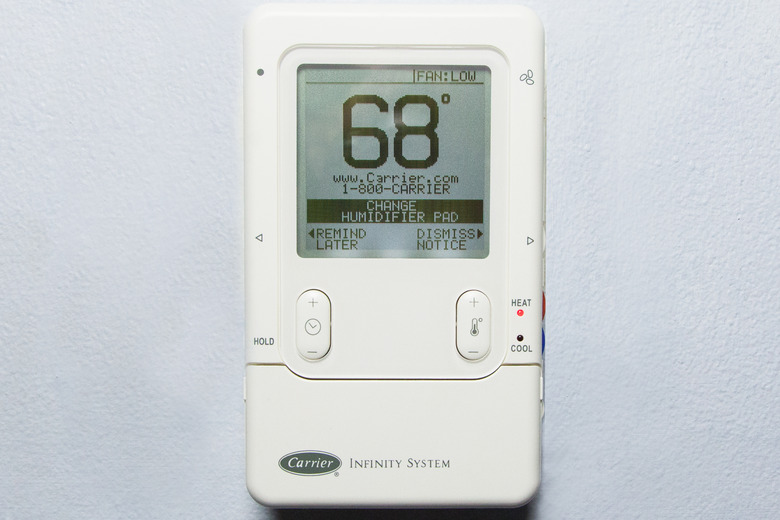
Credit: www.hunker.com
Frequently Asked Questions
How Do I Reset My Infinity?
To reset your Infinity thermostat, go to Settings, select Reset, then choose Restart or Factory Reset. For a soft reset, turn off the system and power cycle the device by flipping the circuit breaker off and on.
How To Manually Reset A Thermostat?
To manually reset a thermostat, turn off the system and power. Press the reset button or remove batteries briefly. For digital models, use the menu to select “Reset” or “Factory Reset. ” Power cycle the circuit breaker if needed. Always consult your thermostat’s manual for specific steps.
How To Do A Carrier Reset?
To perform a Carrier reset, go to Setup > Thermostat > Reset factory defaults. For a soft reset, turn off the system, then cut power for 30 seconds. Turn power back on and restart the thermostat. This fixes unresponsive screens and minor glitches effectively.
How To Manually Set A Carrier Thermostat?
To manually set a Carrier thermostat, press the Edit button. Choose time, period, and start time. Adjust heat or cool temperature as needed. Save settings to apply changes.
How Do I Reset A Carrier Infinity Thermostat?
Press and hold the thermostat’s reset button for 5 seconds to restart the system.
Conclusion
Resetting your Carrier Infinity thermostat is simple and helps fix many issues. Follow the steps carefully to avoid errors. A quick reset can restore proper function without extra tools. Keep your thermostat clean and away from heat or drafts. If problems persist, check the manual or contact a professional.
Regular maintenance ensures your system runs smoothly. Now, you can enjoy reliable temperature control in your home.