
Is your Chamberlain garage door opener keypad not responding like it used to? Maybe you need to reset it but aren’t sure where to start.
Don’t worry—you’re in the right place. Resetting your Chamberlain keypad is easier than you think, and doing it yourself can save you time and the hassle of calling for help. In this guide, you’ll discover simple, step-by-step instructions to reset your keypad quickly and get your garage door working smoothly again.
Keep reading, and you’ll have full control of your garage access in no time!
Prepare For Reset
Before starting the reset process for your Chamberlain garage door opener keypad, proper preparation is essential. This step ensures safety and smooth operation during the reset. Taking time to prepare helps avoid mistakes and speeds up the procedure.
Begin by making sure the area around your garage door is safe and clear. Next, find the exact locations of your keypad and garage door opener. Finally, gather any tools you might need. These simple steps set a strong foundation for a successful reset.
Clear Garage Door Area
Remove any objects near the garage door. Clear the floor to avoid tripping hazards. This keeps the workspace safe during the reset. Make sure pets and children stay away from the area. Safety comes first when working with garage door openers.
Locate Keypad And Opener
Find the keypad mounted outside your garage door. It is usually on the wall near the door frame. Locate the garage door opener motor inside the garage. It is typically attached to the ceiling. Knowing these locations helps you follow reset instructions easily.
Gather Necessary Tools
Prepare basic tools like a ladder to reach the opener. Have a flathead screwdriver on hand. You might also need a flashlight for better visibility. Keep your user manual nearby for reference. Having tools ready prevents delays during the reset.
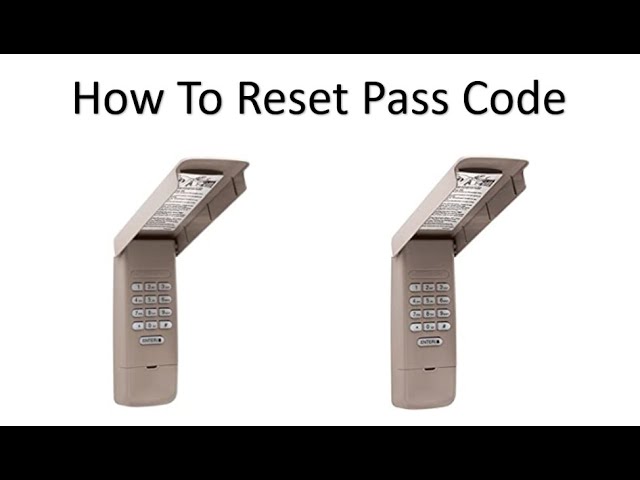
Credit: www.youtube.com
Resetting The Keypad
Resetting the Chamberlain garage door opener keypad is essential for security and convenience. This process clears old codes and sets up new ones. It helps if the keypad is not working properly or you want to change your access code. Follow these simple steps to reset the keypad effectively.
Power Cycle The Opener
Start by unplugging the garage door opener from the power source. Wait about 30 seconds to let the system reset. Plug the opener back in and wait for the lights to stabilize. This simple power cycle can fix minor glitches in the keypad. Try the keypad again to see if it works properly.
Erase Existing Codes
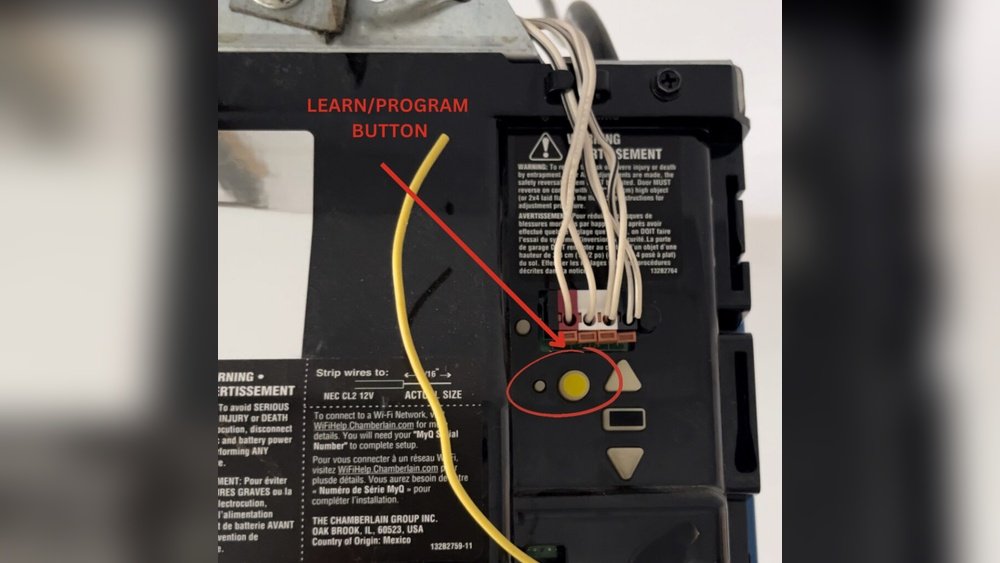
Press and hold the “Learn” button on the garage door opener motor. Hold it for about 6 seconds until the indicator light goes off. This action erases all stored keypad codes and remote controls. Now the keypad is clear and ready for new codes. Be sure to program new codes right after this step.
Factory Reset Steps
Locate the “Learn” button on the motor unit. Press and hold the button until the indicator light blinks slowly. Release the button and press “Learn” again briefly. The light will flash rapidly, confirming a factory reset. The keypad and opener are now restored to original settings. Set new access codes to secure your garage door.
Reprogramming The Keypad
Reprogramming the Chamberlain garage door opener keypad is a simple task. It lets you change your PIN to keep your garage secure. Follow these clear steps to set a new code and sync it with your garage door opener.
Enter New Pin Code
Start by pressing the keypad buttons to enter your new four-digit PIN. Choose a code that is easy for you to remember but hard for others to guess. After typing your new PIN, press and hold the “Enter” button. Hold it until you hear a beep or see the keypad light flash. This confirms the keypad accepted your new code.
Use The Learn Button
Next, locate the “Learn” button on your garage door opener motor unit. It usually sits near the antenna wire or under the light cover. Press and release the “Learn” button. You will have 30 seconds to return to the keypad and finish programming. This step allows the opener to recognize the new PIN you entered.
Confirm Code Activation
Return to the keypad and press your new PIN code again. Then press “Enter” once more. The garage door should respond by moving or the opener light flashing. This action confirms your new PIN is active and linked to the garage door opener. Test the keypad a few times to ensure it works smoothly.
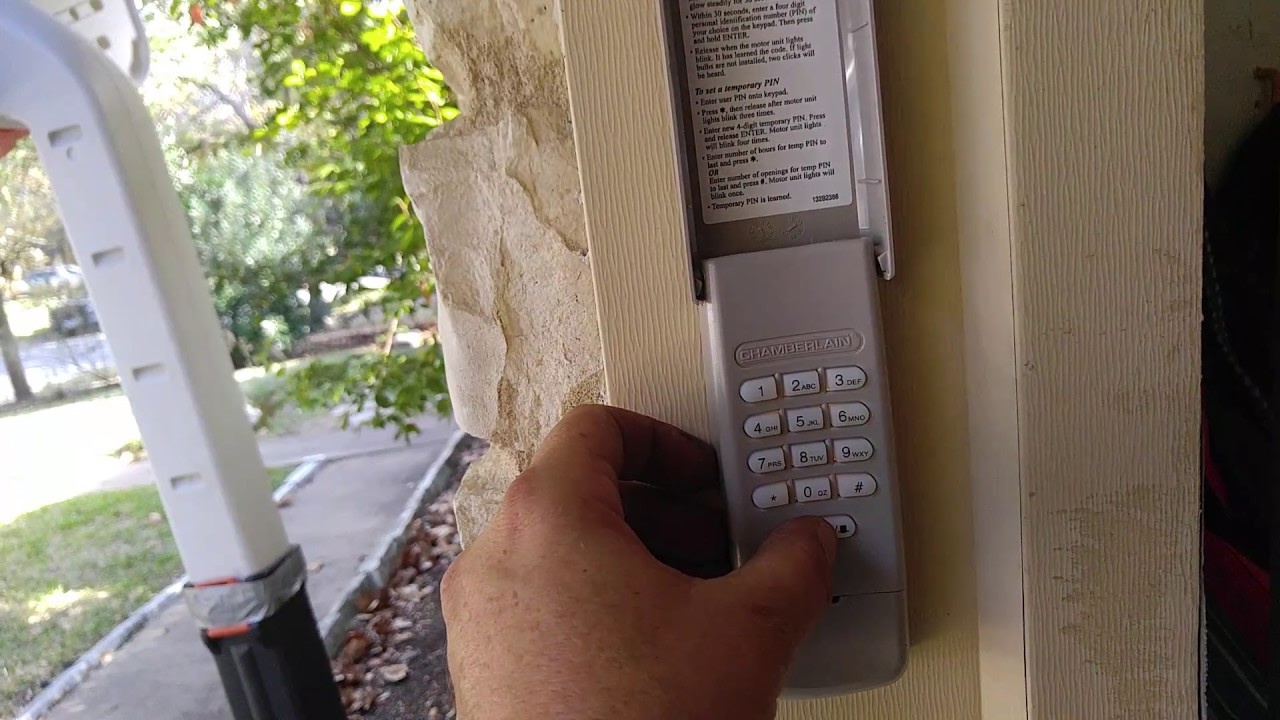
Credit: www.youtube.com
Troubleshooting Tips
Troubleshooting your Chamberlain garage door opener keypad helps fix common problems fast. Many issues come from minor errors in resetting or hardware. Simple steps often restore normal function without extra tools or service calls.
Try these tips to solve keypad issues and avoid frustration. Each method targets a specific cause for keypad failure or reset difficulty. Follow the instructions carefully for best results.
Reset Without Enter Button
Some Chamberlain keypads may lack a clear Enter button. To reset without it, press your four-digit code. Hold the last digit for about six seconds. Wait until the light flashes or you hear a beep. This confirms the reset is complete. Release the button and test the keypad. This method works on many models without needing the Enter key.
Dealing With Unresponsive Keypad
An unresponsive keypad often has a simple fix. First, press any button firmly to ensure contact. Clean the keypad surface and buttons gently. Dirt or moisture can block signals. If it still fails, try a power cycle. Disconnect power from the garage door opener for 30 seconds. Reconnect and test the keypad again. This resets the system and clears minor glitches.
Checking Battery And Wiring
Low battery power can cause keypad problems. Open the keypad cover to inspect the battery. Replace old or weak batteries with fresh ones. Use the correct battery type listed in your manual. Also, check wiring connections if your keypad uses wired power. Look for loose, damaged, or corroded wires. Secure or replace any faulty wiring. Proper power supply is crucial for keypad function.
Additional Features
Chamberlain garage door openers offer useful features beyond basic keypad reset. These features improve convenience and security for your garage access. Understanding these options helps you get the most from your device. Here are some key additional features to explore.
Setting Temporary Codes
You can create temporary codes for guests or workers. These codes work only for a limited time or number of uses. This keeps your garage secure while allowing controlled access. To set a temporary code, access the keypad programming mode. Follow the instructions to assign a code and set its expiration. Remove or change these codes anytime through the keypad or app.
Using Myq App Integration
The MyQ app links your garage door opener to your smartphone. It lets you open and close the door remotely. You can also receive alerts about door activity. The app allows easy management of multiple users and codes. Connect the keypad to MyQ by following the app setup guide. This integration boosts control and monitoring of your garage door.
Securing Your Garage Door
Security features protect your garage from unwanted entry. Regularly update your keypad codes to keep access safe. Use strong, unique PINs that are hard to guess. Enable the vacation lock feature if you will be away. This disables remote and keypad access temporarily. Check your garage door’s manual for all security settings. These steps ensure your garage stays protected.
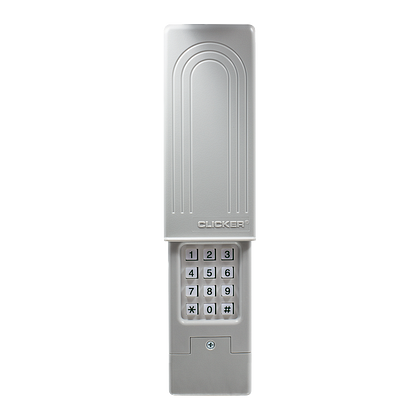
Credit: www.chamberlain.com
Frequently Asked Questions
How Do I Reprogram My Chamberlain Garage Door Opener Keypad?
Enter your four-digit code on the keypad. Press and hold the “Enter” button until you hear a click and see the light flash. This resets and reprograms your Chamberlain garage door opener keypad.
How To Reset Chamberlain Myq Garage Door Keypad?
Press and hold the “Learn” button on the garage door opener until the light flashes. Enter a new 4-digit code on the keypad and press “Enter” to save. This resets and programs your Chamberlain MyQ garage door keypad.
How To Reset Garage Keypad Code?
To reset your garage keypad code, press the “Learn” button on the opener. Enter a new code on the keypad, then press “Enter” until the light flashes. This updates the code securely and clears the old one.
How Do I Reset My Chamberlain Garage Door Keypad Without The Enter Button?
Press and hold the “Learn” button on your garage door opener until the indicator light blinks. Enter your new PIN on the keypad and press any key to program it. This resets the Chamberlain keypad without using the Enter button.
How Do I Reset My Chamberlain Garage Door Keypad?
Press and hold the “Learn” button on the opener until the light blinks. Then reprogram your code.
Conclusion
Resetting your Chamberlain garage door opener keypad is simple and quick. Follow the steps carefully to avoid mistakes. Remember to choose a new, easy-to-remember code for safety. Test the keypad after resetting to ensure it works well. Keep the manual handy for future reference.
Regularly updating your code helps protect your garage. Now you can manage your garage access with confidence and ease.