
If your Clarion radio is acting up or locked after a battery change, you’re probably wondering how to get it back to normal without hassle. You don’t have to be a tech expert to reset your Clarion radio and restore all its functions.
In this guide, you’ll find simple, step-by-step instructions that anyone can follow. Whether your radio needs a quick reset, a factory restore, or entering a security code, you’ll learn exactly what to do — saving you time, frustration, and possibly a trip to the dealer.
Keep reading to take full control of your Clarion radio again!
Basic Reset Steps
Resetting your Clarion radio can solve many common problems. Basic reset steps help restore normal function fast. These steps cover simple power cycles, factory resets, and locating reset buttons. Follow each method carefully for best results.
Start with the easiest steps. If those do not work, move to the factory reset menu or physical reset button. Each method is designed to clear minor errors and glitches in your radio system.
Power Cycle Procedure
Turn off the car and remove the key from the ignition. Wait at least 30 seconds to let the radio fully power down. Then, turn the ignition back on and switch on the radio. This simple power cycle can fix small software glitches.
Disconnecting the car battery for a few minutes can also help. Reconnect the battery and power on the radio. This forces the radio to reset and reload its settings.
Using Factory Reset Menu
Access the radio’s settings menu on the display screen. Look for “System Settings” or “Factory Reset.” Select the factory reset option and confirm your choice. The radio will erase all custom settings and return to default.
Factory reset fixes deeper software issues. Remember to note down your radio presets and settings before starting the reset. You will need to set them up again after the reset.
Reset Button Location
Some Clarion radios have a physical reset button. It is usually small and recessed. Look near the radio display or on the front panel edges. You might need a paperclip or thin object to press it.
Press and hold the reset button for 5 to 10 seconds. The radio will restart and clear minor faults. Check your user manual for the exact reset button location for your model.

Reset After Battery Change
Resetting your Clarion radio after a battery change is a simple but important step. The radio may lose power and require a reset to work properly. Follow these steps to get your radio back on track quickly.
Reconnecting Battery Terminals
First, ensure the battery terminals are clean and free of corrosion. Connect the positive terminal securely before the negative one. Tighten both terminals firmly to prevent loose connections. A proper connection helps the radio receive steady power and avoids errors.
Entering Security Code
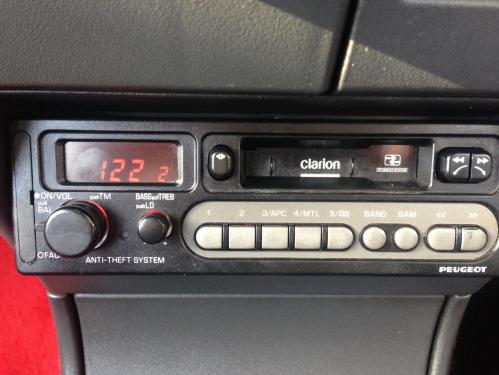
After reconnecting the battery, your Clarion radio may ask for a security code. Find this code in your car’s manual or on a card given at purchase. Use the radio preset buttons to enter the code carefully. Entering the correct code restores radio functions and prevents lockouts.
Avoiding Radio Lockout
To avoid radio lockout, never disconnect the battery without maintaining power. Use jump leads or a memory saver device while changing the battery. This keeps the radio’s memory alive and stops the security system from activating. Preventing lockout saves time and frustration.
Button Combinations For Reset
Resetting your Clarion radio often requires pressing specific button combinations. These combos help clear errors and restore factory settings quickly. Knowing the right buttons speeds up the reset process and avoids unnecessary frustration.
Each Clarion model may have slightly different combos. Testing common sequences usually works for most radios. If you lack a remote, there are still options to reset using the radio’s buttons.
Common Button Combos
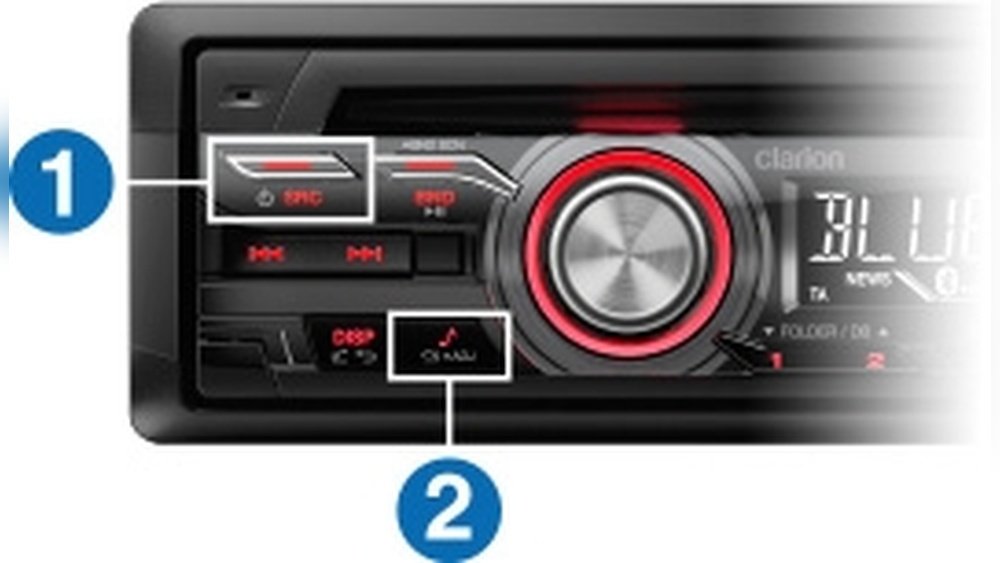
Start by turning the radio on. Then press and hold the Power button and the Volume Up button together for about 5 seconds. Release them once the screen flashes or resets.
Another combo involves holding the Reset button, often a small hole you press with a pin, while turning the radio on. This triggers a full reset.
Sometimes pressing Menu and Seek Up simultaneously for a few seconds also works. Try these combos one at a time for best results.
Reset Without Remote
If your remote is missing, use the buttons on the radio panel. Look for a tiny reset hole. Use a pointed object to press it firmly for 10 seconds. This forces a reset.
You can also hold the Power and Volume Down buttons together if no reset hole exists. Keep holding until the screen clears or restarts.
Some Clarion radios respond to pressing Source and Menu buttons simultaneously. Check your model’s manual for exact steps.
When Buttons Fail
If button combos do not work, try disconnecting the car battery for 10 minutes. This can reset the radio system indirectly.
Make sure to keep the radio’s security code handy. After power loss, the radio often asks for this code to unlock.
If problems persist, consult your vehicle manual or contact Clarion support. There may be deeper issues requiring professional help.
Advanced Troubleshooting
Advanced troubleshooting helps fix Clarion radio issues beyond basic resets. It dives deeper into the radio’s electrical and connection problems. These steps require careful attention and some technical knowledge. Follow each step closely to avoid further damage.
Fuse Inspection And Replacement
Start by checking the radio fuse in the car’s fuse box. A blown fuse stops the radio from powering on. Use a fuse puller or pliers to remove the fuse. Look for a broken wire or dark marks inside the fuse. Replace it with one of the same rating if damaged. Never use a fuse with a higher rating.
Checking Wiring And Grounds
Inspect the radio’s wiring for loose or damaged connections. Ensure all wires are firmly connected to the radio and the car’s power source. Check the ground wire for corrosion or looseness. A bad ground can cause static or no sound. Tighten or clean any loose or dirty connections carefully.
Consulting Manual Or Dealer
Refer to the Clarion radio’s user manual for model-specific troubleshooting tips. The manual may explain error codes or reset procedures unique to your radio. Contact your car dealer or Clarion support if problems persist. Experts can offer advice or service options not found online.
Preventing Future Issues
Preventing future issues with your Clarion radio helps keep it working smoothly. Small steps can save time and avoid frustration. Protect your radio settings and avoid lockouts during battery changes.
Follow simple tips to maintain your radio’s function. These actions make your radio last longer and perform better.
Using Jump Leads During Battery Swap
Using jump leads keeps power to your radio while changing the battery. This stops the radio from resetting or losing settings. Connect jump leads from another car or battery to your vehicle’s battery terminals before removal.
Keep the leads connected during the swap. This tricks the system into thinking the battery is still connected. It prevents the radio from asking for a security code after the battery change.
Maintaining Radio Settings
Write down your radio presets and settings before any battery work. Save important codes or passwords in a safe place. This helps you restore settings quickly if lost.
Regularly clean your radio controls to avoid dust build-up. Use gentle cleaning tools and avoid moisture near the radio. Proper care prevents malfunctions and extends your radio’s life.

Security Code Recovery
Resetting your Clarion radio often requires entering a security code. This code protects your radio from theft. If the radio asks for the code, you must recover it to use your device again. Understanding how to find and enter this code is vital. This section explains the steps to recover your security code easily.
Locating Your Radio Code
The radio code is usually on a card given with the car or radio. Check the owner’s manual or the original radio box for this card. Sometimes, the code is printed on a sticker inside the glove box or under the dashboard. If these options do not work, note your radio’s serial number. You may need this number to get the code from the dealer.
Inputting Code Correctly
Turn on your radio and wait for the code prompt. Use the preset buttons to enter each digit of the code. Press each button slowly and clearly. If you make a mistake, most radios allow you to reset the input by holding a button or turning off the radio. Enter the full code carefully to avoid locking the radio.
What To Do If Code Is Lost
If you lose the code, contact your car dealer or Clarion support. Provide your car’s VIN and radio serial number. They can verify your ownership and give you the code. Avoid trying random codes to prevent the radio from locking permanently. Keep the code in a safe place once recovered to prevent future issues.
Common Clarion Radio Problems
Clarion radios are popular for their sound quality and features. Despite their reliability, some users face common issues. Knowing these problems helps in quick troubleshooting. This section explains frequent Clarion radio problems and how to address them effectively.
No Sound Or Power
The radio may not turn on or produce sound. Check if the car’s battery is connected properly. Ensure the radio fuse is not blown. Sometimes, loose wiring causes power loss. Inspect the wiring at the radio and battery terminals. If the radio still has no power, a reset might help.
Radio Locked After Reset
After a reset, the Clarion radio may ask for a security code. This lock protects against theft. Locate the code in your car’s manual or documents. Enter the code using preset buttons on the radio. Avoid multiple wrong attempts to prevent further lockout. Contact the dealer if you cannot find the code.
Buttons Not Responding
Sometimes, radio buttons stop working after a reset or battery change. Dirt or debris can block button contacts. Try cleaning around the buttons carefully. A hard reset may fix software glitches causing unresponsive buttons. If the problem continues, the radio may need professional service.
Frequently Asked Questions
How To Do A Hard Reset On A Radio?
To hard reset a radio, locate the reset button or access “Factory Reset” in the settings menu. Press and hold the reset button or follow on-screen prompts to restore factory settings. Ensure the radio is powered on during this process for a successful reset.
How Do I Reset My Car Radio After I Change The Battery?
Reconnect the battery securely. Turn the ignition to ACC or ON without starting the engine. Enter the radio security code using preset buttons. If no code, navigate to the radio’s settings menu and select factory reset. Consult the manual or dealer for model-specific instructions.
How Do You Reset A Clarion Gr10bt?
To reset a Clarion GR10BT, turn on the ignition and radio. Press and hold the “SRC” and “VOL-” buttons together for about 5 seconds until the unit resets. This will restore factory settings without needing a code.
How To Reset Car Radio Without Reset Button?
To reset a car radio without a reset button, turn the ignition on without starting the engine. Then, turn the radio off and on. If required, enter the security code using preset buttons. Check the manual for model-specific steps or consult a dealer for assistance.
How Do I Perform A Hard Reset On A Clarion Radio?
Press and hold the power button and the volume knob together for about 10 seconds.
Conclusion
Resetting your Clarion radio can solve many common issues quickly. Start with a simple power cycle or use the reset option in settings. Keep your security code handy to avoid lockouts after battery changes. Check wiring or fuses if problems persist.
Always follow your manual’s instructions for best results. Taking these steps helps your radio work smoothly and keeps your music playing without interruption.