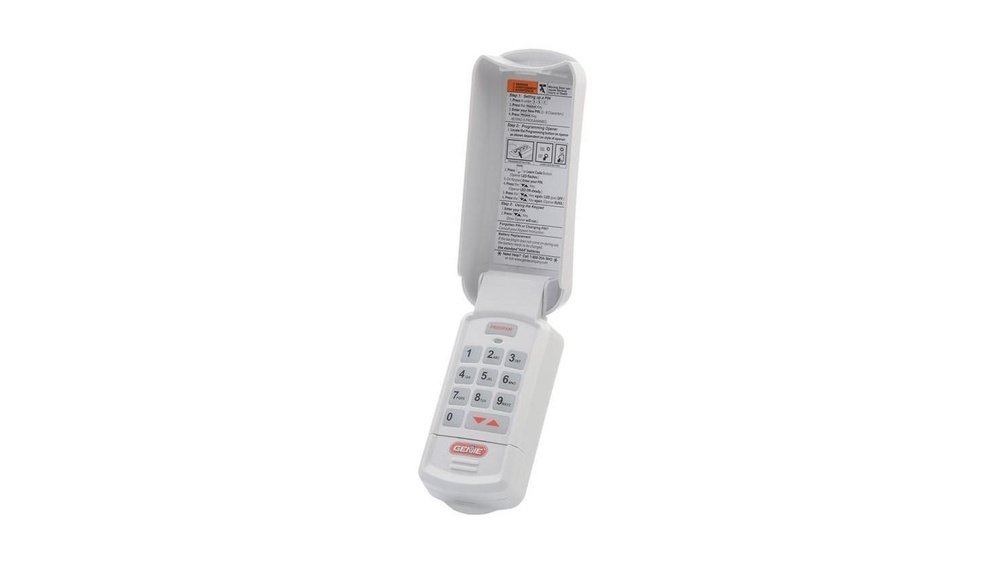
Have you ever stood outside your garage, staring at your Genie garage door keypad, wondering how to reset the code? Whether you’ve forgotten your current PIN or just want to update your security, resetting the keypad code can seem tricky.
But it doesn’t have to be. With a few simple steps, you can regain control of your garage door access quickly and safely. In this guide, you’ll learn exactly how to reset your Genie garage door keypad code without confusion or hassle.
Keep reading, and you’ll have your keypad programmed with a fresh code in no time!
Credit: shopactiondirect.com
Locate The Learn Button
Locating the Learn Button is the first step to resetting your Genie garage door keypad code. This button helps you connect the keypad to the garage door opener. Knowing its position and color makes the reset process simple. Follow these steps to find the Learn Button quickly.
Find The Motor Unit
The Learn Button is on the motor unit inside your garage. This unit is usually mounted on the ceiling near the garage door. Look for a rectangular box with wires and a light. It powers the garage door opener and holds the controls.
Identify The Learn Button Color And Position
The Learn Button is small and often colored. Common colors include purple, red, yellow, or orange. It usually sits near the antenna wire or a small LED light. Pressing this button starts the programming mode for your keypad.
Prepare The Keypad
Preparing your Genie garage door keypad is the first step to reset its code. This step makes sure the keypad is ready for new programming. Check the keypad’s condition and clear old codes to avoid errors during reset.
Start by inspecting the keypad’s display and buttons. A properly working keypad helps the reset process go smoothly. Clearing existing codes prevents conflicts and ensures your new code works correctly.
Check Keypad Backlighting
Look at the keypad’s backlight. It should be off before resetting. If the backlight stays on, the keypad might not accept new commands. Press some buttons to see if the light reacts normally.
If the backlight stays on continuously, try removing batteries for a few seconds. Then, reinstall them to reset the keypad’s power. This simple step can fix minor glitches.
Clear Existing Codes
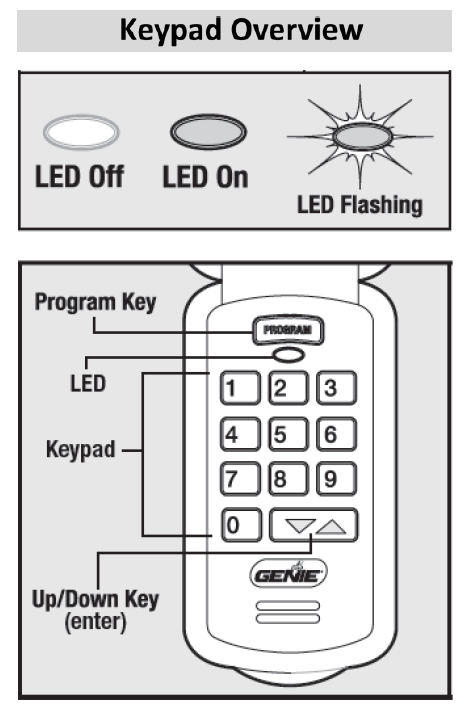
Old codes must be erased before adding a new one. Press and hold the PROGRAM key on the keypad. While holding it, press the Up/Down arrow key together.
Keep both buttons pressed until the keypad beeps or the light flashes. This signals that all stored codes are cleared. Now the keypad is ready for new code programming.
Enter Reset Mode
Entering reset mode is the first step to change your Genie garage door keypad code. This mode allows you to clear old settings and prepare the keypad for a new code. Follow the steps carefully to activate reset mode.
Press And Hold Program And Arrow Keys
Start by locating the PROGRAM button on your keypad. Press and hold the PROGRAM button along with the Up or Down arrow key at the same time. Keep both buttons pressed for about 5 seconds. The keypad’s backlight will turn off, signaling it is entering reset mode.
Wait For Confirmation Signals
After holding the buttons, look for a beep or flashing light. These signals confirm the keypad is ready for a new code. Do not release the buttons too soon. Once you see or hear the confirmation, you can let go. The keypad is now in reset mode and ready for programming.
Press The Learn Button
The Learn Button is key to resetting your Genie garage door keypad code. It starts the process of programming new codes. Pressing it puts the motor unit in learning mode. This mode allows the keypad to sync with the garage door opener again.
Resetting the code is simple once you find and press the Learn Button. Pay attention to the LED lights near the button. They show the status of the programming process. Understanding these signals helps avoid confusion.
Locate And Press The Button On The Motor Unit
Open your garage and look for the motor unit mounted on the ceiling. The Learn Button is usually on the back or side of this unit. It might be small and colored, often yellow, red, purple, or green.
Press the Learn Button firmly but briefly. Hold it for about one second, then release it. This action triggers the unit to enter programming mode. You now have about 30 seconds to enter a new code on the keypad.
Recognize Led Indicators
Next to the Learn Button, an LED light will blink. A slow blinking light means the unit is ready for a new code. A fast blinking light shows the code has been accepted successfully.
If the LED stays on or does not blink, press the button again. Make sure to follow the timing carefully. The LED helps confirm each step is done correctly.
Set A New Code
Setting a new code on your Genie garage door keypad is simple and quick. This step ensures only you can access your garage. Choose a code that is easy for you to remember but hard for others to guess. Follow the steps carefully to program the new code correctly.
Input Desired Keypad Code
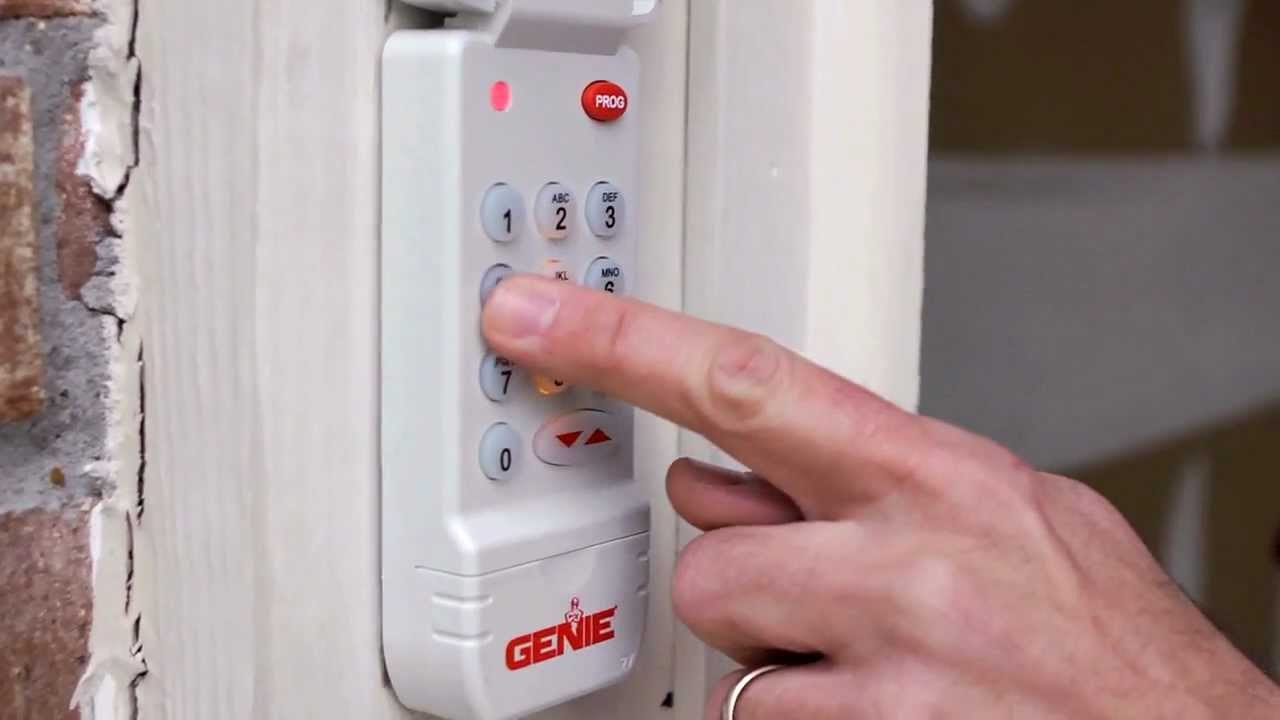
Start by pressing the first number of your new code on the keypad. Continue pressing each number in your chosen sequence. Make sure to enter the code slowly and clearly. Avoid pressing extra keys during this step to prevent errors.
Confirm Code With Enter Key
Once you finish entering your new code, press the Enter key. This action saves your new code into the system. Wait for a confirmation beep or light to ensure the code is accepted. If no confirmation appears, try entering the code again carefully.
Credit: www.youtube.com
Test The New Code
Testing the new code on your Genie garage door keypad ensures it works correctly. This step confirms your garage door opens and closes safely. It also helps catch any errors early. Follow simple checks to verify everything functions smoothly.
Verify Door Operation
Enter the new code on the keypad. Press the enter button to activate it. Watch the garage door respond. It should open or close without delay. Repeat the test a few times for consistency. Check both opening and closing actions. Ensure the door stops if you press the keypad again. Confirm the keypad’s backlight turns off after use. This shows the system is ready for the next input.
Troubleshoot Common Issues
If the door does not move, check the keypad batteries first. Replace weak batteries and try again. Make sure the keypad is within range of the opener. Press the learn button on the motor unit to reset connection. Confirm no other devices interfere with the signal. Clear any debris or dirt from the keypad buttons. Verify the new code matches the programming steps exactly. If problems persist, consult the Genie user manual or contact support for help.
Reset Wired Keypads
Resetting wired keypads for Genie garage door openers is a straightforward process. It helps secure your garage by changing the access code. This guide breaks down the steps to reset the wired keypad quickly and safely. Follow these simple instructions to regain control of your garage access.
Access Internal Program Switch
First, locate the wired keypad mounted near your garage door. Remove the keypad cover carefully to expose its internal components. Inside, you will see a small program switch or button. This switch controls the keypad’s programming mode. Pressing this switch allows you to reset or change the access code. Handle the switch gently to avoid damage.
Switch Between Program And Operate Modes
Next, toggle the program switch to enter programming mode. This mode lets you reset the keypad code. Follow the keypad’s LED signals to confirm the mode change. After resetting, switch back to operate mode. This step activates the new code and restores normal keypad function. Always test the keypad after resetting to ensure it works properly.

Credit: www.youtube.com
Additional Tips
Resetting your Genie garage door keypad code can sometimes be tricky. These extra tips help make the process easier and safer. Keep a few things in mind to avoid common mistakes and keep your system secure.
Consult The Opener’s Manual
Check the manual that came with your garage door opener. It has specific instructions for your model. Manuals often include troubleshooting tips. They also explain button locations and light signals. If you lost the manual, find a digital copy online. Use the model number to search for it. Reading the manual saves time and prevents errors.
Use Temporary Codes If Needed
Create a temporary code for guests or workers. This keeps your main code private. Temporary codes can be deleted after use. Set codes that are easy to remember but hard to guess. Change them regularly to improve security. This way, you control who can open your garage without sharing the main code.
Frequently Asked Questions
How Do I Reset My Genie Garage Door Keypad?
Press and hold the PROGRAM and Up/Down arrow keys until the keypad backlight turns off. Locate and press the Learn Button on the motor unit. Enter a new code on the keypad, then press Enter. Test the new code to ensure the door operates correctly.
How Do I Change The 4 Digit Code On My Garage Door Keypad?
Locate the Learn button on your garage door motor unit. Press and release it. Enter your new 4-digit code on the keypad, then press Enter. The opener’s light will flash to confirm the change. Test the new code to ensure it works correctly.
How To Reset Garage Door Keypad Without Code?
Locate the Learn button on the garage door opener motor. Press and release it. Enter a new code on the keypad, then press Enter to program. Test the new code to ensure it works.
How Do I Reprogram My Genie Garage Door Opener?
Press and hold the keypad’s PROGRAM and Up/Down arrows until backlight turns off. Press and release the Learn Button on the opener motor. Enter a new code on the keypad and press Enter. The opener light flashes, confirming the new code is set.
Test the door operation.
How Do I Reset My Genie Garage Door Keypad Code?
Press and hold the PROGRAM and Up/Down arrow keys until the backlight turns off. This resets the code.
Conclusion
Resetting your Genie garage door keypad code is simple and quick. Follow each step carefully to avoid errors. Always keep your new code safe and private. Regularly updating your code helps protect your garage. Remember, the keypad reset improves your door’s security.
Now, you can confidently manage your Genie keypad settings. Stay safe and enjoy hassle-free access every day.