
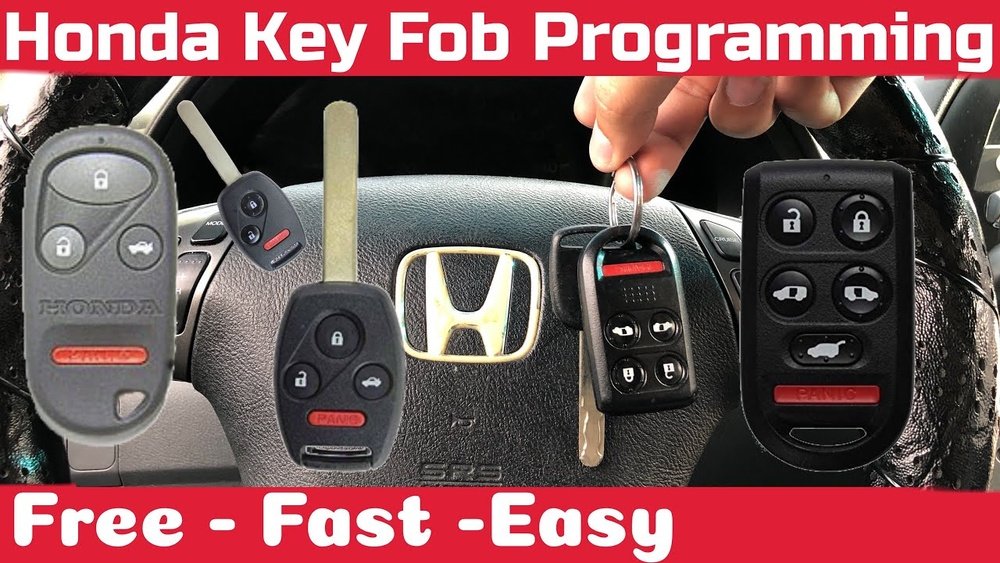
If your Honda key fob isn’t responding or you’ve just replaced its battery, you might be wondering how to reset it quickly and easily. You’re not alone—many Honda owners face this small but frustrating hurdle.
The good news? Resetting your Honda key fob doesn’t always mean a costly trip to the dealer. In fact, with a few simple steps, you can have your remote working again in no time. Keep reading, and you’ll discover straightforward, proven methods to reset and reprogram your Honda key fob yourself—so you can get back to driving without delay.
Key Fob Basics
The Honda key fob is a small remote control device. It lets you lock, unlock, and start your car without using a key. The fob uses radio waves to talk with your car’s system. This makes car access fast and easy.
Inside the fob is a small battery that powers the signals. The buttons send commands to your car. Each button has a specific function, like locking doors or opening the trunk. Understanding how your key fob works helps you fix common problems.
Common Key Fob Issues
Many Honda owners face key fob problems. The most frequent issue is when the fob stops working. Sometimes the buttons respond slowly or not at all. The fob may fail to unlock the doors or start the engine. Signal interference or worn-out parts can cause these issues.
Another problem is the fob losing connection with the car. This can happen if the fob is dropped or exposed to water. Dirt and dust inside the fob can also block the buttons from working properly.
Battery Replacement Effects
Replacing the battery is the first step to fix many fob problems. A weak or dead battery causes the fob to lose power. New batteries restore the signal strength. Most Honda key fobs do not need reprogramming after a battery change.
Make sure to insert the battery correctly. Wrong placement can stop the fob from working. In rare cases, the fob may need resyncing with the car. This involves specific steps like turning the ignition on and off or pressing buttons in sequence.

Preparation Steps
Before resetting your Honda key fob, some preparation steps are essential. These steps ensure the process goes smoothly and avoids any issues. Taking time to prepare will save effort and reduce frustration later.
Follow these simple steps to get ready for the reset. Each step helps you avoid common mistakes and speeds up the procedure.
Gather Necessary Tools
Start by collecting the tools needed for the reset. You may require a small screwdriver to open the key fob. Have fresh batteries available in case the old ones are dead. A pen or paper can help to note down any codes or steps. Keep your vehicle’s manual handy for reference.
Check Vehicle Compatibility
Not all Honda models use the same key fob system. Verify that your vehicle supports the reset method you plan to use. Check the year and model of your Honda in the owner’s manual. You can also look online for compatibility details to avoid errors during reset.
Have All Key Fobs Ready
Gather all key fobs linked to your Honda. The reset process might erase previous settings. Having all fobs ready means you can reprogram them all together. This prevents losing remote access to your car after the reset.
Resetting Your Honda Key Fob
Resetting your Honda key fob can solve many common issues. It restores the connection between the fob and your car. The process is simple and takes only a few minutes. Follow these clear steps to reset your key fob successfully.
Enter Programming Mode
Start by sitting in the driver’s seat with all doors closed. Insert the key into the ignition without turning it. Press and hold the “Lock” button on your key fob. While holding the button, turn the key to the “On” position, then back to “Off.” Repeat this process three times quickly. This action puts your car into programming mode.
Cycle Ignition On And Off
After entering programming mode, turn the ignition key to “On” without starting the engine. Then switch it back to “Off.” Do this step twice more, for a total of three cycles. The door locks will automatically lock and unlock to confirm the car is ready to accept the new key fob code.
Press Key Fob Buttons
Press the “Lock” button on the key fob you want to reset. Hold it for about one second. Release the button and watch for the door locks to cycle again. This signals the key fob has been programmed. Repeat this step for any additional key fobs you want to reset.
Confirm Successful Reset
Turn the ignition off and remove the key. Step out of the car and test the key fob. Press the “Lock” and “Unlock” buttons to check if the doors respond. If the locks cycle correctly, the reset was successful. If not, repeat the process carefully.
Programming Push Button Start Models
Programming Honda push button start key fobs requires specific steps. These steps activate the fob to communicate with your vehicle. Following the exact procedure ensures your key fob works properly. Below are three key methods to reset and program your Honda push button start model.
Accessing On Mode Without Starting
To program the key fob, first enter the On mode. Press the brake pedal without starting the engine. Then, press the Start button once. The dashboard lights will turn on. This step powers the vehicle’s electronics. It prepares the car for key fob programming.
Using Physical Key Slot
Some Honda models have a hidden key slot. Remove the mechanical key from the fob. Insert it into the slot, usually near the steering column. Turn the key to the On position without starting the car. This triggers the programming mode. It allows the vehicle to sync with the key fob.
Repeating Button Sequences
Press the lock and unlock buttons on the key fob in a specific order. Hold the lock button for a few seconds. Release, then press the unlock button twice quickly. Repeat this sequence two to three times. The car may respond with a beep or flash. This confirms the programming is successful.
Troubleshooting Tips
Troubleshooting your Honda key fob reset can save time and frustration. Simple issues often cause reset failures. Understanding common problems helps fix them quickly. This section shares key tips to solve reset challenges. Clear steps make the process easier to follow. Stay patient and methodical while trying each fix.
When Reset Fails
Check the key fob battery first. A weak or dead battery stops reset signals. Replace it with a new one and try again. Make sure to hold the buttons firmly during reset. Dirt or moisture inside the fob can block signals. Use a dry cloth to clean contacts gently. If the fob still does not reset, try resetting the car’s system by disconnecting the battery for a few minutes. This can clear errors in the car’s computer. Persistent failure may mean the fob is faulty and needs replacement.
Dealing With Multiple Key Fobs
Programming several key fobs at once can cause interference. Reset each fob one at a time, away from the car and other remotes. Use the car’s programming mode correctly to sync all fobs. Sometimes, you must reset the first fob before adding others. Keep the key fobs close to the ignition during programming. Avoid pressing buttons on multiple fobs simultaneously. This ensures each fob pairs properly without confusion.
Consulting The Owner’s Manual
The owner’s manual holds specific reset instructions for your Honda model. Follow the manual’s step-by-step guide carefully. It explains the exact button presses and timing needed. Manuals also list special notes and warnings. Each model and year may have unique reset procedures. The manual can help identify if extra tools or dealer assistance is required. Keep the manual handy for reference during any troubleshooting.
When To Seek Professional Help
Sometimes resetting a Honda key fob is not simple. The problem might need expert help. Knowing when to seek professional service can save time and avoid frustration. This section explains key moments to contact professionals for your Honda key fob.
Using Dealer Services
Dealers have direct access to Honda’s programming systems. They can reset or replace your key fob correctly. If your key fob is lost or damaged, dealers offer reliable options. Dealer services ensure your key fob matches your car’s security system perfectly.
Special Programming Tools
Some key fob issues require tools only professionals own. These tools connect to your car’s computer for programming. Without them, resetting might fail or cause more problems. Professional locksmiths or dealers use these tools to save your key fob and car’s security.
Advanced System Issues
Complex electronic or software faults can stop your key fob from working. Problems with the car’s receiver or security system need expert diagnosis. Advanced issues are hard to fix without training and equipment. Professionals can find and fix these problems safely.
Frequently Asked Questions
Does The Honda Key Fob Need To Be Reprogrammed After Replacing The Battery?
Most Honda key fobs do not need reprogramming after a battery replacement. Simply insert the new battery correctly, and it usually works. Some models may require re-syncing by cycling the ignition or following the owner’s manual instructions. Always check your vehicle’s manual for specific steps.
How Do I Resync My Car Key Fob?
To resync your car key fob, insert the key, cycle ignition On/Off multiple times, then press a fob button. Wait for locks or chimes. Always check your car’s manual, as steps vary by model and may require reprogramming all fobs together.
Why Is My Honda Key Fob Not Working After Changing Battery?
Your Honda key fob may not work after battery change due to incorrect battery placement or lack of reprogramming. Ensure the battery is installed correctly. Some models require resyncing by cycling the ignition or following the owner’s manual steps to reprogram the key fob.
Do You Have To Reprogram A Key Fob After Replacing The Battery?
Most key fobs work immediately after battery replacement and don’t need reprogramming. Some models require reprogramming by cycling the ignition or following the manual’s steps. Always check your vehicle’s manual for specific instructions. Reprogram all fobs at once if needed to avoid synchronization issues.
How Do I Reset My Honda Key Fob At Home?
To reset, turn the ignition on and off three times, then press the lock button on the fob.
Conclusion
Resetting your Honda key fob is simple and saves time. Follow the steps carefully to avoid mistakes. Most resets take just a few minutes. Keep your key fob battery fresh for best results. If the fob still won’t work, try repeating the process.
Always check your owner’s manual for specific instructions. A working key fob adds convenience and security to your drive. Practice these steps once, and you’ll feel confident doing it again. Ready to get back on the road hassle-free?