
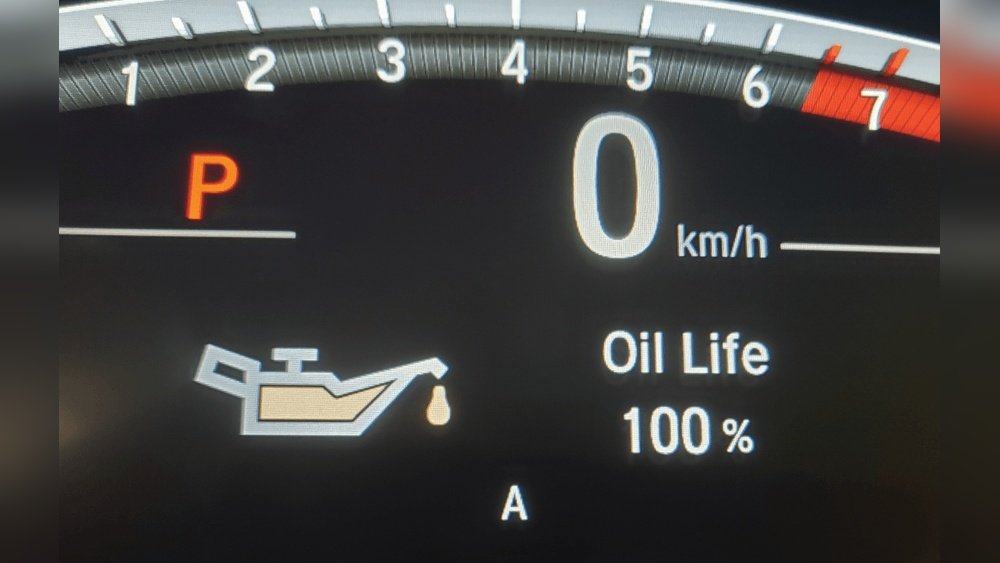
Your Honda’s oil light just came on, and you’re wondering what to do next. Should you rush to the mechanic, or is there a quick fix you can handle yourself?
The good news is, resetting your Honda oil light is easier than you think—and doing it yourself saves you time and hassle. Whether you’ve just changed the oil or want to clear the reminder, this guide walks you through simple, step-by-step instructions tailored for various Honda models.
By the end, you’ll know exactly how to reset your oil light, keeping your dashboard clean and your peace of mind intact. Ready to take control of your car’s maintenance? Let’s get started!

Oil Light Basics
The oil light on your Honda’s dashboard is a small but important signal. It tells you about the health of your engine oil. Understanding this light helps keep your car running smoothly. This section explains the basics of the oil light and what it means for your vehicle.
Knowing why the oil light comes on and when to reset it can save you time and money. Let’s dive into these essential points to help you maintain your Honda properly.
Why Oil Light Comes On
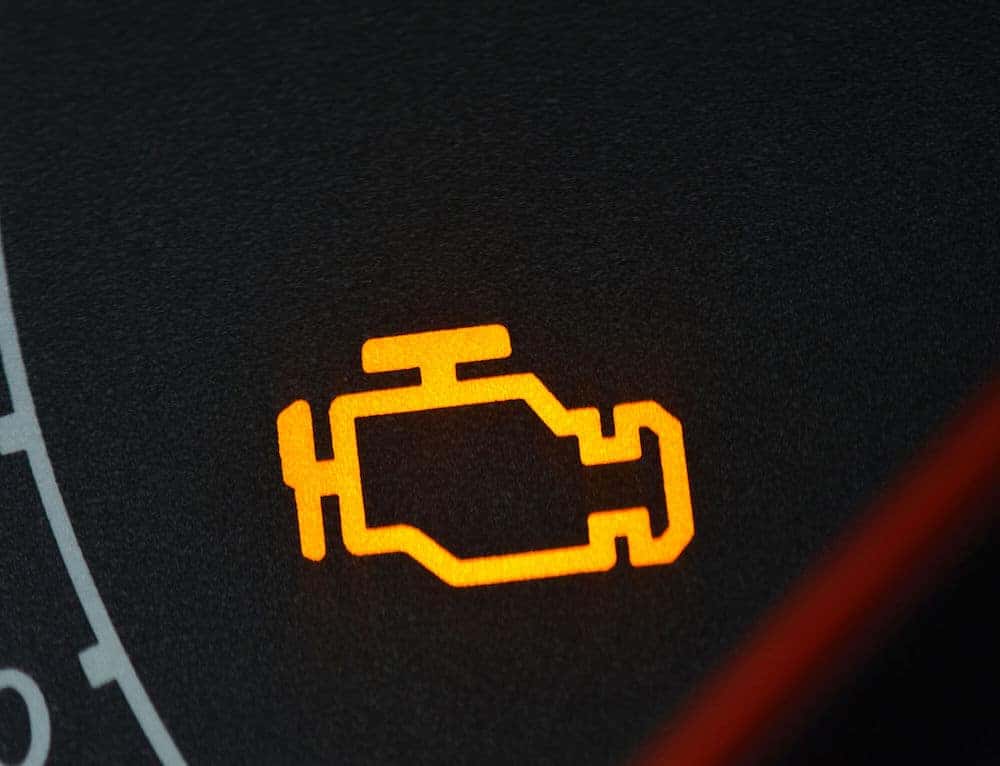
The oil light usually turns on when the oil pressure is low. This can happen if the oil level is too low or if the oil is dirty. It also lights up if the oil pump is not working properly. The light warns you to check the oil soon to avoid engine damage.
Sometimes, the oil light comes on after a long drive or heavy engine use. It can also appear if the oil sensor is faulty. Always check the oil level first before ignoring the light.
When To Reset The Light
Reset the oil light only after you change the oil. Changing the oil keeps the engine protected. Resetting the light tells your car the oil is fresh. This helps the system track oil life accurately.
Do not reset the light without changing the oil. This can cause wrong alerts and damage the engine. Always follow your Honda’s manual instructions for the reset process.
General Reset Steps
Resetting the oil light on a Honda is an essential step after an oil change. The process helps clear the maintenance reminder so the system can track the next oil change accurately. Most Honda models follow simple reset steps using either the Select/Reset button or the Dash knob. These general methods suit a variety of models and require no special tools.
Both methods start with turning the ignition on without starting the engine. Then, you navigate the display to find the oil life percentage or maintenance minder. Finally, you confirm the reset to clear the oil light. Below are detailed instructions for each method.
Using Select/reset Button
Turn the ignition to the “On” position without starting the engine. This means pressing the start button twice or turning the key to position II.
Locate the Select/Reset button on your dashboard or steering wheel. Press this button repeatedly until the display shows “Engine Oil Life %” or a similar message.
Press and hold the Select/Reset button for about 10 seconds. The oil life percentage should start blinking.
Release the button and then press it again briefly to confirm the reset. The display will change to 100% or show that the oil life has been reset.
Using Dash Knob
Turn the ignition to the “On” position without starting the engine. The dashboard lights will activate.
Find the dash knob, usually located near the speedometer or on the instrument cluster.
Rotate the dash knob to scroll through the menu options. Stop when you see “Engine Oil Life” or a similar indicator.
Press and hold the dash knob for about 10 seconds. The oil life display will begin to flash.
Release the knob, then press it once more to confirm the reset. The oil light will turn off, and the oil life will reset to 100%.
Resetting On Newer Models
Resetting the oil light on newer Honda models involves using digital controls inside the car. These vehicles feature advanced displays and steering wheel buttons. This makes the reset process easier and faster.
Understanding how to navigate these controls helps clear the oil light after maintenance. The following methods cover the most common ways to reset the oil light on modern Honda cars.
Steering Wheel Controls
First, turn the ignition on without starting the engine. Press the engine start button twice or turn the key to the “On” position.
Use the steering wheel buttons to find the maintenance menu. Press the “Menu” or “i” button on the left side of the wheel.
Scroll through the options using the up and down arrows until you reach “Maintenance Info” or “Vehicle Settings.”
Select the “Oil Life” option. Press and hold the “Enter” or “Reset” button until the oil life resets to 100%.
The oil light will turn off, confirming the reset was successful.
Using I-mid Or Display Audio
Turn on the ignition without starting the engine. Use the touchscreen display or the i-MID system.
Tap the “Home” button on the display. Find the “Settings” or “Vehicle” menu.
Select “Maintenance” or “Oil Life” from the list. The current oil life percentage will show.
Choose “Reset” or “Reset Oil Life.” Confirm the reset by tapping “Yes” or pressing the confirmation button.
The oil life will reset to 100%, and the warning light will clear.
Model-specific Instructions
Resetting the oil light on your Honda varies by model. Each model has a specific method to clear the oil change reminder. Following the exact steps for your Honda ensures the light resets correctly. This section covers popular models and their reset instructions.
Honda Accord Reset Method
Turn the ignition to the “On” position without starting the engine.
Press the “Select/Reset” button on the dashboard until the oil life indicator appears.
Hold the “Select/Reset” button for about 10 seconds until the oil life resets to 100%.
Turn off the ignition and start the engine to confirm the light is off.
Honda Fit Reset Method
Turn the ignition to the “On” position without starting the car.
Press the “Trip” button repeatedly to display the oil life percentage.
Press and hold the “Trip” button for 10 seconds until the oil life resets.
Release the button and turn off the ignition. Restart the engine to check.
Honda Pilot Reset Method
Switch the ignition to the “On” position, but do not start the engine.
Use the steering wheel buttons to access the “Vehicle Information” menu.
Scroll to the “Oil Life” option and press “Enter” or “Select.”
Hold the “Enter” button for about 10 seconds until the oil life resets to 100%.
Turn off the ignition and start the engine to verify the oil light is off.
Alternative Reset Methods
Alternative reset methods provide simple ways to clear the oil light on your Honda. These options work well if the usual reset steps do not apply or are unclear. Both methods require no special tools and take just a few moments to complete.
Try these alternative methods to reset the oil light and keep your dashboard clear.
Accelerator Pedal Method
Begin with the ignition off. Press and hold the accelerator pedal fully to the floor. Turn the ignition to the “On” position without starting the engine. Keep the pedal pressed for about 10 seconds. Release the pedal slowly. The oil light should start flashing and then turn off. If it does not reset, repeat the process once more.
Dashboard Button Method
Turn the ignition to the “On” position without starting the engine. Locate the dashboard button labeled “Select/Reset” or similar. Press the button repeatedly until the oil life percentage appears. Press and hold the button for a few seconds. Wait for the oil light to blink and then go off. Release the button. The reset is now complete and the light should be off.

For Push-button Start Models
Resetting the oil light on Honda models with a push-button start differs from traditional key ignition vehicles. These models use electronic controls, requiring specific steps to reset the oil life indicator. Following the correct process ensures the oil light turns off and reflects the new oil change accurately.
This section explains how to reset the oil light using two common methods designed for push-button start Hondas. Both methods are simple and require no special tools.
Powering On Accessories
Press the start button twice without pressing the brake pedal. This action powers the accessories mode without starting the engine.
Look at the dashboard display for the oil life or maintenance message. This mode allows you to access vehicle settings needed to reset the oil light.
Keep the car in this state throughout the reset procedure. Do not start the engine or press the brake while performing these steps.
Using Steering Wheel Or Pedal Methods
Locate the steering wheel buttons to navigate the menu. Use the “Menu” or “Info” button to find the maintenance section.
Scroll to the “Oil Life” or “Engine Oil Life” screen using the arrow buttons. The display shows the current oil life percentage.
Press and hold the “Select” or “Reset” button on the steering wheel until the oil life resets to 100%. This step confirms the reset and clears the oil change light.
Alternatively, some models require pressing the accelerator pedal three times within 10 seconds while in accessories mode. The dashboard will flash, signaling the reset.
Turn off the car and then start the engine to verify the oil light is off. The reset process is complete and the system now tracks the new oil life.
Troubleshooting Reset Issues
Resetting the Honda oil light can sometimes run into problems. The light might stay on even after a reset attempt. This section helps you solve common reset issues quickly. Follow these simple steps to get your oil light working correctly.
Consulting The Owner’s Manual
The owner’s manual is the best place to start. It has specific instructions for your Honda model. Check the section about the oil light reset. Sometimes the procedure changes between models or years. Reading the manual helps avoid mistakes and saves time.
Using An Obd-ii Scanner
An OBD-II scanner can clear warning lights easily. Plug the scanner into the car’s diagnostic port. Follow the scanner’s instructions to reset the oil light. This tool reads error codes and resets alerts. It is a good option if the manual’s method does not work.
Visiting A Mechanic
If the oil light still won’t reset, visit a mechanic. A professional can check for deeper issues. They have the right tools to diagnose problems. Mechanics can reset the light and fix any underlying faults. This step ensures your Honda runs safely.
Tips To Avoid Reset Problems
Resetting the Honda oil light is simple but can cause problems without care. Follow key tips to avoid reset issues. These tips ensure the oil light works correctly after maintenance. They help keep your Honda running smoothly and avoid warning light confusion.
Proper reset prevents false alerts and keeps your dashboard accurate. Take time to confirm the reset process and follow recommended steps closely. This reduces errors and saves time on future oil changes.
After Oil Change Reminders
After changing the oil, always check if the oil light turns off. Drive the car for a few minutes to confirm the reset took effect. Sometimes the light stays on if the reset was incomplete. Repeat the reset steps if needed. Always use the correct reset procedure for your Honda model. Keep the owner’s manual handy for specific instructions. Regular oil changes and resets protect your engine and extend vehicle life.
Confirming Reset With Service Shop
When unsure about the reset, visit a Honda service shop. Technicians can quickly verify if the oil light reset correctly. They use diagnostic tools for precise checks. Service shops also record oil change history for your car. This helps maintain proper maintenance schedules. Confirming the reset at the shop prevents future warning light issues. It gives peace of mind about your vehicle’s health.
Frequently Asked Questions
How Do I Reset The Oil Change Light On A Honda?
Turn ignition on without starting the engine. Press the Select/Reset button until “Engine Oil Life” shows. Hold the button until the light resets. For push-button models, press start twice without brake, then follow the same steps. Check your manual for model-specific instructions.
How To Reset Oil Change Light Honda Accord?
Turn ignition to “On” without starting. Press the Select/Reset button until “Oil Life” appears. Hold button to reset. For push-button start, press start twice without brake, then reset similarly. Check your manual if steps vary.
How To Reset Oil Light After Oil Change?
Turn ignition to “On” without starting the engine. Press and hold the trip or reset button until the oil light flashes and resets. For push-button start, press start twice without brake, then follow the same steps. Check your manual if these steps vary by model.
How To Reset Oil On 2017 Honda?
Turn ignition to “On” without starting the engine. Press the Select/Reset button until “Engine Oil Life” shows. Hold button until the oil light resets. For push-button start, press start twice without brake, then follow the same steps. Check your manual if steps differ.
How Do I Reset The Oil Change Light On A Honda?
Turn ignition on without starting engine. Press Select/Reset button until Oil Life appears. Hold button to reset.
Conclusion
Resetting your Honda oil light is simple and quick. Follow the steps carefully for your model. This keeps your car’s maintenance on track. Remember to reset only after changing the oil. Regular oil changes help your engine run smoothly. Stay safe by paying attention to your vehicle’s signals.
A well-maintained car lasts longer and saves money. Keep this guide handy for future oil light resets. Taking small actions keeps your Honda healthy. You can do this without special tools or help.