
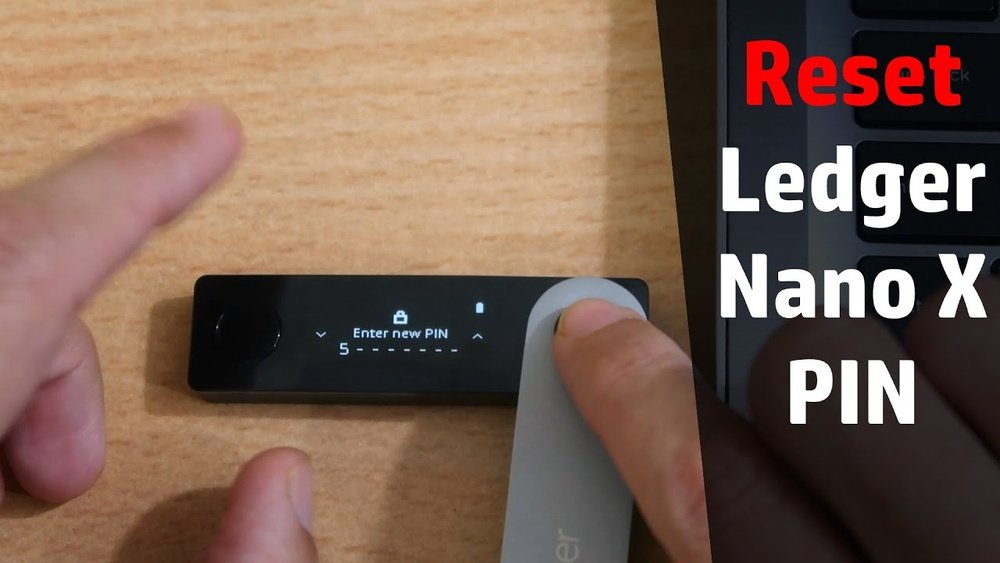
If you’re wondering how to reset your Ledger Nano X, you’re in the right place. Whether you’ve forgotten your PIN, want to erase your device before selling it, or simply need a fresh start, resetting your Ledger Nano X can feel a bit intimidating.
But don’t worry—resetting your device is straightforward, and you won’t lose your crypto assets as long as you have your recovery phrase. In this guide, you’ll learn step-by-step how to safely reset your Ledger Nano X and what to do afterward to get back full control of your crypto wallet.
Keep reading to take charge of your device with confidence.

Reset Methods
Resetting your Ledger Nano X can help resolve issues or prepare it for new use. There are two main reset methods to clear your device safely. Each method ensures your private keys stay secure if you have your recovery phrase. Follow these steps carefully to reset your Nano X.
Reset Via Incorrect Pin
Turn on your Ledger Nano X by pressing the side buttons. Enter a wrong PIN code three times in a row. After the third wrong attempt, the device will reset automatically. This action erases all private keys, apps, and settings from the device. Your crypto assets remain safe if you keep your Secret Recovery Phrase. Use this phrase to restore your wallet after the reset.
Reset From Settings Menu
Unlock your Ledger Nano X by entering the correct PIN. Access the Control Center by pressing and holding both side buttons simultaneously. Navigate to the Settings menu using the device’s buttons. Find the option labeled “Reset All” or “Factory Reset.” Confirm your choice to start the reset process. This method removes all data and returns the device to its original state. After resetting, use your recovery phrase to restore your accounts and set a new PIN.
Step-by-step Reset Guide
Resetting your Ledger Nano X is a simple process that clears all data and restores factory settings. This guide walks you through each step clearly. Follow these instructions carefully to reset your device safely and correctly.
Power On Your Device
Press and hold the side buttons to turn on your Ledger Nano X. Wait for the screen to light up and display the welcome message. Make sure your device is fully charged or connected to a power source before starting.
Enter Wrong Pin Three Times
At the PIN entry screen, deliberately enter the wrong PIN code three times. Each time you enter a wrong PIN, the device will ask you to try again. After the third wrong attempt, the device will trigger the reset process automatically.
Confirm Factory Reset
The device will show a warning to confirm the factory reset. Use the side buttons to select and confirm the reset option. This action will erase all private keys, apps, and settings from your Ledger Nano X.
Post-reset Actions
After resetting your Ledger Nano X, some key steps follow. These actions help secure your device and regain full access to your crypto assets. Focus on restoring your wallet and setting up a new PIN. These steps ensure your device is ready for safe use again.
Restore From Recovery Phrase
Power on your Ledger Nano X after the reset. Choose the option to restore from your recovery phrase. Carefully type your 24-word phrase in the correct order. This phrase recovers your private keys and wallet data. Take your time to avoid mistakes. Once done, your wallet and funds will be accessible again. Never share your recovery phrase with anyone.
Set Up New Pin
After restoring your wallet, the device will ask for a new PIN. Pick a strong, easy-to-remember code. Enter the PIN twice to confirm. This PIN protects your device from unauthorized access. Avoid simple combinations like 1234 or 0000. Your new PIN keeps your Ledger Nano X secure at all times.
Precautions Before Reset
Resetting your Ledger Nano X is a serious step that affects your device and data. Taking the right precautions helps protect your crypto assets. Before you reset, prepare carefully to avoid losing access to your funds. This section explains key precautions to take before resetting your Ledger Nano X.
Backup Secret Recovery Phrase
Your Secret Recovery Phrase is the master key to your crypto wallet. Write it down clearly and store it safely offline. Never share this phrase with anyone or store it digitally. Losing this phrase means losing access to your funds forever. Always check that your backup is complete and readable before resetting.
Understand Data Removal
Resetting deletes all private keys, apps, and settings on your device. This process clears your Ledger Nano X to factory defaults. Your crypto assets are not stored on the device but on the blockchain. You need the Secret Recovery Phrase to restore your wallet after reset. Prepare to reinstall apps and set up your PIN again after the reset.
Troubleshooting Reset Issues
Troubleshooting reset issues on your Ledger Nano X can feel tricky. Some common problems may stop the reset process. Knowing how to handle these issues helps you protect your crypto assets and regain control quickly.
This section explains simple steps to fix common reset problems.
Device Not Responding
If your Ledger Nano X does not respond during reset, check the buttons first. Press both buttons firmly to turn it on.
Try connecting the device to a different USB port or cable. A faulty cable can cause connection problems.
Make sure your device has enough battery. Charge it for at least 30 minutes before resetting.
Restart your computer and try the reset process again. Sometimes, system glitches can block communication.
Forgot Recovery Phrase
Forgetting your recovery phrase is a serious issue. Without it, you cannot restore your wallet after reset.
Search for your written or saved recovery phrase carefully. It may be stored in a safe place or backup.
If you cannot find it, your crypto assets will be lost after the reset. Ledger cannot recover it for you.
Always store your recovery phrase in multiple secure locations. This practice prevents loss during reset or device failure.
Tips For Secure Ledger Use
Maintaining security with your Ledger Nano X is vital for protecting your crypto assets. Simple habits help keep your device safe from theft or loss. Focus on regular backups and careful PIN management to strengthen your security. These steps reduce risks and ensure you can recover your funds if needed.
Regular Backup Practices
Always write down your Secret Recovery Phrase on paper. Store this paper safely, away from moisture and fire. Avoid saving your recovery phrase digitally or online. Backup your recovery phrase in multiple secure locations. Do not share your recovery phrase with anyone. This phrase is the only way to restore your wallet. Check your backup regularly to ensure it is readable.
Pin Management
Create a unique PIN that you can remember easily. Avoid simple combinations like 1234 or birth years. Change your PIN periodically to improve security. Never share your PIN with others. Enter your PIN carefully to avoid lockouts. After three wrong attempts, your device resets automatically. Use a PIN that balances security and memorability.

Frequently Asked Questions
Will I Lose Everything If I Reset My Ledger?
Resetting your Ledger erases device data but does not delete crypto assets. Use your Secret Recovery Phrase to restore access safely.
How To Reset Ledger Without Pin?
Turn on your Ledger device. Enter wrong PIN three times. The device resets to factory settings. Restore with your Secret Recovery Phrase to regain access.
What Happens If You Get Locked Out Of Your Ledger?
Entering the wrong PIN three times resets your Ledger to factory settings, erasing data. Use your Secret Recovery Phrase to restore access and recover your crypto assets securely.
Does Ledger Nano X Report To Irs?
Ledger Nano X does not report your data to the IRS. Users must self-report cryptocurrency transactions for taxes.
How Do I Reset My Ledger Nano X To Factory Settings?
Press both side buttons to turn on, enter wrong PIN three times, and the device resets automatically.
Conclusion
Resetting your Ledger Nano X is simple and secure. Always remember to back up your Secret Recovery Phrase before resetting. This phrase lets you restore your crypto assets anytime. After resetting, you can easily restore your wallet using the recovery phrase.
Keep your new PIN safe and choose a strong one. Regularly updating your device helps protect your funds. Follow the steps carefully to avoid mistakes. Now, you can manage your Ledger Nano X confidently and safely.