
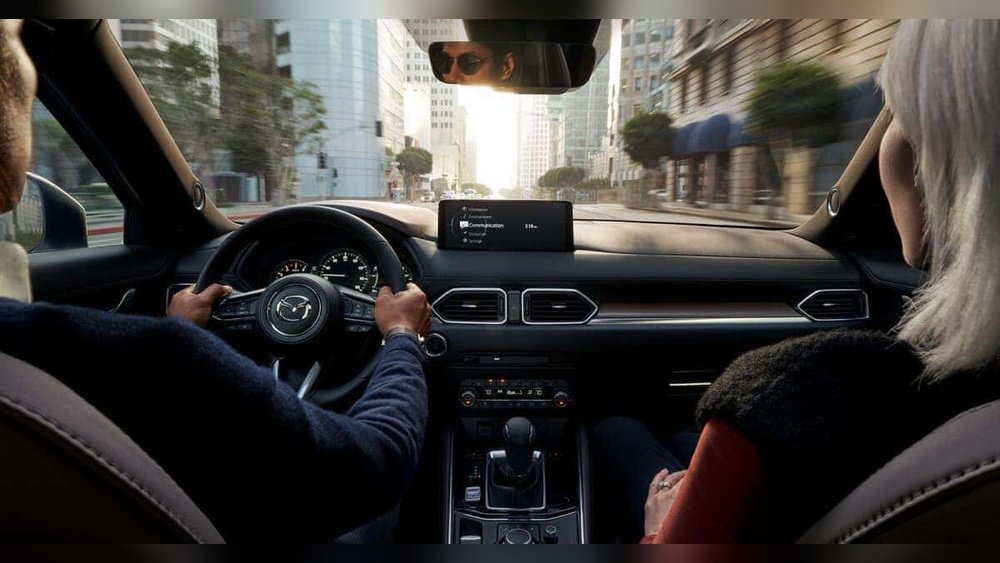
Is your Mazda radio acting up or refusing to turn on? You’re not alone, and luckily, you don’t have to be a tech expert to fix it.
Whether your infotainment system is frozen, the sound isn’t coming through, or the screen just won’t respond, knowing how to reset your Mazda radio can save you time, frustration, and a trip to the dealership. In this guide, you’ll discover simple, clear steps to reset your Mazda radio quickly and effectively.
Keep reading, and you’ll have your music and navigation back in no time!
Common Radio Issues
Radio problems in your Mazda can disrupt your driving experience. These issues often arise from simple faults or glitches. Recognizing common radio problems helps you decide when to reset or seek help.
Many Mazda owners face similar radio troubles. Some problems affect power, others freeze the system, and some cause poor sound quality. Understanding these issues is the first step toward a fix.
Power Failures
Power failures cause the radio to not turn on. This can be due to a blown fuse or loose wiring. Sometimes, the ignition switch affects radio power. Check these parts before deeper troubleshooting.
Power failures often show no signs except a blank screen. Testing the fuse box can identify if a fuse needs replacement. Tightening loose connections can restore power quickly.
Frozen Infotainment
A frozen infotainment system stops responding to touch or buttons. This problem might happen after software updates or sudden power loss. A soft reset usually clears this issue.
To reset, hold down the power button for several seconds. If the system remains frozen, disconnect the car battery briefly. This forces the system to reboot.
No Sound Or Distorted Audio
No sound or distorted audio ruins your listening pleasure. Check the balance and fade settings to ensure sound goes to the correct speakers. Sometimes, cables or speaker damage cause these issues.
Distorted audio can also come from a faulty amplifier, especially in Bose systems. Testing audio sources and connections helps find the root cause. Resetting the system may improve sound quality.
Soft Reset Steps
Performing a soft reset on your Mazda radio can fix many common glitches. This process clears minor errors without erasing your settings. Soft resets are quick and simple to do at home. Below are three easy methods to reset your Mazda radio safely.
Ignition On Reset
Start by turning the ignition to the ON position. Do not start the engine. Press and hold the power button on the radio for about 10 seconds. The screen will go dark and then restart. This resets the radio without losing your saved stations.
Volume Button Method
Turn on the radio and keep the ignition on. Press and hold the volume down button and the power button at the same time. Hold both buttons for about 10 seconds. The radio will reboot and clear temporary errors. This method works for many Mazda models.
Power Cycling The System
Turn off the ignition and remove the key. Wait for about 5 minutes to let the system power down fully. After waiting, put the key back and turn the ignition on. This simple power cycle can fix issues caused by system overload or software bugs. It is the easiest way to reset your Mazda radio.
Fuse Inspection
Fuse inspection is a key step to fix your Mazda radio. Fuses protect your car’s electrical system from damage. If a fuse is blown, the radio may stop working. Checking the fuses can save time and money. It helps you find simple problems fast. Here is how to inspect the fuses safely and correctly.
Locating The Fuse Box
The first step is to find the fuse box. Most Mazda models have two fuse boxes. One is under the hood. The other is inside the cabin. Common cabin locations include below the dashboard or near the driver’s side door. Your owner’s manual shows the exact location. Look for a small panel or cover. Remove it carefully to access the fuses.
Checking And Replacing Blown Fuses
Once you open the fuse box, identify the radio fuse. The fuse box cover or manual has a fuse diagram. Use it to find the right fuse slot. Check if the fuse’s metal strip is broken. A broken strip means the fuse is blown. Use a fuse puller or tweezers to remove the fuse. Replace it with one of the same amperage rating. Do not use a higher rating fuse. After replacing, test your radio to see if it works.

Credit: www.aldenmazda.com
Software Updates
Keeping your Mazda radio software up to date is important for smooth performance. Software updates fix bugs and add new features. They help prevent issues like freezing or connectivity problems. Updating your radio system can improve sound quality and compatibility with apps.
Regular updates ensure your Mazda radio works with the latest devices. The process is simple and can be done through the system settings. Follow the steps below to check for and install updates safely.
Accessing System Settings
Start your Mazda radio and go to the home screen. Find the “Settings” icon and select it. Scroll down to find “System” or “Software Update.” This section shows your current software version. It also lets you check if a new update is available. Make sure your car is parked and the engine is running during this process.
Installing Available Updates
When an update appears, select “Download” or “Install.” The update may take several minutes. Do not turn off the car or radio during installation. Your screen may go blank or restart. After the update finishes, the system will return to normal. Check the software version again to confirm the update was successful.
Connectivity Refresh
Refreshing your Mazda radio’s connectivity can solve many common issues. A quick connectivity refresh helps restore Bluetooth and Wi-Fi functions. This step is key before trying more complex resets. It clears minor glitches and improves device pairing and streaming.
Resetting Bluetooth
Start by turning off Bluetooth on your Mazda radio. Go to the settings menu and select Bluetooth options. Choose to disconnect or forget all paired devices. Next, turn off Bluetooth on your phone or device. Wait for about 10 seconds, then turn Bluetooth back on both in the car and on your device.
Try pairing your device again with the Mazda radio. This process removes old connections that may cause issues. It often fixes connection drops or failed pairing attempts. If problems continue, delete the device from both the radio and your phone, then re-pair as new.
Refreshing Wi-fi Connections
For Mazda models with Wi-Fi, go to the radio’s network settings. Turn off the Wi-Fi connection and wait a few seconds. Then, switch Wi-Fi back on to refresh the network link. This simple action can solve slow or failed internet access in the car.
Forget saved networks that no longer work and reconnect to your preferred network. Enter passwords again if needed. Refreshing Wi-Fi clears temporary errors and improves the radio’s online features like updates and streaming.

Credit: mazdas247.com
Wiring And Hardware Checks
Checking the wiring and hardware is a key step in resetting your Mazda radio. Faulty connections or damaged components often cause radio issues. Careful inspection helps identify these problems early.
Start by examining all wiring connections. Loose or corroded wires can interrupt power or signal flow to the radio. Ensuring solid connections can restore normal function without further repairs.
Inspecting Wiring Connections
Look behind the radio unit for wiring harnesses. Check each plug for tightness and signs of wear. Corrosion or broken wires reduce electrical flow and cause malfunctions. Use a flashlight to see clearly in dark spaces.
Gently disconnect and reconnect wires to ensure a secure fit. Avoid pulling on wires; handle connectors carefully. If any wires appear damaged, consider replacing them or consulting a professional.
Bose Amplifier Considerations
Mazda models with Bose sound systems have an amplifier that affects radio performance. This amplifier requires proper power and connection to work well. A faulty amplifier may cause no sound or distorted audio.
Check the amplifier’s wiring and fuse for damage or loose connections. Some amplifiers have their own power supply separate from the radio. Confirm power reaches the amplifier to avoid issues.
If problems persist, testing the amplifier with a multimeter helps identify faults. Faulty Bose amplifiers often need professional repair or replacement for the radio to reset correctly.
When To Seek Help
Knowing when to seek help is important for your Mazda radio. Simple resets solve many issues. Some problems need expert care. Do not ignore signs of deeper trouble. Acting early can save time and money.
Persistent Malfunctions
Repeated radio failures indicate a serious problem. The radio may freeze or lose sound often. Resetting might work once but fail again. Buttons might stop responding or settings reset randomly. Such symptoms suggest internal faults or wiring issues. Continuing to use the radio with these problems can cause more damage. Watch for error messages or constant rebooting. These signs mean the system needs professional attention.
Dealer And Professional Repair
Dealers have the right tools and knowledge. They can diagnose complex radio problems quickly. Professionals can check wiring, software, and hardware thoroughly. They also update software safely to avoid errors. If the radio needs parts replaced, dealers use genuine Mazda components. This ensures better fit and longer life. Professional repair protects your car’s warranty and value. Trust experts to fix issues that home resets cannot solve.

Credit: www.northshoremazda.net
Frequently Asked Questions
How Do You Reset The System On A Mazda?
To reset a Mazda system, turn off the ignition and remove the key. Wait a few minutes, then restart the car. For infotainment, access Settings > System and select “Reset” or update software. Check fuses and wiring if issues persist.
Visit a dealer for complex problems.
Why Is My Radio Not Working In My Mazda?
Your Mazda radio may not work due to a blown fuse, incorrect audio settings, or a software glitch. Try resetting the infotainment system and checking wiring connections. Update the system software and ensure Bluetooth or Wi-Fi connections are active. Visit a dealer if issues persist.
How Do I Reboot My Car Radio?
To reboot your car radio, turn off the ignition and remove the key. Wait a few minutes, then restart the car. If issues persist, check the fuse and update the infotainment system via Settings > System. For complex problems, consult a professional technician.
How To Soft Reset Mazda Infotainment?
To soft reset Mazda infotainment, press and hold the volume and power buttons simultaneously for about 10 seconds until the system restarts. This clears minor glitches without erasing personal settings.
How Do I Reset My Mazda Radio System?
To reset, turn off ignition, remove the key, wait a few minutes, then restart the car.
Conclusion
Resetting your Mazda radio can solve many common issues quickly. Simple steps like power cycling or checking settings often fix the problem. Remember to inspect fuses and update software regularly. If problems persist, loose wiring or hardware faults may cause trouble.
Don’t hesitate to contact a Mazda dealer for help. Keeping your radio in good shape ensures smooth driving and enjoyment. Try these tips to keep your Mazda’s sound system working well.