
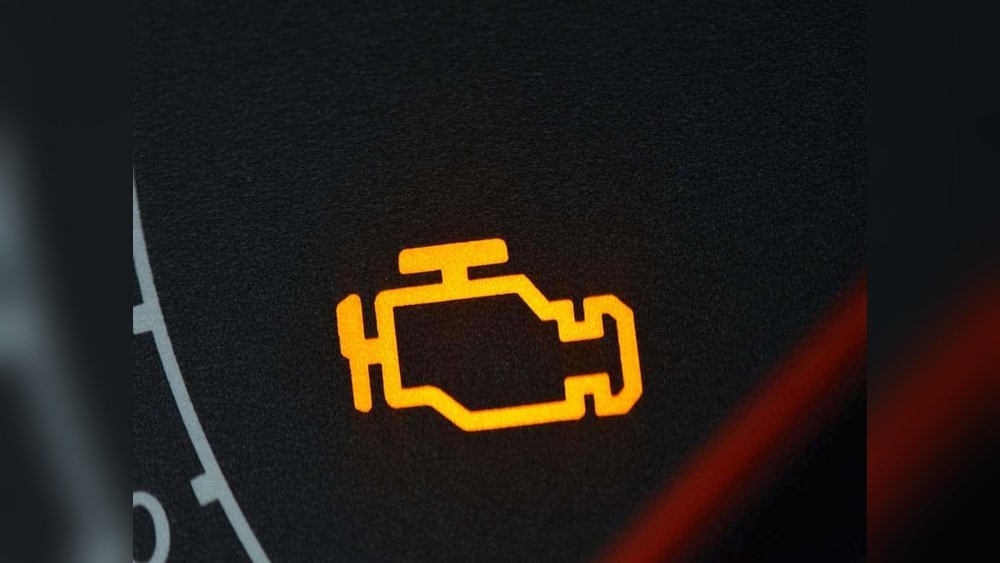
If you’ve just changed the oil in your Honda Civic, you might be wondering how to turn off that stubborn oil change light on your dashboard. Leaving it on can be distracting, and resetting it properly ensures your car’s maintenance system stays accurate.
Don’t worry—resetting the oil change light is easier than you think, and you can do it yourself in just a few simple steps. Whether you have an older model or the latest Civic with touchscreen controls, this guide will walk you through the exact process.
Keep reading to learn how to reset your oil change light quickly and get back on the road with confidence.

Credit: www.youtube.com
Oil Change Light Basics
The oil change light in a Honda Civic helps keep the engine healthy. It alerts drivers when the oil needs changing. Understanding this light ensures timely maintenance. It prevents engine damage and costly repairs.
Knowing the basics of the oil change light helps you respond correctly. It also helps in resetting the light after an oil change. This keeps your dashboard accurate and your car running smoothly.
Purpose Of The Oil Change Light
The oil change light shows when the engine oil needs attention. It tracks oil life based on time and miles driven. The light helps avoid using old or dirty oil. Old oil can harm engine parts and reduce fuel efficiency.
This light works as a reminder, not a warning. It signals that it is time for an oil change. Staying on top of oil changes keeps your Honda Civic running well.
When It Appears
The oil change light appears after driving a certain distance. Usually, it comes on around 5,000 to 7,500 miles since the last oil change. It may also turn on after a set time period, like six months.
The light can appear during startup or while driving. It stays on until the oil change is done and the light is reset. Ignoring this light can lead to engine problems.
Reset Methods By Honda Civic Model
Resetting the oil change light on a Honda Civic depends on the model year and the controls available. Honda uses different methods across Civic generations. Knowing the right reset method helps clear the oil life indicator quickly. This guide covers the main reset methods by Honda Civic model. Follow the steps that match your car’s setup for a successful reset.
Older Models With Select/reset Button
Turn the ignition to the ON position without starting the engine. Press the Select/Reset button on the dashboard until the oil life percentage shows. Hold the Select/Reset button for about 10 seconds. The oil life light will blink and then reset to 100%. Turn off the ignition and start the engine to confirm the reset.
Models With Dash Knob
Switch the ignition to ON without starting the engine. Rotate the dash knob to find the “Engine Oil Life” display. Press and hold the dash knob for 10 seconds. The oil change light will start blinking. Wait until the display resets to 100%. Turn off the ignition and start the engine to verify the reset.
Newer Models With Steering Wheel Controls
Power on the car by pressing the start button twice without pressing the brake. Use the steering wheel buttons to navigate to the “Maintenance” or “Vehicle Info” menu. Find the “Oil Life” option in the menu. Press and hold the OK button until the oil life resets to 100%. Turn off the ignition and restart to check if the reset worked.
Using I-mid And Display Audio Systems
Turn on the ignition without starting the engine. Use the i-MID display controls to open the “Settings” or “Vehicle” menu. Scroll down to “Maintenance Info” or “Oil Life.” Select the reset option and confirm by pressing the enter button. Wait for the system to show 100% oil life. Turn off and start the car to finish the process.
Infotainment System Touchscreen Reset
Switch the ignition to ON without starting the engine. Access the infotainment touchscreen and open the “Settings” menu. Go to “Vehicle” or “Maintenance” section. Find the “Oil Life” reset option on the screen. Tap to reset and confirm your choice. The oil life indicator will reset to 100%. Restart the engine to confirm the reset.
Step-by-step Reset Instructions
Resetting the oil change light on your Honda Civic is a simple task. It helps keep your maintenance schedule accurate. Follow these clear steps to reset the oil light quickly and correctly. This process works for most Honda Civic models.
Turning On The Ignition Properly
First, sit in the driver’s seat and close the door. Do not start the engine. Turn the ignition switch to the “ON” position. For push-button start models, press the start button twice without pressing the brake pedal. The dashboard lights will turn on. This step activates the car’s electrical system for resetting.
Navigating To Oil Life Or Maintenance Menu
Look at the dashboard display or the infotainment screen. Use the select/reset button or the dash knob to scroll through the menu. Find the “Oil Life” or “Maintenance” option. Some models require pressing the “Menu” button on the steering wheel. Stop when you see the oil life percentage or maintenance light menu.
Confirming The Reset
Press and hold the select/reset button or push the dash knob inward. Hold it for about 10 seconds. Watch the oil life indicator blink and then reset to 100%. Release the button once the reset completes. Turn off the ignition and then restart the car to confirm the oil change light is off.
Troubleshooting Reset Issues
Resetting the oil change light on a Honda Civic is usually straightforward. Sometimes, the reset does not hold or the oil light stays on. Troubleshooting these issues helps ensure your vehicle’s maintenance system works correctly. This section covers common problems and when professional help is needed.
Reset Not Sticking
Sometimes the oil change light resets but turns on again soon after. This issue can occur if the reset process was not completed fully. Double-check that you followed all steps correctly. Make sure the ignition is in the right position during reset. Also, verify that the oil life display shows 100% after the reset.
Another cause can be a weak battery or electrical glitches. Try turning off the car, waiting a few minutes, and then restarting. Perform the reset again to see if it holds. If it still fails, the vehicle’s computer may need a diagnostic check.
Oil Light Still On After Reset
If the oil light remains on after a reset, the system may detect a real issue. Check the oil level using the dipstick. Low oil can trigger the warning light. Add oil if necessary and reset the light again. If the oil level is fine, the sensor might be faulty.
Another reason is a pending maintenance reminder that has not cleared. Use the vehicle’s menu to verify if other alerts are active. Faulty wiring or a blown fuse can also cause the light to stay on. In these cases, professional diagnosis is best.
When To Visit A Mechanic
Visit a mechanic if the oil change light resets but returns quickly. Also, seek help if the light stays on despite correct oil levels and resets. Persistent warning lights can signal engine or sensor problems. A mechanic can scan the car’s computer for error codes.
Do not ignore the oil change light. Timely professional service prevents engine damage. Regular oil changes and system checks keep your Honda Civic running smoothly. If unsure about the reset or warning light, ask a technician for advice.
Tips For Maintaining Oil Life
Maintaining the oil life of your Honda Civic is essential for its performance and longevity. Proper care helps the engine run smoothly and prevents costly repairs. Paying attention to oil maintenance habits can keep your car in top shape.
Simple steps like changing oil regularly and using the right oil type make a big difference. Also, keeping an eye on the oil life percentage helps you know when to act. These tips help you avoid engine wear and maintain fuel efficiency.
Regular Oil Changes
Changing your oil on time protects the engine from dirt and damage. Follow the Honda Civic’s recommended oil change schedule. Old oil loses its ability to lubricate and cool the engine. Regular oil changes keep the engine clean and running well.
Using The Correct Oil Type
Using the right oil type is crucial for engine health. Check your owner’s manual for the recommended oil grade. The wrong oil can cause poor performance and increased wear. Stick to Honda-approved oils for best results.
Monitoring Oil Life Percentage
Your Honda Civic shows the oil life percentage on the dashboard. Watch this number to know when the oil needs changing. Reset the oil change light after every oil change. Staying alert to oil life helps avoid engine problems and keeps your car reliable.

Credit: www.kirklandhonda.com

Credit: www.youtube.com
Frequently Asked Questions
How To Reset A Honda After An Oil Change?
Turn ignition ON without starting the engine. Use the Select/Reset button or dash knob to find “Engine Oil Life. ” Press and hold reset until it shows 100%. For newer models, use steering wheel controls or infotainment menu to navigate to Maintenance, select Oil Life, and confirm reset.
How To Reset Oil Change On Honda Civic 2017?
Turn ignition ON without starting. Use steering wheel buttons to find “Engine Oil Life. ” Press and hold reset until it resets. Turn off ignition.
How To Reset Oil Change Light Honda Civic 2016?
Turn ignition ON without starting. Use steering wheel buttons to find “Engine Oil Life. ” Press and hold reset until it resets. Turn off ignition. Start engine to confirm reset.
How To Reset Service Light On Honda Civic 2018?
Turn ignition to ON without starting. Use steering wheel buttons to find “Engine Oil Life. ” Press and hold reset until it resets.
How Do I Reset The Oil Change Light On A Honda Civic?
Turn the ignition on without starting the engine. Use the dash knob or Select/Reset button to find “Engine Oil Life. ” Hold the button until the light resets.
Conclusion
Resetting the oil change light on your Honda Civic is simple and quick. Follow the steps carefully to avoid confusion. Regularly resetting helps keep your car’s maintenance on track. This small task saves you time and worries. Stay attentive to your car’s signals for better performance.
Now you can confidently reset the oil light yourself. Keep your Civic running smoothly and safely. Maintenance made easy, right at your fingertips.