
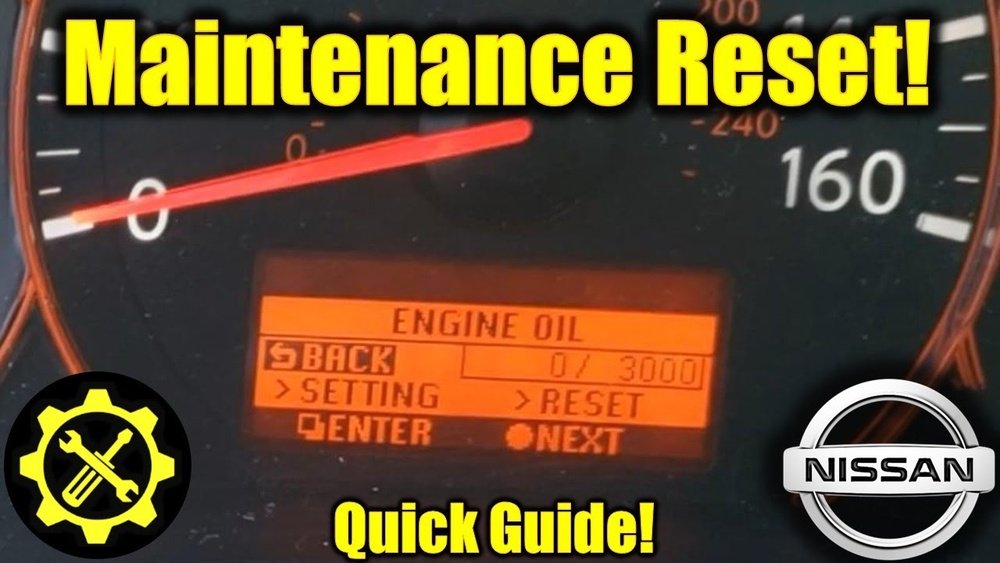
Seeing the oil light come on in your Nissan Altima can be a bit alarming. But don’t worry—resetting that light is simpler than you might think.
If you’ve just changed your oil or want to clear the alert, knowing the right steps can save you time and trips to the mechanic. In this guide, you’ll learn exactly how to reset the oil change light on your Nissan Altima using easy-to-follow instructions.
By the end, you’ll be confident in handling this yourself, keeping your dashboard clear and your car running smoothly. Ready to take control of your ride? Let’s dive in.
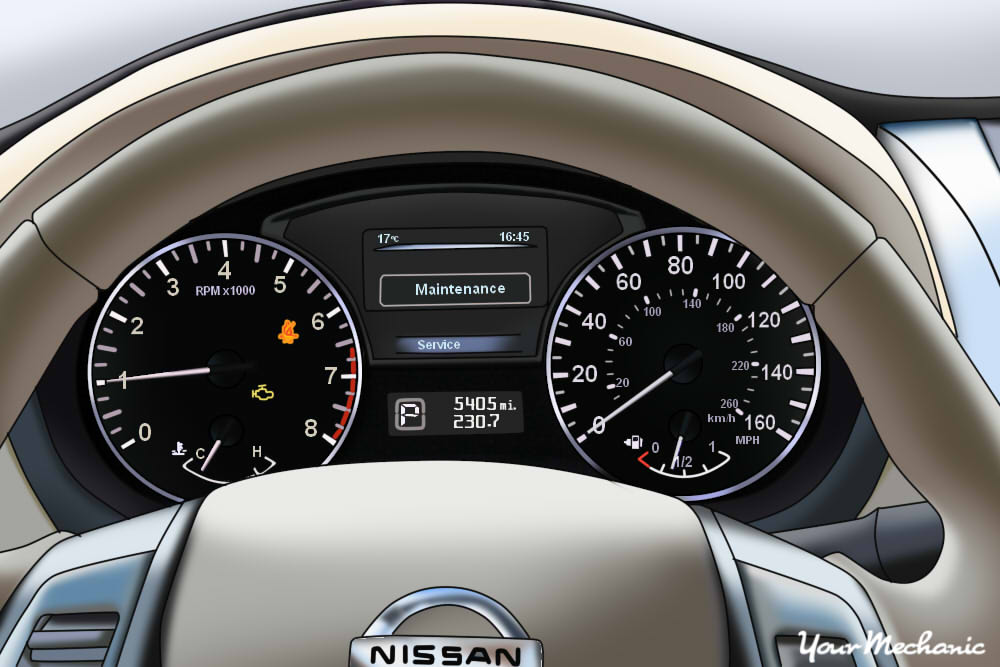
Credit: www.yourmechanic.com
Ignition Setup
Setting up the ignition correctly is the first step in resetting the oil light on your Nissan Altima. This process prepares the car’s electronics to accept the reset command without starting the engine. Proper ignition setup helps avoid errors during the reset procedure and ensures the dashboard system responds accurately.
Follow the steps carefully to enter the ignition mode needed for resetting the oil change light. This method works for most Nissan Altima models but always check your owner’s manual for details specific to your year.
Power Button Steps
Press the START/STOP button twice without pressing the brake pedal. This action turns the ignition to the “On” position.
The dashboard lights will come on, but the engine will not start. This is the correct mode for resetting the oil light.
Use the steering wheel controls to navigate the menu while the ignition is in this state.
Avoid Starting Engine
Do not press the brake or clutch pedal after turning the ignition on. Starting the engine will interrupt the reset process.
Keep the engine off until the oil light reset is complete. This prevents any system errors.
Once the reset finishes, you can start the engine normally and verify the oil light is off.
Navigating Dashboard Menus
The dashboard menus in your Nissan Altima give you full control over vehicle settings. Learning to navigate these menus is key to resetting the oil light. The process is simple and uses the steering wheel buttons to move through options. Familiarity with these menus saves time and avoids confusion.
Using Steering Wheel Buttons
The steering wheel buttons let you scroll through the dashboard menus easily. Usually, the arrow keys are on the left side of the wheel. Press up or down to move through the menu items. Use the OK or Enter button to select an option. This method keeps your hands on the wheel and eyes on the display.
Finding Settings Menu
Start by turning the ignition on without starting the engine. Press the START/STOP button twice for most models. Look for the gear icon or the word “Settings” on the screen. Use the arrow buttons to highlight the Settings menu. Press OK to enter the menu and see available options.
Accessing Maintenance Options
In the Settings menu, scroll down to find Maintenance. This section holds all service-related options. Select Maintenance with the OK button to open it. Inside, find Oil Control System or Oil & Filter options. Choose Reset and confirm to turn off the oil change light.
Resetting Oil Light
Resetting the oil light on your Nissan Altima is a simple task. This light appears after an oil change or maintenance. It reminds you to keep your engine healthy. Resetting the light clears the alert until the next oil change is due. Follow these easy steps to complete the reset.
Selecting Oil Control System
Start by turning the ignition on without starting the engine. Use the steering wheel buttons to open the main menu. Scroll to the “Settings” option and select it. Next, find the “Maintenance” menu in the list. Inside this menu, choose “Oil Control System” or “Oil & Filter” depending on your model.
Choosing Reset Option
Once inside the oil control menu, look for the “Reset” option. Highlight it using the arrow buttons on the steering wheel. Press the OK or Enter button to select reset. This step tells the system you want to clear the oil light warning. Make sure you select the reset option carefully.
Confirming The Reset
The system will ask you to confirm the reset. Use the steering wheel buttons to choose “Yes” or “Confirm.” Press OK to finalize the reset. The oil light should turn off after this confirmation. If it stays on, repeat the steps or check your manual for specifics.
After Reset Tips
Resetting the oil light in your Nissan Altima is just the first step. Proper care after the reset helps keep your car running smoothly. Follow these tips to ensure your oil light reset was successful and your vehicle stays on track for regular maintenance.
Verifying Reset Success
After resetting the oil light, check your dashboard carefully. The oil light should no longer be illuminated. Turn the ignition off, then start the engine. Watch the dashboard to confirm the oil light stays off. If the light turns back on, repeat the reset steps or consult your owner’s manual. This ensures the reset process worked properly and the system is ready for the next oil change.
Setting Next Service Interval
Set the next oil change interval according to your Altima’s recommended schedule. Most models suggest changing oil every 5,000 to 7,500 miles. Use the maintenance menu on your dashboard to input this information if available. This helps the system track when the next oil change is due. Keeping this updated prevents the oil light from coming on too early or too late, maintaining your engine’s health.
Variations By Model Year
The process to reset the oil light in a Nissan Altima changes depending on the model year. Different years have slight variations in the dashboard controls and menu navigation. Some older models require manual resets, while newer models use digital menus. Knowing your specific model year helps avoid confusion. Follow the proper steps to ensure the oil light resets correctly. This prevents unnecessary alerts and maintains accurate vehicle maintenance records.
Checking Owner’s Manual
Start by locating your Nissan Altima’s owner’s manual. It provides exact instructions for your model year. Manuals often explain reset steps clearly with images. This is the safest way to reset the oil light. Some models use buttons on the dashboard. Others use the steering wheel controls to access settings. The manual also warns about any precautions to take. Always follow the manual’s advice to avoid mistakes.
Using Obd-ii Scanner If Needed
Some Nissan Altimas may need an OBD-II scanner to reset the oil light. This tool connects to the car’s diagnostic port. It allows you to clear error codes and reset alerts. Mechanics use scanners for quick resets on complex models. You can buy an OBD-II scanner online or at auto stores. After connecting the scanner, follow the on-screen prompts. This method works well if the manual reset does not.
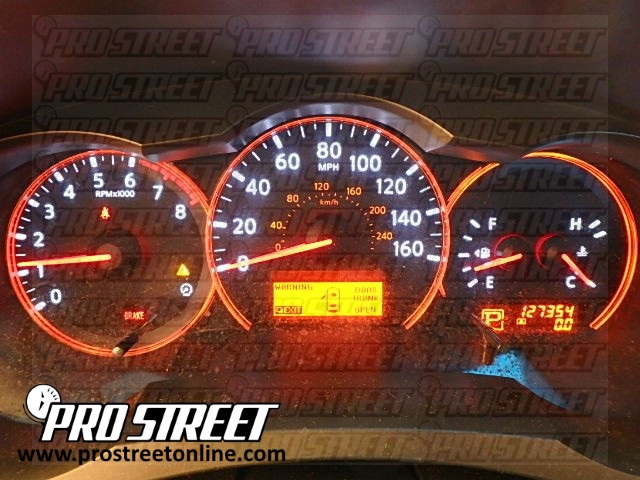
Credit: my.prostreetonline.com
Common Troubleshooting
Troubleshooting the oil light on your Nissan Altima often solves common issues. The oil light may stay on after a reset attempt. Sometimes, the problem is not with the reset process itself but with other factors. Understanding these factors helps avoid confusion and ensures your vehicle stays safe to drive.
When Reset Does Not Work
The oil light may remain on if the reset was not done correctly. Double-check that you followed the exact reset steps for your Altima’s model year. Sometimes, the oil level might be low or the oil sensor could be faulty. A dirty or clogged oil filter can also cause the light to stay on. In these cases, the reset will not work until the issue is fixed.
Another cause might be a problem with the car’s electrical system. Loose wiring or a blown fuse can stop the reset from working properly. If the light still won’t reset, visit a mechanic for a professional check.
Distinguishing Oil Light From Other Alerts
The oil light on your dashboard can look similar to other warning lights. It often appears as an oil can symbol in red or amber. Make sure you do not confuse it with the check engine light or other maintenance alerts. Each light means something different and requires a different action.
Check your Nissan Altima’s owner’s manual to identify the exact symbol. Knowing the difference saves time and keeps your car in good shape. Pay attention to the color and shape of the light. Red usually means urgent attention is needed. Amber or yellow may signal a reminder or less critical issue.

Credit: www.youtube.com
Frequently Asked Questions
How To Reset Oil Change Light On Nissan Altima?
Turn ignition ON without starting engine. Use steering wheel buttons to access Settings > Maintenance > Oil Control System. Select Reset and confirm to clear the oil change light. Consult the owner’s manual for model-specific steps.
How To Reset Oil Light On Nissan Altima 2013?
Turn ignition ON without starting. Use steering wheel buttons to access Settings > Maintenance > Oil Control System. Select Reset and confirm to reset the oil light on a 2013 Nissan Altima.
How To Reset The Oil Light In A 2015 Nissan Altima?
Turn the ignition on without starting the engine. Use steering wheel buttons to access Settings > Maintenance > Oil Control System. Select Reset and confirm to clear the oil light on your 2015 Nissan Altima. Check the owner’s manual for model-specific details.
How To Reset Oil Light On 2010 Nissan Altima?
Turn ignition ON without starting engine. Use steering wheel buttons to access Settings > Maintenance > Oil Control System. Select Reset and confirm. Check owner’s manual for model-specific details.
How Do I Reset The Oil Light On A Nissan Altima?
Turn the ignition on without starting the engine, go to Settings > Maintenance, select Oil Control System, and choose Reset.
Conclusion
Resetting the oil light in your Nissan Altima is simple. Follow the steps carefully for your model year. Always reset the light after an oil change. This helps keep track of maintenance. If the light stays on, try using an OBD-II scanner.
Regular resets ensure your car runs smoothly. Stay safe and keep your Altima well maintained.