
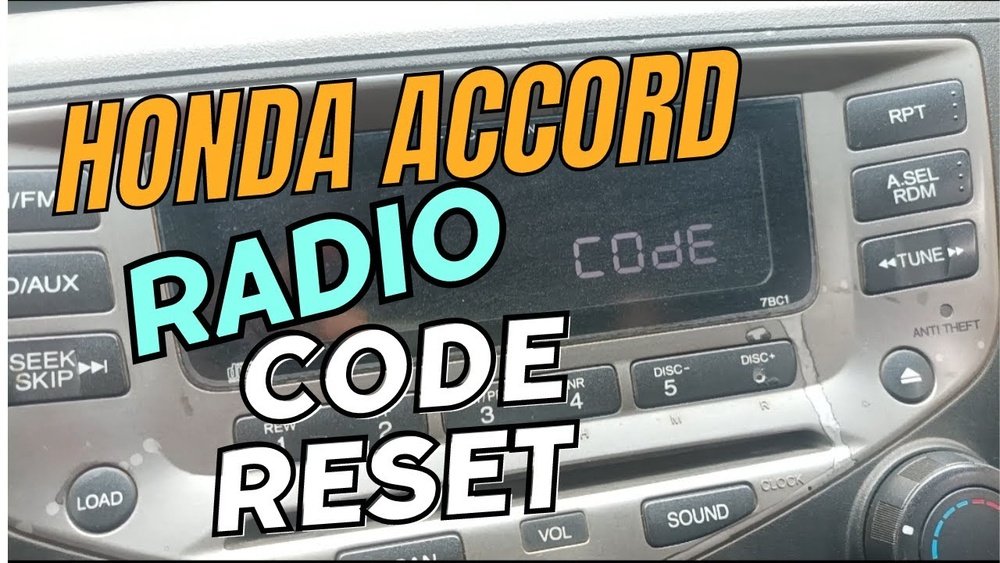
If your Honda Accord radio suddenly stops working or asks for a code after a battery change, you’re not alone. It’s a common issue that can leave you frustrated and wondering how to get your favorite tunes back on the road.
But don’t worry—resetting your Honda Accord radio is easier than you might think. In this guide, you’ll discover simple, step-by-step methods to reset your radio quickly and safely. Whether your system needs a soft reboot or a full factory reset, you’ll learn exactly what to do to get your sound system up and running again.
Keep reading, and take control of your car’s audio without any stress or confusion.
Soft Reset For Minor Glitches
Soft reset is an easy way to fix small radio issues in your Honda Accord. It clears minor glitches without erasing saved settings. This quick step helps restore normal function fast. You do not lose your presets or paired devices. Soft resets often solve problems like frozen screens or unresponsive buttons.
Try soft resetting before any complex troubleshooting. It uses simple controls already on your car’s radio or ignition. The process takes only a few seconds. Below are two common methods to perform a soft reset.
Using Volume Knob
Turn the radio on. Press and hold the volume knob for about 10 seconds. Release the knob once the screen goes black or the radio restarts. The system clears temporary errors and reboots. Your radio should respond better after this step.
This method works well for small freezes or sound issues. It does not affect your saved radio stations or Bluetooth connections. Repeat if the problem returns after a short time.
Accessory Mode Steps
Start with your Honda in accessory mode. To enter, press the start button twice without pressing the brake pedal. The dashboard lights turn on without starting the engine.
Hold the power button on the radio for 10 seconds while in accessory mode. The screen will go dark and then light up again. This soft reset refreshes the radio system without a full power cycle.
Accessory mode reset is useful if the volume knob method does not work. It also helps if the radio screen becomes unresponsive during short drives.

Hard Reset For Unresponsive Radio
The radio in a Honda Accord may stop responding due to software glitches or power interruptions. A hard reset can fix these issues by restarting the system completely. This process clears temporary faults that cause the radio to freeze or become unresponsive. Performing a hard reset is simple and often restores normal function quickly.
Use a hard reset only if the radio does not respond to regular commands or soft resets. It will not erase your saved stations but can resolve deeper system errors. Follow the steps carefully to avoid any unintended changes.
Button Combinations To Try
Press and hold the power button and the volume knob together for about 10 seconds. Release both buttons when the screen goes black or the radio restarts. This combination forces the radio to reboot and clear minor software faults.
If that does not work, try pressing the power button, volume knob, and the seek button simultaneously. Hold them for 15 seconds until the system powers off and then back on. These button combinations reset the radio hardware and software quickly.
System Reboot Process
To reboot the system, start by turning off the car completely. Open the driver’s door and leave it open for a few minutes. This allows the car’s electrical system to shut down fully.
Close the door and restart the vehicle. Turn on the radio to check if it responds normally. The system reboot clears memory glitches and refreshes the radio’s software.
If the radio still does not respond, disconnect the car battery for 10 minutes. Reconnect it and start the car. This deeper reboot resets the entire electrical system, including the radio.
Radio Code Reset After Battery Change
After changing the battery in your Honda Accord, the radio may ask for a security code. This is a theft deterrent feature. You must enter the correct code to use the radio again. Without it, the radio will stay locked. Resetting the radio code is simple if you have the right information.
Locating Your Radio Code
The radio code is usually found in your car’s manual. Check the glove box or the inside cover of the manual. Sometimes, the code is on a card that came with the car.
If you cannot find it there, look for a sticker inside the glove box or under the hood. The code might also be recorded in your service book or paperwork from the dealer.
Entering The Code Correctly
Turn on the radio. It will display “CODE” or “ENTER CODE.” Use the preset buttons on the radio to enter the numbers. Press each button slowly and carefully.
Make sure to enter the code exactly as it appears. If you enter the wrong code too many times, the radio may lock for a period. Wait for a while before trying again.
What To Do If Code Is Lost
If you lost the radio code, contact your Honda dealer. You will need to provide your vehicle identification number (VIN) and proof of ownership. The dealer can retrieve the code from their system.
Another option is to check online databases that offer radio code services. Be cautious and use trusted sources only. Avoid paying for unnecessary services or scams.
Factory Reset To Restore Defaults
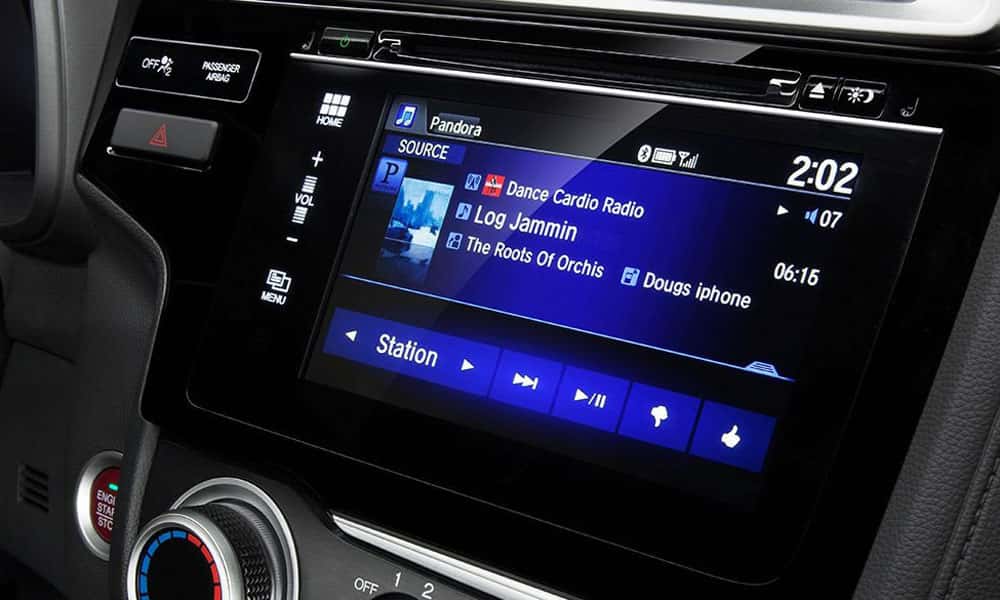
Performing a factory reset on your Honda Accord radio restores the system to its original settings. This action clears all personal data, paired devices, and custom preferences. It resolves persistent issues and helps the system run smoothly. Follow these steps carefully to ensure a successful reset.
Accessing System Settings
Start by turning on your Honda Accord radio. Locate the “Settings” button on the display screen or dashboard. Tap or press it to open the system menu. Scroll through the options until you find “System” or “Factory Reset.” Select this option to proceed. The radio may ask for confirmation before continuing.
Data Wipe Warning
Be aware that a factory reset deletes all your saved data. This includes radio presets, Bluetooth connections, and customized settings. The process cannot be undone once started. Avoid resetting the system unless you are sure you want to erase everything. Take time to review this before confirming the reset.
Backup Recommendations
Before resetting, back up important information if possible. Write down radio station frequencies and pairing codes. Use your smartphone or a notebook to save key settings. This helps restore your preferences after the reset. Some Honda models may allow data export via USB or app. Check your owner’s manual for details.
Troubleshooting Common Issues
Troubleshooting common issues with your Honda Accord radio can save time and stress. Many problems have simple fixes that restore full function quickly. Identifying the problem type helps target the best solution. Below are some frequent issues and easy ways to address them.
Screen Freezes And Calibration
Screen freezes often happen after long use or software glitches. A quick reset can clear temporary bugs. Hold the power button for 10 seconds until the screen turns off and restarts.
Calibration problems cause touch responses to feel off or incorrect. Use the built-in calibration tool by holding the volume knob for a few seconds. Follow on-screen prompts to recalibrate the touchscreen precisely.
Bluetooth And Carplay Problems
Bluetooth connection issues can block calls or music streaming. Turn off Bluetooth on your phone and car, then turn them back on to reconnect. Delete old device pairings if the problem repeats.
CarPlay may fail to launch or lag. Check the USB cable for damage and replace it if needed. Restart your iPhone and the car system to refresh the connection.
Cleaning And Maintenance Tips
Dirty screens cause poor touch sensitivity and visibility. Use a soft microfiber cloth and a small amount of screen cleaner. Avoid harsh chemicals that can damage the display.
Keep vents and speaker areas free from dust and debris. Regularly clean these parts to maintain clear sound and prevent overheating.
Preventive Tips To Avoid Radio Lockouts
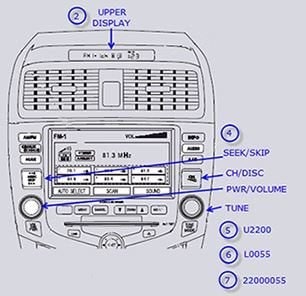
Preventing radio lockouts in your Honda Accord saves time and hassle. Simple habits keep your radio working smoothly. Follow easy steps to avoid entering the wrong code or losing settings.
These preventive tips help protect your radio system. Avoid unexpected lockouts and enjoy uninterrupted music and navigation.
Battery Disconnect Precautions
Always turn off the ignition before disconnecting the battery. Removing the battery without proper steps can trigger the radio lockout. Use a memory saver device to keep power to the radio. This keeps radio settings and code stored. Avoiding sudden power loss prevents the radio from asking for the code again.
Regular System Updates
Keep your Honda radio system updated with the latest software. Updates fix bugs that may cause lockouts or errors. Visit authorized service centers or use official update tools. Updated systems run more smoothly and reduce lockout risks. Check for updates at least once a year for best performance.
Frequently Asked Questions
How To Hard Reboot Honda Car Stereo?
Press and hold the power, back, and volume buttons simultaneously for about 10 seconds. The stereo will reboot and reset.
How To Reboot Honda Accord Screen?
Press and hold the power and back buttons simultaneously for about 10 seconds. The Honda Accord screen will go black and reboot, resolving minor glitches.
How Do I Reset My Radio Manually?
To reset your radio manually, locate the reset button or access “System Settings” on the radio display. Select “Factory Reset” and follow the prompts to complete the reset. This clears errors and restores default settings quickly and easily.
How To Reset Radio After Replacing Battery Honda?
Turn the ignition to ACC/ON. Enter your radio code using preset buttons. If no code, disconnect and reconnect the battery quickly.
How Do I Reset The Radio On A Honda Accord?
Turn the ignition on, then press and hold the power and seek buttons until the radio resets.
Conclusion
Resetting your Honda Accord radio is simple with the right steps. Keep your radio code handy before starting. Follow the instructions carefully to avoid errors. A reset can fix most radio lock or error issues. Regular maintenance helps prevent future problems.
Enjoy clear sound and smooth radio use again. Stay calm and patient throughout the process. Your Honda Accord radio will work like new soon.