
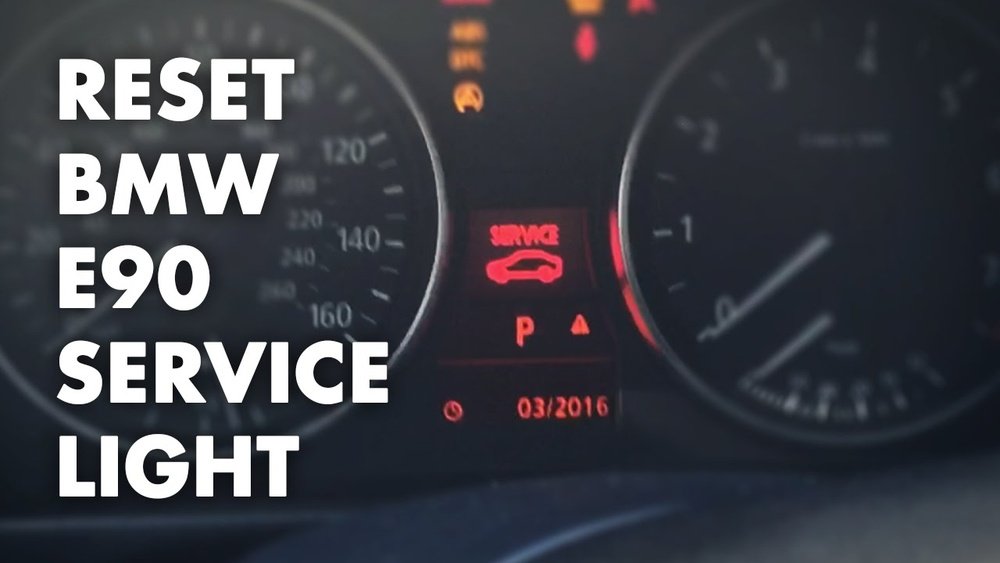
Is your BMW’s service light on, and you’re wondering how to reset it yourself? You’re in the right place.
Resetting the service light on your BMW might seem tricky, but with the right steps, you can easily turn it off and keep your dashboard clear. Whether it’s the oil change light, brake service indicator, or inspection alert, knowing how to reset these notifications saves you time and money by avoiding unnecessary dealer visits.
In this guide, you’ll learn simple, step-by-step methods tailored to your BMW model—so you can get back on the road with confidence. Keep reading to discover how to reset your BMW’s service light quickly and correctly.

Resetting Service Light On Older Bmws
Resetting service lights on older BMW models is a straightforward task. These vehicles use a simple button system to navigate and reset service reminders. It does not require special tools or dealer visits. Understanding the exact steps helps keep your BMW’s maintenance alerts accurate. This ensures timely servicing and protects your car’s engine and components.
Accessing The Service Menu
Start by turning the ignition to the ON position without starting the engine. Locate the odometer reset button on the dashboard. Press and hold this button for a few seconds. The service menu will appear on the instrument cluster display. This menu shows all available service items that can be reset.
Selecting Service Items
Use the BC button on the turn signal stalk to scroll through the service items. Common items include oil change, brake fluid, and inspection reminders. Stop scrolling when the desired service item appears on the display. The selected item is now ready for reset.
Initiating And Confirming Reset
Press and hold the BC button until the word “Reset?” appears on the screen. Release the button and then press and hold it again to confirm the reset. The service light will turn off, indicating the reset is complete. Repeat these steps for each service item you want to reset.

Resetting Service Light On Newer Bmws
Resetting the service light on newer BMWs is simpler than many expect. These models use updated systems that guide you through the reset process with clear menu options. A few button presses can turn off the service indicator after maintenance.
Understanding how to access and navigate the service menu is key. The instrument cluster button plays a crucial role in this operation. This approach avoids the need for special tools or a visit to the dealer.
Using Instrument Cluster Button
Start by turning the ignition on without starting the engine. Locate the button on the instrument cluster, usually near the speedometer. Press and hold this button until the service menu appears on the display.
This button controls the menu and helps you select options. It often doubles as the reset control. The display will show service items like oil change, brake service, or inspection reminders.
Accessing And Navigating The Service Menu
Use short presses of the instrument cluster button to scroll through the service options. The display highlights each service item. Stop when you reach the service light you want to reset.
This menu system is user-friendly. It allows you to review service items before resetting. Take time to confirm you selected the right service light to reset.
Confirming The Reset Process
Once the correct service item is highlighted, press and hold the instrument cluster button. The display will ask for confirmation to reset the service light.
Release the button briefly, then press and hold it again to confirm the reset. The service light will then turn off, indicating the reset is complete. This step ensures you do not reset the light by accident.
Resetting Service Light Via Idrive System
Resetting the service light on your BMW using the iDrive system is simple. This method works on newer BMW models equipped with the iDrive interface. The process helps you clear maintenance reminders after service. Follow clear steps to ensure the service light resets correctly.
Navigating To Vehicle Status
Start by turning on your BMW’s ignition without starting the engine. Press the iDrive controller to access the main menu. Scroll to the “My Vehicle” option and select it. Then find and enter the “Vehicle Status” menu. This section shows all service-related alerts and messages.
Using Service Menu Options
Inside “Vehicle Status,” look for the “Service Required” option. Select it to open service details. You will see a list of services due or completed. Choose the service light you want to reset. The iDrive system will display the reset option here.
Completing The Reset
Select the “Reset” button to clear the service light. Confirm your choice when prompted on the screen. Wait a moment while the system processes the reset. Turn off the ignition and then start the engine to check if the light is off. The service reminder should now be cleared.
Tips For Successful Reset
Resetting the service light on your BMW is simple with the right approach. Follow these tips to ensure the reset works correctly. Precise steps help avoid errors and save time. Properly resetting keeps your dashboard accurate and your vehicle ready.
Pay close attention to each step for the best results. Mistakes can cause the light to return prematurely. Use these tips to get the reset done right the first time.
Starting Engine To Verify Reset
After resetting, start your BMW’s engine. This confirms if the service light turns off. Watch the dashboard carefully. If the light stays off, the reset succeeded. If it returns, repeat the reset steps or check for unresolved issues.
Resetting Only Serviced Items
Reset the service light only for parts you actually serviced. Do not reset all lights automatically. This keeps the maintenance record accurate. For example, reset the oil light after an oil change only. This avoids confusion and ensures correct alerts for future services.
When To Seek Professional Help
Some BMW models have complex reset procedures. If the light does not reset, or flashes, seek expert help. Professional technicians have tools to diagnose and reset service lights safely. Avoid forcing resets, which can cause system errors or false warnings.
Common Service Light Types
BMW vehicles display different service lights to alert drivers about necessary maintenance. These lights help keep your car in top condition. Understanding common service light types makes it easier to know what needs attention. Below are the most frequent service lights you might see on your BMW dashboard.
Oil Service Light
The oil service light signals when it is time to change your engine oil. This keeps the engine running smoothly and prevents damage. The light usually appears after a set number of miles or months. Resetting this light after an oil change stops the warning from showing.
Brake Service Light
The brake service light indicates a problem with your braking system. It may mean worn brake pads or low brake fluid. This light should not be ignored as brakes are crucial for safety. Resetting the brake service light after repair ensures the warning turns off correctly.
Inspection Light
The inspection light reminds you to perform a full vehicle check. This includes checking fluids, brakes, and other parts. Regular inspections keep your BMW safe and reliable. After completing the inspection, resetting this light clears the reminder from your dashboard.

Frequently Asked Questions
How Do You Reset The Service Light On A Bmw?
Turn ignition ON without starting the engine. Hold the odometer reset button until the service menu appears. Use the BC button on the stalk to select the service item. Press and hold the BC button to reset. Confirm by pressing the BC button again.
Start engine to verify the reset.
How Do I Clear My Service Light?
Turn ignition ON (engine off). Hold odometer reset until service menu appears. Use BC button to select service. Press and hold BC to reset. Confirm reset by pressing BC again. For newer models, use iDrive or cluster button. Start engine to confirm light is off.
How Do I Reset My Bmw Inspection Service?
Turn ignition ON without starting the engine. Hold odometer reset button until service menu shows. Use BC button to select service item. Press and hold BC button to reset. Confirm reset by pressing BC again. Start engine to ensure the light is off.
How To Reset Service Light On 2019 Bmw?
Turn ignition ON (engine off). Hold odometer reset button until service menu shows. Use BC button to select service item. Press and hold BC button to reset. Confirm by pressing BC button again. Start engine to verify light is off.
How Do I Reset The Service Light On My Bmw?
Turn the ignition on without starting the engine. Hold the odometer reset button until the service menu appears, then use the BC button on the turn signal stalk to select and reset the service item.
Conclusion
Resetting the service light on your BMW keeps your car running smoothly. Follow the simple steps based on your model type. Use the odometer button for older models, or the instrument cluster button for newer ones. Remember to turn the ignition on but keep the engine off.
This process saves time and avoids unnecessary service visits. Regularly resetting the service light helps you track maintenance easily. Stay on top of your BMW’s care with these easy resets. It’s quick, clear, and helps your car stay healthy.