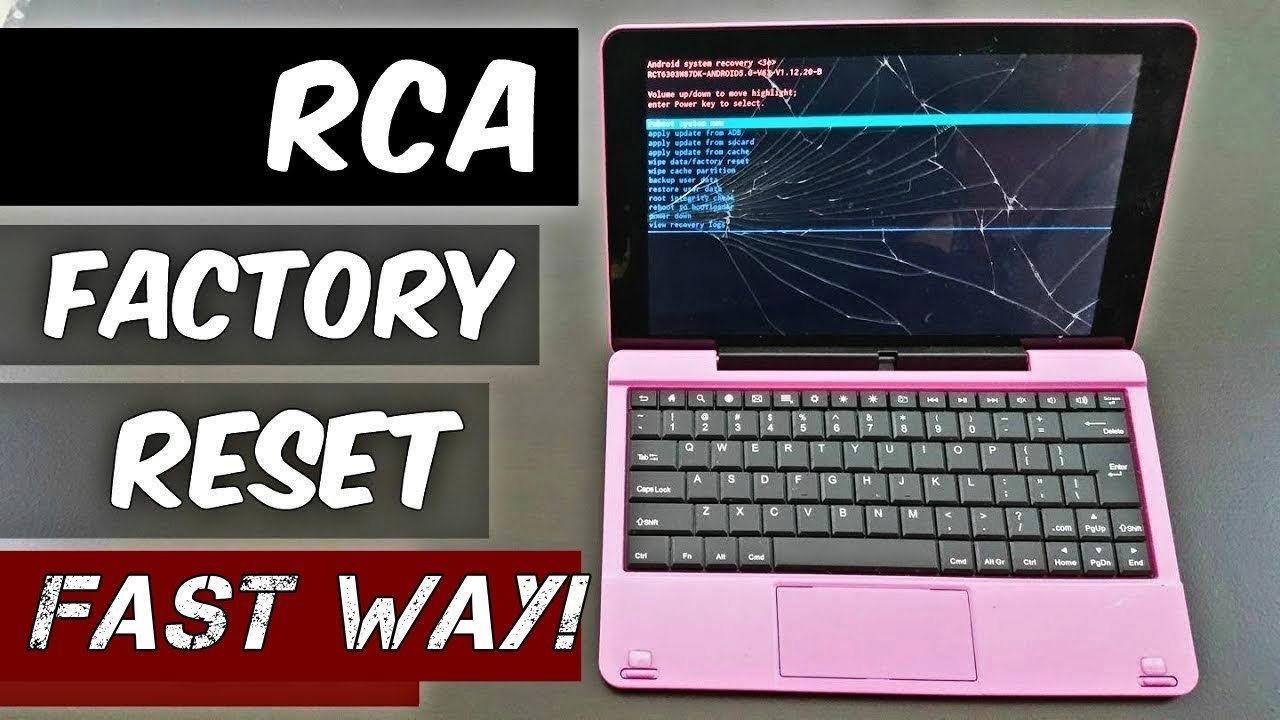
To complete how to reset rca tablet hardware properly, press and hold the power button and volume-up button together for about 10 seconds until the recovery screen appears, then select “wipe data/factory reset.” This wipe deletes every downloaded app, personal file, and account stored on the tablet.
A factory wipe wipes the system clean and fixes frozen screens, but battery charge decides whether the tablet survives. If the tablet battery is above 50%, start right away; if the battery is below 50%, plug it into the wall charger first because shutting down mid-wipe can permanently corrupt internal storage.
People often forget their linked Google login details before wiping. Google’s Factory Reset Protection (FRP) will block access to the tablet after restart unless you enter the original email and password previously synced to the device.
Steps to Reset Your Rca Tablet Using Buttons

- Power off the RCA tablet completely by holding the power button for 5 seconds and tapping “Power Off.”
- Hold down the physical volume-up button and the power button together for 10 to 12 seconds until the RCA logo flashes on the screen.
- Release both buttons when the Android recovery menu text appears on the black screen. Tip: If you see “No command” with a fallen Android icon, hold the power button and tap the volume-up button once to reveal the menu.
- Press the volume-down button to scroll through the list until you highlight the option named “wipe data/factory reset.”
- Press the power button once to confirm that selection.
- Scroll down with the volume-down button to highlight “Yes — delete all user data,” then tap the power button to start the wipe. Tip: You trade all local photos and offline files for a fresh system, as recovery tools can’t bring this deleted data back.
- Tap the power button when the menu reloads to choose “reboot system now.”
How Long It Takes
The wipe process duration depends mostly on tablet storage size and whether you run a soft reset or recovery wipe.
| Situation | How long | What changes it | What to watch for |
|---|---|---|---|
| Settings menu wipe | 3 to 5 minutes | Amount of stored user files | Automatic reboot to the welcome screen |
| Recovery mode wipe | 5 to 10 minutes | Internal drive read speed | White text running at the bottom of the screen |
| First system restart | 5 to 8 minutes | Model processor speed | RCA logo staying lit without reboot looping |
If the tablet stays frozen on the opening logo for more than 20 minutes, hold the power button down for 15 seconds to force a shutoff, wait one minute, and power it back on.
How to Tell When It’s Done
A finished wipe returns the tablet to its original out-of-box software state. You’ll see the factory “Welcome” setup screen asking you to select a primary system language and connect to a local Wi-Fi network. The tablet won’t ask for your old screen lock pattern, PIN, or tablet passcode. To confirm the old memory cleared, finish the basic setup without signing in, open the device settings, and check that internal storage shows maximum available space. This process isn’t for anyone hoping to save internal files without a prior backup, as wiping completely destroys unsaved local items.
Mistakes That Ruin It

- Wiping with a dying battery: The operating system crashes if power cuts during memory writing, which breaks internal boot partitions and leaves the tablet unstartable. Always connect the factory wall adapter before entering recovery mode.
- Forgetting linked Google accounts: Modern Android software locks the tablet to the prior user via Google Device Protection rules unless you remove the account from settings first. Always delete the Google account inside device settings before running a reset to sell or gift the tablet.
- Using paperclips in the mic opening: Jamming a pin into the microphone hole breaks audio hardware permanently. Look for the label marked “RESET” before inserting anything, though this varies by model — check the label on the back casing carefully.
Frequently Asked Questions
Will a Factory Reset Remove the Pin Lock?
Yes, a full recovery wipe removes the lock screen PIN, pattern, or saved password. You must still provide the original Google account credentials previously used on the tablet once the initial setup screen opens.
Can I Reset an Rca Tablet with a Pinhole Button?
Yes, you can use the pinhole reset button found on older RCA models. Insert a straightened paperclip into the small hole marked “RESET” for 5 seconds to force a basic reboot without deleting user files.
Why Won’t My Rca Tablet Go into Recovery Mode?
Your tablet won’t enter recovery mode if you release the physical buttons too early or press the volume-down button instead of volume-up. Some specific RCA production runs switch the button combination to volume-down plus power.
What Happens to the Sd Card During a Reset?
Nothing happens to external microSD cards during a system reset unless you deliberately check the optional format SD box. You can safely pop the microSD card out of the physical slot before wiping to protect files.
Does Resetting Speed Up a Slow Rca Tablet?
Yes, wiping clears out packed system caches, hidden temporary files, and rogue background applications that bog down the processor. The tablet runs noticeably faster once you wipe out old junk data.