How to reset eufy camera hardware: press and hold the Sync button on your device for 10 seconds while it stays connected to power. You’ll hear a clear beep or see the status light turn off, which confirms the system erased all custom settings and Wi-Fi data.
Power status decides whether this process works or fails. If the battery is completely drained, the camera can’t process the command, so plug it into a 5V/2A wall charger first.
People often press the button without removing the camera from the mobile app first. Doing this leaves the device locked to your account, preventing new pairing attempts later. This guide isn’t for older analog CCTV units that lack wireless chips.
Resetting the Device Hardware
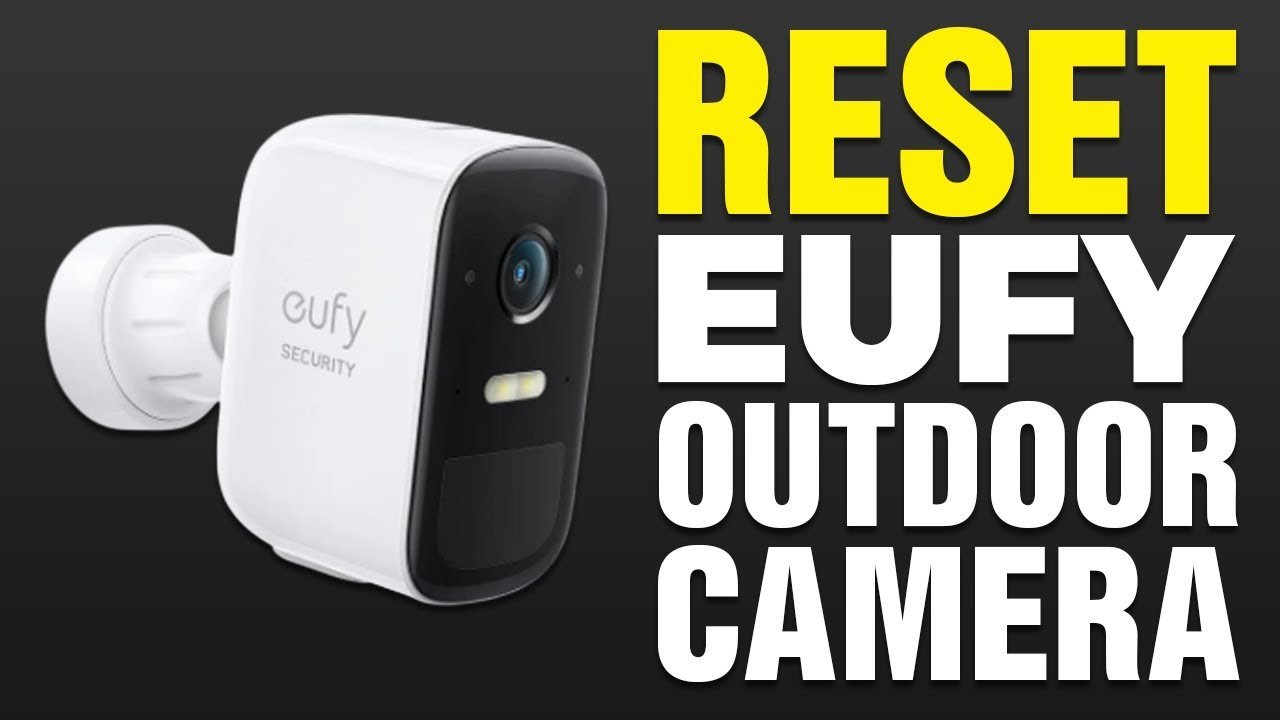
- Open the Eufy Security app, select the camera under your device list, tap the gear icon, and tap “Remove Device” at the bottom of the screen. This step breaks the cloud link so you don’t lock yourself out during the next setup.
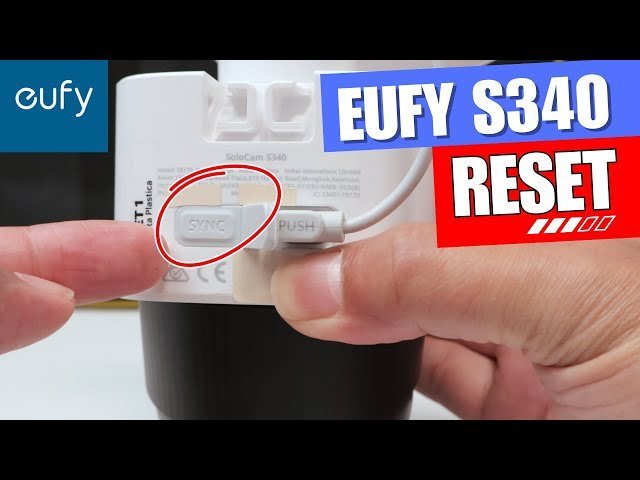
- Locate the physical Sync or Reset button, which is usually located on the back of outdoor cams or the bottom base of indoor pan-and-tilt units. If your indoor camera has an open pinhole instead of a raised key, locate a standard paperclip.
- Press and hold the Sync button down firmly for 10 full seconds without releasing it early. Tip: Count slowly to twelve or check a watch; stopping at eight seconds only reboots the camera instead of clearing its memory.
- Listen for an audible chime or watch for the LED light to flash red. The official eufy support documentation notes that a beep confirms the memory wipe succeeded.
- Release the button and wait 30 seconds for the unit to cycle power automatically.
- Open your mobile app, tap the plus icon, and scan the camera’s QR code to connect it back to your 2.4 GHz home network. Tip: If you use a dual-band router, separate the network bands temporarily because these cameras can’t register on 5 GHz signals.
How Long It Takes
The entire reset cycle takes only a few minutes from unmounting the hardware to finishing the app pairing.
| Situation | How long | What changes it | What to watch for |
|---|---|---|---|
| Indoor wired camera | 1 to 2 minutes | Distance from your Wi-Fi router | Solid blue LED turning red |
| Battery outdoor camera | 3 to 5 minutes | Ladder access and dismounting time | High-pitched confirmation beep |
| Camera paired to HomeBase | 4 to 6 minutes | Sub-1G sync handshake with base | HomeBase voice prompt alert |
If the process takes longer than 10 minutes, move the camera within three feet of your home router and retry the button hold.
How to Tell When It’s Done

A successful reset produces distinct sensory feedback depending on your exact hardware model. Indoor cameras will flash a red status light, followed by a steady blinking blue light that signals setup mode. Outdoor models emit a sharp two-tone beep immediately when the 10-second mark passes. The definitive test is opening the Eufy Security app: if the camera asks you to scan its QR code and prompts you to select a Wi-Fi network, the internal storage is completely wiped. A camera that immediately reconnects and streams video without setup steps didn’t reset properly.
Mistakes That Ruin It
- Letting go of the button too early: The unit simply reboots its operating system without wiping data. Hold the button for a full 10 to 12 seconds until you hear the confirmation sound.
- Skipping the app deletion step: The camera’s serial number stays tied to your cloud profile, blocking anyone else from registering it. Always tap “Remove Device” inside app settings before touching the hardware button.
- Attempting a reset on low battery: An interrupted firmware erase can freeze the camera board entirely. Plug battery models into an active wall outlet before you begin.
Can You Reset a Eufy Camera Without the App?
Yes, pressing the physical Sync button for 10 seconds wipes the unit locally. However, you’ll still need the owner account to delete the serial number before registering it under a different eufy account.
Why Is My Eufy Camera Blinking Red After a Reset?
A blinking red light means the camera has no network connection. It erased your saved Wi-Fi credentials during the wipe and is waiting for you to re-enter your network details inside the app.
How Long Does the Eufy Reset Button Need to Be Held?
Hold it for exactly 10 seconds. Releasing the button at five seconds only restarts the operating system, while holding it past 15 seconds on certain floodlight models can cancel the reset command entirely.
What Happens If I Reset My Camera Without Removing It from Homebase?
The HomeBase will report the camera as offline. You’ll have to manually delete the ghost entry from your HomeBase device menu before the system allows you to sync that camera again.
Does Resetting a Eufy Camera Delete Saved Video Footage?
No, local video clips stored on an inserted microSD card or the internal HomeBase hard drive remain intact. The reset only erases network configurations, motion zones, and custom device rules.