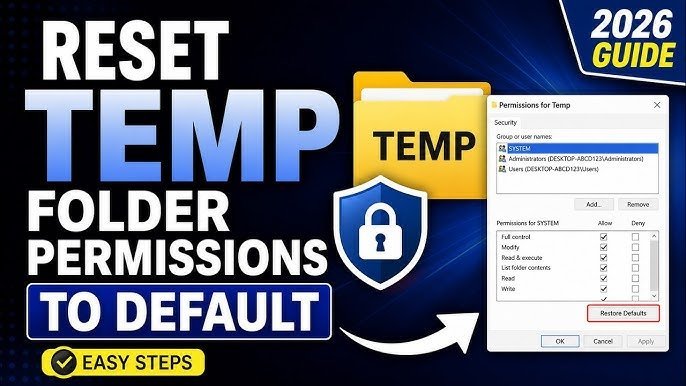
To fix broken access rights on your PC, resetting folder permissions in Windows 11 using the built-in icacls command takes about two minutes and restores inherited security rights instantly. Run the command prompt as an administrator and apply the reset flag to your target path. This method suits anyone locked out of their personal files after an update or user account change.
What You’ll Need
- A computer running Windows 11 Home or Windows 11 Pro.
- An account with local administrator rights; a standard guest account won’t work.
- The exact drive path to your broken folder (for example,
C:\Users\YourName\Documents). - Windows Terminal or Command Prompt installed on the internal drive.
Using the built-in Command Prompt or PowerShell works fine here, but third-party file managers without elevated privileges won’t work. If your computer belongs to an employer or school, domain policy blocks these edits, so you’ll need help from your local IT administrator.
Step-by-Step
- Press the Windows key, type
cmd, right-click on Command Prompt, and select Run as administrator. - Type
takeown /f "C:\YourFolder" /r /d yinto the console, replacing the path with your own, and press Enter to claim ownership of every file inside. Careful: Don’t run this command on the rootC:\drive or theC:\Windowsdirectory, or you’ll break system services and require a full OS repair. - Wait between 10 seconds and 3 minutes, depending on whether the directory holds ten files or ten thousand files.
- Type
icacls "C:\YourFolder" /reset /t /c /land press Enter to wipe custom blocks and restore inherited rules. Tip: The/cswitch forces the process to keep running even if it encounters an open file error, which saves you from starting over. - Check the final output line to ensure the console reports zero failed files.
- Close the console by typing
exitand open the folder in File Explorer to verify your access.
If you encounter errors regarding BitLocker drive locks or severe disk read failures, stop immediately and contact a certified computer technician to protect your storage drive.
Handling Different Permission Scenarios
Folder resets behave differently depending on the storage drive type, file count, and original security state.
It’s safer to run this command on one subfolder first before applying it to an entire hard drive, because adding rights later is easy while undoing broken inheritance takes hours.
How to Tell You Did It Right
A successful reset lets you open the folder, rename files, and save new documents without seeing the “Access Denied” prompt. The file icons appear normal without yellow warning shields or padlock badges over them. A poor result still prompts you for administrator permission every time you click a file, or it blocks programs from reading their own data. This permission lock happens because Windows creates security identifiers linked to specific Windows user profiles; when you reinstall the OS or move drives, the new system doesn’t recognise the old profile’s security ID. You prevent this problem by using standard user accounts, avoiding manual ownership changes on system trees, and keeping inheritance turned on for all personal directories.
Security Rules and System Cleanup
Microsoft defines NTFS file security through standard Access Control Lists, which you can review through the official Microsoft Learn icacls documentation. After resetting permissions, close elevated command prompts to keep your system safe from accidental changes. If you used temporary administrator accounts to regain entry, log out and return to your standard everyday profile. The permissions you set here remain permanent until an operating system reinstall, a manual security edit, or a major system restore changes them again. Never alter the permissions on domain-joined office computers, as you might violate company network policies and trigger security alerts.
Other Ways to Do It
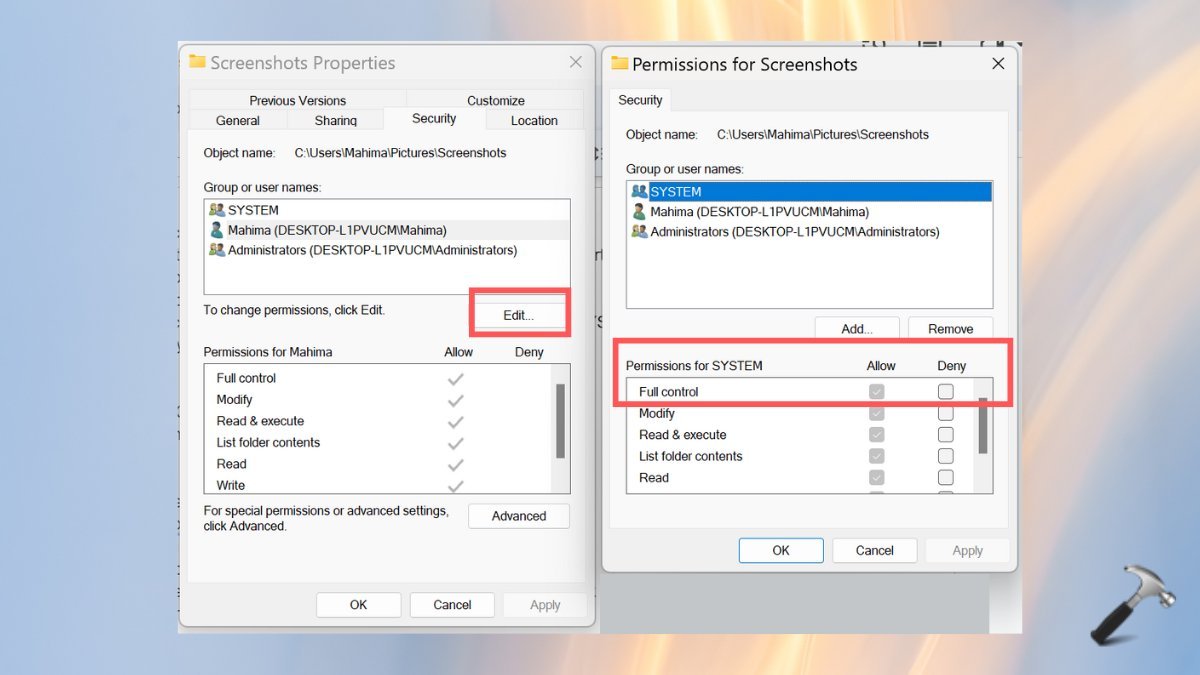
Using File Explorer Properties
Right-click the folder, open Properties, select Security, and click Advanced to replace child permissions manually. This graphical method takes about three minutes and requires no typing, but it often freezes if your folder contains thousands of nested files.
Running Powershell Commands
Open PowerShell as administrator and use Get-Acl paired with Set-Acl to copy working permissions from an untouched folder. This method takes under one minute for advanced users, though typing the wrong syntax fails silently without warning you.
Resetting with Third-Party Permission Utilities
Download dedicated permission repair tools designed to restore default Windows rights with a single click. This option takes around ten minutes including download time, but running unknown executable files with system-level access introduces major security risks.
Frequently Asked Questions
Can Resetting Folder Permissions Delete My Files?
No, resetting permissions only changes security read and write rules. It never modifies, moves, or erases the actual contents of your documents, photos, or subfolders during the process.
Why Does Command Prompt Say Access Is Denied During Takeown?
This happens when a background program currently uses a file inside that directory, or your command window lacks elevated rights. Close all running software and relaunch the console using the Run as administrator option.
Is It Safe to Reset Permissions on the Windows Folder?
No, you shouldn’t modify the main Windows directory. Core operating system files require TrustedInstaller ownership to run safely, and stripping those specific permissions will crash your computer.
How Long Does an Icacls Permission Reset Take?
It takes under 30 seconds for typical folders with a few hundred files. For massive directories containing over 100,000 files, the command line process can take up to 15 minutes to complete.
What Happens If I Interrupt the Reset Process Halfway Through?
Some files will have the new permissions while others keep the old broken rules. You won’t damage the drive data, but you’ll need to run the full command again from the start to finish fixing the rest.
Related guides