Resetting your router’s IP address takes about five minutes by unplugging your modem and router power cables for 30 seconds. This restart may prompt your internet provider to assign a new dynamic address, though many ISPs reassign the same address based on your hardware MAC. It suits home users dealing with slow speeds, connection glitches, or site blocks best.
What You’ll Need
- A standalone home router or an all-in-one router-modem gateway.
- One standard RJ-45 Ethernet cable to connect your computer directly if Wi-Fi drops.
- The factory power adapter supplied with your router.
- A connected device, like a laptop or phone, running an updated web browser.
- The administrative username and password printed on the router’s bottom label.
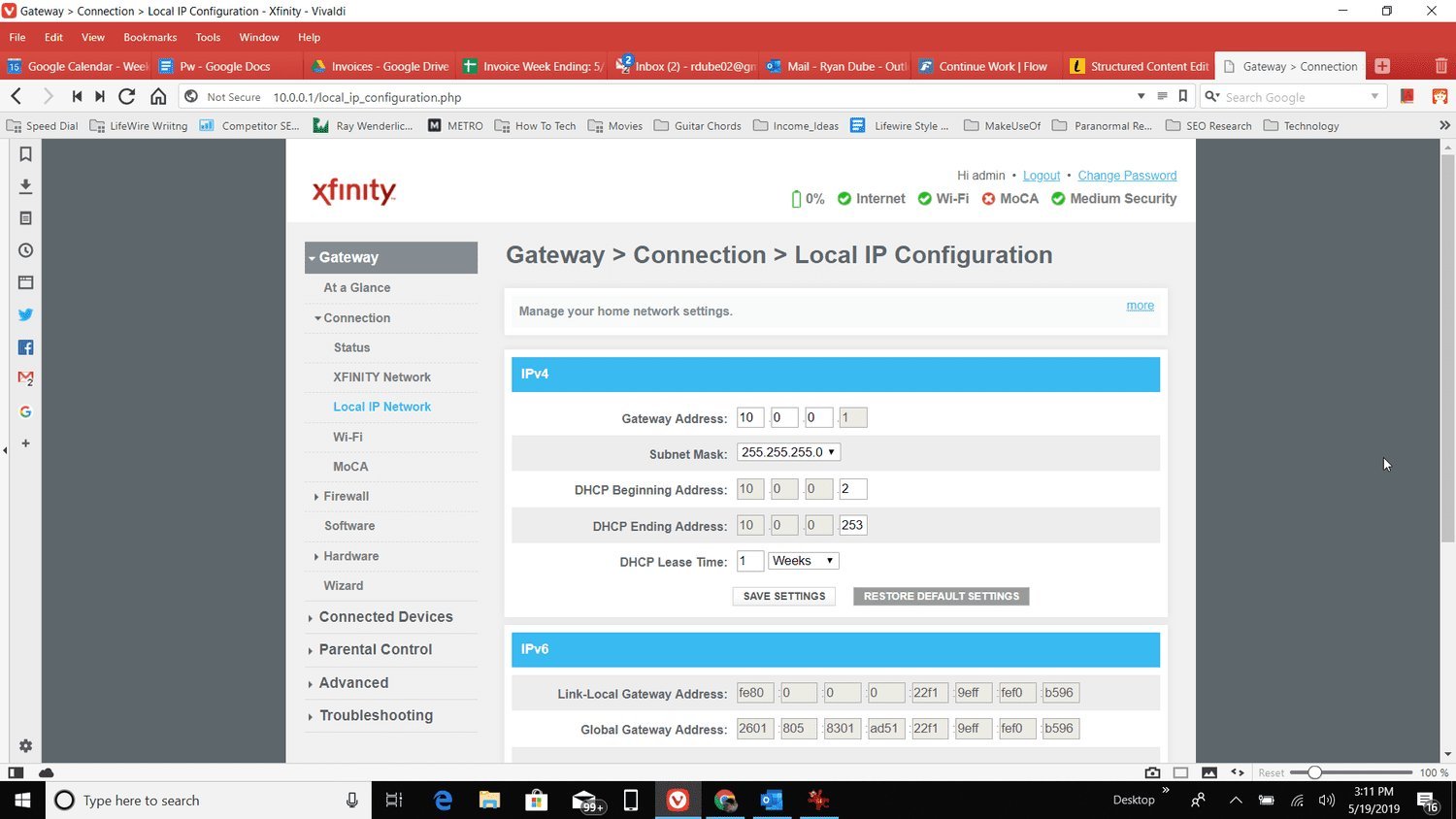
- The default gateway IP address, which is usually 192.168.1.1 or 192.168.0.1.
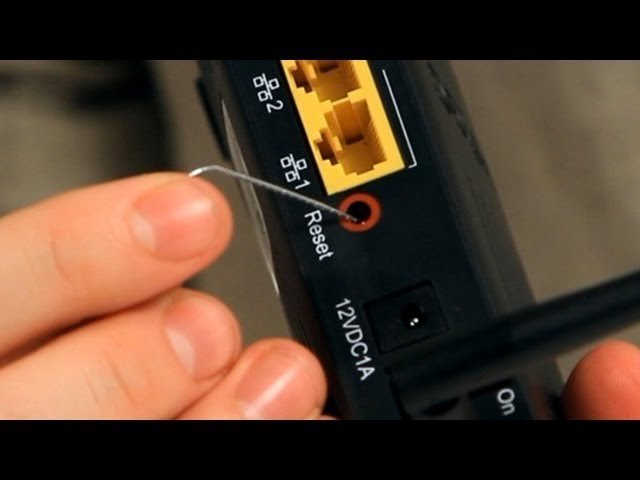
Restarting the hardware works as a quick fix, but pressing the tiny physical reset pinhole button wipes all your custom network names and passwords. If your provider assigns a static IP, changing it requires calling their support line directly.
Step-by-Step
- Open your web browser on a connected laptop and enter
192.168.1.1into the address bar to reach the router admin page. - Sign in using the admin credentials printed on your hardware sticker.
- Select the WAN or Internet tab inside the settings menu.
- Click the DHCP Release button and wait 10 seconds for the current public IP address to show all zeros.
- Click the DHCP Renew button immediately to request a new IP address from your internet provider.
- Check the screen to verify that a new address appears in the WAN status field.
- Unplug the AC power cord from the rear of the router for 30 seconds if the address doesn’t change.
- Plug the power cord back in, wait two minutes for all front green LEDs to turn solid, and test your connection.
Tip: If you have a separate modem and router, power down the modem first, wait 30 seconds, and turn the modem back on before starting the router.
Careful: Don’t hold down the small physical reset button on the back casing, because that restores factory defaults and erases your Wi-Fi password.
Network Lease Reset Scenarios
Different internet setups change how quickly your address refreshes and how long you must wait.
| Setup Type | Wait Time | Key Difference | What to Monitor |
|---|---|---|---|
| Static business account | Call required | Manual assignment by provider | Static routing table |
If basic power cycling works, don’t jump straight into changing hardware addresses; it’s always safer to start small and add more effort later than to overshoot on the first try.
How to Tell You Did It Right
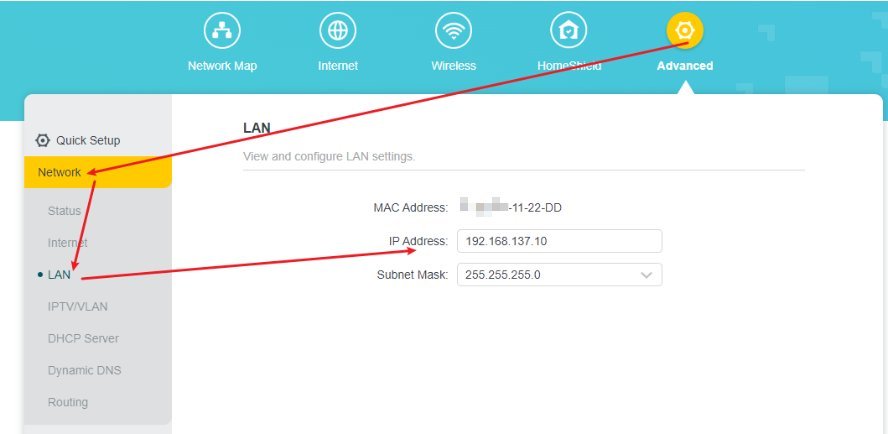
A successful reset displays a completely new set of four numbers when you search for your public IP on an online lookup tool. A failed reset shows the exact same IP address as before, or your browser returns a “No Internet” error message. The most common quality problem is sticky IP leases. This happens because your internet service provider maps your hardware identity to the same lease until the timer expires. You can prevent this by shutting off your modem overnight, changing the router’s cloned physical address in settings, or asking your provider for a manual pool reassignment.
Router Standards and Cleanup Steps
Private IP assignment standards are defined by the Internet Engineering Task Force RFC 1918, which reserves special network ranges like 192.168.0.0 for internal home routing. Once your new address is active, log out of your router admin dashboard and close the browser tab. Clear your browser cache so old connection data doesn’t stall web pages. If your ISP assigns dynamic addresses, this new lease usually lasts between 24 hours and seven days before renewing automatically. This routine is safe for home hardware, but corporate firewall rules require a certified network engineer.
Alternative Network Update Methods
Web Dashboard Reboot
Open your gateway page and select the software reboot button inside the system tools menu. This saves you from crawling behind furniture to pull power cables. It takes about two minutes and safely resets your external connection without risking loose power connectors.
Computer Network Command Prompt
Type ipconfig /release followed by ipconfig /renew inside your computer’s terminal. This updates your internal private network address rather than your public address. The process takes under 30 seconds and fixes local device IP conflicts without touching the router hardware.
Mac Address Cloning
Change the last digit of your router’s MAC address in the network settings panel. Your modem treats the router as an entirely new device and issues a fresh public IP instantly. This bypasses long ISP wait times, though it requires a manual router restart.
Frequently Asked Questions
Can Resetting a Router Change Your IP Address?
Restarting your router may cause your internet service provider to issue a new dynamic IP address, though many providers reassign the existing lease to the same device. However, if your provider uses long lease times, your equipment might pull the exact same IP back unless the power stays off for several hours.
Why Did My IP Address Stay the Same After a Restart?
Your provider recognized your router’s hardware identity and handed back the active dynamic lease. Most providers reserve your address for a set window. Leaving your equipment disconnected overnight usually releases the hold.
How Long Should I Leave My Router Unplugged?
Unplug it for at least 30 seconds for a standard refresh, or up to eight hours if your provider uses sticky leases. This gives your provider’s DHCP server enough time to expire your lease and return the address to the pool.
Is It Safe to Reset My Router Ip?
Yes, refreshing your IP address is completely safe and causes no permanent damage to your network or equipment. Your connected devices will simply drop offline for a minute or two while the new address registers.
What Happens If I Press the Reset Button on My Router?
Pressing the physical button wipes all your custom settings, network names, and Wi-Fi passwords back to factory condition. You’ll have to set up your entire home network again from scratch using the default login.
If you’re still seeing the same numbers after restarting, reach out to your internet provider’s support team. You can simply ask them to release your old lease and give you a fresh dynamic address from their end. It’s often the fastest way to get things working again without any extra stress.