
To reset Beats Studio Buds, hold the case system button with both buds inside for 15 seconds until the light flashes red and white. This quick restore clears audio glitches, drops bad Bluetooth pairing data, and returns the firmware settings to factory defaults. This fix suits anyone dealing with pairing drops or one silent earbud.
What You’ll Need
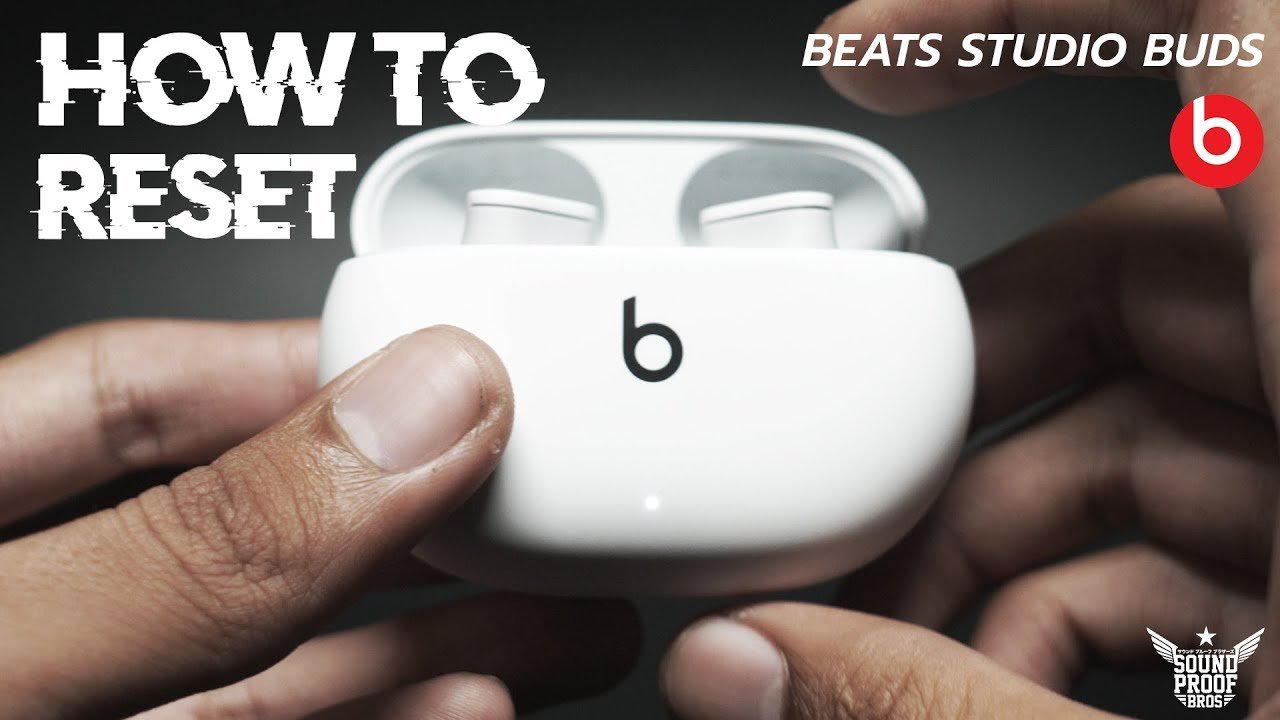
- Both Beats Studio Buds (left and right).
- The original charging case with at least 20% battery remaining.
- A USB-C charging cable connected to power, which you’ll need if the case LED doesn’t light up.
- Your paired phone, tablet, or laptop nearby so you can remove the old Bluetooth profile.
Using any standard 5W USB-C wall charger works fine if your case is dead, but trying to reset the earbuds without both pieces sitting fully inside the case won’t work. If your charging case has physical damage or can’t hold power, you’ll need to contact an authorized Apple repair technician because the hardware requires internal battery testing.
Step-by-Step
- Place both earbuds into their charging slots inside the case and leave the case lid wide open.
- Verify that the inner LED turns on, which confirms the metal charging pins make full contact with both earbuds. Careful: Dirty charging contacts will block the reset; wipe off any pocket lint or earwax with a dry cotton swab first.
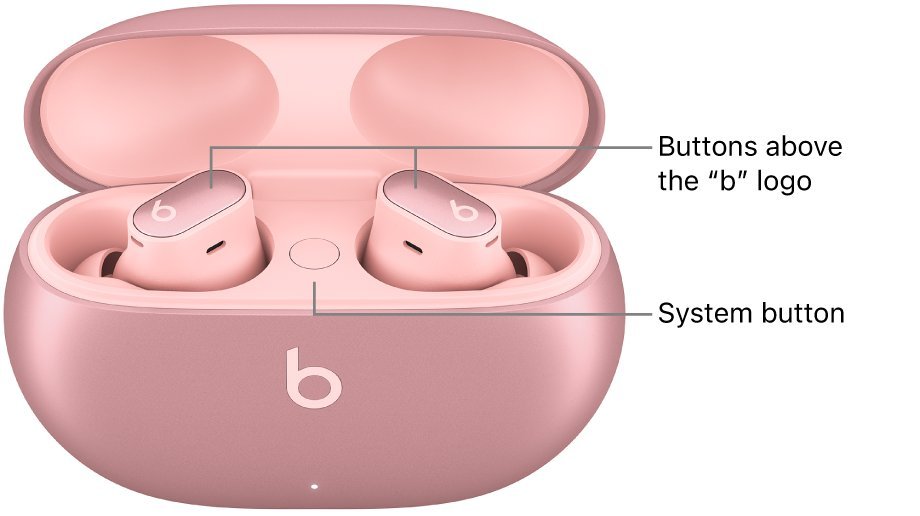
- Locate the small circular system button positioned in the center of the case between the two earbuds.
- Press and hold this system button down firmly for exactly 15 seconds.
- Watch the small LED light on the front of the case as it changes from white to flashing red, then back to flashing white. Tip: Don’t let go of the button when you see the first flash; keep pressing until the red flashes appear.
- Release the system button the moment the LED indicator blinks white continuously.
- Open your phone’s Bluetooth menu, select the old Beats profile, and tap “Forget This Device” to finish wiping the bad connection.
If the LED never flashes red even after 20 seconds, the case button may have an internal hardware failure. In that situation, stop pressing the button to avoid cracking the switch, and set up service through Apple Support.
Restoring Buds in Different Scenarios
Resetting your earbuds changes slightly depending on your hardware status and which phone platform you use.
| Scenario | Time Required | Key Difference | What to Watch |
|---|---|---|---|
| Normal working case | 15 seconds | Standard button hold with lid open | LED changing from red to white |
| Depleted case battery | 20 minutes | Requires 15-minute charge before holding button | Solid light before you begin |
| Unresponsive single earbud | 1 to 2 minutes | Needs contact cleaning before starting reset | LED flicker when inserting bud |
| Switching to Android | 30 seconds | Fast Pair popup appears instead of iOS card | Beats app detection prompt |
It’s safer to run a standard 15-second reset first before trying a full network reset on your mobile device.
How to Tell You Did It Right
A successful reset shows a continuously blinking white LED light on the case exterior, and your phone will display a fresh setup card within five seconds of bringing it close. A failed reset leaves the LED off, keeps a steady red light, or your phone reconnects instantly without asking to pair.
The most common quality issue after a reset is the case refusing to enter pairing mode. This happens because old pairing keys linger in the host device memory and create a handshake loop. You can prevent this failure by deleting the old device listing from your phone’s Bluetooth menu, keeping the lid open during the entire process, and ensuring the battery level stays above 20%.
Factory Standards and Device Management
Apple publishes the official hardware maintenance procedures through the Apple Support guide for Beats, which sets the 15-second press standard for factory restores. After the reset finishes, close the lid for five seconds to save the new firmware boot state, then reopen it next to your unlocked phone. The factory reset wipes all paired devices, so you’ll need to re-pair your buds with your tablet, watch, or laptop afterward. A proper reset lasts indefinitely until a corrupt Bluetooth cache or an interrupted firmware update requires doing it again. If the earbuds fail to retain settings after two resets, take them to a certified technician.
Alternate Troubleshooting Methods
Re-Pair Through Phone Settings
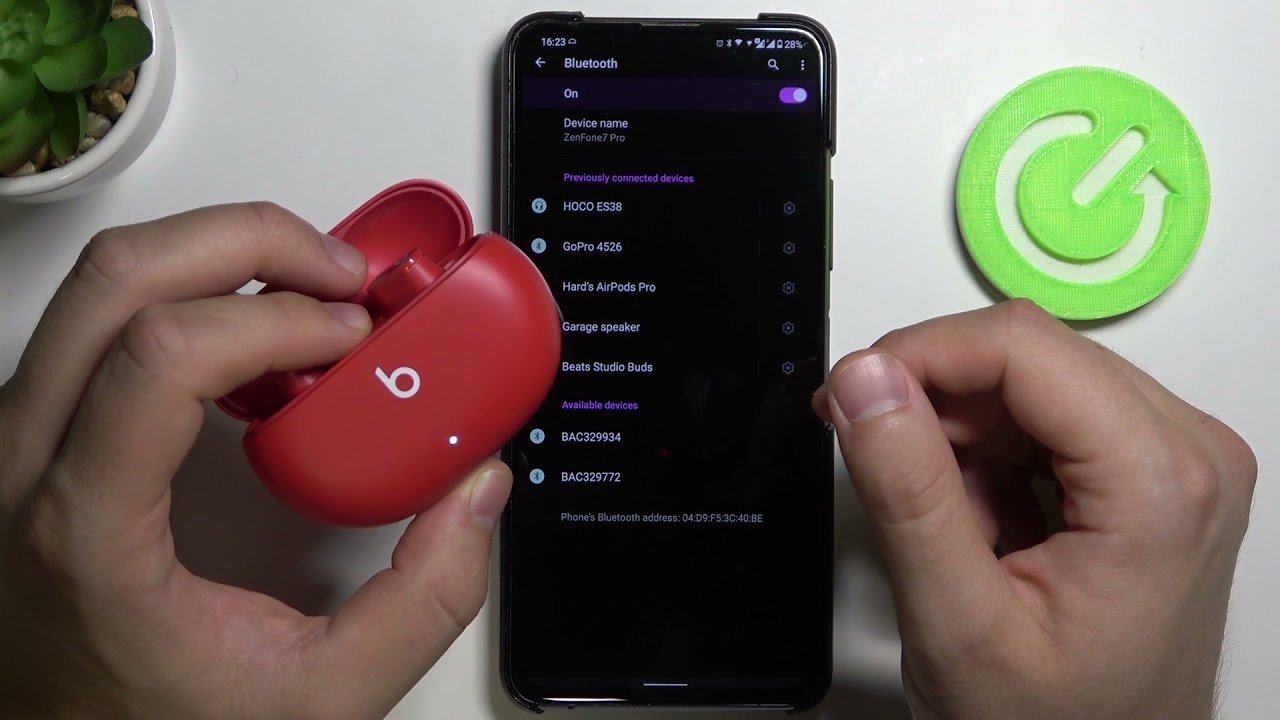
Turn your phone’s Bluetooth off for 10 seconds, toggle it back on, and tap the device name. This takes 15 seconds, costs nothing, and fixes basic connection drops without erasing your saved settings or pairing history.
The Beats App Factory Wipe
Android users can open the official Beats app, select the connected earbuds, and tap “Disconnect” followed by “Forget”. This software-side removal takes 30 seconds and cleans up corrupted app permissions without touching the physical case buttons.
Complete Drain and Recharge
Let both earbuds and the charging case run completely out of battery, then recharge them to full using a wall outlet. This takes about two hours, but it forces a deep controller restart when the hardware buttons stay unresponsive.
Frequently Asked Questions
Will Resetting Beats Studio Buds Delete My Paired Devices?
Yes, a factory reset clears all saved Bluetooth memory from the earbuds. You must pair them again with your phone, computer, or tablet just like a brand-new pair.
Why Won’t My Beats Studio Buds Flash Red?
The charging case battery is likely below 20% or the metal contact pins are dirty. Connect the case to power for 15 minutes, clean the contacts with a dry cloth, and try holding the button again.
Can You Reset Beats Studio Buds Without the Case?
No, you can’t reset them without the charging case. The physical system button that triggers the memory wipe is built directly into the case, not on the earbuds themselves.
How Long Does a Beats Studio Buds Reset Take?
The reset process takes 15 seconds of holding the button down. Pairing them back to your phone takes another 20 to 30 seconds once the light blinks white.
Is It Safe to Reset Beats Studio Buds Often?
Yes, resetting the firmware is completely safe and won’t harm the battery health or internal software. You can perform it whenever you run into audio delays or connection problems.
What Happens If I Release the Button Before 15 Seconds?
The earbuds will enter standard Bluetooth pairing mode instead of resetting. The light will blink white, but your previous settings and connection errors will still remain in memory.


