
You clear this warning by parking safely, turning the engine completely off, and restarting after a brief wait, which handles how to reset service advancetrac when a momentary sensor glitch triggers the dashboard alert. If the light stays on, you must pull diagnostic trouble codes using an OBD-II scanner.
A software glitch clears immediately after a clean power cycle, but a genuine hardware failure will trigger the alert right back. Electronic stability control depends entirely on wheel speed sensors, the steering angle sensor, and the anti-lock brake module sharing clean voltage data.
Ignoring physical damage or low vehicle voltage is the single most common mistake before attempting any reset. If your battery terminals are loose or corroded, a software reset won’t solve the underlying problem.
Clearing the Dashboard Warning
- Park your vehicle on flat, level ground, shift into Park (or Neutral for manual transmissions), and turn the engine off.
- Remove the key or turn off the push-button ignition, open the driver door to cut residual accessory power, and wait 5 minutes.
- Turn the ignition back to the “ON” position without starting the engine, and observe if the dash warning lamp clears after the initial bulb check.
- If the message remains, plug a handheld OBD-II code reader into the diagnostic port beneath your driver-side dashboard. Tip: Ensure the scanner supports ABS and chassis codes, as a standard emissions-only reader can’t see stability control faults.
- Select the read codes option, record any active trouble codes (like C-prefix chassis codes), and press the clear or erase function.
- Start the engine and drive straight ahead above 15 mph for at least 500 feet to allow the system to calibrate its wheel sensors. Tip: If you see physical brake fluid leaks or heard a violent grinding sound before the light appeared, stop immediately and hire a certified mechanic.
How Long It Takes
The time required depends on whether the alert came from a temporary computer freeze or a damaged physical component.
| Situation | How long | What changes it | What to watch for |
|---|---|---|---|
| Key-off power cycle | 5 to 6 minutes | Door open cuts accessory delay | Dash alert clearing on startup |
| OBD-II tool code erase | 2 to 3 minutes | Scanner boot and scan speed | Stored codes returning instantly |
| Sensor relearn drive cycle | 2 to 5 minutes | Traffic, road curve, and speed | Light returning above 15 mph |
| Battery cable disconnect reset | 15 to 20 minutes | Residual capacitor drain time | Radio and clock losing their time |
If your reset attempt takes far longer than the table shows, an active circuit fault is preventing the computer from completing its self-check.
How to Tell When It’s Done
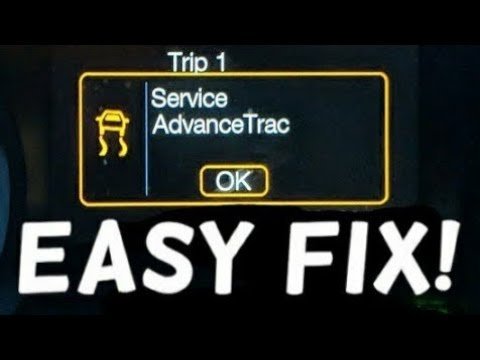
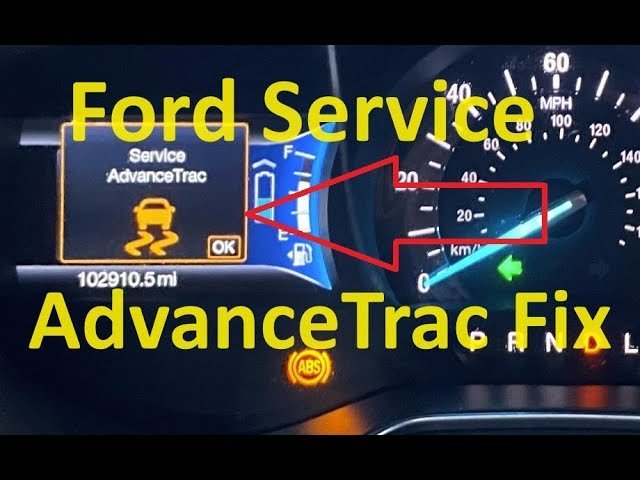
A successful reset leaves your dashboard completely free of the sliding car icon and text warning once the engine runs. The definitive test is accelerating smoothly in a straight line past 20 mph without the stability warning reappearing or the traction system stuttering. When sensors disagree, the National Highway Traffic Safety Administration requires stability control systems to illuminate a continuous warning lamp to alert the driver that active safety aids are disabled. Check your owner’s manual for specific trim features. If the light stays dark during regular driving, your system is fully operational.
Mistakes That Ruin It
- Clearing codes without writing them down: You lose the diagnostic breadcrumbs that point to a failing wheel hub or sensor, which costs extra shop labor time later to diagnose. Record every C-code before hitting the erase button.
- Forcing a reset with low battery voltage: Modern traction computers drop offline when system voltage falls below normal operating levels, causing false codes to immediately return. Test your 12-volt battery with a multimeter first to verify healthy resting voltage.
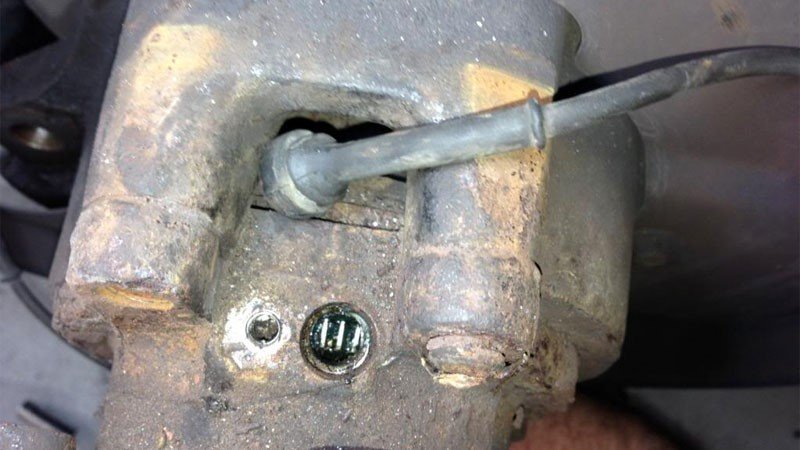
- Ignoring dirty wheel tone rings: Road salt and iron debris block magnetic wheel sensors, making the computer trigger a fresh warning the moment the tires turn. Clean the hub area thoroughly before spending money on replacement electronics.
Frequently Asked Questions
Can I Drive with the Service Advancetrac Light On?
Yes, you can usually drive normally, but your electronic stability and traction assist features won’t intervene during a skid. If the red brake warning light also comes on, stop driving immediately because hydraulic brake pressure might be compromised.
Why Does the Warning Reappear After I Clear It?
The warning returns because the computer detects an active electrical or physical fault during its initial startup self-test. If a wire is snapped or a sensor is broken, an electronic reset can’t bypass that broken circuit.
Is It Safe to Disconnect the Battery to Clear the Light?
Yes, disconnecting the negative battery cable for 15 minutes clears temporary module memory, but it also resets your engine idle trims and radio presets. It’s a trade-off between a free reset and losing your personal vehicle settings.
What Happens If I Ignore the Advancetrac Warning?
Your car handles fine in dry, straight conditions, but it won’t help you regain control during emergency swerves or on slick roads. Your anti-lock brakes may also remain disabled depending on which sensor caused the initial system shutdown.
Who Is a Manual Reset Not For?
This DIY reset isn’t for drivers dealing with flashing brake warnings, spongy brake pedal travel, or damaged wiring harnesses. Those problems involve physical hydraulic safety systems that require immediate professional garage repair rather than a handheld scanner trick.


