
A PS5 hard reset restores the console to original factory defaults in about 5 to 10 minutes using the on-screen Settings menu or the physical power button. This method wipes all local save data, games, and accounts. It suits players selling their system or fixing severe system crashes best.
What You’ll Need

- A PlayStation 5 console (Standard disc edition or Digital edition).
- One official DualSense wireless controller.
- A USB-C to USB-A (or USB-C to USB-C) sync cable that carries data, not just power.
- Your PlayStation Network login email and password to reconnect later.
- An active internet connection (Wi-Fi or an Ethernet cable) to download system updates afterward.
- An external USB 3.0 drive formatted to FAT32 or exFAT, if you plan to back up personal screenshots or save files first.
Using a third-party USB cable works fine if it handles data transfer, but a charge-only cable won’t let the console detect your controller in recovery menus.
Step-by-Step
- Press the Power button on the front panel once to wake the machine, or switch it on with your controller.
- Select the Settings gear icon in the top-right corner of the home screen using the X button.
- Scroll down and open System, then choose System Software from the left-side menu.
- Select Reset Options from the right pane, then choose Reset Your Console.
- Select Reset to confirm the complete wipe of your internal storage drive.
- Leave the console alone for roughly 5 to 10 minutes while it deletes files, formats storage, and restarts on its own.
Careful: Unplugging the power cord while the progress bar runs will corrupt the internal solid-state drive, which forces a full manual operating system reinstall.
If your console screen freezes completely, shut the unit down by holding the front power button until you hear two distinct beeps about 7 seconds apart. Connect your DualSense controller with the USB cable, press the PS button, and select option 6, Reset PS5, inside the recovery list. If the machine shuts off instantly and smells like burning plastic, stop immediately and contact an authorized repair technician rather than trying another reboot.
Wipe Times Across Different Console Conditions
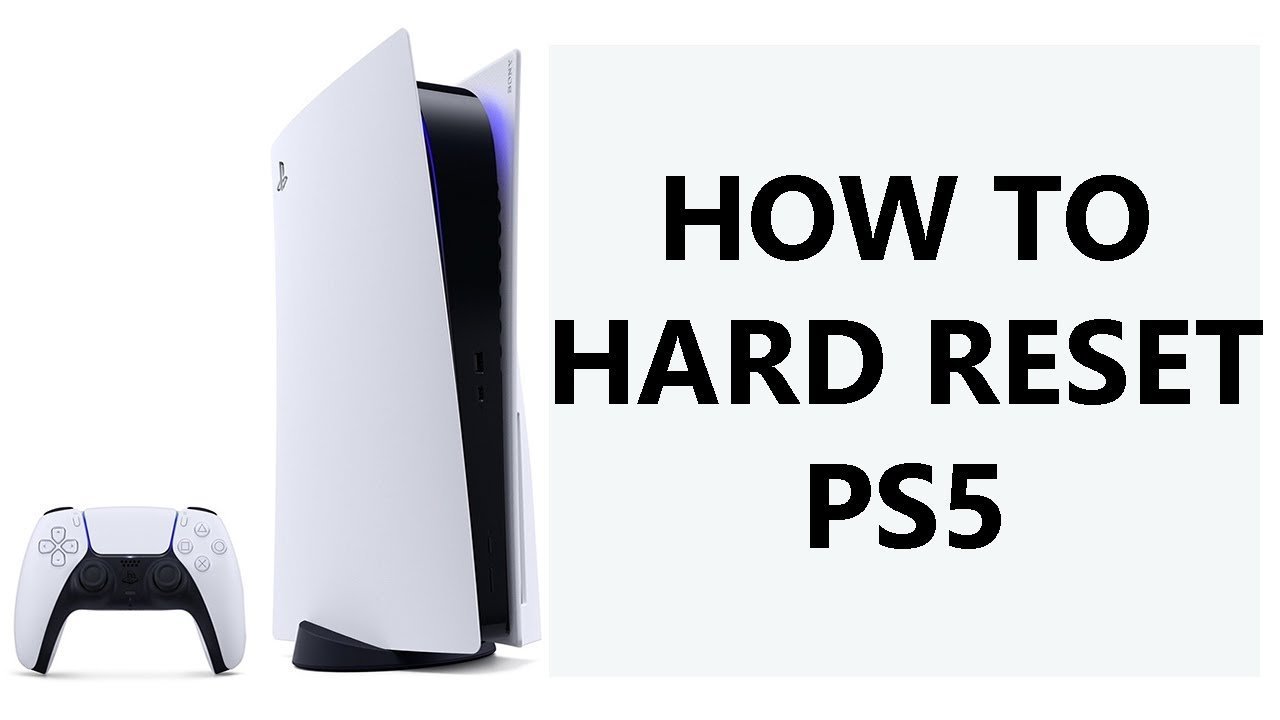
The exact time required to clear the hardware shifts depending on how you launch the wipe and whether your operating software has errors.
| Console Condition | Time Needed | What Changes | What to Watch For |
|---|---|---|---|
| Standard working menu | 5 to 10 minutes | Wipes files directly through normal system software | Clean restart into welcome screen |
| Frozen or black screen | 10 to 15 minutes | Requires Safe Mode and physical button presses | Two beeps before releasing power |
| Corrupted system software | 20 to 30 minutes | Needs external USB reinstall file | Progress bar pausing near completion |
| Encrypted user accounts | 5 to 10 minutes | Removes local keys and console sharing rights | Account sign-out prompts |
It’s safer to start with a soft restart before wiping the entire drive, because restoring hundreds of gigabytes of downloaded titles takes hours on slower internet connections.
How to Tell You Did It Right
A successful reset boots straight into the initial setup screen, asking you to connect a controller with a USB cable and choose your language. The fan should run quietly without loud clicking or constant cycling. A bad reset leaves the light bar pulsing blue without sending a video signal to your television, or loops straight back into recovery options. This loop happens when critical boot files suffer damage during an interrupted write cycle. You can prevent this failure by leaving the power cord untouched during the reboot, keeping the air vents clear of heavy dust, and testing your HDMI cable connection beforehand.
Factory Standards and Console Handover
Sony outlines standard setup and recovery procedures in their official PlayStation 5 user guide, which requires removing all linked console sharing rights before handing hardware to someone else. After the reset finishes, power the unit down immediately if you plan to sell or gift it, so the buyer sees the initial setup screen. If you keep the system, sign back into your profile, adjust your HDR video output, and reinstall your library. A factory reset lasts permanently until you add new data.
Alternative Reset and Recovery Methods

Soft Restart via Control Center
Press the PS button once, select the Power icon on the far right, and pick Restart PS5. This clears active system memory cache in 60 seconds without deleting any game installs or personal save files.
Clearing System Software Cache
Boot into Safe Mode by holding the power button for 7 seconds, then select Clear Cache and Rebuild Database. This fixes stuttering menus and broken icons in about 5 minutes without touching your games.
Full Operating System Reinstallation
Select option 7 inside Safe Mode using a USB flash drive loaded with fresh firmware from a computer. This takes 20 minutes and rebuilds damaged system partitions when a basic reset fails to boot.
Frequently Asked Questions
Does a Hard Reset Delete My Games?
Yes, it deletes every downloaded game, app, save file, and user profile stored on the internal drive. You’ll need to download your digital games again from your library after you sign back into your PlayStation Network account.
How Long Does a Ps5 Factory Reset Take?
It takes between 5 and 10 minutes under normal conditions. If the console needs to rebuild damaged sectors or repair external storage links during the reboot, the entire process can take closer to 15 minutes.
Can I Unplug My External Hard Drive Before Resetting?
Yes, and you should disconnect external USB drives before running the wipe. Unplugging extended storage prevents accidental formatting of your backup drives and protects your archived games from getting erased alongside internal system files.
Will a Factory Reset Remove My Psn Account Ban?
No, hardware wipes don’t bypass account or console suspensions. Sony tracks bans through unique internal serial numbers and network accounts on remote servers, so clearing local memory won’t restore online access to restricted hardware.
Why Is My Controller Not Working After the Reset?
Bluetooth pairing breaks during a wipe, so the console forgets your gamepad. You must connect the controller directly to the front USB port using a data-capable cable and press the PS button to re-establish the hardware link.
Is It Safe to Factory Reset a Ps5 Multiple Times?
Yes, modern solid-state drives handle standard reformatting cycles easily without hardware damage. Performing several resets back-to-back causes no hardware damage.

1 thought on “How to Hard Reset a Ps5: Fix Freezes & Restore Settings”