
To reset apps on a Samsung TV, reinstall the problem application from the built-in app store or reset your Smart Hub to restore all apps at once. Reinstalling a single tool clears its temporary data in under two minutes, while a Smart Hub wipe completely signs you out of every account.
A quick reset works by clearing bad cache files that keep your program frozen. If you only have trouble with Netflix or Prime, reinstalling that single item saves time. Doing a full Smart Hub wipe clears everything, which forces you to type every password again.
This guide isn’t for people using external streaming sticks like a Roku or Apple TV plugged into an HDMI port. This varies by model — check the label on the back of your television if you aren’t sure which year it was built.
Reinstalling Frozen Applications
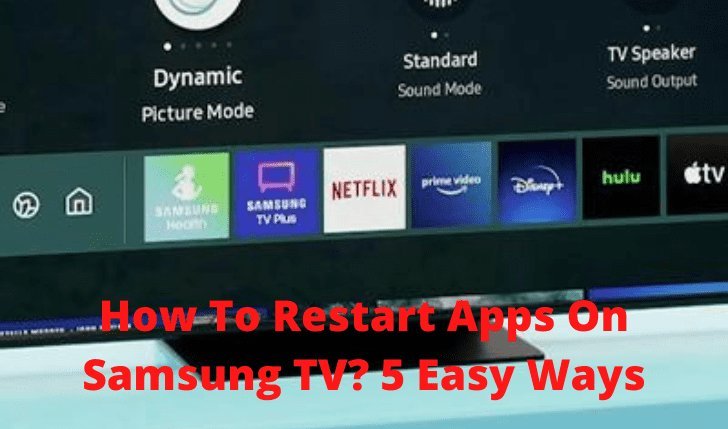
- Press the Home button on your remote control to bring up the main menu ribbon.
- Navigate left until you reach the Apps icon, then press the center enter button.
- Select the Settings gear icon located in the top-right corner of the display.
- Scroll through the list until you highlight the specific app that isn’t working properly.
- Move down its sub-menu and click Reinstall to redownload the files immediately. Tip: If the reinstall button is grayed out, highlight the app and press down on your directional pad to select Delete, then download it again from the store.
- Open the refreshed software to confirm it launches without crashing.
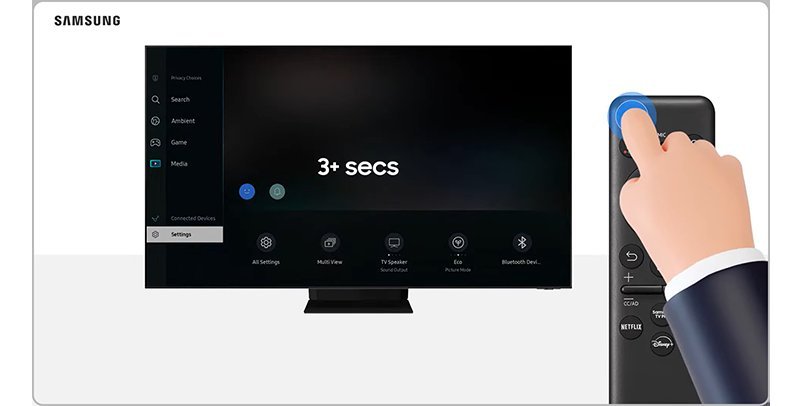
If the whole screen stays locked up, holding down the remote’s Power button for five seconds forces a cold reboot. When your TV has physical damage or a failing motherboard that keeps crashing during downloads, contact an authorized Samsung service center rather than trying internal repairs yourself.
How Long It Takes
Refreshing your software takes very little time, but network speeds change your results.
| Situation | How long | What changes it | What to watch for |
|---|---|---|---|
| Single app reinstall | 1 to 2 minutes | Wi-Fi download speed | Progress circle completing |
| Remote cold reboot | 5 to 10 seconds | Television processor speed | Screen turning black and red |
| Smart Hub factory reset | 3 to 5 minutes | Number of installed channels | Default setup prompt appearing |
If the process takes longer than five minutes, restart your home router and check your connection settings.
How to Tell When It’s Done
A finished reset returns your TV to a normal menu without any loading spinning wheels. When you launch the fixed tool, it will open to its primary sign-in screen and prompt you for account credentials instead of freezing on a black image. The trade-off is clear: you get a stable platform, but you must spend extra time typing your login info with the remote. If your picture stutters or the interface remains unresponsive, read through the official Samsung TV app troubleshooting guide to confirm whether your television firmware needs a full USB update.
Mistakes That Ruin It
- Resetting the entire TV instead of Smart Hub: A full factory reset wipes your picture modes, sound calibrations, and network settings unnecessarily. Reset only the Smart Hub inside the Self Diagnosis menu to protect your display settings.
- Pulling the power cord during an active download: Cutting electrical power while files write corrupts the local memory sectors. Wait for the download bar to finish or fail completely before touching the wall outlet.
- Skipping basic Wi-Fi checks before deleting software: A bad network connection mimics a broken app by stopping video streams cold. Test your home network status inside the General menu before you wipe your login details.
Frequently Asked Questions
Will Resetting an App Delete My Streaming Account?
No, it won’t cancel your subscription or delete your profile. It simply logs you out of the service on that specific television screen, meaning you only need to enter your username and password again to resume streaming.
Why Won’t My Samsung TV Let Me Delete Certain Apps?
Default factory tools like Netflix or the Samsung internet browser are locked by the system firmware. If X is a pre-installed default, you can’t delete it; if Y is a third-party install, the trash can icon appears. You must choose Reinstall instead.
Can I Reset the Smart Hub Without a Remote Control?
Yes, you can plug a standard USB keyboard into the port on the back of the set. Use the arrow keys and the Enter key to move into the Support menu and trigger the reset sequence.
What Is the Default Pin for a Samsung Reset?
The default factory security PIN is 0000 on nearly all models. If that four-digit code fails, try 1111, or check your user manual to see how to reset the PIN using the remote’s volume buttons.
How Do I Clear App Cache Without Deleting the App?
Open Settings, choose Support, and click on Device Care. Run the built-in diagnostic scan, then open the Manage Storage tab to view your tools, select the broken program, and tap View Details to clear temporary cache files safely.


