
How to reset the directv remote control: simply press MUTE and SELECT together until the green light flashes twice, then enter code 981. This action wipes the custom programming immediately and returns your remote back to its original factory settings.
A factory reset clears all saved device pairings from the memory chip. If your receiver stops answering buttons, this reset unlinks your television, soundbar, and receiver so you can start fresh. The most common error is forgetting that resetting breaks the connection to your TV volume, so you’ll have to pair that brand again afterward.
This guide isn’t for damaged units with corroded battery springs or cracked circuit boards.
Steps to Restore Your Device
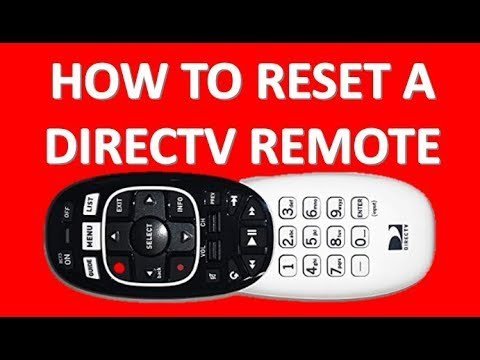
- Press and hold the MUTE and SELECT buttons down at the exact same time for about 3 seconds until the small light at the top flashes green twice.
- Enter the numbers 9-8-1 using the numeric keypad on the lower half of the unit.
- Watch the green light at the top of the remote flash 4 times to confirm the memory wipe is complete. Tip: If you see a red flash instead of green flashes, the code didn’t take, so repeat the first step.
- Point the unit toward your receiver box and press the GUIDE or MENU button to confirm the box responds again.
- Pair your television set again using your screen’s Settings menu so the volume keys work normally. Tip: If your remote is the flat-faced Genie model (RC73), follow the DIRECTV remote pairing guide to restore Radio Frequency control by holding MUTE and ENTER together for 3 seconds.
This reset varies by model — check the label on the upper-left corner of the remote face to see whether you have an RC73 Genie or an older RC66 universal wand.
How Long It Takes
The process takes under 2 minutes when you have the remote in hand and fresh batteries installed.
| Situation | How long | What changes it | What to watch for |
|---|---|---|---|
| Standard RC73 Genie remote | 1 to 2 minutes | RF signal interference nearby | Four green blinks after 981 |
| Older RC66 White remote | Under 1 minute | Slider switch position at top | Two green blinks after code entry |
| Resetting with broken volume | 3 to 5 minutes | Brand of television being paired | TV volume bar appearing on screen |
If the reset process takes more than 5 minutes because the unit won’t blink green, take the batteries out, wait 10 seconds, and try again.
How to Tell When It’s Done
A successful reset gives you clear feedback right on the unit. You’ll see the top indicator light flash green 4 separate times immediately after you press the final 1. If you own an older legacy model, the light blinks green twice instead of 4 times.
The definitive test is simple: press the MENU button while aiming straight at your satellite receiver box. If the receiver’s main menu pops up on the screen, the satellite commands are working properly. If the screen ignores you, the factory wipe didn’t register, or the batteries are dead.
Mistakes That Ruin It
- Entering the wrong number sequence: Punching in 987 or 961 by accident will put the unit into diagnostic modes instead of clearing data. If this happens, wait 20 seconds for the lights to go dark, then type 981 again.
- Skipping the slider check on older remotes: Leaving the top physical switch set to TV instead of the DIRECTV symbol stops the reset code completely. Slide the switch entirely to the far-left position before holding any buttons down.
- Typing numbers too slowly: Pausing for more than 5 seconds between numbers causes the remote to exit programming mode. Keep your fingers ready to tap all 3 digits in one smooth rhythm.
Frequently Asked Questions
Can I Reset My Directv Remote Without a Tv?
Yes, you can perform the full factory reset without turning on your TV screen. The button sequence happens entirely inside the remote control itself. You only need the television turned on later when you want to pair the volume buttons or see on-screen programming menus.
Why Is My Directv Remote Blinking Red?
A red light means the remote can’t talk to the box or the entered code failed. If your remote flashes red, you’re using the wrong code for your model; if it flashes green, your command succeeded. Replace weak batteries first to eliminate signal drops.
How Do I Program the Volume After a Reset?
Open your receiver menu, select Settings, choose Remote Control, and pick Program Remote. Follow the prompts on the screen to choose your television brand. Once selected, test the volume keys until the TV sound level changes properly on your wall screen.
Will Resetting the Remote Delete My Dvr Recordings?
No, wiping your remote doesn’t delete any recorded movies, series, or system settings on your satellite receiver box. The reset only clears the local pairing memory held inside the handheld plastic remote. All personal recordings remain completely safe on the receiver hard drive inside your cabinet.
What Happens If the 981 Code Doesn’t Work?
Your remote is likely stuck in RF mode or the batteries don’t have enough power left to save changes. If new AA batteries don’t fix the issue, you must trade quick convenience for equipment replacement; contact DIRECTV support directly to order a replacement unit.


