
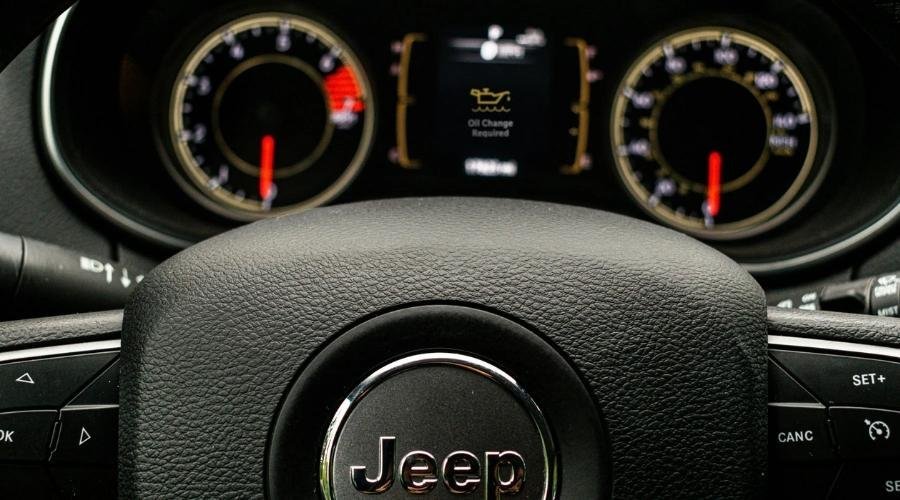
To complete how to reset oil change on jeep cherokee, turn the ignition to ON/RUN without starting the engine, use the steering wheel arrows to open the “Vehicle Info” screen, scroll to “Oil Life”, and press and hold the OK button until the display reads 100%.
The engine must stay off the entire time. If the motor turns over, the computer locks the cluster menu and won’t accept a reset command.
A common mistake happens right at the start: pressing the brake pedal while hitting the start button. That starts the vehicle instead of just turning on the electronics. Always keep your feet flat on the floorboard before you touch the ignition.
Reset Your Jeep Cherokee Oil Light
- Sit in the driver’s seat with all doors closed and keep your foot off the brake pedal.
- Push the ENGINE START/STOP button twice without touching the brake, or turn your physical key two clicks to the ON/RUN position.
- Press the down arrow on the left side of your steering wheel to scroll down to menu screen 2, labeled “Vehicle Info”.
- Press the right arrow button until the “Oil Life” gauge shows on the screen.
- Press and hold the OK button on the steering wheel for about 3 seconds until the gauge resets to 100%. Tip: If the percentage doesn’t change after 5 seconds, release the button, step out, cycle the ignition off, and try again.
- Push the ENGINE START/STOP button once to turn the ignition OFF.
If your steering wheel buttons don’t work due to an electrical fault, use the gas pedal backup method: turn the key to ON/RUN without starting, press the gas pedal down completely 3 times within 10 seconds, then shut the ignition off. This alternate process is outlined in the Jeep Cherokee Owner’s Manual from Mopar.
How Long It Takes
Resetting the oil system takes under two minutes from the driver’s seat.
| Situation | How long | What changes it | What to watch for |
|---|---|---|---|
| Push-Button Start (Cluster Menu) | 30 to 45 seconds | Menu lag on cold mornings | Foot accidentally pressing the brake pedal |
| Keyed Ignition (Cluster Menu) | 30 to 45 seconds | Key turning past ON into START | Turning key too fast past the run mark |
| Accelerator Pedal Method (Backup) | 15 to 20 seconds | Pedal press speed | Not pushing the pedal to the floor |
| Uconnect Touchscreen Reset | 1 to 2 minutes | Touchscreen boot time | System freezing during startup |
If the reset takes longer than 5 minutes because the display won’t respond, disconnect the negative battery cable for 10 minutes to reboot the electronic modules.
How to Tell When It’s Done
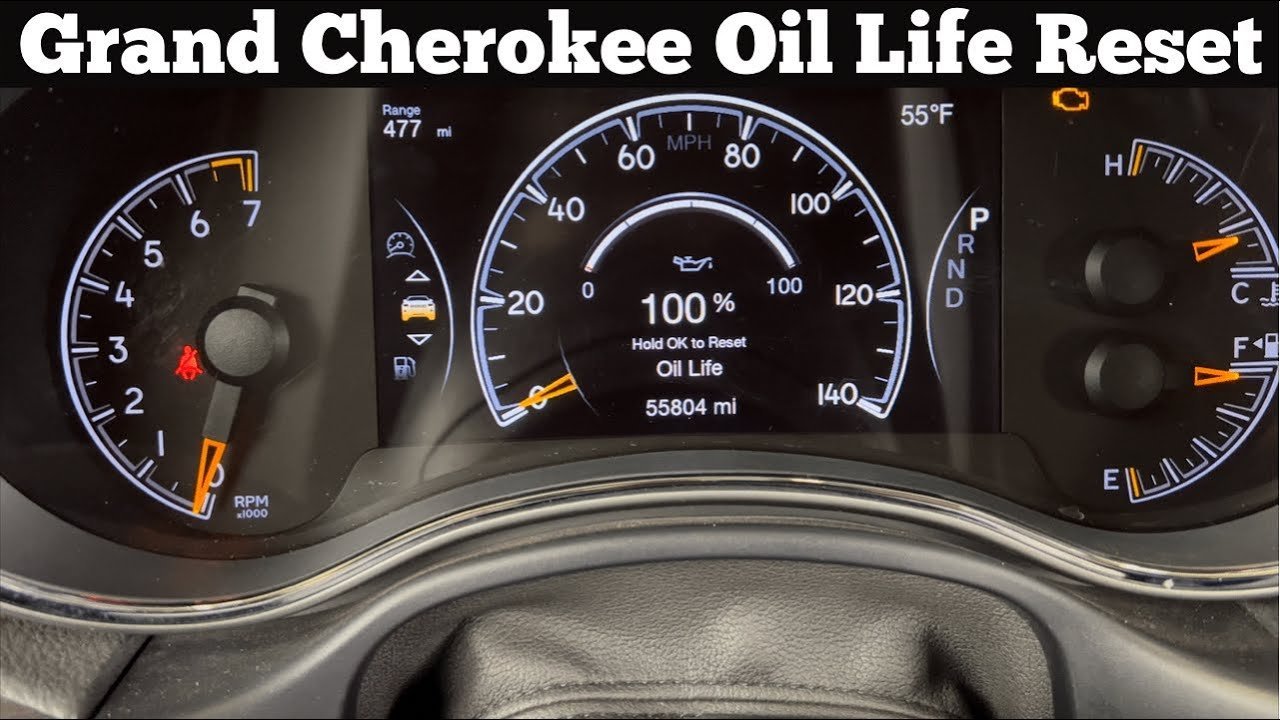
Turn your vehicle completely off, wait 5 seconds, and start the engine normally with your foot on the brake. Look at the instrument panel: the “Oil Change Required” chime and text banner shouldn’t appear. Next, use the steering wheel buttons to page over to the Oil Life screen under Vehicle Info. It must show exactly 100%. If X shows 100%, your reset succeeded; if Y shows the old percentage, repeat the sequence. Note that this varies by model — check the label on your dash if you have an older trim.
Mistakes That Ruin It

- Pressing the brake pedal while pushing the start button. The engine will start immediately, which blocks the onboard computer from resetting the monitor; keep your foot off the pedals until the ignition is in the ON position.
- Resetting the light without changing the engine oil. The computer tracks mileage and engine cycles, not oil cleanliness, so clearing the warning early costs you an engine if dirty oil stays inside past its working life. Always change the oil and filter before clearing the message.
- Turning the ignition off too quickly after holding OK. The vehicle computer needs 2 seconds to write the new data to the memory chip, so cutting power instantly causes the old percentage to return on the next restart. Wait for the screen to show 100% before touching the ignition button.
Frequently Asked Questions
Can I Reset the Oil Light While Driving?
No. The vehicle software disables the cluster configuration menus while the wheels are moving. You must park the car, shut off the motor, and switch the ignition to ON/RUN without restarting the engine to make any adjustments.
Why Won’t My Jeep Cherokee Oil Light Reset?
Your foot was likely on the brake pedal when you pressed the start button. That started the motor, which prevents the reset. Turn the engine off, keep your feet flat on the floor, and switch to ON mode only.
What Happens If I Don’t Reset the Oil Life?
The vehicle keeps running, but the “Oil Change Required” message will chime every time you start the engine. This makes it impossible to track your next service interval accurately.
Is the Gas Pedal Method Safe to Use?
Yes, it’s completely safe. The 3-pump accelerator method is a factory-designed backup system built directly into the powertrain control module for times when the steering wheel buttons fail to communicate.
How Often Does the Cherokee Oil Light Come On?
The light turns on between 7,000 and 10,000 miles under normal driving. Severe use, like heavy towing or frequent short trips in freezing weather, will trigger the alert much earlier based on engine sensor data.



1 thought on “How to Reset Oil Change on Jeep Cherokee”