
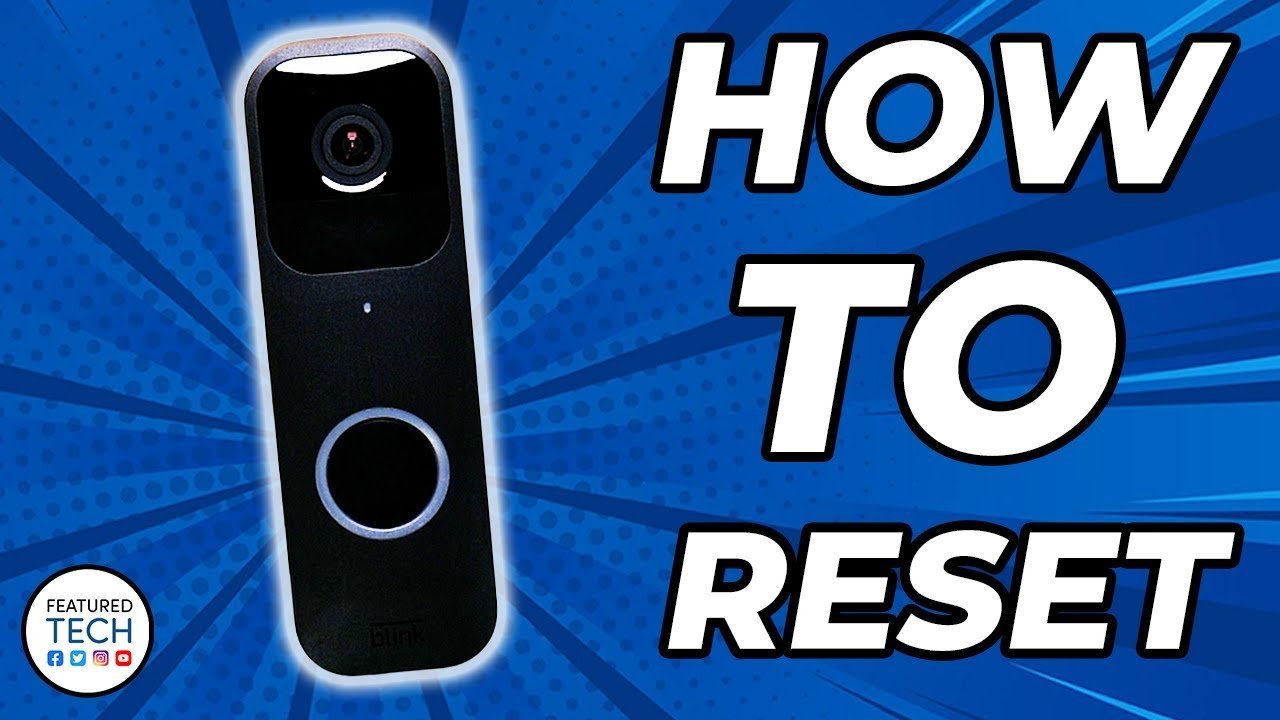
To complete how to reset a blink doorbell, remove the back cover and press the reset button for about 5 seconds until the red light flashes on the front. This action restores the device to factory setup mode so you can pair it to your Wi-Fi network again immediately.
The reset succeeds or fails based on battery power. If the two AA batteries are low, the unit shuts off mid-cycle and corrupts the setup file.
A common error is pressing the chime button on the front instead of the actual reset switch inside the battery bay. This only rings the bell and wastes time.
Steps to Reset Your Blink Doorbell
- Insert the release key into the slot at the base of the unit and slide the back cover off.
- Check that two fresh 1.5-volt AA lithium batteries sit firmly inside the compartment. Tip: Never use alkaline or rechargeable cells here; Blink requires size AA 1.5V non-rechargeable lithium batteries.
- Locate the small circular reset button directly above the battery chamber.
- Press and hold the reset button for 5 seconds using your finger or a paperclip. Tip: Release the button the second the red LED illuminates; holding it past 10 seconds can interrupt the cycle.
- Watch the front indicator ring until it blinks red and then flashes blue.
- Open your mobile app to add the hardware back to your system.
If the internal wiring is damaged or you see corrosion across the contacts, stop and contact Blink Support instead of trying manual electrical fixes yourself.
How Long It Takes
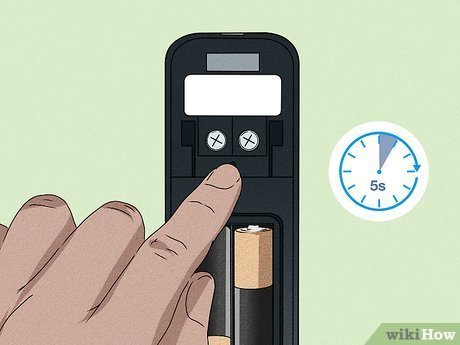
Resetting takes under two minutes from releasing the latch to re-entering pairing mode.
| Situation | How long | What changes it | What to watch for |
|---|---|---|---|
| Standard battery-powered unit | About 30 to 45 seconds | Battery charge level | Solid red light turning to flashing blue |
| Wired chime configuration | 2 to 3 minutes | Power breaker shut-off time | Chime box buzzing or humming |
| System linked to Sync Module | 3 to 4 minutes | Module reconnect speed | Sync Module LED turning solid green |
If the red LED stays solid for over two minutes without flashing blue, pull one battery out for 10 seconds to power-cycle it.
How to Tell When It’s Done
A successful reset announces itself through the front LED light ring. The light flashes red first, pauses, and then blinks blue once every few seconds. This flashing blue pattern is the universal setup signal defined in Blink’s hardware specifications. If you hear a chime or see no lights at all, the reset failed to register. When you want to be completely certain, open the Blink app: if the doorbell shows as disconnected and invites you to scan its QR code, the factory restore worked.
Mistakes That Ruin It
- Using standard alkaline batteries. They drop voltage too fast under load, which cuts off power while the firmware resets and leaves the doorbell unresponsive; install 1.5-volt non-rechargeable lithium cells instead.
- Skipping the app deletion step. If you sell or hand the unit to someone else, resetting the physical button doesn’t unbind your account, and the new owner gets blocked during setup; delete the doorbell inside your app settings first.
- Holding the button down too long. Holding the switch for 20 or 30 seconds can cause the device to cycle repeatedly rather than settling into setup mode; let go after 5 seconds.
- Prying the back plate with a screwdriver. Forcing the plastic latch snaps the waterproof seal clips and ruins the weatherproofing; use the included metal opening key.
Can You Reset a Blink Doorbell Without Removing It from the Wall?
No. The physical reset button sits inside the rear compartment, which is completely covered by the mounting bracket. You must take the doorbell off the back plate using the release key to reach the button.
What Happens If I Reset My Blink Doorbell?
It wipes all saved Wi-Fi details and disconnects the unit from your Blink account. It won’t delete existing cloud clips already saved in your app, but you’ll have to set up your motion zones and alert preferences again from scratch.
Why Is My Blink Doorbell Flashing Red After a Reset?
A slow red flash means the unit is searching for a Wi-Fi connection. If it blinks red rapidly five or six times, the reset failed because the batteries don’t have enough voltage to finish booting.
Will Resetting the Doorbell Disconnect It from the Sync Module?
Yes. A factory wipe severs the link between the doorbell and the local Sync Module. You’ll need to reconnect the doorbell through the Blink app, which pairs it back to the module automatically during setup.
How Do I Reset the Blink Doorbell Without the Key?
Push a thin, flat paperclip or a small flathead screwdriver straight into the latch hole at the bottom. Apply gentle upward pressure to release the plastic hook without snapping the internal mount.



1 thought on “How to Reset a Blink Doorbell”