
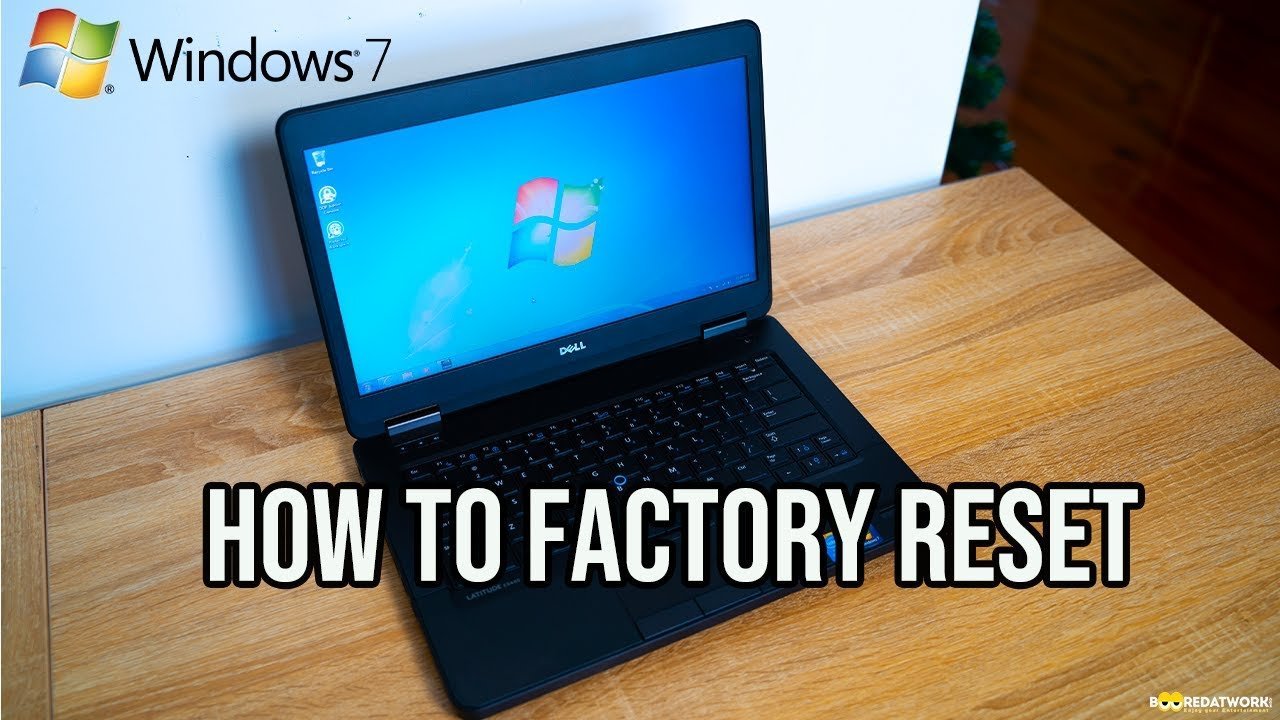
Using the built-in system recovery options menu is how to factory reset Windows 7 in about 30 to 45 minutes without extra discs. This method suits readers who want to clear software errors, remove stubborn junk files, or wipe their personal files before passing an old family computer to someone else.
What You’ll Need
- A wall power connection for laptops so the machine doesn’t lose power mid-wipe.
- An external USB drive (at least 32 GB or sized to your data) to save files you want to keep.
- The original 25-character Windows product key printed on the PC tower sticker or laptop bottom.
- A wired USB keyboard if you use a desktop, because Bluetooth keyboards won’t connect before the system boots.
- Your computer’s brand-specific recovery key (typically F8, F11, or Alt+F10 during restart).
A manufacturer recovery partition works without any media, but an unformatted blank USB stick won’t substitute if that hidden partition is already damaged or deleted.
Step-by-Step
- Back up your essential files onto an external drive, because this process erases everything on drive C:.
- Shut down your PC completely, leave it off for ten seconds, and plug in the power cord.
- Turn on the machine and immediately tap the F8 key once every second until the black screen with white text appears.
- Select Repair Your Computer using the down arrow key on your keyboard, then press Enter.
Careful: If Windows loads its normal desktop instead, restart and tap F8 faster right after the screen lights up.
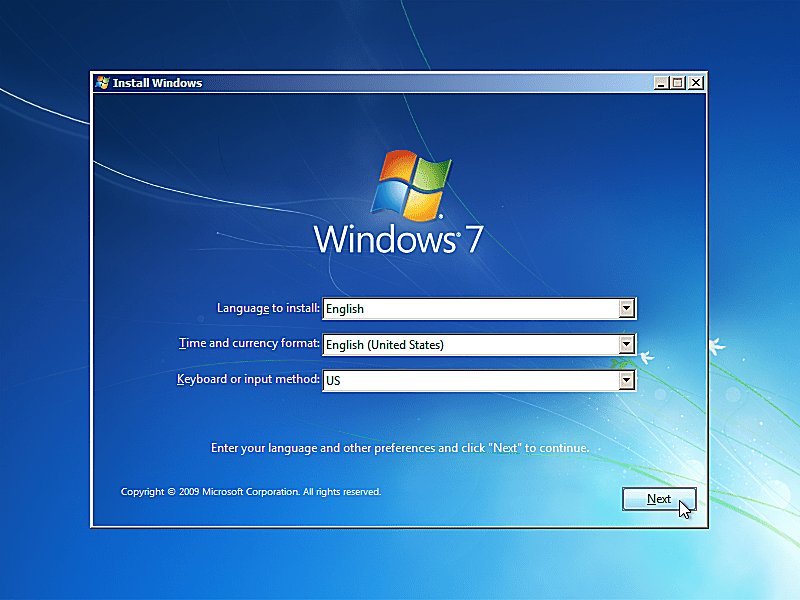
- Choose your keyboard layout (such as US) from the drop-down menu and click Next.
- Log in with your local administrator account name and password, then click OK.
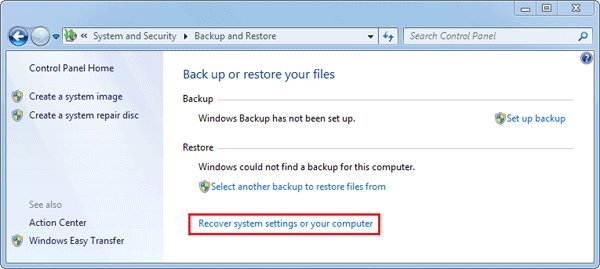
- Click the bottom recovery option on the menu, which usually shows your PC maker’s name like Dell Factory Image Restore or HP Recovery Manager.
Tip: If X is an unbranded custom-built PC, choose System Image Recovery; if Y is a brand-name computer, choose the brand’s own factory restore tool.
- Follow the on-screen prompts to confirm the wipe, checking the box that says “Yes, reformat hard drive,” and wait 20 to 45 minutes for the progress bar to finish.
This wipe isn’t for anyone who needs to recover deleted files, because the disk format overwrites the sector map permanently.
Reset Times by PC Setup
Wiping speed depends on your disk hardware and whether you wipe just the system partition or write zeros across the whole drive.
| System Condition | Average Time | Key Technical Difference | What to Monitor |
|---|---|---|---|
| Standard hard drive (HDD) | 35 to 60 minutes | Slow mechanical platters rebuild files sector by sector | Drive activity light blinks steadily |
| Solid-state drive (SSD) | 15 to 25 minutes | Flash storage rewrites system blocks rapidly | Screen percentage ticks up every few minutes |
| Factory image with bloatware | 45 to 75 minutes | Reinstalls all original trial software and OEM tools | Setup stays on “Installing applications” |
| Full data wipe (zero-fill) | 2 to 4 hours | Overwrites every storage sector so data can’t return | Fan speed stays high during heavy read/write |
It’s safer to run a standard factory restore first and check the results than to trigger a full low-level disk scrub on your first pass.
How to Tell You Did It Right
A successful restore brings you directly to the original Windows setup screen where you choose your country, language, and username. A poor result gets stuck in an infinite restart loop or displays a “bootmgr is missing” black screen.
This boot failure happens because the boot configuration data gets corrupted when a reset shuts off before completing its final disk write. Keep the power cable plugged in securely and disconnect all printers, game controllers, and extra USB flash drives before starting to prevent installation errors. A common mistake people make is pulling out the power cord during a stall; this ruins the partition table and requires a paid technician visit or a replacement hard drive.
Support Life and System Rules
Official support for this operating system has ended, as detailed on the Microsoft Windows 7 lifecycle policy page, which notes security updates stopped on January 14, 2020.
After completing the reset, immediately reinstall a reliable third-party antivirus, disconnect the computer from sensitive financial accounts, and reinstall your basic hardware drivers from a clean USB thumb drive. A factory restore lasts indefinitely on an offline computer, but this varies by model — check the label on your hardware to confirm if your parts can run a newer supported operating system instead.
Other Ways to Reset
Clean Install from Dvd
Boot directly from a physical installation DVD to completely wipe corrupted drives. The process takes about 45 minutes, but the trade-off is losing the manufacturer’s pre-installed hardware drivers for audio and Wi-Fi.
Manufacturer Cloud Download
Use another PC to download the recovery tool from the maker’s support website onto an 8 GB thumb drive. It takes 60 to 90 minutes to download and write the image, but it restores genuine drivers.
Windows System Restore Rollback
Revert system files to an earlier snapshot through the System Properties menu inside Windows. This takes only 15 minutes and keeps your personal files intact, but it can’t remove deeply rooted viruses.
Frequently Asked Questions
Will Resetting Windows 7 Delete My Personal Files?
Yes, a factory reset clears your personal documents, photos, browser bookmarks, and installed programs from the primary hard drive partition. You must copy every file you want to preserve onto an external drive or cloud storage before beginning the reset steps.
Can I Factory Reset Windows 7 Without a Password?
Yes, you can reset without an administrator password if you boot from an external recovery USB or original installation disc. You boot the system, choose your language, click “Repair your computer,” and select your manufacturer’s automated wipe tool directly without entering account credentials.
What Key Do You Press to Reset a Windows 7 Computer?
Restart the computer and tap the F8 key continuously to reach the Advanced Boot Options screen on most brands. Some brands use different hotkeys right at startup: Acer uses Alt + F10, HP uses F11, and Lenovo uses the dedicated Novo button.
Is It Safe to Keep Using Windows 7 After a Reset?
No, it’s not safe for daily web browsing or online banking because Microsoft stopped releasing security patches for home users in 2020. Unpatched system vulnerabilities leave the machine exposed to online malware unless you keep the computer entirely disconnected from the local internet router.
How Long Does a Windows 7 Factory Reset Take?
A standard restore typically takes 30 to 45 minutes on a standard desktop or laptop using healthy internal storage. Older mechanical hard drives with bad sectors or laptops running on low power can extend the restoration process to over an hour.
Can I Factory Reset Windows 7 Without the Original Cd?
Yes, you can reset without an installation disc by using the recovery partition built into your hard drive by the manufacturer. If that internal partition was previously deleted or replaced, you must create a bootable USB drive using an official disc image file.


