
Resetting your Bose speaker requires holding the power button for 10 seconds until the status lights turn off or flash. This standard reboot clears minor glitches in under 30 seconds without erasing paired devices. It suits anyone whose device froze, dropped sound, or won’t charge properly.
What You Need to Reset Your Bose Speaker
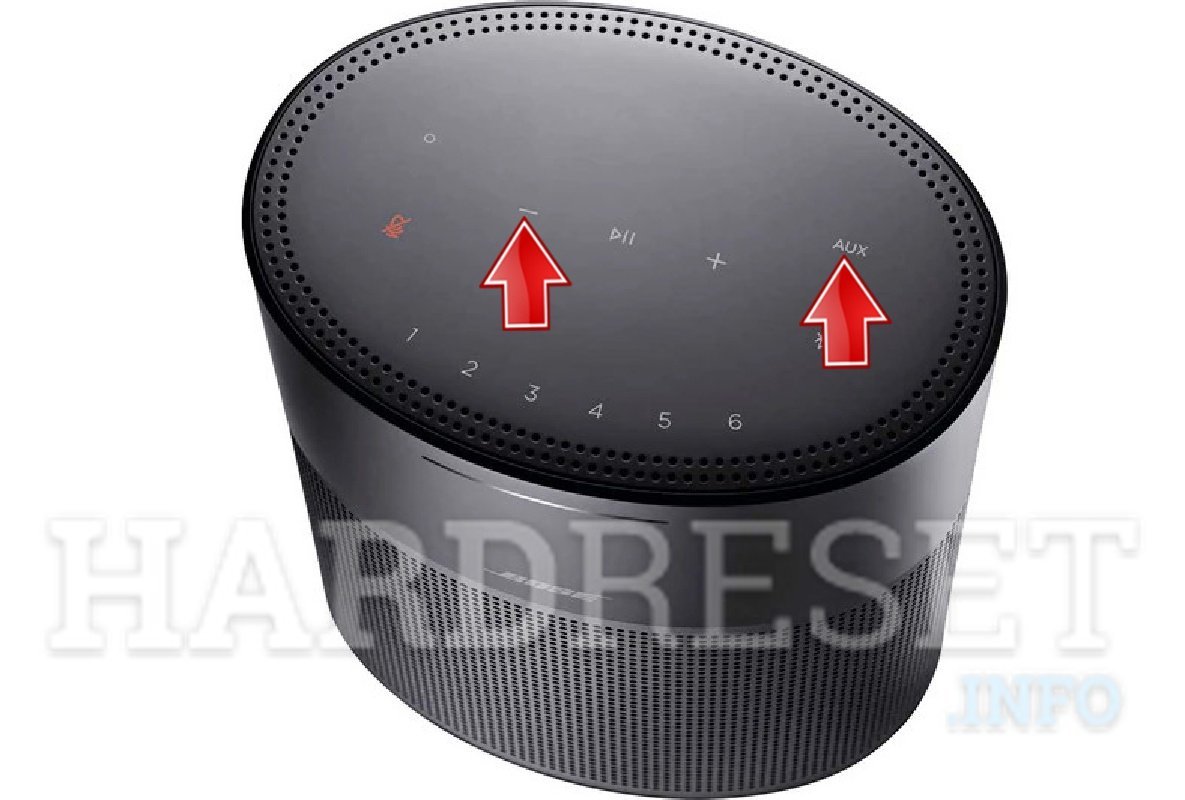
- Your Bose speaker with at least 20 percent battery charge.
- The original power cable (USB-A, USB-C, or cradle depending on your unit).
- A working wall outlet or verified USB charging port.
- The connected phone, tablet, or laptop nearby.
A high-output phone charger works well to supply power during this process, but a low-power laptop port often won’t wake a frozen unit. If your battery completely refused to take a charge after months on a shelf, self-service won’t solve internal cell damage, so reach out directly to certified audio repair professionals.
Step-by-Step
- Disconnect the speaker from its charging cable and leave it powered on.
- Press and hold the power button firmly for 10 seconds without releasing it.
- Watch the indicator lights until they flash amber or blue, then let go of the button.
- Press the power button once to turn the unit back on.
- Reconnect the original charging cable for 5 seconds to wake the battery processor if the LEDs remain dark.
- Open Bluetooth settings on your phone or laptop and delete the speaker from the remembered list.
- Pair the device again from scratch by holding the Bluetooth button for 3 seconds until the voice prompt sounds.
Careful: Holding the button too long on smart home models can wipe all Wi-Fi settings instead of just restarting the system.
Tip: If the lights don’t change after 10 seconds, this varies by model — check the label underneath to confirm if your exact unit needs the Mute button held instead.
For severe internal battery swelling, don’t attempt forced electrical reboots; take the unit directly to an authorized recycling or electronics service center.
Reset Steps by Device Family
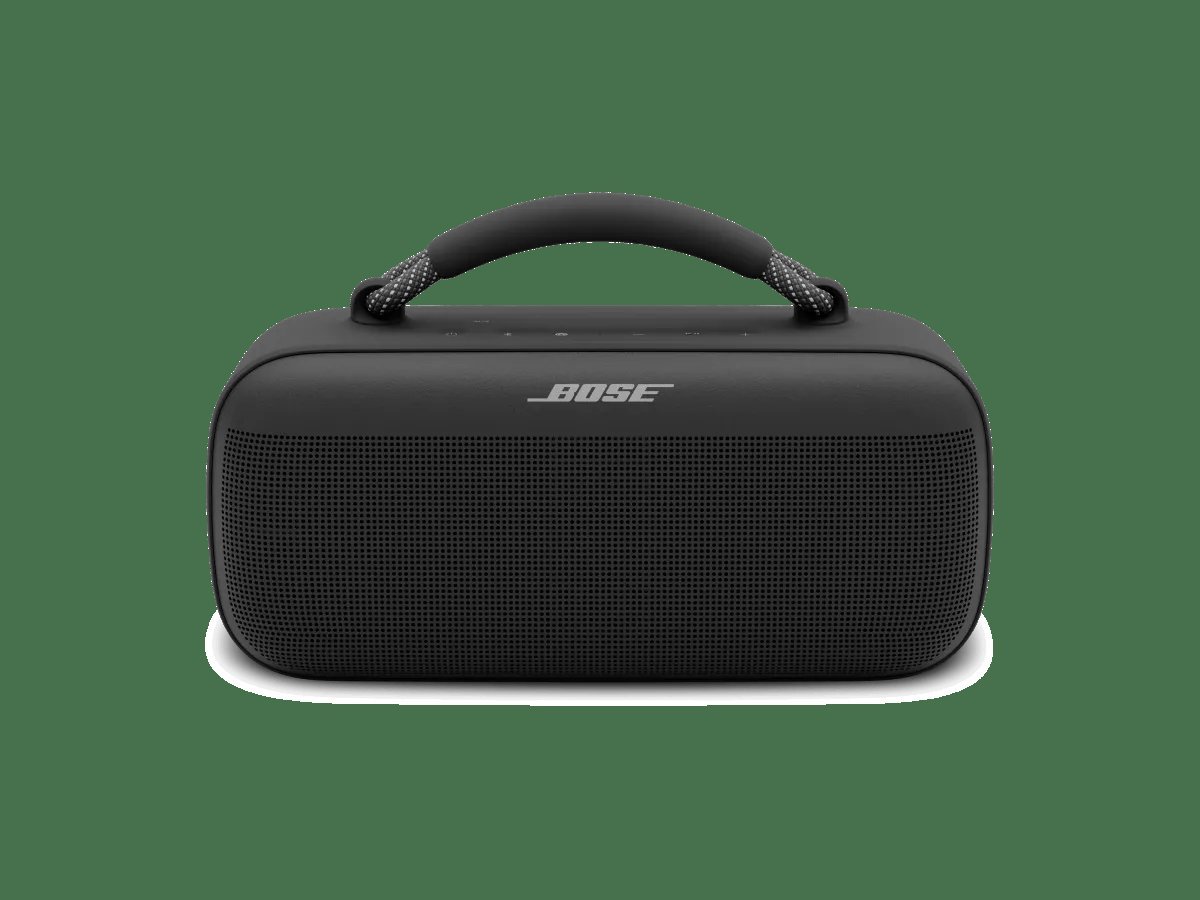
Different Bose speaker families use different button combinations to return to factory status.
| Speaker Family | Reset Time | Button Combination | What to Watch |
|---|---|---|---|
| SoundLink Color / Micro | 10 seconds | Hold Power button | Status LEDs turn solid, then shut off |
| SoundLink Revolve / Revolve+ | 10 seconds | Hold Power button | LED blinks blue, voice prompts restart |
| SoundLink Mini II | 10 seconds | Hold Mute button | All three top lights flash together |
| Portable Smart Speaker | 10 seconds | Hold Volume Down and Play/Pause | Light ring fills white, then turns amber |
| SoundTouch 10 / 20 / 30 | 10 seconds | Hold “1” and Volume Down | Display counts down, Wi-Fi LED amber |
It’s much safer to try a soft power restart first before you run a full wipe that wipes every stored network profile.
How to Tell You Did It Right
A successful reset ends with the speaker rebooting cleanly and the Bluetooth light glowing steady blue, ready to pair. A poor result leaves the lights completely dark, frozen in solid red, or stuck repeating a rapid blinking error code. Re-pairing issues usually happen because the old security token stays stored inside your phone’s memory. Clear the old profile from your phone’s Bluetooth menu to prevent connection loops. Also keep your phone within 3 feet during the initial handshake, and ensure the unit sits away from active Wi-Fi routers that crowd the local wireless band.
Factory Rules and Clearing Memory
Audio industry guidelines from the Bluetooth SIG specifications require devices to flush all security encryption keys during a true factory wipe. When this wipe completes, your speaker deletes all known smartphones, smart home presets, and voice assistant profiles. Put the unit back onto its charging cradle or plug in its standard cable for at least 15 minutes afterward to ensure a stable supply. You won’t need to perform this procedure again unless you change your home router, sell the hardware, or encounter repeated playback stuttering.
Alternative Troubleshooting Paths
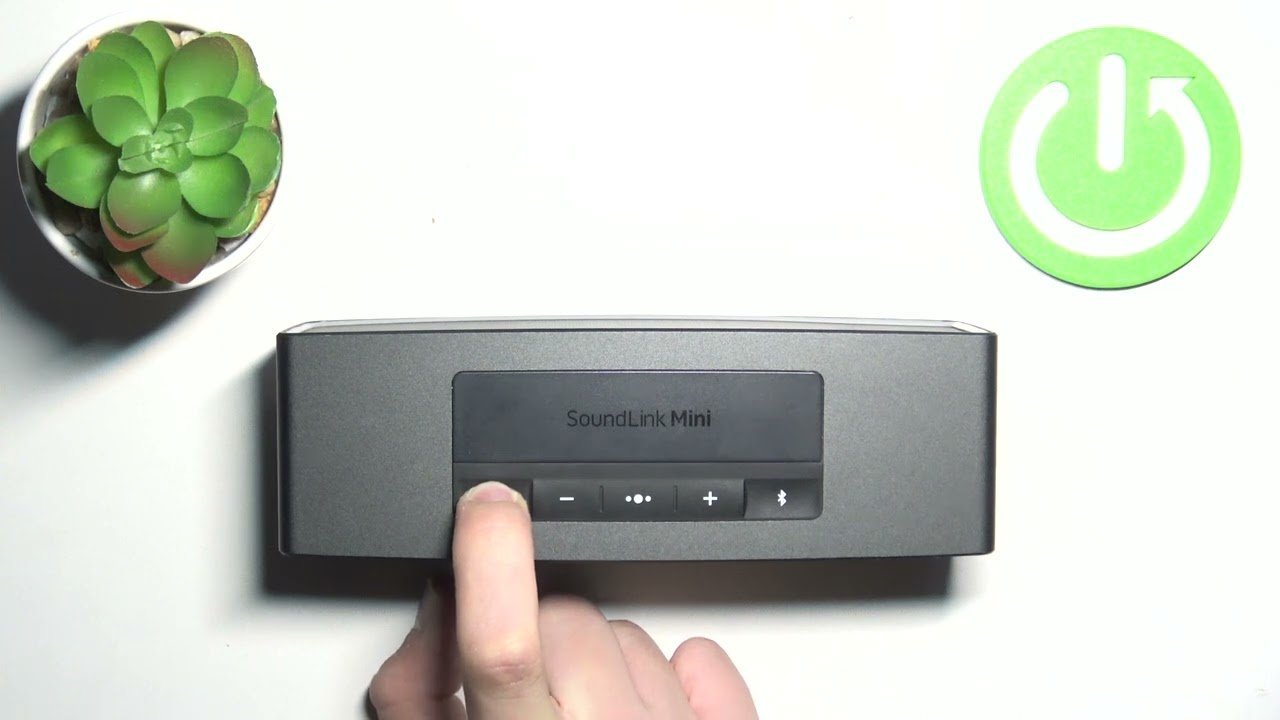
Clear the Pairing List Only
Hold the Bluetooth button for 10 seconds until you hear a tone saying the device list cleared. This spares your volume and network settings while fixing connection handoff drops between multiple phones.
The Bose App Recovery Route
Open the Bose app on your mobile device, select your product, go to Settings, and choose the restore option. This updates firmware glitches cleanly without pressing hardware buttons, but it requires an active, stable Wi-Fi link.
The Service-Cord Pinhole Reset
Frequently Asked Questions
Will Resetting Delete My Paired Devices?
Yes, a full factory reset erases your entire paired device list along with personal custom names. A simple 10-second soft reboot, however, keeps your stored connections completely intact. If your only problem is an occasional audio stutter, do the soft reboot first; if the unit flatly refuses to discover your phone, run the full reset instead.
Why Won’t My Bose Speaker Turn Back On?
Your speaker’s internal processor locked itself in low-power protection mode because the lithium cell dropped below a safe threshold. Connect it directly to a verified high-output wall charger for a full hour before touching any buttons.
How Long Does a Factory Wipe Take?
About 15 to 30 seconds from the moment you hold down the buttons until the indicator lights flash. The speaker needs another 60 seconds after that to rebuild its internal operating firmware before it accepts fresh pairing requests.
Can I Reset My Speaker Without the Power Button?
No, physical recovery procedures always require the top control buttons unless the speaker is currently connected to the Bose app. If the main buttons are broken, a software wipe inside the mobile app settings is your only working option.
Is It Safe to Reset While Plugged into Power?
Yes, modern units accept resets while plugged in, and some older models actually require active wall power to reboot their internal boards. Just avoid using uncertified cheap cables that might interrupt the electrical current halfway through the process.
What Happens If the Status Light Stays Solid Red?
A solid red light signals a hardware safety shutoff caused by high heat or a dead battery cell. Let the device rest at standard room temperature for 30 minutes away from sunlight, then try charging it again.


