To reset an Nvidia Shield remote, start by holding the Select button and the Home button together for 15 seconds until the status light flashes. The whole reset takes under 20 seconds, clearing stored pairing data so you can connect fresh. This quick hardware fix suits anyone whose triangular controller stopped responding or won’t wake the TV console.
What You Need to Reset Your Shield Remote
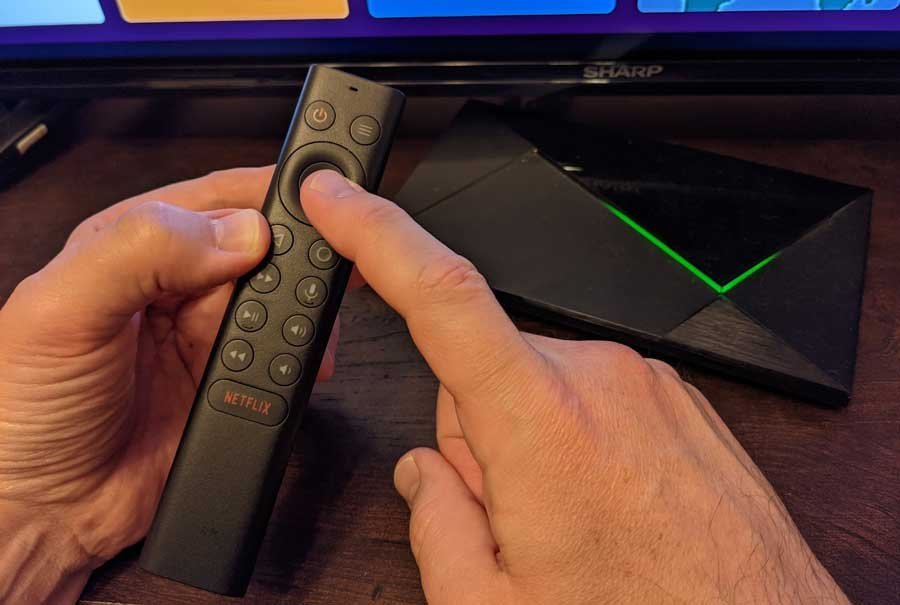
- Your triangular remote (2019 model) or slim flat remote (2015 or 2017 model)
- Two fresh AAA batteries (for the triangular model) or two fresh CR2032 coin cells (for the older slim model)
- Your powered-on streaming console placed within 3 feet of you
A standard USB keyboard plugged into the console’s rear port works as a temporary controller if pairing fails, but third-party infrared remotes won’t help you navigate the initial Bluetooth setup menu.
Step-by-Step
- Slide the back cover off the controller by pressing the release arrow firmly and pulling downward.
- Remove one battery from the compartment completely to cut all power to the board.
- Press and hold down both the Home button and the central Select button together at the same time.
- Insert the battery back into place while keeping both buttons held down tight without letting go.
- Hold both buttons down continuously for 15 seconds until you see the backlight flash.
- Release both buttons immediately once the lights blink to finish the internal hardware wipe.
- Bring the remote within 1 foot of your streaming base to start automatic pairing.
Careful: Releasing the Select button before the full 15 seconds pass will interrupt the cycle, leaving old connection errors saved in memory.
Tip: If you see a steady red light instead of flashing backlights, replace both AAA cells immediately because low voltage stops the radio chip from completing pairing.
Controller Behavior by Hardware Model
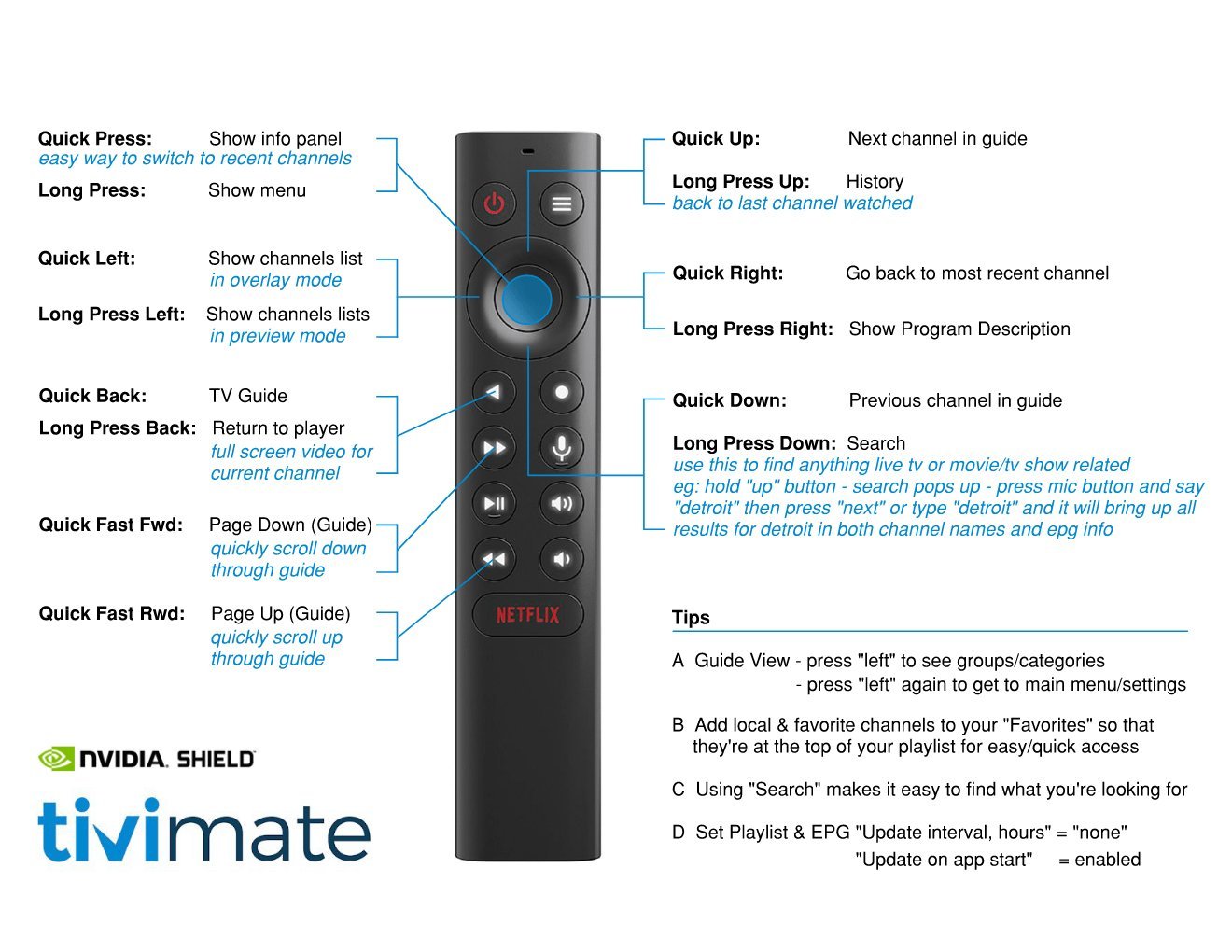
Hardware steps change depending on which edition of the controller you hold.
| Hardware Version | Reset Time | Key Difference | What to Watch |
|---|---|---|---|
| 2019 Triangular (AAA) | 20 seconds | Needs battery pulled while holding buttons | Backlight flash beneath buttons |
| 2017 Slim (Coin Cell) | 15 seconds | Requires removing tray via bottom latch | Screen pairing prompt |
| Shield Game Controller | 30 seconds | Hold NVIDIA logo button for 15 seconds | Flashing green center logo |
It’s safer to attempt the standard battery pull first before clearing system-wide Bluetooth cache, because factory wiping the console software wipes out all your saved apps.
How to Tell You Did It Right
A successful reset shows bright, pulsing button backlights that settle into a steady glow once the console links up. You’ll see the cursor move across your home screen smoothly without lag or double-clicking. A poor result leaves the lights completely dark, or the cursor jumps erratically across menu tiles. Unresponsive buttons happen when old pairing profiles stay locked in the console’s memory while the handset tries to broadcast a new security key. You can prevent this failure by unpairing the dead device inside Android settings before starting, keeping other active Bluetooth accessories at least 5 feet away, and using fresh batteries that produce full voltage.
Official Pairing Guidelines and Maintenance
Operating specifications published directly in NVIDIA’s official SHIELD support guide require holding the remote close during setup to establish secure Bluetooth LE handshakes. Once linked, return the battery door securely to prevent moisture or dust from reaching the internal contacts. This hardware wipe lasts indefinitely, meaning you won’t need to repeat the process unless you move the unit to a different television or drop the controller onto hard flooring. If physical drops break the battery prongs or crack the motherboard traces, user repairs end and you must contact the manufacturer for a replacement unit.
Other Ways to Clear Pairing
Android TV Mobile Application
Install the official virtual remote app onto your smartphone from the Google Play Store. This software route costs nothing, takes 2 minutes, and lets you open settings to unpair broken hardware without touching physical buttons.
USB Wired Keyboard Navigation
Plug any standard desktop keyboard into the rear USB slot of your media box. Pressing Enter and arrow keys gives you instant wired control, letting you delete faulty accessories from the accessory menu without any wireless lag.
Shield Accessories Menu Unpair
Use an existing game controller or mouse to select the faulty handset on screen and click Forget. This clears corrupt system cache files in 30 seconds, forcing the media box to search for fresh hardware signals.
Frequently Asked Questions
Can Dead Batteries Prevent a Factory Reset?
Yes, weak cells lack the voltage needed to write factory settings to the internal flash chip. If the cells output low power, the remote won’t enter pairing mode at all. Always put brand-new alkaline batteries in the tray before you begin holding down the buttons.
Why Won’t My Remote Connect After Resetting?
Interference from nearby soundbars, external hard drives, or Wi-Fi routers usually blocks the signal. Unplug unshielded USB 3.0 drives from your media player, move external wireless hubs two feet away, and restart the console from the wall outlet to clear out frozen background radio tasks.
Is It Safe to Reset the Remote Often?
Yes, clearing the remote’s memory carries no danger for the hardware or your TV console. It only wipes the local Bluetooth link profile and volume keys. You can run the process as many times as needed without damaging internal components or deleting any streaming apps.
What Happens If I Lose the Battery Tray?
The remote won’t power on without the tray because the metal contacts complete the electrical circuit. Replacement trays aren’t sold separately by retailers, so you’ll have to order an entire replacement controller if the internal battery housing snaps or goes missing.
How Long Does the Remote Stay in Pairing Mode?
The device searches for a connection for roughly two minutes after you finish the button sequence. If you don’t complete the pairing on your screen within those two minutes, the controller goes to sleep to save power, and you must hold Select again.