Resetting a Verifone PIN pad takes about 60 seconds by pressing the 1 key and Yellow button together until the screen blinks. This quick reboot solves frozen payment screens, card read drops, and system lag. It suits retail cashiers and managers who need to clear daily communication errors right away without losing store network credentials.
Items Needed to Reset Your Verifone Pin Pad
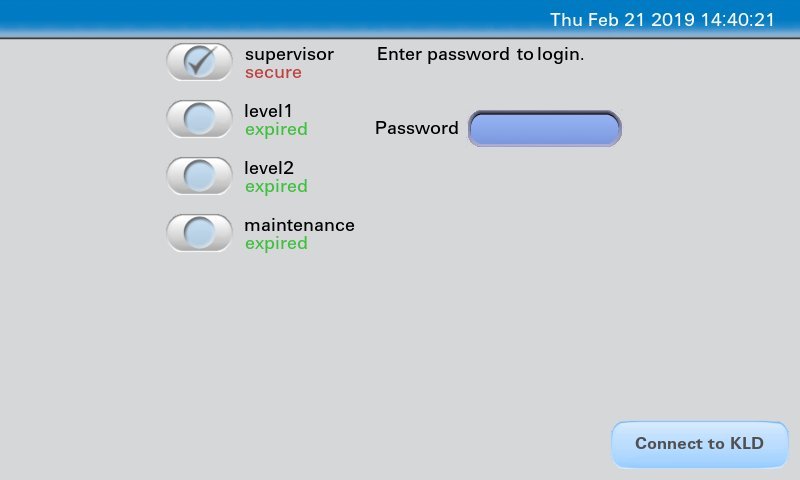
- The Verifone payment device (such as a VX 805, VX 820, or standard Lane series unit).
- The dedicated multiport or serial interface cable connected to the back of the terminal.
- An active power source (either a 12-volt wall adapter or a powered USB cable from the register).
- The administrative password or merchant supervisor code from your payment processor if you need a deep software reboot.
- Your point-of-sale register running on its standard operating profile.
A standard wall power plug works if the USB line fails to send enough current, but a generic mobile phone charger won’t fit the proprietary socket. If the unit shows a physical security alert, you’ll need the certified help desk from your merchant bank to clear it.
Step-by-Step
- Turn your focus to the hardware keypad and locate the yellow backspace key and the numeric 1 key.
- Hold down the 1 key and the Yellow key at the exact same time for 3 to 5 seconds.
- Release both buttons the moment the screen goes completely dark or emits a single sharp beep.
- Watch the display while the Verifone copyright text, boot agent, and diagnostics flash across the panel.
- Enter the merchant system password if the screen halts at an operating system prompt; otherwise, leave the keys alone while the terminal loads files.
- Verify that the terminal finishes its cycle when the main idle screen appears with the message “Welcome” or your store logo.
Careful: If you hold down the 9 key and the Green key instead, the unit opens the low-level diagnostic menu. Don’t change system flash parameters inside that menu, because wiping encryption keys will brick the terminal.
Tip: Watch the register screen during boot. If your POS says “Pinpad Offline”, wait a full 45 seconds after the reboot finishes before pulling the cable out.
If the screen reads “TAMPER DETECTED” during startup, don’t open the case. That requires factory re-injection from your merchant service provider because internal security switches have disabled the device permanently.
Reset Methods Across Hardware Types
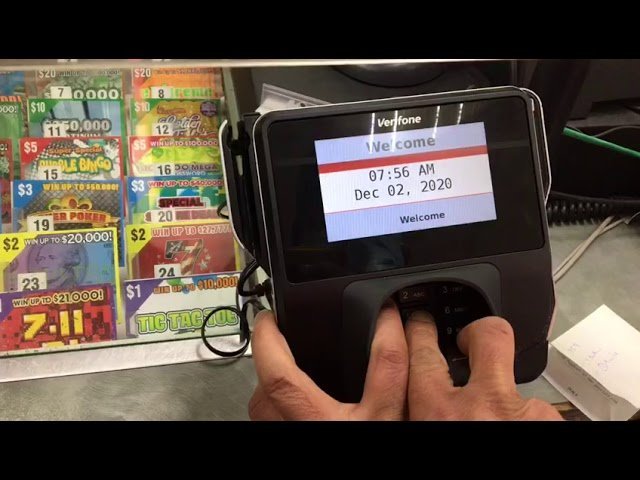
The time and impact of a restart change based on your hardware connection and terminal model.
| Hardware Setup | Typical Downtime | Operational Impact | What to Watch During Restart |
|---|---|---|---|
| Standalone Serial Cable | 30 to 45 seconds | Restarts only local pinpad memory | Screen progress bar reaching 100% |
| Powered USB POS Line | 60 to 90 seconds | Resets the virtual COM port on register | Windows device manager sound |
| Ethernet Multi-Lane Terminal | 2 to 3 minutes | Reacquires local IP address from router | Blinking link lights on the network jack |
| Battery Mobile Unit | 15 to 30 seconds | Drops current wireless base connection | Wi-Fi or cellular signal bars reappearing |
It’s safer to run a fast key reboot first than to pull the power cord, because unseating the power line during an active write cycle can corrupt firmware files.
How to Tell You Did It Right
A clean reset finishes on a steady “Welcome”, “Insert Card”, or “Ready” screen. The backlighting stays solid, and the keypad beeps once when you tap a number. A bad reset leaves the display blank, loops endlessly on the kernel loading bar, or freezes on an “Unauthorized Access” error.
Terminals often stall because the internal memory runs out of buffer space during busy checkout days. If you keep the terminal free of forced mid-transaction restarts and avoid tugging on the interface cord, the system stays online reliably.
Terminal Security and Hardware Cleanup
The payment terminal industry operates under strict security standards. The PCI Security Standards Council sets physical and operational requirements to make sure customer cardholder data remains safe against unauthorized access.
Check the security seals on the casing edges whenever you finish a power cycle. Wipe the silicone keys with a dry lint-free cloth, and make sure the interface wire sits tightly in its port bracket. A standard software restart keeps working until your processor pushes an automatic software update periodically. If the card reader housing looks cracked or modified, take the terminal out of service immediately and call your merchant bank for an inspection.
Alternative Recovery Options
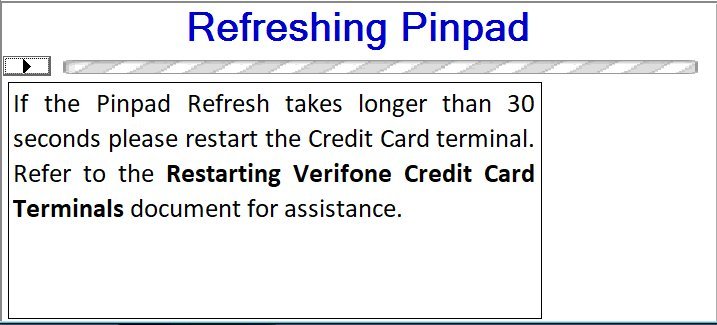
Point-of-Sale Software Reboot
You can restart the card reader directly from your checkout register software. Open your store management screen, navigate to the hardware peripherals tab, and select the pinpad refresh function. This method avoids touching the physical device and takes about 90 seconds to re-establish the data link.
Complete Power Drain
When the keypad doesn’t respond to button combinations, unplug the primary power cable directly from the wall outlet or the rear splitter brick. Keep the unit disconnected for 15 seconds so internal capacitors drain their charge fully. Plug the power line back into the socket and allow 2 minutes for a cold reboot.
Processor Remote Push
Call your payment processor’s technical support line to request an over-the-air signal reset. The representative sends a network command directly to the terminal’s IP address to reload configuration files. This process takes 5 to 10 minutes and requires you to keep customer lanes closed during the download.
Frequently Asked Questions
Will Resetting the Terminal Erase My Store Batch Data?
No. A normal key reboot only refreshes local system memory and leaves processed transactions safely stored on your host server. The batch totals remain intact inside the register database until you run the standard end-of-day settlement.
What Should I Do If the Screen Says Tamper Detected?
Replace the device immediately through your payment processing provider. This security message means the internal sensors detected a drop, an opened case, or an electrical spike. The device disables its card reader permanently to protect customer credit card numbers.
Can I Reset the Terminal During an Active Transaction?
No. Resetting the reader while a customer’s card is in the slot causes the transaction to cancel or double-post as a pending charge. Always wait until the reader returns to the main payment prompt before you press the reset keys.
Why Won’t My Terminal Turn Back on After Pulling the Cord?
Check the power brick connection and your main outlet. Verifone cables use a snug friction-fit plug that often looks fully seated when the pins aren’t touching. Push the round connector firmly into the port until you feel it seat completely.
Does a Standard Reboot Fix Chip Card Read Errors?
Yes. It clears dirty transaction cache files and resets the terminal’s optical and physical contact sensors. If the reader still rejects cards after a clean restart, clean the slot with a dry cleaning card to remove register dust.