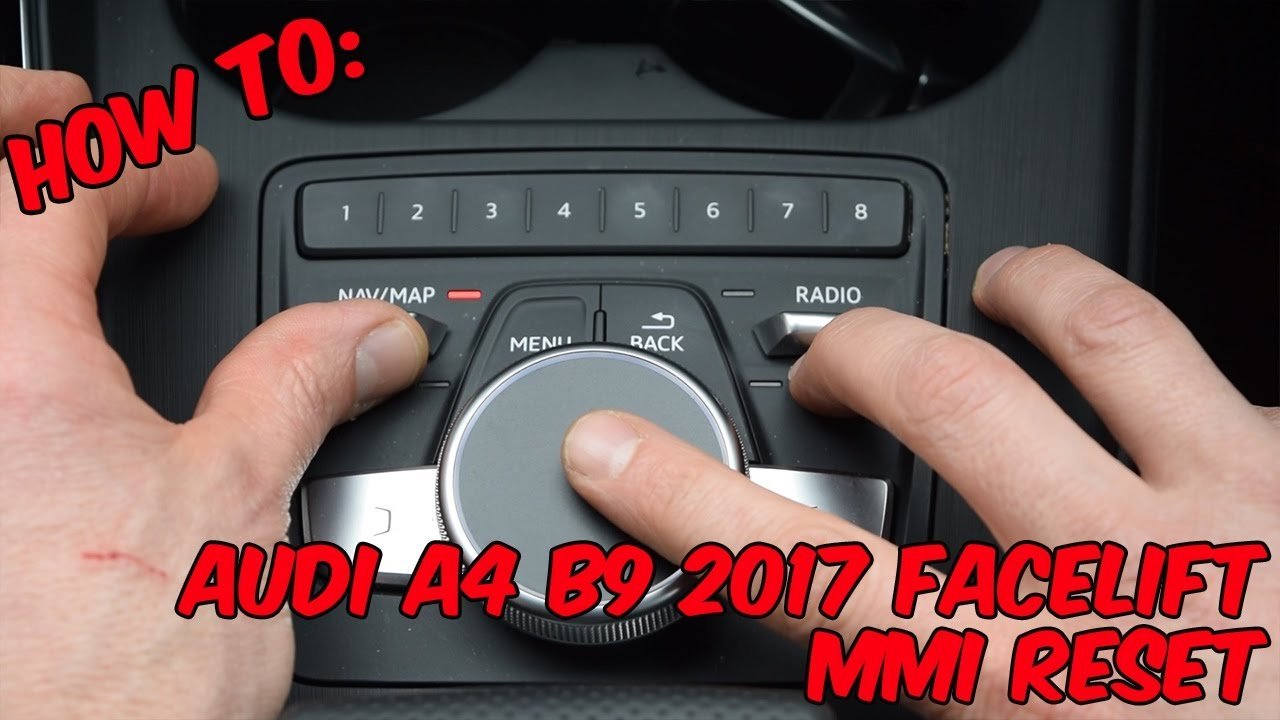
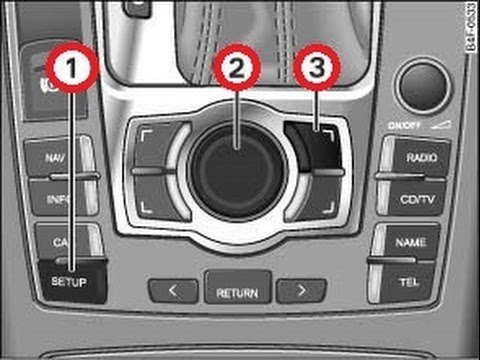
Resetting your Audi MMI takes pushing three physical buttons together for two seconds until the screen turns black. Press the central rotary control knob, the upper-right selection button, and the top-right toggle switch upward at the same time to force an immediate reboot of your car’s infotainment system.
The reboot works because it cuts power briefly to the car’s computer chip without clearing your saved phone contacts or radio presets. This method trades a fast screen refresh for deep system repairs, meaning it won’t fix damaged hardware or broken wiring.
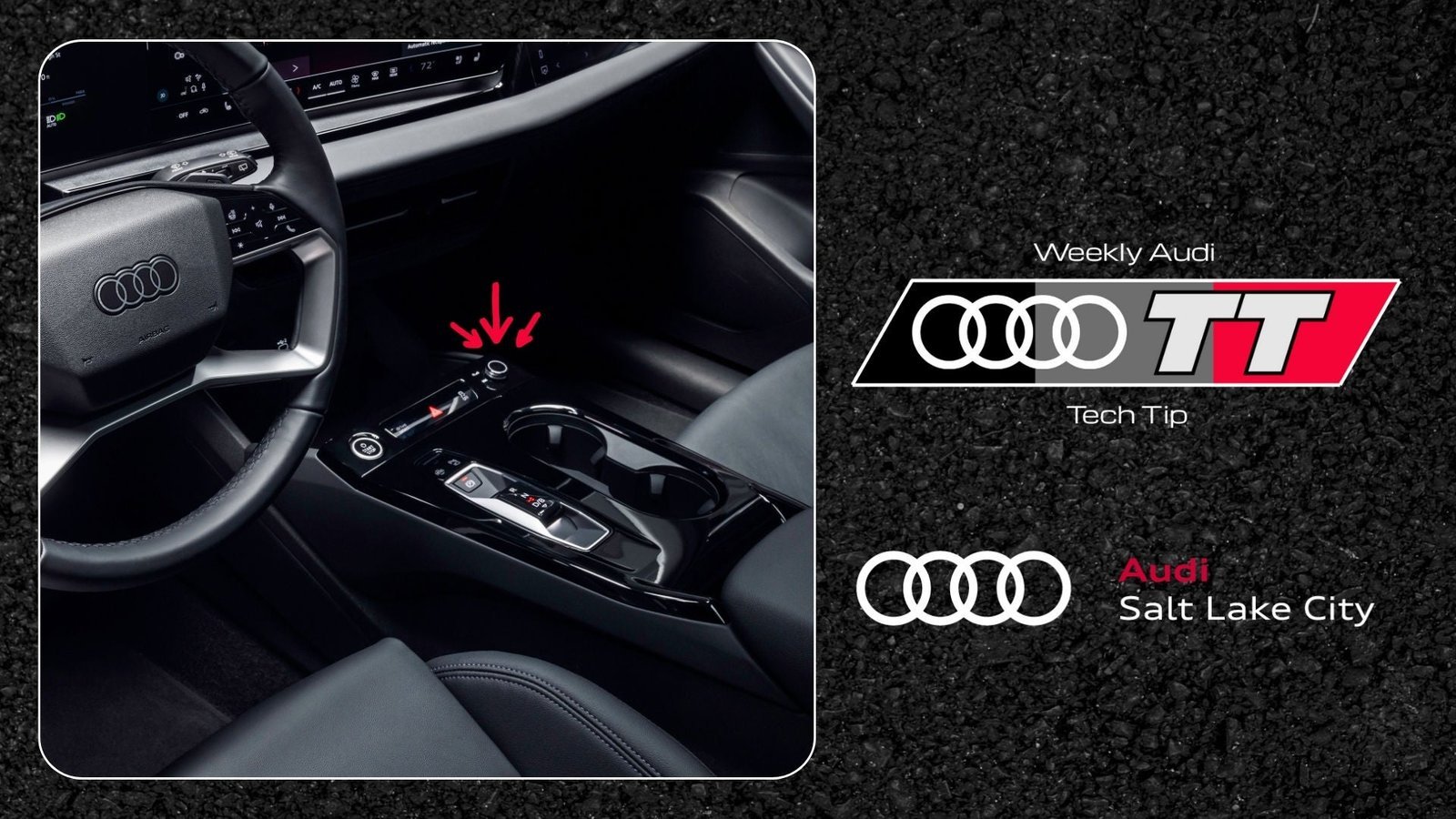
If you drive a newer Audi equipped with dual touchscreens and no central dial, this three-button process isn’t for you. Instead, you’ll need to hold the volume knob by the cup holder down for ten seconds straight.
Rebooting the Central Screen
- Turn on the vehicle ignition so the dashboard lights up, but keep the engine off to save fuel.
- Locate the central control knob, the upper-right corner button next to it, and the toggle switch above it.
- Push and hold the rotary control knob down, nudge the toggle switch upward, and press the upper-right button together for 2 seconds. Tip: Release all three buttons the exact moment the display panel goes completely black.
- Wait 30 to 60 seconds while the unit clears temporary memory and reloads the car’s operating software.
- Watch for the welcome logo to appear on the center console, which shows the reboot finished normally.
This varies by model — check the label or user guide to verify your layout. If you need full software repairs or deep error clearing, consult an authorized dealer listed through Audi USA customer service rather than attempting wire removal yourself.
How Long It Takes
A standard reboot takes under one minute from button press to full menu reload.
| Situation | How long | What changes it | What to watch for |
|---|---|---|---|
| Standard 3G/3G+ unit | 30 to 45 seconds | Cold weather starts | Black screen turning off |
| MIB2 system (2015–2020) | 45 to 60 seconds | Navigation map size | Red Audi logo display |
| Modern dual-touchscreen | 15 to 25 seconds | Active phone link | Volume bar disappearance |
If the screen stays dark for more than two minutes, turn the car’s ignition completely off and restart the engine.
How to Tell When It’s Done
You’ll know the reset finished when the central screen displays the bright manufacturer logo and plays the audio chime. Your normal home menu will return, showing your radio channels and map data intact.
If the buttons light up but your screen stays dark, test the volume knob to see if sound still plays through the car speakers. When sound works but the picture fails, the display backlight has an electrical issue rather than a frozen computer.
Mistakes That Ruin It
- Releasing the buttons too early: Letting go before two seconds stop the reboot command, which leaves the screen completely frozen. Hold all three parts firmly until the panel turns dark.
- Pulling vehicle battery cables: Disconnecting battery clamps to clear a screen costs you basic sensor calibration and creates steering fault codes. Stick strictly to center console buttons.
- Rebooting during a firmware update: Forcing a restart while system files install can destroy the memory drive completely. If the screen shows a progress percentage bar, let it finish.
Frequently Asked Questions
Will Resetting the Mmi Delete My Saved Radio Stations?
No, a normal button restart keeps all your personal information safe. It only clears active system memory and restarts the screen, leaving your paired phones, navigation history, and favorite radio stations saved on the drive.
Can I Reset the Mmi While Driving on the Highway?
No, you shouldn’t perform a reset while operating the vehicle. The screen controls backup cameras and safety notifications, so losing the display while driving creates blind spots. Always park your car safely first.
Why Does the Screen Stay Black After Pressing the Buttons?
The hardware may have suffered an internal fuse failure or lost power. Check your vehicle fuse panel under the dashboard for blown circuits, or have a certified auto technician check the central display cables.
How Often Should an Infotainment Screen Be Rebooted?
Only reset the system when an application freezes or your phone refuses to connect. Running an occasional reset is fine, but daily reboots indicate an outdated software version that needs a dealer update.
What Happens If the Buttons Don’t Respond at All?
If the dials fail, your car’s center console wiring might have a loose plug or liquid damage. Turn off the ignition, wait 15 minutes for the car computer to enter deep sleep mode, and test the knobs again.