
How to reset blink outdoor camera hardware takes about 30 seconds by pressing the Sync Module reset button with a paperclip or power-cycling the camera batteries. To reset the camera itself, take off the back cover, pull out both AA batteries for 10 seconds, and put them back in to reboot the hardware.
The Sync Module controls your camera’s system settings, not the camera body alone. Pressing the physical button on the Sync Module clears network data, while removing camera batteries only restarts the camera hardware.
Leaving old batteries inside during a system reset often creates sync failures. Always check that your two AA 1.5V lithium batteries have full power before trying to reconnect the device to your home Wi-Fi network.
Steps to Reset Your Blink Camera
- Open the Blink app on your phone and delete the camera from your system first if you plan to sell it.
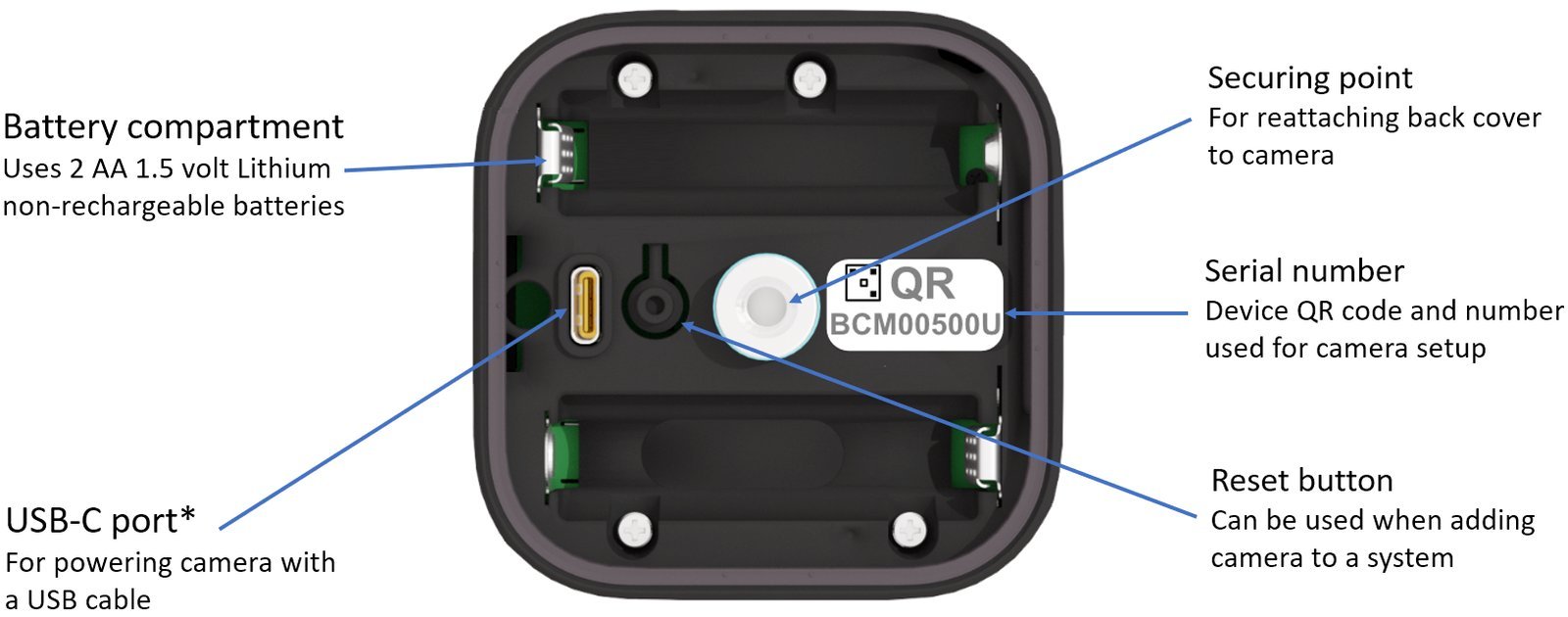
- Turn the latch screw on the back of the camera counterclockwise with the opening tool or a coin.
- Remove the back cover and take out both 1.5V AA lithium batteries for 10 seconds. Tip: Alkaline or rechargeable batteries will cause power drops, so use only 1.5V lithium cells.
- Locate the small reset button on your Sync Module beside the USB port.
- Press and hold that reset button for 5 seconds until the LED light flashes red. Tip: Don’t press longer than 10 seconds, or the Sync Module will wipe its firmware cache completely.
- Insert the batteries back into the camera, close the latch tightly, and wait for the green indicator light.
How Long It Takes
The entire process usually wraps up within a few minutes depending on your setup.
| Situation | How long | What changes it | What to watch for |
|---|---|---|---|
| Simple battery power cycle | 1 to 2 minutes | Battery removal duration | Solid red light on sensor |
| Sync Module reset | 3 to 5 minutes | Wi-Fi router reboot speed | Blinking blue and steady green lights |
| Moving to a new Wi-Fi network | 5 to 10 minutes | Signal strength at the mounting spot | App timeout errors during discovery |
| Re-adding a deleted camera | 4 to 6 minutes | QR code scan speed | Camera serial number recognition |
If your setup takes longer than 15 minutes, move the camera within 3 feet of your Sync Module to rule out range problems.
How to Tell When It’s Done
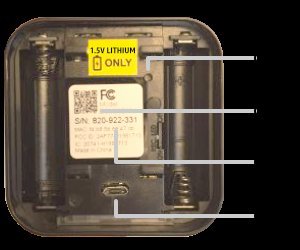
Look directly at the front lights on your Sync Module and camera. A completed reset shows a flashing blue light and a steady green light on the Sync Module, which means it’s ready to pair. If you see this pattern, open the Blink app to reconnect your camera. The trade-off is clear: a full factory reset wipes your network credentials, so you’ll have to re-enter your Wi-Fi password. This step isn’t for owners who just want to pause alerts temporarily; use the app snooze button instead. If your device stays red, check the label on your unit because layout varies by model.
Mistakes That Ruin It
- Using alkaline batteries: The camera loses connection quickly because alkaline cells drop voltage too fast; replace them with two 1.5V non-rechargeable lithium batteries instead.
- Skipping the Sync Module reset: The camera won’t pair with new Wi-Fi if X happens—where X is keeping old network data saved on the module; do A and hold the module’s reset button until it blinks red, but if Y happens and the app still fails, do B and restart your home router.
- Forgetting to delete from the old account: You can’t register the camera to a new owner if it’s still attached to your Blink profile, costing you hours of setup delay; remove the hardware directly inside the app before passing it on.
Frequently Asked Questions
Can You Reset a Blink Outdoor Camera Without the Sync Module?
No, you can only power-cycle the camera by taking out the batteries. The Sync Module manages the network connection, so you must press its reset button to wipe saved Wi-Fi details.
Why Is My Blink Outdoor Camera Flashing Red After a Reset?
A blinking red light means the camera can’t find your internet connection or the batteries are low. Replace both batteries with new 1.5V lithium cells and check your router’s 2.4 GHz band.
How Do I Reset My Blink Camera for a New Owner?
Open your Blink app, go to device settings, and tap delete device. If you don’t remove it from your account first, the new owner can’t register the serial number to their own app.
What Happens If I Hold the Reset Button Too Long?
Holding the button over 10 seconds forces the module into a reboot loop that delays pairing. Let go of the button the moment you see the red LED light flash.
Is There a Physical Reset Button on the Blink Outdoor Camera Body?
No, the Blink Outdoor camera has no external reset button on its shell. You must remove the back battery cover to power-cycle it or use the button on your Sync Module.


