Resetting Night Owl DVR units takes about five minutes using the internal factory default tool in your system menu. You only need your wired mouse and admin password to complete it. This basic procedure suits homeowners who still have system access but want to clear corrupted camera settings or bad network rules.
Items Needed to Reset Your Night Owl Dvr
- A standard USB wired mouse plugged directly into the front or rear port.
- The original 12-volt Night Owl power supply (don’t use third-party adapters with mismatched amperage).
- A TV or monitor connected through an HDMI or VGA cable.
- A thin paperclip or pin if your recorder features a physical pinhole button.
- Your current administrator username and password.
- An Ethernet cable connected to your local router if you need to register a new password online.
A standard optical mouse works fine as a replacement, but wireless mice with non-standard drivers often fail on boot. If your recorder has hardware damage, contact official technical support instead of opening the internal power housing.
Step-by-Step
- Click the right mouse button anywhere on your live screen to open the main menu bar.
- Select the gear icon to open Settings, then choose System from the side options.
- Click the Default or Maintenance tab located near the top of the screen.
- Check the box labeled Select All to restore network, display, and recording settings together.
- Click Apply or Factory Default at the bottom right corner of the window.
- Enter your admin password when the security prompt appears on the screen.
- Wait three minutes while the DVR reboots itself; don’t unplug the power lead during this cycle.
Careful: Unplugging the power cable during the reboot phase can corrupt the flash memory chip and permanently ruin the operating system.
Tip: If you forgot the password, click “Forgot Password” on the login screen to send a temporary reset code to your linked email address.
This guide isn’t for people with damaged motherboard circuits; consult an electronics repair shop if the unit smells hot or shows no front lights.
Dvr Reset Methods Compared
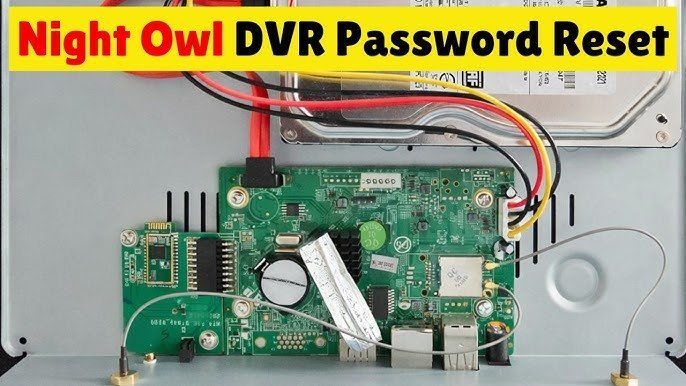
Choose your path based on whether you remember your credentials.
| Hardware Setup | Process Duration | Technical Requirement | Primary Indicator |
|---|---|---|---|
| Full Menu Access | 3 to 5 minutes | Admin login details | System setup wizard launches |
| Password Recovery | 10 to 15 minutes | Smart device and linked email | Email contains 6-digit code |
| Rear Pinhole Button | 2 to 4 minutes | Rigid paperclip tool | Recorder emits single beep |
| Support Ticket | 24 to 48 hours | System serial number | Temporary backdoor pass code |
If the network setting fails, test one setting at a time; resetting everything at once takes longer to reconfigure.
How to Tell You Did It Right
A successful reset presents the initial Setup Wizard immediately after the machine powers back up. You’ll see blank camera channels, factory-default resolution, and an accurate system clock set to standard time. A failed reset leaves your old custom channel names intact or loops continuously at the logo screen. System boot loops happen when the internal hard drive has bad sectors that interrupt the boot partition. You can prevent this failure by formatting your storage disk regularly, checking cable integrity, and using an uninterruptible power supply. This varies by model — check the label on your recorder’s underside for specific sub-series requirements.
Security Standards and System Maintenance
The Federal Communications Commission requires digital video recorders to meet strict electromagnetic interference limits under FCC Part 15 rules. After running a reset, disconnect any temporary test monitors and write down your new administrator passphrase in a safe physical notebook. The factory restore wipes custom schedules, so set your motion detection areas again immediately. The system settings remain stable for years unless a firmware update fails or an electrical surge hits the property. If your building has fluctuating voltage, hire a licensed electrician to evaluate your wall outlets.
Alternative Dvr Reset Choices
Hardware Pinhole Button
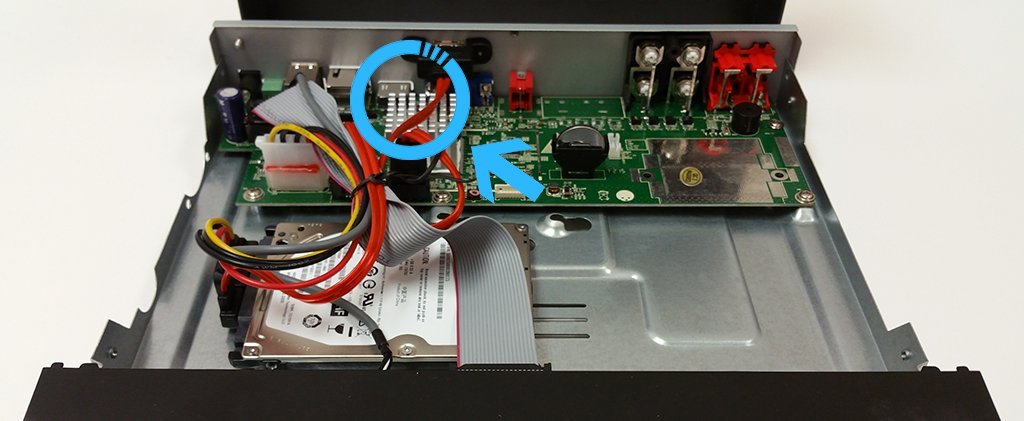
Insert a paperclip into the small hole on the back panel while the DVR runs. Hold the internal switch down for ten seconds until the unit beeps loudly. This bypasses system menus entirely and forces an instant factory wipe for locked units.
Hard Drive Removal Wipe
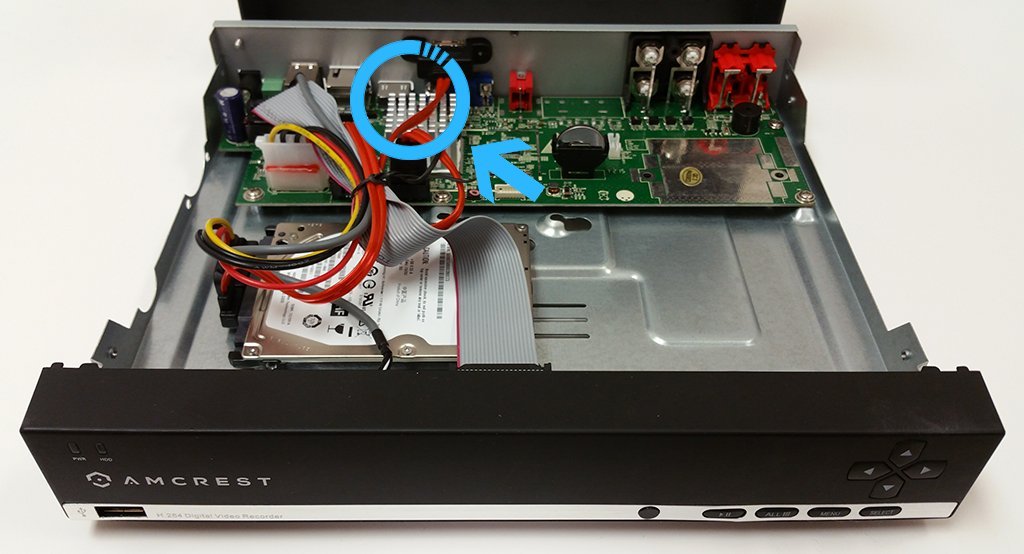
Power down the unit, open the metal chassis with a screwdriver, and disconnect the SATA data ribbon. Boot the DVR without storage attached to clear system freeze bugs caused by damaged hard drive sectors. The system boots cleanly without saving write errors.
Mobile Application Restore
Open the Night Owl Protect app on your smartphone, navigate to the recorder settings, and tap the remote reboot option. This resets network connectivity without altering your custom camera resolutions. It saves time when you can’t sit in front of the local TV monitor.
Frequently Asked Questions
Will Resetting My Dvr Delete My Recorded Videos?
No, factory resets clear your user preferences, network configurations, and passwords, but video footage stays safely on the internal hard drive. You must manually select the hard drive format tool if you wish to wipe past video recordings.
Can I Reset the Password Without an Internet Connection?
No, the built-in password recovery system requires an active web connection to deliver security reset codes to your phone. If your unit stays offline, you must contact customer service directly to generate a hardware-based rescue code.
Why Does My Dvr Keep Beeping After the Reset?
The recorder beeps because the default alert settings detect missing cameras or an unformatted hard drive. You can stop the sound immediately by entering the exception settings menu and disabling the buzzer alert for channel video loss.
How Do I Find the Dvr Serial Number?
The serial number sits on a white barcode sticker placed on the bottom or back of the metal housing. You can also view it inside the system information tab if your video monitor still displays the interface menu.
Is It Safe to Unplug the Dvr to Force a Reset?
No, pulling the power supply cord while the hard drive writes data causes file directory corruption. Always shut down through the on-screen software menu before pulling power cords from the back of the case.