
You can reset the oil gauge on a Honda Civic in about thirty seconds using your steering wheel controls or the dashboard trip stem with the ignition switched to ON (II) mode. This quick procedure restores your maintenance monitor display to 100% life after an oil change. It suits car owners who handle their own fluid services at home best.
Items Needed to Reset Your Civic Oil Gauge
- Your car key or proximity key fob.
- The vehicle parked safely on level ground with the transmission set to Park (automatic) or Neutral with the parking brake pulled (manual).
- The printed owner manual from your glove box to verify your specific dashboard layout.
You don’t need hand tools or expensive electronics to clear this reminder. An inexpensive OBD2 scanner can clear maintenance codes, but it won’t replace using the built-in dash controls if you want to update the sub-item codes like tire rotations or air filter reminders. If your instrument cluster fails to respond to any button inputs, an auto electric specialist needs to inspect the gauge cluster wiring.
Step-by-Step
- Turn your ignition switch to the ON (II) position without pressing the brake pedal, which keeps the engine off while waking up the instrument panel screens.
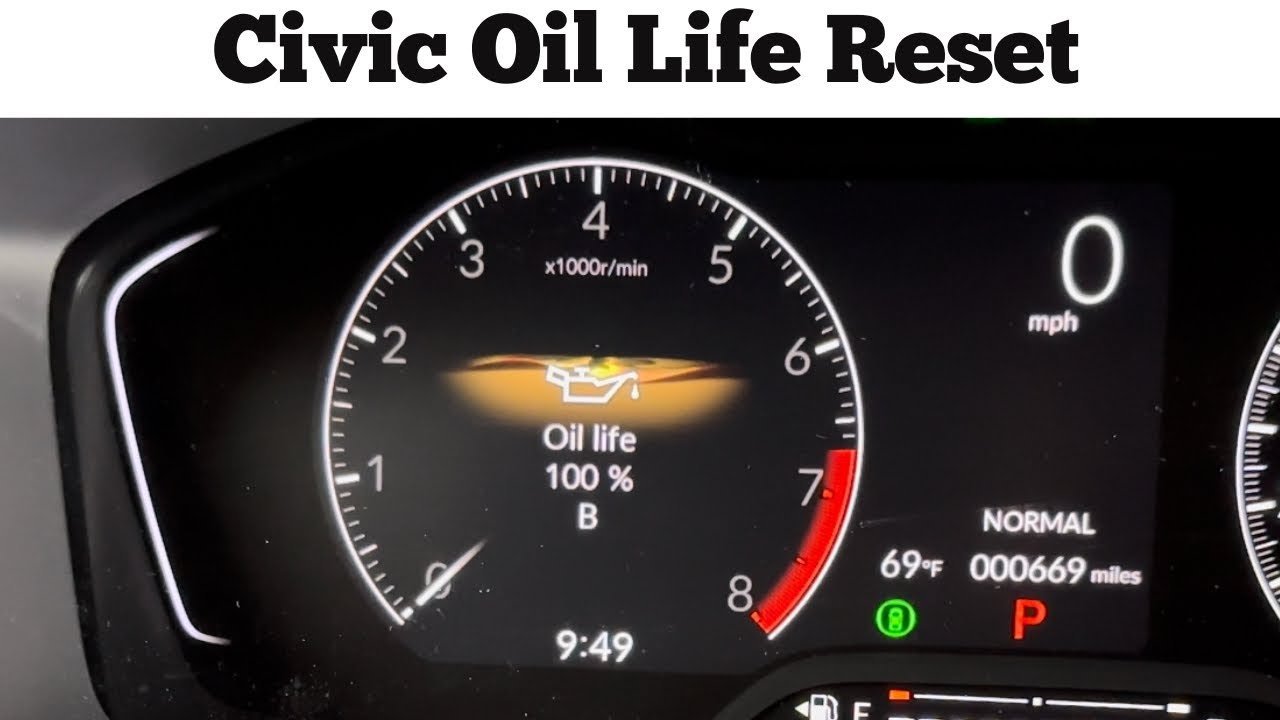
- Press the Info button or scroll wheel on your steering wheel until the Maintenance Minder screen displays your remaining oil life percentage.
- Hold down the Enter button or scroll wheel for roughly 10 seconds until the oil percentage starts blinking.
- Rotate the wheel or use the arrow buttons to scroll down through the menu until you highlight the option labeled “All New Items” or “Item A Only.”
- Press the Enter button once firmly to select that reset command.
- Check that the display changes immediately back to 100%.
- Turn the vehicle completely off, wait 5 seconds, and then start the engine normally to make sure the service light stays off.
Careful: Don’t press the brake pedal when turning the ignition on, because starting the engine while trying to access the configuration menus locks out the reset screen on many trims.
Tip: If your car uses a physical cluster trip knob rather than steering wheel buttons, press that knob repeatedly until oil life appears, then press and hold the same knob for 10 seconds.
Careful: If your cluster shows code “B12” instead of a plain number, clearing the screen without doing the work means you’ll miss required cabin filter and tire service intervals.
Maintenance Intervals Across Model Types
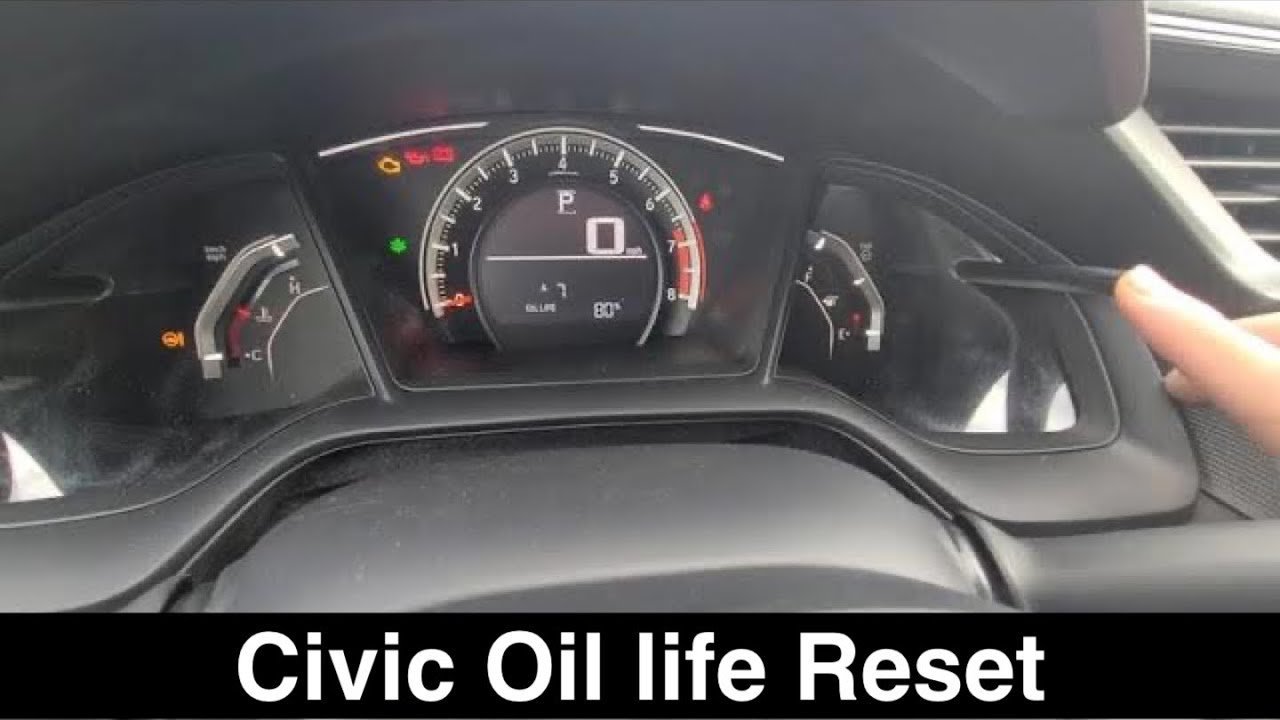
Your reset process takes slight adjustments depending on which generation of Civic sits in your garage.
| Civic Dashboard Type | Time to Complete | What Changes | Watch Closely |
|---|---|---|---|
| Digital screen with wheel controls (2016–2024) | 30 to 45 seconds | Reset choices appear inside the instrument screen | Sub-item service codes listed beneath percentage |
| Center touchscreen head unit (2016–2021 EX/Touring) | 1 minute | Resets inside the Vehicle Settings menu | Audio screen prompts before it saves |
| Dual-tier split dashboard (2006–2015) | 20 to 30 seconds | Uses a push-stem knob next to the speedometer | Blinking digits on the small LCD screen |
| Analog single cluster (2001–2005) | 15 seconds | Requires holding the trip button before turning key | Maintenance indicator light turning off |
This varies by model — check the label on your driver door jamb or dash if you’re unsure of your exact year. It’s safer to clear sub-items one by one rather than picking “All Items” on modern digital clusters, because wiping everything at once hides upcoming brake fluid flush warnings.
How to Tell You Did It Right
A successful reset leaves your dashboard screen showing “Oil Life 100%” with no glowing wrench icon visible when the engine runs. A poor result leaves the wrench illuminated, or the screen still shows your old percentage like 15% or 5%.
This method often fails when the trip button isn’t held continuously during the entire ten-second countdown. Releasing the button even half a second too early cancels the command. You can prevent this failure by watching the display intently until every character starts flashing before you lift your thumb, and then holding it for the second five-second confirmation cycle.
Factory Guidelines and Final Checks
The manufacturer maintenance schedule requires updating the system only after physical fluid changes take place.
Clear your tools from the footwell, stow your manual, and record your service date in a logbook. This indicator remains off until your oil degrades back down to 15%, which typically lasts several thousand miles depending on highway versus city driving habits. Resetting this light without replacing the oil is a costly mistake that leads to severe engine sludge buildup.
Other Ways to Clear the Indicator
Using the Center Touchscreen
Vehicles with high-trim infotainment systems allow resets via the center monitor. Tap Settings, choose Vehicle, select Maintenance Info, and tap the reset prompt directly on the display. It takes under one minute without touching the steering wheel.
Using an Obd2 Diagnostic Handheld Tool
Plugging a scan tool into the port under your driver dash lets you send a service wipe command. This route requires buying or borrowing a scan tool, but it takes less than two minutes and bypasses broken steering wheel buttons.
Visiting an Independent Mechanic
A certified technician can complete your oil change and clear your instrument cluster reminders during your routine service. This costs standard shop labor rates, but it keeps your hands clean and includes a full safety inspection.
Frequently Asked Questions
Can I Reset the Oil Light Without Changing the Oil?
Yes, the computer will allow you to reset it at any time. However, doing this ruins the computer’s tracking accuracy. Your car won’t know the fluid is worn out, which risks heavy engine damage over time.
Why Won’t My Honda Civic Oil Light Reset?
Your ignition switch is probably in the wrong position. The engine must stay completely off while the electrical system remains fully powered on, so don’t touch the brake pedal when tapping the start button.
How Long Does Honda Civic Oil Life Last?
Most drivers see the oil life indicator drop down to 15% between 5,000 and 7,500 miles. Your exact duration depends on whether you drive short city trips or long highway commutes in hot or cold weather.
Is It Safe to Drive with the Oil Wrench Light On?
Yes, it’s safe for a short time because the wrench turns on when oil life reaches 15%. This gives you ample warning to schedule service before the oil drops to 0% and causes real engine wear.
What Happens If Honda Oil Life Reaches 0%?
The display shows negative mileage to track how far past the recommended service limit you’ve driven. The car won’t shut off, but old engine oil loses lubricity and accelerates friction damage on internal engine bearings.
Can a Dead Key Fob Battery Prevent the Reset?
No, a weak key fob won’t block the reset menu. If your fob battery is low, press the engine start button directly with the tip of the key fob itself to wake up your dashboard screens.


